
Home
CrownCoinsCasino Review
Crown Coins App Review: Is Crown Coins App legit?
Contains commercial content
Crown Coins App Review: Is Crown Coins App legit?
Last Updated on 23.09.2026
We came across the Crown Coins app after seeing it mentioned a few times in the sweepstakes space. It wasn’t something we knew a lot about, so we decided to check it out firsthand and see how it works.
This review goes over what we found from testing their app, what’s officially listed by the developers, and how it all fits together. If you’ve been looking for some information on what Crown Coins offers, or how it compares to other sweepstakes casino apps, this should give you a clearer picture of whether you should download it.
Table of Contents
- A summary of the Crown Coins app
- Pros and cons of Crown Coins app
- Getting the Crown Coins app
- How the virtual currency system works
- State availability of the Crown Coins app
- How to download the Crown Coins app (iOS and Android)
- Interface & usability of the Crown Coins app
- Crown Coins Casino app security
- Customer support
- Game selection
- Prize redemptions
- A functional, no-frills app
- Crown Coins app FAQ’s

Social Casino Promo
4.3/5
up to 1500000 CC +
75 FREE SC
+ Exclusive 200% More
Signup Promo
|
T&Cs and 18+ apply
Open CrownCoinsCasino
- Modest game library: The game library at Crown Coins Casino is small and only focuses on slots.
- iOS-only app: No dedicated app for Android users.
- Mail-in requests: You can write the social casino a letter requesting bonus Sweepstakes Coins.
A summary of the Crown Coins app
Here’s a summary of what we could confirm directly from the App Store and Crown Coins’ website:
| Feature | Details |
| Platform | iOS only (App Store), no Android app officially listed |
| Developer | Sunflower Ltd. |
| Age Rating | 19+ in developer disclaimer |
| Model | Dual-virtual currency (Crown Coins & Sweepstakes Coins) |
| Minimum Redemption | 50 SC, played through once |
| Current iOS Version | 1.12.6 |
Pros and cons of Crown Coins app

Pros and Cons
- Official iOS app with regular updates
- Offers daily rewards and recurring in-app bonuses
- Includes 24/7 live chat support
- No official Android app available
Getting the Crown Coins app
Accessing Crown Coins depends a lot on what device you’re using. If you’re on iOS, there’s an official app with everything built in. For Android users, the setup isn’t quite as direct, but there is still a way to play. Here’s how it works for each platform.
iOS (Apple)
You can download the Crown Coins Casino app from the App Store, and it’s been recently updated (version 1.12.6 released September 2025). You’ll need iOS 15.1 or later. There were no installation issues for us, and setup took maybe 2 minutes.
Android (Google Play)
This is where it gets a bit fuzzy. There is no official Android app listed. The Crown Coins website doesn’t promote or link to any Google Play listing. If you’re on Android, the current workaround is using your mobile browser to access the site. It loads reasonably well on Chrome, not as good as the native iOS app, but usable.

Social Casino Signup Promo
up to 1500000 CC +
75 FREE SC
+ Exclusive 200% More
T&Cs and 18+ apply
Social Casino No Deposit
up to 100000 CC +
2 FREE SC
T&Cs and 18+ apply
Social Casino Daily Bonus
Daily Bonus Up to 100K CC + 0.5 SC FREE!
T&Cs and 18+ apply
How the virtual currency system works
You’ll see two types of virtual coins once you start using the Crown Coins mobile app. They’re both central to how the sweepstakes model and bonuses function, so here’s a quick breakdown.
Crown Coins (CC)
This is the entertainment virtual currency. You use Crown Coins to play the games, spin reels, and access most in-app features. They can’t be redeemed for anything, and the value is strictly for gameplay.
You can typically receive Crown Coins:
- As part of daily logins or promotions, such as the Crown Coins daily login bonus and welcome bonus. Sometimes, these offers may also include a crown coins promo code that gives players extra coins when they’re signing up.
- When purchasing optional Gold Coin packages (with bonus Sweepstakes Coins included)
Sweepstakes Coins (SC)
Sweepstakes Coins are the sweepstakes entry currency. These can’t be bought directly. The app and the Terms are very clear on that. Instead, SC can be acquired through:
- Bonus offers like the Crown Coins referral bonus and mail-in bonus
- In-app promotions
- Mail-in requests
- Social contests or other free entry methods
If you meet the playthrough, minimum balance, and KYC requirements, you can redeem Sweepstakes Coins for prizes (more on that later).
State availability of the Crown Coins app
The list of legal states for Crown Coins is outlined in the official Terms of Service. As of the time of writing, the app is not available to users located in Idaho, Michigan, Montana, Nevada, New Jersey, and Washington. Users in these states are not eligible to create accounts, participate in sweepstakes promotions, or redeem Sweepstakes Coins for prizes.
New Jersey is also listed separately in the Sweepstakes Policy as a “Social Only Jurisdiction.” This means players located in New Jersey may still access games for entertainment using Crown Coins, but cannot redeem Sweepstakes Coins or take part in prize-related activity.
How to download the Crown Coins app (iOS and Android)
Here’s how to access the Crown Coins app. Both iOS and Android offer clear directions, but there’s a big difference between platforms.
iPhone / iOS
To install the app on an iPhone:
-
Open the App Store
-
Search for “CrownCoins Casino”
-
Confirm the app is by Sunflower Ltd.
-
Tap Get to install
Make sure you’re downloading the real version, since Crown Coins doesn’t advertise through multiple developers or brands.
Android (no official app)
If you’re on Android, you won’t find an official Crown Coins app in the Google Play Store. What does show up are unrelated “helper” apps. These are not affiliated with the brand.
The Crown Coins Help Center confirms that Android users should:
- Skip third-party downloads entirely
- Access the site via mobile browser (e.g., Chrome or Firefox)
- Use crowncoinscasino.com as the direct entry point
Optional tip: create a shortcut
If you want the app-like experience on Android, you can add the site to your home screen using your browser’s menu. It’s not unique to Crown Coins, just a standard mobile trick. But it gives you a one-tap shortcut to launch the site like an app.

Claim free sweeps coins at Crown Coins Casino
Play games for free at Crown Coins Casino
Interface & usability of the Crown Coins app
Finding your way around the Crown Coins Casino app is okay. The layout doesn’t do anything unexpected, and most features are where you’d probably expect to find them if you’ve used similar apps. The menus are functional, and everything loads without too much delay.
📱 Navigation and basic features
The mobile app uses a standard three-line menu in the top-right corner. That’s where you’ll find things like the daily bonus, the Redeem button, and links to terms and support. On mobile, there’s also an Account button in the bottom-right that gives you access to basic settings like sound controls and your login details. It’s not overly complex, and the Help Center outlines the same structure.
🎁 Rewards and claiming bonuses
You won’t find any no-deposit bonus on Crown Coins as the app doesn’t require or accept deposits. But you can start playing for free by claiming the free bonuses, starting with the welcome bonus and daily rewards. Sign up as a new player and you’ll automatically receive the welcome bonus. The process to claim the daily bonus is also simple. You open the menu, go to Rewards, then daily bonus, and tap View to claim. It doesn’t take long, and the steps are listed clearly. The Redeem function works through the same menu. It begins the verification process if you’re redeeming Sweepstakes Coins, and from there, you follow the steps as prompted. Uploading ID, confirming details, and so on. It’s a typical setup for sweepstakes-style sites.
🔈 Muting sounds & basic settings
There’s a general sound mute option in the Account section, and individual Crown Coins games also include a mute icon on their bars. If you want to mute everything at the device level, Crown Coins includes instructions in the Help Center. The controls are simple, and they work as expected.
⏰ Missions & reset times
Crown Coins include “Daily Missions”. Tasks like spinning a set number of times or winning a specific amount. These reset each day at 10:00 UTC unless a special event extends them. A countdown shows how long you have left to finish each one. The setup works fine and is fairly typical for apps in this category.
CrownCoinsCasino Social Casino Promo
4.3/5
up to 1500000 CC +
75 FREE SC
+ Exclusive 200% More
Wagering (WR):
1x Bonus
Min. Deposit:
–
Open CrownCoinsCasino
T&Cs and 18+ apply
Crown Coins Casino app security
Security on the Crown Coins app is handled in a fairly standard way. The app includes identity checks, data handling policies, and account protection tips, all of which are outlined in the Help Center or visible in the App Store listing. It’s all fine, but nothing stood out as overly detailed or missing.
Account verification (KYC)
If you want to redeem Sweepstakes Coins for prizes after playthrough requirements have been met, Crown Coins will ask you to complete a verification process. That includes submitting a valid government-issued ID, proof of address, and a selfie to match the ID. In some cases, card verification might also be required.
This process is explained in the Help Center and is described as necessary for compliance and basic security. The steps are what you’d expect from a sweepstakes site. It functions as intended, and there were no unusual steps during testing.
Privacy and data use
According to the App Store privacy section, the app collects various categories of user data, including identifiers, usage data, financial info, and diagnostics. All of it is linked to your account when applicable. The Crown Coins privacy policy says the data is handled confidentially and only shared when necessary, either for providing services or to meet legal obligations.
There’s no detailed breakdown of how the data is stored or secured, but that’s typical for apps like this. Based on what’s available publicly, the privacy setup seems legit.
Protecting your account
The Help Center includes some general security recommendations. These include using a strong password, avoiding public Wi-Fi, updating your device regularly, and contacting support if you think your account has been accessed without permission. There are also articles explaining what to do if a minor uses your device or if your payment method has been used by someone else.
These guides are easy to find and follow a common structure. The content is what you’d expect. Useful if needed, but not especially detailed beyond the basics.
App Store security messaging
In the App Store, Crown Coins is described as a “secure and trusted” site, with 24/7 live chat available if you run into issues. That wording appears to be standard marketing language. There’s no mention of encryption, firewalls, or technical safeguards on the listing or the site itself.
Overall, the security side of Crown Coins seems good enough. The basics are covered, the account verification steps are in place, and the support materials exist if you go looking for them. Nothing feels overly advanced or underdeveloped. Just a typical level of security for a social sweepstakes app.
Customer support
Customer support on Crown Coins is fairly standard for a sweepstakes site, primarily through live chat and a Help Center. The App Store lists live chat as being available 24/7. When we tested it during regular hours on a weekday, we received a response within about 10 minutes. The reply was on-topic and answered the question.
The Help Center is linked from both the website and the app. It contains articles on things like how to redeem Sweepstakes Coins, how GC packages are structured, and how to update your account details. The content is brief and covers the main topics without going into much depth.
No phone support is listed, and email isn’t presented as a primary option. Most users are directed to live chat or self-serve help articles. Based on what’s currently available, support is functional and leans toward a self-service model.
| Customer Service |  |
|---|---|
| Available Languages: | English |
| Email: | support@crowncoinscasino.com |
| Telephone: | 12015354587 |
Game selection
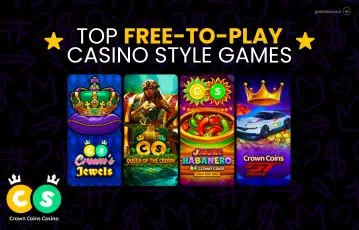
Crown Coins centers its game library around slot-style titles, described in the App Store as a “massive collection of Vegas-style slots” with mentions of progressive jackpots and exclusive games, though no specific titles or providers are listed. Alongside Crown Coins casino slots, the app features a rotating selection of mini-games that appear during events or promotions, including Hall of Fortune, PlinCrown, CrownMiner, ScratchCrown, CrownClaw, and LuckyWheel.
These mini-games are often unlocked through missions, races, or limited-time offers and vary in format, from prize boards to drop mechanics and claw machines. There’s no public game catalogue, jackpot tracker, or filter system in the app, so the selection is surfaced through the main lobby and temporary event banners.
Prize redemptions
Prize redemptions are outlined clearly in the Sweepstakes Policy. Here’s what you should expect:
- Minimum required: 50 SC, which must be played through at least once
- KYC requirements: Identity verification is standard before your first redemption (you’ll need to upload ID or documents to verify your info)
But keep in mind, redemption methods can vary slightly depending on your state and the redemption method used.
A functional, no-frills app
If we had to describe the Crown Coins app, we’d say it’s… fine. It does what it says it does. There’s a working iOS app, the SC system is explained clearly, and the redemption terms are spelled out. It doesn’t go above and beyond, but it doesn’t try to hide anything either.
There’s some room for improvement, especially with Android access and centralizing info about restricted states. But for a sweepstakes-style app, it’s pretty standard. Nothing blew us away, but nothing raised red flags either. If you want to give the Crown Coins app a try yourself, tap the links on this page to get started.
Social Casino Promo
4.3/5
Social Casino Promo
4.3/5
up to 1500000 CC +
75 FREE SC
+ Exclusive 200% More
Signup Promo
|
T&Cs and 18+ apply
Open CrownCoinsCasino
Get bonus now
Crown Coins app FAQ’s
📲 Is there a Crown Coins app?
Yes, there’s an official iOS app available in the App Store. It’s listed under “Crown Coins Casino” by Sunflower Ltd. and is free to download.
🤖 Can I use the Crown Coins app on Android?
Not through an app. There’s no official listing on Google Play, and the Crown Coins website directs Android users to play via mobile browser. Any apps you see in the Play Store are unrelated guide apps, not the real thing.
🛠️ What version is the iOS app on?
As of September 2025, the latest version is 1.12.6. It requires iOS 15.1 or later and is listed as 210 MB in size.
🎯 How many SC do I need to redeem for a prize?
You’ll need a minimum of 50 SC, and they must be played at least once before they can be redeemed.
🎮 What kind of games are in the app?
The app features slot-style games and rotating mini-games like Hall of Fortune and CrownMiner. It’s built around sweepstakes play, but all features are accessed through the same app interface.
Further Reviews
16.
Dorados Review
18.
Spindoo Review
19.
Jackpota Review
24.
Rolla Review
25.
Spinsly Review
26.
Wow Vegas Review
30.
SweepKing Review
32.
SpinQuest Review
34.
Spree Review
38.
Sidepot Review
40.
Coinz.us Review
42.
VegasWay Review
44.
Jackpot Planet Review
46.
Pulsz.com Review
47.
Sweepico Review
49.
Playtana Review
50.
Sportzino Review
51.
Funrize Review
55.
Stormrush Review
57.
Funzcity Review
58.
Dexyplay Review
59.
Courtside Review
61.
Wandando Review
63.
Rebet Review
64.
Daruma Review
65.
Moozi Review
67.
BingoPort Review
70.
MyBets.us Review
73.
Sweepshark Review
74.
Questplay Review
77.
LuckParty Review
78.
SweepsUSA Review
82.
Gains Review
Others
86.
McLuck Review
89.
PlayFame Review
91.
Puntr Review
93.
LuckyBird Review
95.
Roo Vegas Review
96.
Kickr Review
97.
Zitobox Review
100.
Smiles Casino Review
101.
Vegas Coins Review
103.
Lunar Luck Review
106.
Lucky Stake Review
108.
Vegas Gems Review
109.
Lucky Stars Review
110.
Chumba Casino Review
111.
Cazino Review
113.
GameDayZone Review
115.
Skillz Games Review
Social Casino

4.3/5
- Modest game library: The game library at Crown Coins Casino is small and only focuses on slots.
- iOS-only app: No dedicated app for Android users.
- Mail-in requests: You can write the social casino a letter requesting bonus Sweepstakes Coins.
CrownCoinsCasino Bonus
up to 1500000 CC +
75 FREE SC
+ Exclusive 200% More
Code
Open CrownCoinsCasino


USA Players Welcome
T&Cs and 18+ apply
More Articles Related to CrownCoinsCasino
- Crown Coins Casino Reviews 2026: Is This Social Casino Trustworthy?
- Crown Coins Casino Free SC Coins: Best Ways to Get Sweeps Coins in September 2026
- Crown Coins Casino Games 2026: An Overview of the Best Games
- Crown Coins Casino No Purchase Bonus 2026: Claim Your Free Bonus
- Crown Coins Casino Promo Codes: Claim Your Bonus for September 2026
- Crown Coins Casino Slots 2026: Your Go-To Guide on How to Play Crown Coins Slots
- Crown Coins Casino Weekly Bonus: How to Claim Weekly FREE SC Coins Rewards
- Crown Coins Daily Login Bonus 2026: How To Claim FREE SC Coins With The Daily Rewards
- Crown Coins Free Spins 2026: Your Guide to Getting Free SC Spins at Crown Coins Casino
- Crown Coins Legal States 2026: Where is Crown Coins Legal in? Explore the Crown casino guide
- Crown Coins Promo Code for Existing Players: Unlocking Current Rewards and Bonuses
- Crown Coins Redemption 2026: How to Redeem and What to Expect
- Crown Coins Referral Code 2026: How the Invite Program Works
- Crown Coins VIP Program Overview: How to Join & Benefits of VIP Membership at Crown Coins Casino
- How to Use Gold and Sweeps Coins at Crown Coins Casino
- Is Crown Coins Casino Real Money or a Sweepstakes Casino?
Our Team
Editor
Close
Do not miss out on our best Offers!

T&Cs and 21+ apply

T&Cs and 18+ apply

T&Cs and 18+ apply

WAIT!
Before you go, grab your exclusive bonus!
105 SC 500K GC 1000 VIP points

Where should we send your bonus
No spam. Unsubscribe anytime.
By continuing, you agree to receive promo emails from www.thespike.gg. 21+ only in participating states.
105 SC 500K GC Your bonus is waiting for you!
START PLAYING NOWOr check your inbox now.
Don't forget to check your spam / junk folder.
