
Home
Crypto.com Review
Crypto.com App Review 2026
Contains commercial content
Crypto.com App Review 2026: App Features, Trading Tools, and User Experience
Last Updated on 30.10.2026
The Crypto.com app lets you trade Yes/No event contracts in sports, politics, crypto, culture, climate, and economics prediction markets. It’s available for iOS and Android, directly in the Apple App Store and Google Play Store, respectively.
We installed the app and found it easy to use on both mobile operating systems. The default display is dark, and there’s a bottom menu to directly access prediction markets. You can turn on features like push notifications for real-time trading alerts and biometrics for security when trading or transacting. The app also offers 24/7 live chat support.
Table of Contents
- Analysis of the Crypto.com app interface
- How prediction trading works in the app
- Is the Crypto.com app available in the US?
- 5 major Crypto.com app features
- How to register on the Crypto.com app
- Upsides and downsides from our Crypto.com app review
- Conclusion – Crypto.com’s app is convenient and secure
- Crypto.com app FAQs
Analysis of the Crypto.com app interface
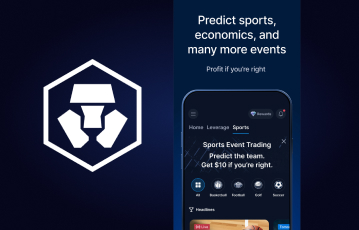
Crypto.com doesn’t have a standalone app for prediction markets. Instead, the product is built into the general trading app by the brand. When we installed it during our Crypto.com prediction markets review, we instantly located the event trading section by selecting Predict in the bottom menu.
The bottom menu is one of the main aspects that makes the Crypto.com app interface different from the PC website. It not only includes a shortcut to prediction markets. You can also select Account and Card to manage your profile and payments. Meanwhile, a hamburger menu at the top right provides buttons to other sections.
An area we’d like to see an improvement is the visual appearance. Crypto.com uses a dark theme by default, which we recognize as part of its branding. That said, it’d be more convenient for many traders if the app included an option to switch between dark and light mode.
How prediction trading works in the app
We bought and sold event contracts on the Crypto.com app the same way we did on the website. The trading pattern doesn’t change. For each prediction market outcome, the platform lists clear Yes or No contracts. If you buy Yes, it means you believe the outcome will happen. On the other hand, purchasing No means you think it won’t happen.
The contracts cost between $0.01 and $0.99; they pay $1 if your prediction is correct and $0 if it’s not. Here’s an example of an NFL game trade we executed on the app:
| Event | 49ers to win against the Commanders |
| Yes | $0.41 |
| No | $0.59 |
Our prediction was that the 49ers would win, and we bought 200 Yes contracts for $82. The game ended with the 49ers beating the Commanders 23-17, returning a $200 payout. As such, the profit was $118, excluding any Crypto.com fees that applied.
Those contract prices are based on supply and demand, and Crypto.com doesn’t directly set them. That’s why event trading isn’t the same as sports betting.
Is the Crypto.com app available in the US?
The prediction markets in the Crypto.com app are permitted in the US under federal authorization. To be specific, the event contracts are offered through Crypto.com | Derivatives North America (CDNA). CDNA is regulated by the Commodity Futures Trading Commission (CFTC).
However, state-level laws regarding the platform differ. We confirmed that the Crypto.com app isn’t available for download in New York. Meanwhile, residents in Arizona can’t trade on prediction markets.
Furthermore, Crypto.com sports markets are not allowed in Nevada, New Jersey, Michigan, and a few other states. Therefore, you have to confirm the status of your location to know whether you can install the app and what contracts you can trade.
Disclaimer – Sponsored by Crypto.com – Not investment advice. Trading prediction markets and crypto involves risk, including potential loss of your stake. Consider your risk tolerance before participating. Crypto.com connects U.S. users to CDNA (regulated by CFTC) for derivatives trading. CDNA membership required. Trading may not be suitable for all—you could lose your entire investment plus fees. Past performance doesn’t guarantee future results. This is not a solicitation or recommendation to trade.
Sign up and claim Crypto.com credits
Test your sports insight on Crypto.com
5 major Crypto.com app features
Now, let’s look at what we found in the app that makes it ideal for installation:
Multiple prediction markets
Since we’re focused on event trading, the first thing we checked for was the prediction markets in the app. From what we saw, Crypto.com covers the major categories, including:
| Category | What’s available |
|---|---|
| Sports | Football, baseball, basketball, hockey, soccer, golf, tennis, and more |
| Politics | Elections, Congress |
| Culture | Music, movies, video games, awards, celebrities |
| Climate | Temperature |
| Crypto | Price predictions for BTC, ETH, XRP, SOL, DOGE, and more |
| Economics | Financials, commodities, Fed decisions, interest rates, jobs, and unemployment |
You can select any of the categories and view the available events via the Predict section. Live trading is supported in the app, and you can also build combos by combining multiple event contracts into one trade.
Push notifications
The Crypto.com mobile app will prompt you to allow push notifications after installation. If you want to stay on top of updates regarding your prediction market trades, we suggest turning it on.
Push notifications will deliver instant alerts about order fills, transaction confirmations, and security notices. We didn’t see standard prediction market bonuses on Crypto.com during our tests. But if the platform releases time-limited promos, you’ll also see them via the notifications.
All alerts will appear in your smartphones or tablet’s notification dock. You don’t need to open the app. If you didn’t allow push notifications when prompted, there’s no cause for alarm. Simply check the Notifications section in your account settings to turn on the feature.
Biometric authentication
We rate the Crypto.com app as secure, and biometric authentication is one of the reasons. Activating it protects your account from unauthorized access. That includes when signing in or completing any transaction on the mobile platform.
As you’d expect, biometric authentication involves using fingerprint or facial recognition. On iOS devices, it’s branded Touch ID and Face ID. Besides improving security, we appreciate the biometric support for convenience. You’ll agree that it’s easier to scan your fingerprint or face to trade than typing in passwords.
Two-factor authentication (2FA)
Here’s another feature on the prediction market app that serves for security. Unlike some other platforms, Crypto.com doesn’t handle 2FA via phone and email. Instead, you have to connect through dedicated authenticator apps such as Authy and Google Authenticator.
In our tests, we connected the Crypto.com app to an authenticator app by simply pasting a secret key. If you’re holding two different devices, you can scan the QR code instead. Once done, you’ll have to copy a time-sensitive code from the authenticator app to authorize any action that requires 2FA.
24/7 live chat
Any time you need help as a prediction market trader, you can contact Crypto.com’s customer service agents directly in the app. No need to switch to the website. We often reach out via live chat, a channel that’s open 24/7. To access it, just tap the help icon and start a session.
On average, the support agents respond within 10 minutes. It may take longer on rare occasions. The help center also contains guides and articles, which you can read while waiting for a reply.
How to register on the Crypto.com app
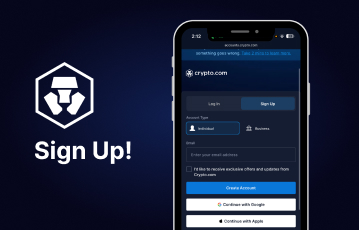
Installing the Crypto.com app from the Apple App Store or Google Play Store shouldn’t take more than two minutes. When done, here’s how to sign up if you’re in an eligible state:
-
Launch the Crypto.com app
-
Tap the registration button and choose to continue via email, Apple, or Google
-
Complete the next step based on the method you choose
-
Follow the prompts to verify your account
-
Sign in, deposit, and start trading
Note that entering a Crypto.com referral code during registration is optional. You can sign up and trade in prediction markets without one. For account verification, you only have to upload a valid government-issued ID and pass a selfie liveness check. The process should take just a few minutes.
Upsides and downsides from our Crypto.com app review
Below is a summary of the pros and cons we noted while testing the prediction market app:
Pros and Cons
- Bottom menu for quick browsing
- Biometrics and 2FA for security
- Fast live chat customer service for support
- Has no dark/light mode switch
Conclusion – Crypto.com’s app is convenient and secure
Features such as the fixed bottom menu and push notifications are why we consider the Crypto.com app convenient to use. Meanwhile, 2FA and biometric authentication keep the mobile platform secure. You’ll only have a little issue if you want a light mode interface since the brand’s theme is dark by default.
For prediction market trading, the platform doesn’t fall short. As we listed, there are contracts for sports, politics, culture, economics, climate, and crypto events. You trade by simply selecting Yes or No.
If you’ve decided to install the Crypto.com app, you can click the banners on this page to visit the platform and get started. Before registration, though, confirm you’re in an eligible state.
Crypto.com app FAQs
📱 Does Crypto.com provide an iOS or Android app?
Crypto.com provides both an iOS and Android mobile app. You can install the application from the Apple App Store and Google Play Store where available.
✅ Is the Crypto.com app legit?
Yes, the Crypto.com app is legit for trading in prediction markets in the US. It’s regulated by the CFTC and protects traders using SSL and biometrics. However, you can only install and trade in supported states.
🏈 Can I bet on sports in the Crypto.com app?
No, you can’t bet on sports in the Crypto.com app because it’s a trading platform, not an online sportsbook. You can only trade Yes/No event contracts in sports prediction markets, which is different from betting.
This content is sponsored by Crypto.com: Securely Buy, Sell and Trade Bitcoin, Ethereum and 400+ Crypto and should not be considered as investment advice. Trading on prediction markets carries risks, including market volatility and the possibility of losing your stake. Before participating, carefully consider your risk tolerance and the potential outcomes. Foris DAX Inc. and Foris Inc. (d/b/a Crypto.com) offer connectivity to Crypto.com | Derivatives North America (CDNA), which is regulated by the Commodity Futures Trading Commission, for the purpose of trading derivatives on and subject to the rules of CDNA. Currently available for U.S. users only, who must first become a Member of CDNA prior to trading event contracts on CDNA. Trading on CDNA involves risk and may not be appropriate for all. Customers risk losing their cost to enter any transaction, including fees. You should carefully consider whether trading on CDNA is appropriate for you in light of your investment experience and financial resources. Any trading decisions you make are solely your responsibility and at your own risk. Past performance is not necessarily indicative of future results. None of the material on Crypto.com or CDNA is to be construed as a solicitation, recommendation or offer to buy or sell any financial instrument on CDNA or elsewhere. CDNA is subject to U.S. regulatory oversight by the CFTC.
More Articles Related to Crypto.com
- Crypto.com Prediction Markets Review 2026: Contracts, Fees, Trading, and Features
- Crypto.com Age Requirement 2026: Minimum Age, Eligibility, and Verification
- Crypto.com Fees Explained 2026: Trading, Deposit, Withdrawal, and Transaction Costs
- Crypto.com Promo Code 2026: Available Codes, Sign-Up Offers, and Requirements
- Crypto.com Referral Code 2026: Rewards, Requirements, and How the Referral Program Works
- Crypto.com Sign-Up Bonus 2026: Welcome Offers, Rewards, and Requirements
- Crypto.com Sports Event Trading 2026: Markets & Contracts Explained
Our Team
Editor