
Home
Kalshi Review
Kalshi Prediction App Review 2026
Contains commercial content
Kalshi Prediction App Review 2026: Trading Features, Markets, Usability, and Safety
Last Updated on 28.10.2026
Kalshi is one of the biggest prediction market platforms in the US. If you want to continue having access to your account while you’re on the go, the Kalshi app is the solution, which is available on iOS and Android.
We downloaded the app and put it through a few tests to see how well it compared. We directly compared it with the user experience on the website to squeeze out the best features and any room for improvement. Here, we’ll shine a light on how the app works, so you can decide whether it’s worthwhile.
Table of Contents
- Analyzing the user experience of Kalshi’s mobile app
- Kalshi app features that make it stand out from the competition
- How to buy event contracts on the app
- A step-by-step guide on installing the app on your device
- Pros and cons of using the Kalshi app
- Conclusion: Buy event contracts while you’re on the move
- Kalshi app FAQs
Analyzing the user experience of Kalshi’s mobile app
What better way to kick-start our review of the app than by talking you through its performance? One of the first things we noted was how minimalistic the interface is. Both the iOS and Android apps have a plain black background with pops of green. This helps to keep your focus on trading event contracts. It’s clear to see that while the content is the same as the website, it’s been condensed for a smaller screen.
As far as the organization is concerned, everything has its place. There’s a collapsible sidebar, where you’ll find buttons for your notifications, settings, and customer support. You can also access the Trending page, which doubles as the homepage, where you’ll find the popular events of the moment. You can easily tap the category buttons to load specific niches, including sports, crypto, politics, culture, and Kalshi election markets.
One thing that stood out is how easy it is to switch from one page to the next. We had no issues with slow loading speeds, which offered quick navigation throughout.
Kalshi app features that make it stand out from the competition
The app has been designed by carefully considering what traders would find beneficial. Plenty of apps out there feel like carbon copies of the website, which often isn’t good enough. While some of the features do crossover, some have been added exclusively to the app to boost the on-the-go trading experience. Here are a few of the core features that make the app enjoyable to use:
🔔 Push Notifications
Kalshi lets you enable push notifications to stay updated on the latest price changes and occasional bonuses. The main benefit is staying in the loop with real-time insights into the prices of Kalshi event contracts. For example, you’ll find out when prices change, so you can get the best opportunities to sell and buy contracts. You will also be told when new markets are added that are related to some of the previous events you’ve traded.
🌙 Dark and Light Modes
You can choose whether to have the app in dark or light mode. The default is the dark theme, but this is easily changed in the settings. Some users prefer a dark background as they find it helps their eyes focus. However, if you prefer it lighter, it can be updated in a single tap. Whatever theme you decide to use, the rest of the app remains the same.
🔒 Increased Security
Just like the website, your sensitive information is encrypted from unwanted access. In addition to that, you will now get the option to use biometric login with either Face ID or Touch ID. Not only does it remove the need to remember a password, but it means that you aren’t at risk of getting your password uncovered. Additionally, you will benefit from 2FA. Two-factor authentication is automatically added to the app, and you’ll get a new code once every 30 days to reconfirm that it’s you using your account.
How to buy event contracts on the app
Now you know all about the in-app features; it’s about time that we focus on the most important thing – making predictions. After all, the event contracts are what you are here for. You will have access to all the prediction markets, including sports, climate, weather, politics, and more. No category is unavailable on the app, so there’ll be no changes here.
Once you have made a deposit into your account, you will be ready to start buying event contracts. This is done by selecting your preferred category at the top of the app. Then, you will need to browse the category to find a suitable market. Depending on the events at the time, you might find markets such as:
- Which party will win the U.S. Senate?
- 2028 Republican presidential nominee
- Which companies will have a top-ranked AI model this year?
- Number of rate cuts this year?
- Will BTC hit $50,000 before $100,000?
After selecting a market, it’s time to make your prediction. This is done by buying a ‘Yes’ or ‘No’ event contract. If you believe an outcome is going to happen, then you would buy the ‘Yes’ contract, for example. You can buy multiple contracts, so you’ll be asked to enter how many contracts you wish to buy. When the event has passed and the outcome has been confirmed, settlements will be released. You will get a $1 settlement if your prediction was correct. Otherwise, if you were wrong, then your contract will settle at $0.
However, there’s an extra consideration. Before the event resolves, you can sell your contract early. This is beneficial if you spot a chance to grab an early profit or you need to minimize your losses. Of course, if the market is short-term, such as a 15-minute BTC contract, then your chances of doing so are a little thinner because you need to move faster. That said, it can be done.
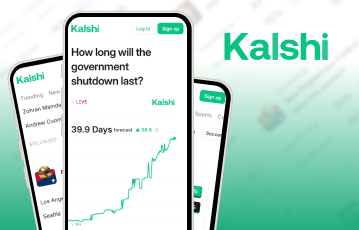
Download the Kalshi mobile app today
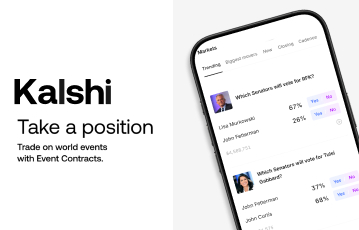
Trade event contracts while out and about
A step-by-step guide on installing the app on your device
Whether you’re using an iPhone or Android device, the process of downloading the app is pretty much the same. So, here’s a guide on how to get up and running, whether you already have a Kalshi account or not:
-
Open the Apple App Store or Google Play Store.
-
Search for the Kalshi app using the search bar.
-
Click the ‘Get’ or ‘Install’ button.
-
Wait for the app to finish downloading.
-
Launch the app to either log in or create an account.
Check that your device is compatible
Before you try to download the app on your smartphone or tablet, it’s worth taking a moment to make sure that your device meets the requirements. Both the iOS and Android apps are compatible with specific models and require a minimum amount of space:
| Requirement | iOS | Android |
|---|---|---|
| Compatibility | iOS 15.0 or later | Android 7.0 or higher |
| Storage | 132.3 MB | 112 MB |
Pros and cons of using the Kalshi app
After spending a lot of time using the app, we have come up with a list of the main upsides and downsides:
Pros and Cons
- Quick loading speeds
- Strong app security
- Push notifications
- Intuitive user interface
- Requires specific device models
Conclusion: Buy event contracts while you’re on the move
If you want to start accessing Kalshi whether you’re at home or traveling around, the app is the best solution. Whether you’re using a smartphone or tablet, the app offers a streamlined experience. You can swiftly download the app straight from your respective app store, which doesn’t take up too much storage space in comparison to some other apps. Just make sure that you have a compatible device; otherwise, the app might not work as well as it should.
Make sure you check out the in-app features, too. We found a few awesome features like push notifications, the ability to update the theme, and enhanced security. All of this has been designed to improve your trading experience, so it’s worth taking some time to utilize what’s available to you.
If this guide has helped you to decide that the app is something you’d like to use, all you need to do is install the app. One way to do this is to click the on-page banners, which will take you directly to the Kalshi site. From there, you can find alternative download links for the apps.
Kalshi app FAQs
📱 Does Kalshi provide an iOS or Android app?
Yes, it sure does. Kalshi has both iOS and Android apps, so you can download an app on whichever device you own – provided it meets the download requirements, of course. Once you’re in, you can access the same features, including event contracts, promotions, and even the Kalshi fees structure.
🔄 Does the app need to be updated?
Yes. You will need to enable frequent updates to complete. You will receive a notification when an update is ready, which can be completed by tapping the app icon. It only takes a few brief moments, so it’s nothing major. If you don’t allow updates to complete, then you may find the app starts to glitch or lag, so it’s worth doing.
🚫 Is any Kalshi feature off-limits on the app?
No. You can access the full range of prediction markets, reach out to customer support, make payments, and so on. Nothing is out of bounds on the app, so you don’t have to worry about missing out on anything.
More Articles Related to Kalshi
- Kalshi Review 2026: Prediction Markets, Fees, Trading Features, and Legitimacy
- How Does Kalshi Work for Prediction Markets? Kalshi Trading Explained 2026
- Is Kalshi Legal in 2026? Regulation, Availability, and State Restrictions
- Kalshi Election Markets 2026: Event Contracts, Pricing, and Trading Explained
- Kalshi Event Contracts Explained 2026: Trading, Pricing, and Payouts
- Kalshi Fees Explained 2026: Trading Costs, Maker Fees, and Fee Structure
- Kalshi Referral Code 2026: Referral Offers, Rewards, and Requirements
- Kalshi Sports Markets 2026: Contracts, Pricing, Trading, and Payouts
Our Team
Editor