Home
McLuck Review
McLuck referral bonus: Get more FREE SC Coins with our McLuck referral code
Contains commercial content
McLuck referral bonus: Get more FREE SC Coins with our McLuck referral code
Last Updated on 21.10.2026
The McLuck referral bonus is a repeatable and high-reward offer for existing players. Get up to 200K GC + 100 SC for every eligible friend you refer simply by sharing your unique link, found in your player account.
The referral bonus is spread into two tiers. When your friend hits a $100+ spending milestone, you receive 50k GC + 25 SC. When they pass the $1,400 threshold, you get the remainder of your bonus: 150k GC + 75 SC. Do you play at McLuck? Do you have a friend? Then you’ll want to learn more about this bonus.
Table of Contents
- About the McLuck referral bonus
- How to refer a friend at McLuck: what you need to do
- What your friends need to do
- How to track your referrals
- The McLuck referral bonus tiers
- Terms and conditions for the McLuck referral bonus
- Pros and cons of the McLuck referral bonus
- The McLuck referral bonus summary
- McLuck referral FAQ
About the McLuck referral bonus
Whether you play on the app or the website, you’ll know there are plenty of amazing bonuses on offer at McLuck. When you signed up, you got a McLuck welcome bonus (known as a no-purchase bonus, not a no-deposit bonus). You can collect free GC every 24 hours with the McLuck daily login bonuses. Plus, there are constant Jackpots, free spins, and promotional giveaways on social media.
Of course, none of these are a McLuck no deposit bonus, as deposits aren’t allowed here. But all of these are free offers you can claim with no optional GC purchases needed. As if that wasn’t enough, there’s another way to land a huge helping of free GC and SC: the McLuck referral bonus, also known as the Refer-a-Friend reward.
If you love playing at McLuck and you want to invite friends to join, don’t just tell them about it—send them a link. When they click your link, create a verified account, and buy optional GC packages, your player account will be automatically credited with free GC and SC. You can get up to a whopping 200k GC + 100 SC per friend!
How to refer a friend at McLuck: what you need to do
The process to refer a friend is pretty easy. Here’s how referrals at McLuck Casino work, step by step.
-
Open the McLuck app or website and log in
-
Visit the main menu or open the sidebar
-
Click the ‘Refer a Friend’ button
-
Click ‘Copy Link’ to add your referral link to your clipboard
-
Open WhatsApp, Facebook Messenger, or another messaging service
-
On mobile, tap and hold the screen and select ‘Paste’
-
On desktop, use Ctrl + V or right-click and select ‘Paste’
-
Hit send and share the link with as many friends as you like!
What your friends need to do
If your friends are new to McLuck, they may need some guidance on how to get started. Here’s a reminder of the process they should follow.
-
Click your unique referral link
-
Fill out the personal details form
-
Expand the ‘Referred by’ section
-
Enter your full name
-
Confirm their email address
-
Upload an ID and verify their account
-
Begin playing for free!
Although following these steps will enable your friend to play at McLuck—and get them a welcome bonus of 7,500 GC + 2.5 SC—it won’t bring you any referral bonus. For you to get the McLuck Casino referral bonus, they need to complete the last, optional step:
Buy GC packages in the store for a total of $100 or more
The $100 requirement doesn’t need to be all at once. It can be spread out over multiple GC purchases and multiple days. We’ll explain a bit more about how that works in a minute. Also, given that all GC purchases are optional, your friend may choose not to complete this step and simply keep playing for free.

Mcluck Casino style games
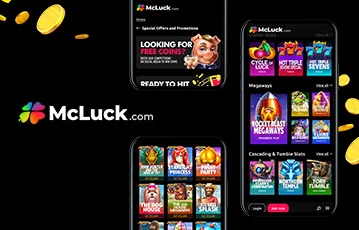
Play anywhere at Mcluck Casino mobile app
How to track your referrals
Once you’ve blasted out a few messages to your friend group, how do you know if anyone’s actually signed up or not? Thankfully, you don’t need to chase your friends for information. All you need to do is log in to your McLuck account and head to ‘My Referrals’. There, you’ll be able to see the number of friends you’ve invited and how many have qualified for Level 1 or Level 2 rewards (more on that below). Plus, you’ll get an overview that shows how many free GC and SC you’ve accrued so far from all your referrals.
The McLuck referral bonus tiers
As we mentioned, you don’t instantly get the whole bonus when your friend signs up. They need to purchase GC packages in the McLuck store to qualify as an eligible referral. How much they spend in the store impacts how much bonus you receive. Once they pass the $100 threshold, the first part of your bonus is released. When they spend more than $1,400, the bulk of your bonus will become available. The amounts are cumulative, so they work as milestones rather than one-off GC purchase requirements.
| 📈 Level | 🛒 Your friend’s GC purchase total | 🎁 Your referral bonus |
|---|---|---|
| 0 | $0 to $99.99 | 0 |
| 1 | $100 to $1,399.99 | 50,000 GC + 25 SC |
| 2 | $1,400+ | 150,000 GC + 75 SC |
There’s nothing you need to do to claim the bonus other than the steps we laid out earlier. The GC and SC will be automatically added to your account once your friend passes the stipulated totals.
Terms and conditions for the McLuck referral bonus
As with any promotional bonus, there are certain rules you (and your friend) must abide by.
🏦 Their account must be verified
Before they become a qualified referral, your friend needs to fully verify their account. This means they need to satisfy KYC (Know Your Customer) requirements. This involves uploading a government-issued photo ID, such as a driver’s license or passport. They’ll see the option to do this in the ‘Profile’ section of their account, found on the sidebar. There, they can also check their verification status to see if it’s completed successfully or if McLuck has requested more documents.
🎂 Your friend must meet age and location requirements
You’ve got to be over 21 to play at McLuck, so it goes without saying that your friend must be, too. They’ll also need to be a US resident in one of the accepted states: AL, AR, FL, GA, MS, NC, OK, SC, TX, VA, ME, MA, NH, RI, VT, PA, DC, IL, IN, IA, KS, MN, MO, NE, ND, OH, SD, WI, AK, AZ, CO, HI, NM, OR, and WY.
🔗 They must use your link
Think of your link as a McLuck promo code that’s unique to you. Your link contains a special identifier that’s connected to your account. So, when your friend follows your link and signs up, the system recognizes that they’re a referral. If your friend signs up but doesn’t use your link, the system has no way of identifying that you referred them.
Pros and cons of the McLuck referral bonus

Pros and cons
- Up to 200,000 GC + 100 SC per friend
- Invite unlimited friends
- No McLuck referral code needed
- Track your referrals easily
- Bonuses are given automatically
- High requirements to unlock the full bonus
The McLuck referral bonus summary
If you’re after a McLuck bonus for existing players, the referral program should be your top pick. Why? Well, to be straight to the point, it’s hard to argue with the sheer volume of free GC and SC on offer! You can get your hands on a serious amount of free virtual currencies: up to 200,000 GC + 100 SC. And that’s per friend, too. Since there’s no limit to how many friends you can share your link with, you could be looking at potentially millions of free GC and thousands of free SC.
All in all, the referral bonus at McLuck is generous, it’s easy to claim, and the limitless nature makes it even more fun. Do you like the sound of this, but are not a player yet? Click a link on this page to go to McLuck and sign up for your account today.
McLuck referral FAQ
💸 What is the McLuck referral bonus?
The McLuck referral bonus is a reward for existing players. It’s designed to give you free GC and SC when your friends join the platform and meet certain eligibility criteria.
💰 How many free GC and SC is the McLuck referral bonus worth?
You can get a maximum of 200,000 GC + 100 SC total for each friend you refer. This is broken down into 50,000 GC + 25 SC when your friend makes $100 or more in optional GC purchases, and a further 150,000 GC + 75 SC when they spend $1,400 or more.
🔍 Where do you find your referral code for McLuck?
This is the most important part of claiming the McLuck referral bonus—you can’t claim your reward without it! In your McLuck app or on the website, head to the menu and click or tap ‘Refer a Friend’. You’ll see your unique referral link there.
⚠️ What if there’s an issue with the referral reward?
If you think you’re due a bonus but haven’t received it yet, there’s a discrepancy with the amount, or you have another issue, customer support can help. Go to ‘Submit a request’ and select ‘Promotional Queries’ in the dropdown menu. Fill in the form with your friend’s full name, email address, and the date they created their account.
Further Reviews
11.
Spindoo Review
12.
Rolla Review
15.
Jackpota Review
16.
The Boss Review
17.
Sidepot Review
21.
Wow Vegas Review
22.
Spinsly Review
28.
Courtside Review
30.
Dexyplay Review
34.
Coinz.us Review
36.
FreeSpin Review
37.
Pulsz.com Review
41.
SweepKing Review
42.
Spree Review
46.
Dorados Review
51.
VegasWay Review
54.
Sweepico Review
55.
Playtana Review
56.
Sportzino Review
57.
Funrize Review
61.
Stormrush Review
63.
Funzcity Review
65.
Rebet Review
66.
BingoPort Review
67.
Clash5 Review
69.
Daruma Review
70.
Moozi Review
71.
Tang Luck Review
73.
LuckyZino Review
75.
KingWins Review
76.
Casinio Review
81.
MyBets.us Review
84.
Sweepshark Review
85.
Questplay Review
88.
LuckParty Review
89.
SweepsUSA Review
93.
Gains Review
96.
Sweepolis Review
Others
98.
PlayFame Review
99.
McLuck Review
102.
The Win Zone Review
103.
Puntr Review
104.
Sweeptastic Review
105.
LuckyBird Review
106.
LuckyRush.io Review
107.
Roo Vegas Review
108.
Kickr Review
109.
Zitobox Review
110.
Lucky Charms Review
111.
Lucky Slots Review
112.
Smiles Casino Review
113.
Vegas Coins Review
115.
Lunar Luck Review
118.
Lucky Stake Review
119.
WinEra Review
121.
Vegas Gems Review
122.
Lucky Stars Review
123.
Chumba Casino Review
124.
Cazino Review
126.
GameDayZone Review
127.
Wandando Review
128.
LuckyOne Review
130.
Skillz Games Review
More Articles Related to McLuck
- McLuck Review and Test 2026: Is McLuck a Legit Sweepstakes Casino?
- Is McLuck Real Money in 2026? Understanding the Sweeps Coins System
- McLuck Blackjack Review 2026: Play McLuck Blackjack, Strategies and Tips
- Mcluck Bonus Codes For Existing Players 2026: Exclusive Promo Codes
- McLuck Free Spins 2026: How the Spin Bonuses Work
- McLuck Gift Card 2026: How to Redeem Gift Card?
- McLuck Instant Bank Transfer 2026: Process, Timing, and Requirements
- McLuck Legal States 2026: Where is McLuck Legal in? A guide to all legal locations for McLuck
- McLuck Login Bonus: Discover How to Claim FREE SC Daily with Our Daily Bonus Guide
- McLuck No Deposit Bonus 2026: How to claim Your Free SC Coins?
- McLuck Promo Code 2026: How to Claim Your Exclusive Bonus Offer
- McLuck Rules in 2026: How Sweeps Work at McLuck Casino
- Mcluck Sign Up Bonus 2026: How to Claim a Welcome Bonus for New Players?
- McLuck slots review: Is McLuck Slots legit in 2026? Comprehensive ratings
- McLuck VIP Transfer 2026: How the Transfer Process Works
- McLuck’s App Review: Is McLuck App Legit?
- McLuck’s Redemption 2026: How to Redeem McLuck’s Rewards Points Effectively
Our Team
Editor
Close
Do not miss out on our best Offers!

T&Cs and 18+ apply

T&Cs and 21+ apply

T&Cs and 18+ apply