














Home
Packly Review
Packly Promo Code
Contains commercial content
Packly Promo Code 2026: Claim Your Bonus
Packly is no longer recommended by thespike.gg.
Top3 thespike.gg alternatives to :
Details
You won’t need a Packly promo code to grab the brand’s latest welcome bonus, which gives you the chance to claim a free box on first purchases of $7.50 or more.
Join me as I show you how to collect Packly’s first-time Gems purchase bonus, including a step-by-step tutorial. Then, we’ll take a tour of the brand’s complementary rewards for returning rippers, including its Daily Reward system, its Streak Bonus, and its limit-free Invite & Earn feature. And the pièce de résistance? Its 100-tier VIP rewards program, available to all new members.
- Deposit Methods
-



- Owned By
-
Packly Inc / POKEWIN ENTERTAINMENT LTD
- Released
-
2026
- Homepage
-
packly.gg
- Languages Supported
-
EN
- Support
-
Live Chat Feature, E-mail Customer Support
-
packlyinc@gmail.com
Last Updated on 28.09.2026
Table of Contents
Is there a Packly sign-up bonus?
Mystery box sites don’t always offer permanent promos, so I was delighted to discover that Packly bucks the trend. There are a variety of reward systems and bonuses available here, including a (not-so-obvious) welcome bonus.
Unlock a free pack on your first qualifying purchase
Packly keeps things refreshingly simple with its sign-up offer, although I would say that details of the bonus aren’t all that easy to find; you don’t actually hear about it until you visit its store to purchase more Gems – the brand’s virtual currency.
When you first go to add Gems to your Packly account, you’ll get the welcome news that a free pack is yours to claim on your first purchase of $7.50 or more. It’s worth remembering that $1 = 750 Gems, and it just so happens that many of the brand’s most popular packs are priced as such.
Do you need a Packly promo code to cinch this sign-up bonus?
You might assume you’d need a Packly promo code to lock in the brand’s free pack welcome offer, but I’m pleased to say that isn’t the case. So long as you’re a new user and complete a purchase of $7.50 or more, you’ll get the free bonus pack right after completing your qualifying purchase – no promo code needed.
Let me show you how easy it is to claim your free welcome pack at Packly…
-
Tap the link on this page to zip over to the main Packly platform. Here, I recommend familiarizing yourself with the “How It Works” hub, along with the brand’s T&Cs (located at the bottom of the page).
-
Next, you’ll need to set up your new Packly account, which only takes a couple of minutes. You don’t need to provide much personal info, either, which I was a big fan of.
-
Access your shiny new Packly account and tap the “+” symbol next to your balance of Gems – this will launch the brand’s official Gems store.
-
Beneath the six Gems pack options, you should see a message that reads “Free pack on your first purchase of $7.50 or more!” highlighted in orange – this is confirmation that the sign-up bonus is in effect.
-
Simply make a purchase of at least $7.50 (750 Gems) to qualify for the brand’s welcome bonus. Once you’ve completed your purchase via Stripe, your free pack will be available to rip right away, with 10 cards available to pull. You can then choose to keep, sell, or trade its contents, with any cards you like available to withdraw as physical variants from your account screen.
What other rewards can you expect at Packly?
If you’re rubbing your hands together at the prospect of claiming Packly’s BOGOF (Buy One Get One Free) first-time purchase offer, then I’m excited to reveal that the excitement doesn’t end there. Indeed, regular members can take advantage of a variety of complementary rewards, deals, and incentives on the platform, so these are well worth looking out for as you rip your way across the platform.
Here’s a quick breakdown of the complementary deals you can expect at Packly…
- Daily Reward: Before I’d even realized Packly had a welcome bonus hidden away in its Gems storefront, I’d already added 5 Gems to my account thanks to the brand’s Daily Reward system. Available to claim every 24 hours, this routine perk dishes out 5 – 375 Gems at a time, so it’s well worth stopping by to claim your daily dose of free Gems – don’t mind if I do!
- Streak Bonus: To incentivize members to keep coming back on the daily, Packly has a neat Streak Bonus that rewards you for those all-important consecutive sign-ins. You’ll boost your daily pack odds by 1% when you streak for three days or longer, rising to a 10% odds boost if you keep streaking all the way up to 28 days. This boost applies to a single daily pack, and effectively makes it more likely that you’ll pull high-value cards. Nice.
- Referral rewards: Of course, Packly has a refer-a-friend program – this type of promo is a mainstay of mystery box sites of this ilk. Invite an unlimited number of friends to join you at Packly, and you could unlock a lifetime 2.5% bonus on their future Gems purchases. This represents a sizable reward if you can onboard lots of new members who are happy to part with their cash.
Introducing the Packly VIP rewards program
At the core of Packly’s promotional offering is its VIP rewards system, which features no fewer than 100 tiers for you to unlock. You can review your current VIP status at any time via the brand’s “Rewards” hub, with all new members starting at “Trainer” level 1 status.
To progress through the levels, you’ll need to collect XP, and I’ve found that this is super straightforward. You’ll gain XP for ripping new packs, joining treasure hunts, and winning drops, while achievements can boost your XP by up to 1000 points.
There are some exciting perks to look out for as you progress from Trainer to Grail, including monthly challenges, bigger daily rewards, level-up bonuses, and milestone perks. Levelling up alone always pays Gems, so there’s immediate benefit to be had here.
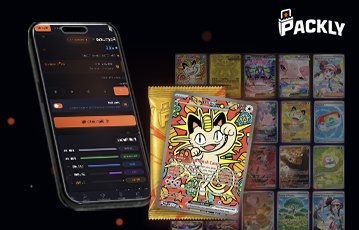
Open packs and see the hits instantly
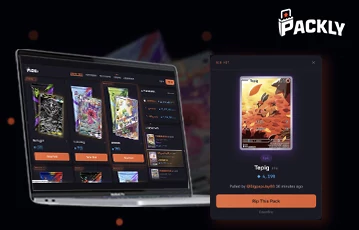
Rip packs on laptop or phone
My top tips for bonus redemption success at Packly
I’ve been a member of Packly for a couple of weeks now, so that’s given me a chance to road-test all the brand’s various rewards, perks, and bonus systems. So, based on all that, here are five tips that might help you to navigate the platform’s promotional offering.
💰 Tip #1: Don’t miss the first-time purchase offer
I’m surprised that Packly keeps its first-time purchase bonus so quiet, since it effectively serves as its core welcome bonus. I think lots of people will be pleasantly surprised to find this perk waiting for them in the Gems store, but remember that a $7.50 minimum spend limit applies to qualify for your free pack.
📦 Tip #2: Check out Packly’s boosted Gems packs
While we’re on the topic of Packly’s Gems store, I should point out that the brand offers boosted Gems packs on three of its purchase options, including:
- 5,250 Gems + 750 bonus for $52.50
- 10,500 Gems + 1,500 bonus for $105.00
- 25,500 Gems + 3,750 bonus for $255.00
You can also add your own custom amount, but I’d say that these boosted packs are at least worth considering as a new member.
📈 Tip #3: Max out your VIP ranking to cement a higher sellback rate
When you join Packly, you can sell back unwanted cards at a rate of 85% of their original Gems value. But the great thing is, you can increase this rate to 92.5% the higher up the brand’s VIP rewards ladder you climb. Since auto sellback is the most reliable way to retain a high Gems count, achieving a higher rate is definitely worth your time.
🎁 Tip #4: Never miss a Daily Reward
As mentioned earlier, I’ve had a lot of success with the Daily Reward system at Packly, unlocking 5 Gems within a couple of minutes of opening my new account. The beauty of this reward system is that it requires the bare minimum of input – simply log in daily to unlock it. There’s no further interaction required, and with a guaranteed minimum of 5 Gems per day (and more if you’re lucky), this is the most reliable way to maintain a consistent trickle of Gems into your account.
🤝 Tip #5: Invite and earn for lifetime commission
From what I can tell, there’s no limit on the number of friends you can bring on board Packly. That means you have the potential to unlock a 2.5% Gems commission on an unlimited number of compatriots, which could seriously add up if you invited, say, 50 paying members. You can track all your referrals via the “Invite & Earn” section of your Packly profile page.
Top things to take away from my Packly promotions guide
`Before you go, I figured I’d circle back through my Packly bonus guide to share three key takeaways to remember about the site and its promotional offering. Don’t forget that you can also read my full Packly review for in-depth info on its cards, features, and payment information.
Gems purchases are permanent – you can’t withdraw what you’ve paid in
That’s right – there’s no chance of withdrawing Gems as physical cash, so bear this in mind when choosing from the brand’s available Gems packs. Gems can only be used to rip card packs, with the option to “withdraw” any you’ve purchased as physical near mint (NM) cards shipped to your home address.
Pokémon is the only trading card collectible available at Packly – for now
Yes, one of the slight downsides of my full Packly review was the realization that Pokémon is the only trading card set currently featured on the platform. That’s good news for Poké-loving rippers, but bad news if you were expecting sports cards or similar. I figured it was worth giving you the heads up on this aspect of the site before you press ahead with claiming its promotions.
You can choose from 11 packs with your free purchase offer
Browsing through Packly’s available card packs, I realized that 11 of them are priced at 750 Gems, which is equivalent in real-cash terms to the $7.50 minimum spend required to receive a free welcome pack. So, you have the potential to unlock one of 11 potential packs for free at Packly, so choose wisely.
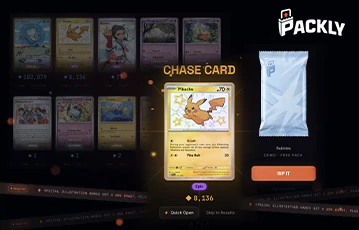
Rip for the Raichu and more
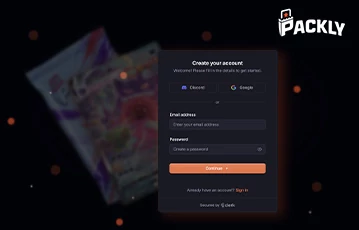
Quick registration to start ripping
My final verdict on Packly promotions: Lots to enjoy!
Packly does a pretty stand-up job with its promotional offering, striking the right balance between exciting perks for new members and regular rewards for returning rippers. I’m not sure why it buries its free welcome pack on its Gems store page, but it doesn’t matter at the end of the day – this is still a great bonus for new members, backed up by the promise of free Daily Rewards and a 100-tier VIP program.
If you’re rubbing your hands together at the prospect of letting rip at Packly, get started with a new account today via the link on this page.
Packly bonus code FAQs
🎉 Is there a Packly promo code?
You won’t need a promo code to unlock any of the rewards featured in my Packly promotions guide.
✅ Is Packly legit?
Yes, it certainly is. I gave Packly a positive rating for its intuitive design, easy mechanics, and high-quality cards, and that’s backed up by a high Trustpilot score, too.
🎁 Where do you claim the Daily Reward at Packly?
Simply tap the gift icon at the top of the screen to claim your Daily Reward; there’s a useful 24-hour countdown timer so you can see when your next reward is available, too.
Further Bonuses
3.
Slabz Promo
10.
Wanderluck Promo
11.
Courtyard Promo
14.
BigBux Promo
15.
Goatbox.gg Promo
17.
Slab Daddy Promo
18.
RipIt Promo
19.
Upper Deck Promo
20.
Ripz.gg Promo
21.
Arena Club Promo
23.
Packs Promo
24.
Mnstr Promo
27.
Trove Promo
Others
29.
PackDraw Promo
30.
Cravin Promo
32.
Gemint Promo
More Articles Related to Packly
Our Team
Editor
Close

T&Cs and 18+ apply

T&Cs and 18+ apply

T&Cs and 18+ apply