









Home
Packs Review
Packs Promo Code
Contains commercial content
Packs.com Promo Code 2026: Unlocking the Latest Exclusive Bonuses
Coming soon on thespike.gg: Our Review for Packs
Sign up with one of thespike.gg's Top3 alternatives:
Mystery Boxes
Mystery Boxes
Mystery Boxes


- Free pack for new users
- Wide range of pack prices
- Exact pull odds shown for every pack
Packs Mystery Boxes Bonus
–



T&Cs and 18+ apply
- Request physical shipping
- Deliveries arrive in two to four weeks
- Earn shipping tokens with coin purchases
Packs Mystery Boxes Bonus
–
T&Cs and 18+ apply
- Buy virtual coins using major cryptocurrencies
- Verify pack openings using hash codes
- Supports Bitcoin, Ethereum, Tether, and Litecoin
Packs Mystery Boxes Bonus
–
T&Cs and 18+ apply
Details
Deposit Methods
One free mystery card pack is yours for the taking if you join Packs.com today. No Packs.com promo code is required. Just sign up through the promo link on this page, and the bonus will be applied automatically.
After signing up, you can choose a free Pokémon, Magic: The Gathering, or One Piece card pack, depending on your preferred game. Each pack contains three authentic cards, which will be added to your backpack immediately after you pull them. Keep reading for more details on the current Packs.com bonuses and tips for getting the most out of them.
- Deposit Methods
-



- Owned By
-
MEJMR LLC
- Released
-
2026
- Homepage
-
packs.com
- Languages Supported
-
EN
- Support
-
Live Chat Feature, E-mail Customer Support
-
support@packs.com
| Payment Provider | Deposit min/max | Deposit time | Safety | Approval rate |
|---|---|---|---|---|
 |
10 - 1000000$ | instant | high | |
 |
10 - 1000000$ | instant | high | |
 |
10 - 1000000$ | instant | very high security | High |
 |
10 - 1000000$ | instant | very high security | |
 |
10 - 1000000$ | instant | very high security | |
 |
10 - 1000000$ | instant | high | |
 |
10 - 1000000$ | instant | high | |
 |
10 - 1000000$ | instant | high | |
 |
10 - 1000000$ | instant | high | |
 |
10 - 1000000$ | instant | high | |
 |
10 - 1000000$ | instant | high | |
 |
high | |||
 |
high | |||
 |
high | |||
 |
high | |||
 |
high | |||
 |
high |
Show more entries
Last Updated on 23.09.2026
Table of Contents
Packs.com bonus overview
The main Packs.com bonuses include a free pack for new users and ongoing rewards through its referral program. Here’s a quick overview of how each offer works:
| Bonus type | Promo code | Minimum purchase | Availability | Reward |
|---|---|---|---|---|
| New customer offer | Not required – use the banner link on this page | None | New users only | One free pack containing three cards |
| Referral bonus | Generate your own unique referral code | None | Existing members who refer new users | 5% deposit bonus, capped at $100 per day, plus 0.5% commission on referred users’ deposits |
The welcome bonus at Packs.com: Rip your first pack for free
Packs.com has one of the better welcome offers I’ve seen from
online card rip sites. As a new user, you’ll get a free pack instantly after signing up, with no purchase or deposit required. That’s a notable advantage over sites that only award a “free” pack after you’ve already made a purchase.
Another advantage is that you can choose which pack you rip. While some sites give every new user the same pack, Packs.com offers three different options, each for a different card game.
The options are:
- Freeveelutions: The free Pokémon pack on Packs.com, with a name inspired by Eevee and its various evolutions.
- Freewalkers: The Magic: The Gathering option, with a name that plays on Magic’s Planeswalkers.
- Monkey Free Luffy: The One Piece option, named after Monkey D. Luffy.
Whichever option you choose, you’ll receive three 100% authentic cards in your free pack.
Terms and conditions to be aware of
Before you claim your free pack at Packs.com, you should be aware of the terms and conditions. I’ve summarized the most important ones for you right here:
- New users only: You can only claim the free welcome pack when you sign up as a new user.
- No purchase or deposit required: You don’t need to make a purchase or deposit any money to claim and rip your free pack.
- One account per person: You’re only allowed one Packs.com account, so you can’t create additional accounts to claim more free packs.
- Age restrictions apply: You must be at least 18 years old, or the legal age of majority where you live if it’s higher, to use Packs.com.
- Location restrictions apply: You can only claim the bonus if Packs.com is available where you live.
- 24-hour shipping request rule: You must request delivery of your physical cards within 24 hours of ripping the pack. Otherwise, Packs.com is not obligated to ship them.
- Shipping fees may apply: If you want the physical cards from the free pack delivered, you are responsible for any shipping and handling fees that may apply.
Looking for bonuses on similar sites? Check out the latest ClutchPacks promo code.
How to claim your free pack at Packs.com
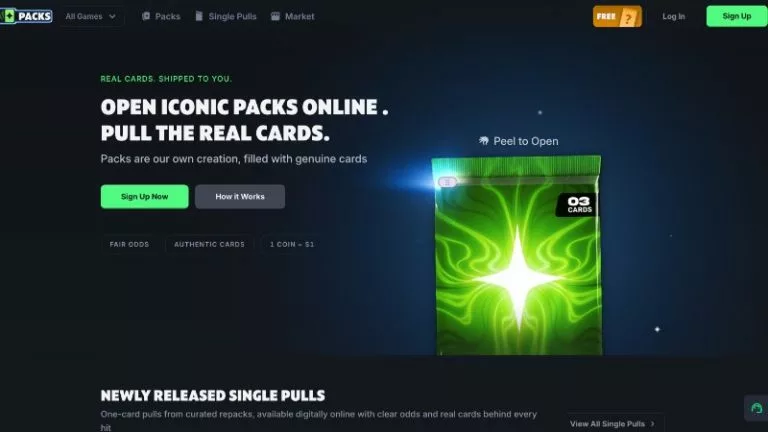
Rip iconic trading card packs online at Packs.com
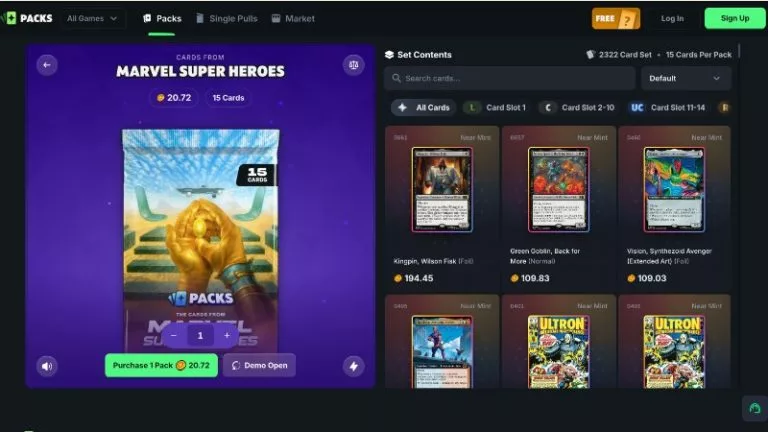
Curated multi-card packs with transparent card pools
Packs.com deserves credit here because the process of claiming your free pack couldn’t be much simpler. There are no complicated steps or hoops to jump through. I was able to register and claim my free pack in less than one minute.
Here’s a quick breakdown of the steps you’ll need to follow:
-
Click the promo link
You won’t need to enter a Packs.com promo code to qualify. Just click the promo link on this page, and the bonus will be applied automatically.
-
Create your account
Click the “Sign Up” button and choose whether you’d like to sign up with your email address, Steam account, or Google account.
-
Verify your email
Packs.com will send you an email containing a verification link. Click the link to verify your email address.
-
Choose your free pack
As soon as you log in for the first time, a window will appear prompting you to choose your free pack. I personally chose the Pokémon pack, but you can go with whichever card game you’re most interested in.
-
Rip your free pack
All that’s left to do is click the “Open for free” button, then rip the pack open to reveal your three cards. I received two Eevee cards and one Vaporeon, worth a total of 1.63 Coins.
Promotions for existing Packs.com members
When it comes to promotions for existing members, this is one area where I think Packs.com could improve. I had a good look around the site during my Packs.com review, and the selection of ongoing bonuses and rewards is fairly limited.
There’s no VIP or loyalty program, and there’s no dedicated promotions page where you’d usually expect to find offers for existing members. From what I’ve seen, most of the ongoing rewards are linked to the referral program, which I’ll explain below.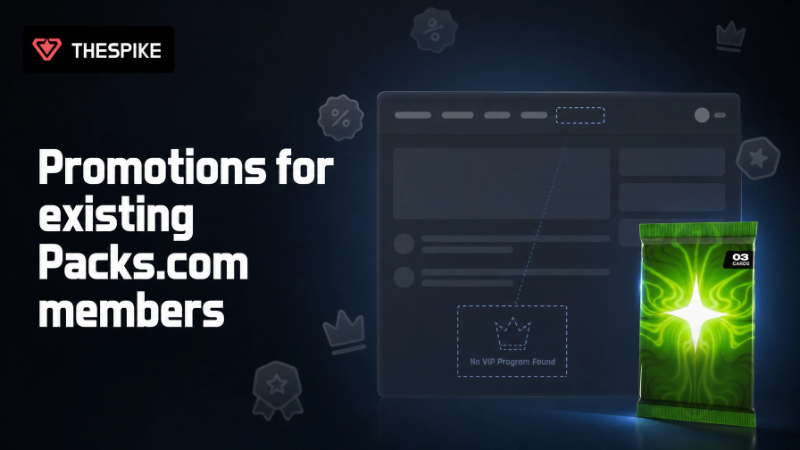
How the referral program works
The referral program rewards you for inviting friends to Packs.com. When someone signs up using your referral code, you can receive a 5% bonus on a deposit, with bonuses capped at $100 per day.
You’ll also receive a 0.5% commission on every deposit made by users you’ve referred. I like this setup because it rewards you not just for the initial referral, but also for every deposit your referrals make.
Another feature I like is the ability to create your own unique referral code rather than simply having one assigned to you. You can do this by heading to the “Referrals” tab in your profile, where you’ll find the option to create your code.
Top tips to help you get more from the bonuses at Packs.com
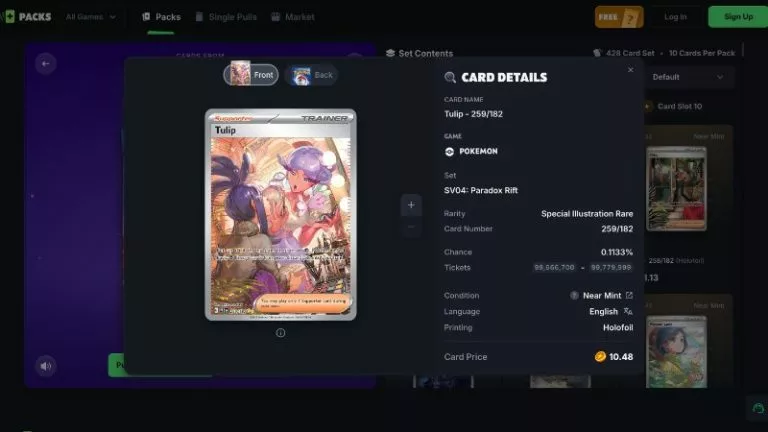
Detailed view of individual trading card stats and odds
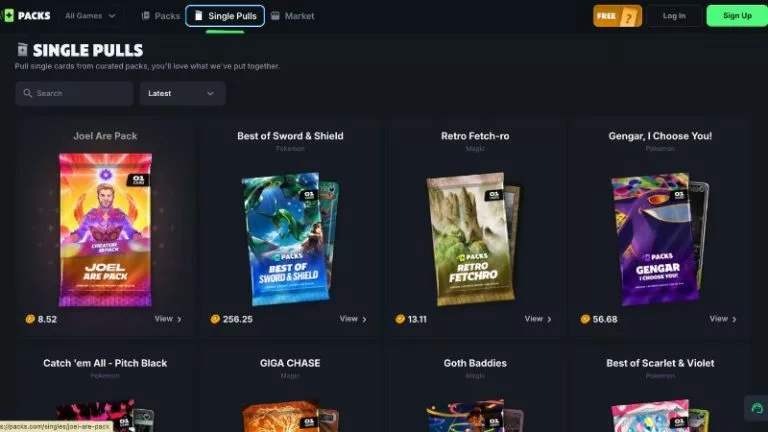
Explore curated single pulls and themed digital packs
I spent plenty of time exploring Packs.com, and these are the bonus tips I think are most useful to know.
🎁 Choose Your Free Pack Wisely
Choose your free pack wisely: As a new user, you can only claim one of the three free packs available at Packs.com. Once you’ve made your selection, the other two options will no longer be available, so check all three and choose the card game that interests you most.
⏰ Keep the 24-Hour Shipping Rule in Mind
Keep the 24-hour shipping rule in mind: Once you rip a digital pack and your cards are revealed, you have 24 hours to request shipment of the physical cards to the delivery address linked to your account. Shipment requests submitted after the 24-hour window will likely be denied.
✉️ Opt in to Promotional Emails
Opt in to promotional emails: Packs.com regularly sends bonuses, promo codes, and other offers to its members via email, but you’ll need to opt in to receive them. You can do this during registration by ticking the box that says, “I agree to receive offers and news by email.”
💳 Know How to Redeem Promo Codes
Know how to redeem promo codes: Many time-limited bonuses and promotions at Packs.com require a promo code, so it’s worth knowing how to redeem one quickly before an offer expires. Head to the “Promo code” tab in your profile dashboard, enter the code in the field provided, and redeem it to activate the offer.
📢 Check the Banners for the Latest Offers
Check the banners for the latest offers: Keep an eye on the banners on this page, as they’re regularly updated to display the latest Packs.com bonuses and promotions. You’ll also find the relevant promo codes and links needed to claim each offer.
What I think of Packs.com’s bonuses
Overall, the Packs.com bonuses get a big thumbs up from me.
The biggest highlight is the welcome bonus. Getting a free pack with no deposit or purchase required isn’t something you see on every site. Plus, you can choose between Pokémon, Magic: The Gathering, and One Piece packs, depending on what you’re most interested in.
The referral program is another highlight. The ongoing 0.5% commission on your referrals’ deposits can really add up over time, especially if you refer several users.
My main criticism is the lack of a dedicated promotions page or VIP program, which means ongoing rewards for existing users are fairly limited. That said, if you opt in to promotional emails when you register, you should still receive bonus offers and promo codes directly by email from time to time.
Ready to get started? Follow the banner link on this page to sign up for Packs.com and claim your free pack.
Packs.com bonus FAQ
🎁 What free pack can I choose at Packs.com?
As a new user, you can choose a Pokémon, Magic: The Gathering, or One Piece free pack. Each option contains three authentic trading cards.
💳 Where do I enter a Packs.com promo code?
You can redeem promo codes through the “Promo code” tab in your profile dashboard. Simply enter the code in the field provided.
❌ Do I need a Packs.com promo code to claim the free pack?
No, you don’t need anything like a GameStop Power Packs promo code to claim your free pack at Packs.com. Just sign up through the promotional link on this page.
Further Bonuses
3.
Slabz Promo
10.
Wanderluck Promo
11.
Courtyard Promo
14.
BigBux Promo
15.
Goatbox.gg Promo
17.
Slab Daddy Promo
18.
RipIt Promo
19.
Upper Deck Promo
20.
Ripz.gg Promo
21.
Arena Club Promo
23.
Mnstr Promo
26.
Trove Promo
Others
28.
PackDraw Promo
29.
Cravin Promo
31.
Packly Promo
32.
Gemint Promo
More Articles Related to Packs
Our Team
Editor
Close

T&Cs and 18+ apply

T&Cs and 18+ apply

T&Cs and 18+ apply