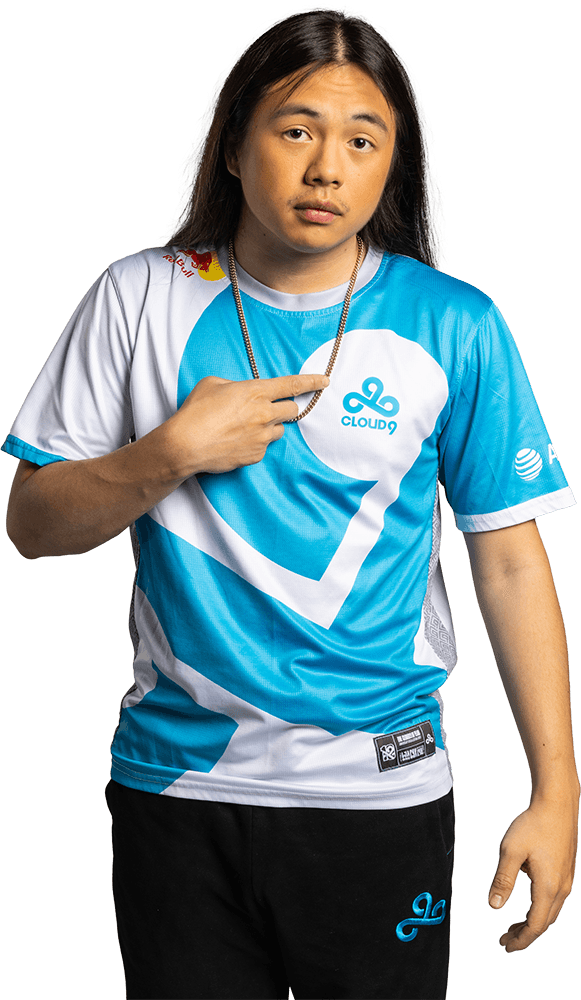
Xeppaa
 United States
- 1.09
- 209.0
- 1.04
- 135.5
- 0.73
- 0.37
- 0.70
- 22.9%
- 402
- 8380
- 0.08
- 50%
Xeppaa Statistics
Xeppaa Teams
Xeppaa Matches


Xeppaa Events
Xeppaa News
- v1c returns to Cloud9's active roster as Notexxd is moved to the benchCloud9 have moved v1c back into the VALORANT roster, sending Notexxd to the bench after the team’s latest struggles.
 3 months ago
 - Xeppaa steps back from competitive VALORANT, Cloud9 begin trials for replacementCloud9's Xeppaa steps back from competitive VALORANT, with the organization beginning trials for a replacement amid an ongoing roster reshuffle. 5 months ago
- Zellsis and Penny reunite on Cloud9 for the 2026 VCT Americas SeasonCloud9 reunites Zellsis and Penny for the 2026 VCT Americas season, as Zellsis takes on a new role as IGL. 11 months ago
- Sentinels part ways with Zellsis ahead of VCT 2026 seasonSentinels veteran Zellsis will be moving on from the organization after two years with the team. 11 months ago
More information about Xeppaa
How old is Xeppaa?
24 years old
Does Xeppaa stream?
Yes – https://www.twitch.tv/Xeppaa (https://twitch.tv/Xeppaa)
Xeppaa Crosshair Settings
Are you looking to take your VALORANT gameplay to the next level? One important aspect to consider is your crosshair settings. Your crosshair is the visual guide that helps you aim accurately and hit your targets. In VALORANT, you can customize your crosshair to suit your playstyle and preferences. The possibilities are endless from changing the color, shape, size, and even adding an outline.
But how do you find the perfect crosshair settings? Well, it depends on your preference and your role in the game. For example, if you play as a sniper, you may want a smaller crosshair with a dot in the center to help you aim precisely. On the other hand, if you play as a rusher, a larger crosshair with a bright color may be better for quick target acquisition.
Whatever your preference, experimenting with different crosshair settings can help you find the one that feels most comfortable and effective for you. Not only can customizing your crosshair improve your aim and accuracy, but it can also give you a competitive advantage in the game.
PRIMARY
- Color = White
- Crosshair Color = #ffffff
- Outlines = OFF
- Center Dot = Off
INNER LINES
- Show Inner Lines = On
- Inner Line Opacity = 1
- Inner Line Length = 4
- Inner Line Thickness = 2
- Inner Line Offset = 2
- Movement Error = Off
- Firing Error = Off
OUTER LINES
- Show Outer Lines = Off
- Movement Error = Off
- Firing Error = Off
CROSSHAIR CODE
0;p;0;s;1;P;h;0;0l;4;0o;2;0a;1;0f;0;1b;0;A;o;0.8;d;1;0b;0;1b;0;S;c;5;o;1
What mouse settings does Xeppaa use?
In VALORANT, players can adjust their mouse sensitivity in the game settings. The sensitivity settings allow players to customize their cursor movement speed based on their personal preferences and playing style. Generally, players will find that a lower mouse sensitivity is better for precise aiming, while a higher sensitivity is more suitable for quick movements.
- DPI = 800
- Sensitivity = 0.35
- eDPI = 280
- Zoom Sensitivity = Unknown
- Hz = 1000
- Windows Sensitivity = 6
- Raw Input Buffer = On
What video settings does Xeppaa use?
Fine-tune your gameplay experience in VALORANT with customizable graphics settings. Optimize your FPS, adjust your resolution, and toggle on/off visual effects to enhance your competitive advantage. Learn how to adjust your graphics settings in VALORANT for maximum performance and visual quality. Don't settle for a subpar gaming experience - level up your game with VALORANT graphics settings.
GENERAL
- Resolution = 1920x1080
- Aspect Ratio = 4:3
- Aspect Ratio Method = Letterbox
- Display Mode = Fullscreen
GRAPHICS QUALITY
- Multithreaded Rendering = On
- Material Quality = Low
- Texture Quality = Low
- Detail Quality = Low
- UI Quality = Low
- Vignette = Off
- VSync = Off
- Anti-Aliasing = MSAA 4x
- Anisotropic Filtering = 4x
- Improve Clarity = Off
- Experimental Sharpening = Off
- Bloom = On
- Distortion = Off
- Cast Shadows = On
ACCESSIBILITY
- Enemy Highlight Color = Yellow (Deuteranopia)
What peripherals/gear does Xeppaa use?
Elevate your gaming experience with the right peripherals. Choose from a wide selection of gaming peripherals, including keyboards, mice, headsets, and controllers, designed to enhance your gameplay and provide a competitive edge. With features like precision sensors, programmable buttons, and immersive sound, gaming peripherals are essential tools for serious gamers. Find the perfect gaming peripheral to suit your play style and take your gaming to the next level.
- Monitor = ZOWIE XL2546K
- Mouse = ZOWIE EC2-C
- Keyboard = Wooting 60HE+
- Headset = HyperX Cloud II
- Mousepad = SteelSeries QcK Heavy
What key binds does Xeppaa use?
Master VALORANT gameplay with customized key binds. Assign specific actions to your keyboard and mouse buttons to streamline your gameplay and gain a competitive edge. With VALORANT's key binding feature, you can optimize your controls to match your play style, improving your reaction time and accuracy. Learn how to customize your key binds in VALORANT to achieve your full potential and dominate the competition. Don't settle for default settings - level up your game with personalized key binds in VALORANT.
- Walk = L-Shift
- Crouch = L-Ctrl
- Jump = Space Bar
- Use Object = E
- Equip Primary Weapon = 1
- Equip Secondary Weapon = 2
- Equip Melee Weapon = 3
- Equip Spike = 4
- Use/Equip Ability: 1 = Q
- Use/Equip Ability: 2 = Mouse 5
- Use/Equip Ability: 3 = 4
- Use/Equip Ability: Ultimate = C
vct 2023
For all information about the VCT 2023, check out our VCT Hub. There you will find our FAQ to answer all of your questions and details about the teams, different Leagues, and more.