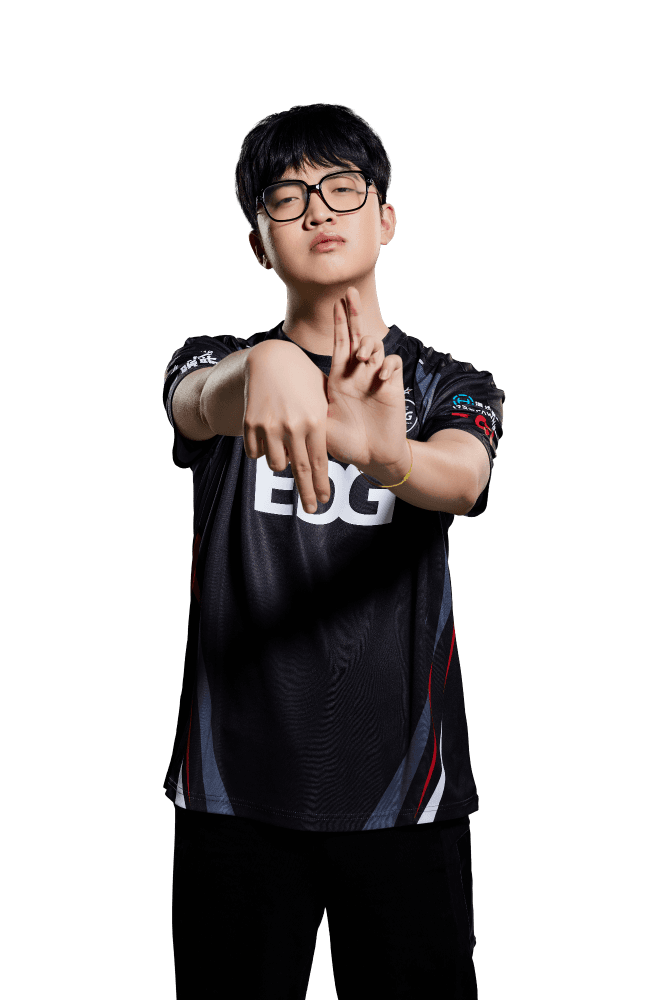
ZmjjKK
 China
China- 1.26
- 266.5
- 1.27
- 163.6
- 0.94
- 0.17
- 0.74
- 21.1%
- 384
- 8114
- 0.23
- 59%
ZmjjKK Statistics


ZmjjKK Teams


_1733081772340.png&w=256&q=75 "EDward Gaming")
 stew
stew Toast
ToastZmjjKK Matches

_1733081772340.png&w=64&q=75 "EDward Gaming")


_1717857452869.png&w=64&q=75 "JD Gaming")

_1717857420026.png&w=64&q=75 "Wolves Esports")

_1717857378025.png&w=64&q=75 "All Gamers")
ZmjjKK Events

_1742752515754.png&w=128&q=75 "VALORANT Champions Tour 2026 - Champions Shanghai")
ZmjjKK News
- All veteran players returning to VALORANT Champions in 2026See which familiar faces are back on the biggest international stage and who is looking to add another Champions title to their legacy. 4 days ago
- Five players to watch at VALORANT Champions Shanghai: New talent and rising veterans take center stageWhile a few superstars dominated all season, a select group of dark horses has recently started stealing the spotlight, ready for the global stage. 6 days ago
- “If The Sun Burns Out Tonight” arrives as the VALORANT Champions 2026 anthemThe Champions 2026 anthem is officially out, featuring Grabbitz, Oli Sykes, and Courtney LaPlante. 12 days ago
- THESPIKE.GG’s VALORANT Champions Shanghai Pickems Guide: Group StageTHESPIKE.GG staff share their VALORANT Champions Shanghai Pick’Ems for the Group Stage. See which teams we predict will advance from each group and why. 18 days ago
More information about ZmjjKK
How old is ZmjjKK?
20 years old
Does ZmjjKK stream?
No
ZmjjKK Crosshair Settings
Are you looking to take your VALORANT gameplay to the next level? One important aspect to consider is your crosshair settings. Your crosshair is the visual guide that helps you aim accurately and hit your targets. In VALORANT, you can customize your crosshair to suit your playstyle and preferences. The possibilities are endless from changing the color, shape, size, and even adding an outline.
But how do you find the perfect crosshair settings? Well, it depends on your preference and your role in the game. For example, if you play as a sniper, you may want a smaller crosshair with a dot in the center to help you aim precisely. On the other hand, if you play as a rusher, a larger crosshair with a bright color may be better for quick target acquisition.
Whatever your preference, experimenting with different crosshair settings can help you find the one that feels most comfortable and effective for you. Not only can customizing your crosshair improve your aim and accuracy, but it can also give you a competitive advantage in the game.
PRIMARY
- Color = White
- Crosshair Color = #Unknown
- Outlines = Off
- Center Dot = On
INNER LINES
- Show Inner Lines = On
- Inner Line Opacity = 0.8
- Inner Line Length = 2
- Inner Line Thickness = 2
- Inner Line Offset = 1
- Movement Error = Off
- Firing Error = Off
OUTER LINES
- Show Outer Lines = Off
- Movement Error = On
- Firing Error = On
CROSSHAIR CODE
- 0;P;h;0;d;1;f;0;0l;2;0v;2;0g;1;0o;1;0f;0;1b;0
What mouse settings does ZmjjKK use?
In VALORANT, players can adjust their mouse sensitivity in the game settings. The sensitivity settings allow players to customize their cursor movement speed based on their personal preferences and playing style. Generally, players will find that a lower mouse sensitivity is better for precise aiming, while a higher sensitivity is more suitable for quick movements.
- DPI = 1600
- Sensitivity = 0.1
- eDPI = 160.00
- Zoom Sensitivity = 1.3
- Hz = 4000
- Windows Sensitivity = 6
- Raw Input Buffer = On
What video settings does ZmjjKK use?
Fine-tune your gameplay experience in VALORANT with customizable graphics settings. Optimize your FPS, adjust your resolution, and toggle on/off visual effects to enhance your competitive advantage. Learn how to adjust your graphics settings in VALORANT for maximum performance and visual quality. Don't settle for a subpar gaming experience - level up your game with VALORANT graphics settings.
GENERAL
- Resolution = 1280x960
- Aspect Ratio = 4:3
- Aspect Ratio Method = Fill
- Display Mode = Fullscreen
GRAPHICS QUALITY
- Multithreaded Rendering = On
- Material Quality = Low
- Texture Quality = Low
- Detail Quality = Low
- UI Quality = Low
- Vignette = Off
- VSync = Off
- Anti-Aliasing = MSAA 4x
- Anisotropic Filtering = 8x
- Improve Clarity = On
- Experimental Sharpening = Off
- Bloom = On
- Distortion = Off
- Cast Shadows = Off
ACCESSIBILITY
- Enemy Highlight Color = Yellow (Deuteranopia)
What peripherals/gear does ZmjjKK use?
Elevate your gaming experience with the right peripherals. Choose from a wide selection of gaming peripherals, including keyboards, mice, headsets, and controllers, designed to enhance your gameplay and provide a competitive edge. With features like precision sensors, programmable buttons, and immersive sound, gaming peripherals are essential tools for serious gamers. Find the perfect gaming peripheral to suit your play style and take your gaming to the next level.
- Monitor = ZOWIE XL2566K
- Mouse = VAXEE ZYGEN NP-01S V2 Wireless Pink
- Keyboard = Wooting 80HE Black
- Headset = Razer BlackShark V2 Pro White
- Mousepad = VAXEE Black (2025 Unreleased)
What key binds does ZmjjKK use?
Master VALORANT gameplay with customized key binds. Assign specific actions to your keyboard and mouse buttons to streamline your gameplay and gain a competitive edge. With VALORANT's key binding feature, you can optimize your controls to match your play style, improving your reaction time and accuracy. Learn how to customize your key binds in VALORANT to achieve your full potential and dominate the competition. Don't settle for default settings - level up your game with personalized key binds in VALORANT.
- Walk = L-Shift
- Crouch = L-Ctrl
- Jump = Space Bar / Mouse Wheel Down
- Use Object = E
- Equip Primary Weapon = 1
- Equip Secondary Weapon = 2
- Equip Melee Weapon = 3
- Equip Spike = 4
- Use/Equip Ability: 1 = C
- Use/Equip Ability: 2 = Mouse Button 5
- Use/Equip Ability: 3 = V
- Use/Equip Ability: Ultimate = X
vct 2023
For all information about the VCT 2023, check out our VCT Hub. There you will find our FAQ to answer all of your questions and details about the teams, different Leagues, and more.