Gifting Robux: How to send Robux in Roblox officially
Send Robux in Roblox easily
What is Gifting Robux in Roblox?
Gifting Robux is a Roblox feature that allows one user to purchase Robux for another user. Instead of transferring Robux directly between accounts, Roblox processes the gift through its official payment system. This system is designed to:
- Make Robux gifting safer
- Prevent scams and illegal trading
- Allow players to easily send Robux to friends
The gifting process happens through a special Roblox page called the Robux gift link.
How to send Robux in Roblox (Official Gifting Robux method)
Follow these steps to send Robux using the official Roblox gifting feature:
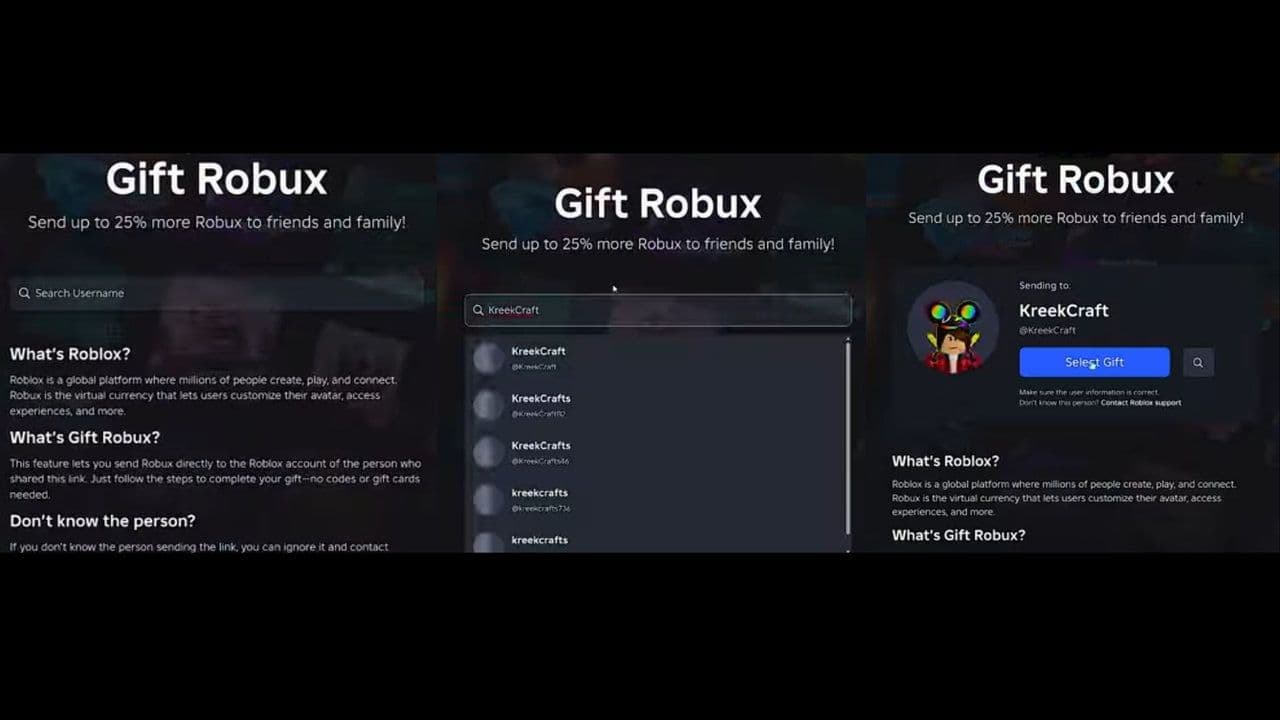
- Go to the Roblox Gifting page
- Search for a Roblox username
- Select the player from a list
- Choose how much Robux you want to send. Also you can send a message from here.
- You do not need a Roblox account or to be logged in to verify. Add your payment information and complete the purchase.
- A confirmation receipt will be sent to the email you provided.
How to request Robux
You can also request Robux now with the Gifting Robux system. Here is how:
- Go to the Buy Robux page on the Roblox website.
- Click “Request Robux” at the top of the page.
- You will be taken to the Gift Robux page, where you can copy your gift link or share a QR code.
- Send this link or QR code to people who want to gift you Robux.
- When someone sends Robux, you will receive a notification.
- The Robux will be automatically added to your balance, and gifts cannot be declined once received.
Older methods of sending Robux in Roblox
Before the Gifting Robux feature, players used other methods to send Robux. These methods still work but are less direct.
Game Pass purchases
One popular method is buying a Game Pass created by the recipient.
Steps include:
- The recipient creates a Game Pass in Roblox Studio.
- They set a Robux price.
- The sender buys the Game Pass.
Roblox takes a 30% marketplace fee, so the creator only receives 70% of the sale price.
The Robux also enters pending status for several days before the creator can use it.
Group Payouts
Another method is sending Robux through Roblox group payouts.
Requirements include:
- Owning a Roblox group
- Having Robux stored in group funds
- Adding the recipient to the group

Group payouts allow owners to distribute Robux directly from the group treasury.
Older methods vs Gifting Robux
Here are the differences:
5 things you should know before gifting Robux
Before using the Gifting Ropux feature, there are a few important details to understand.
- Robux is purchased, not transferred: The Gifting Robux system does not move Robux from your existing balance. Instead, you buy Robux and send them to another account during the purchase process.
- The gift link opens in a browser: The Robux gifting page works through Roblox’s website. When you open the link, it launches a browser page with the gifting interface.
- Anyone with the link can send Robux: If someone shares their Robux gift link publicly, anyone who opens it can send Robux to that account.
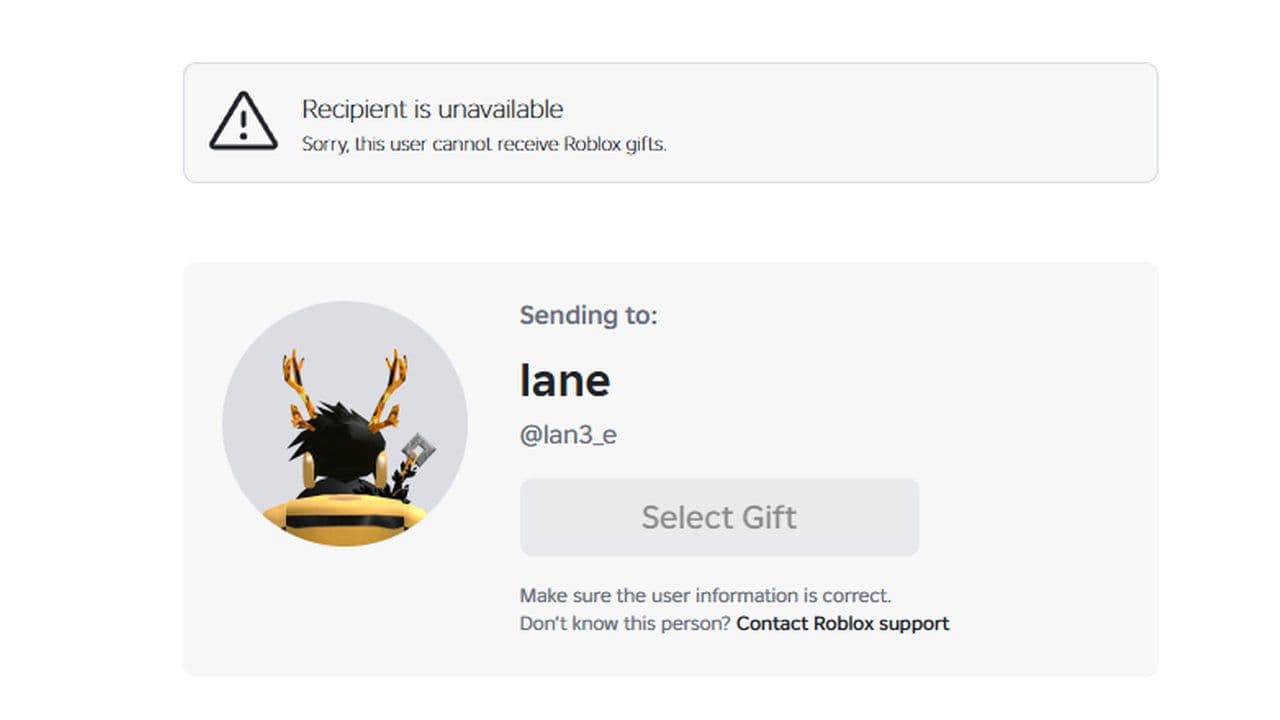
- The feature is limited: Roblox currently restricts the feature to some users & regions.
- Purchases are final and non-refundable.
The new Gifting Robux feature makes it much easier to send Robux in Roblox. Instead of using older methods like Game Pass purchases or group payouts, players can now send Robux through a simple official gift page. All it takes is selecting a username, choosing the Robux amount, and completing the purchase.
Players can also request Robux by sharing their gift link or QR code, making it easier for friends or family to send gifts. Once the Robux is purchased, it is added directly to the recipient’s balance without delays or marketplace fees.
Overall, the Gifting Robux system is now the most convenient and secure way to send Robux in Roblox. By using Roblox’s official tools and verifying the correct username before sending, players can safely gift Robux and support friends across the platform.
That’s all for today! Want free Roblox items? Check out these: