How to change server in League of Legends
Want to switch your server in League of Legends? Here's a stetp-by-step guide on how to do it.
How to switch regions for League of Legends or how to change server in League of Legends might sound tricky at first, but don’t worry—it’s easier than you think!
About time that you’ve decided to take your League of Legends skills to a new region, explore fresh competition, or probably just connect with some buddies on a different server. Fear not, summoner; changing servers in League of Legends is easier than landing a Lux ult on a practice dummy.
In this LoL guide, you’ll learn how to transfer your account, the costs involved, and important things to keep in mind before making the switch.
Changing your region in League of Legends
It costs about $20 bucks worth of Riot Points (RP) to be able to change your server in League of Legends. Furthermore, you can't get a refund after changing your server. So, since there’s definitely better stuff that you could spend $20 bucks on, you should be very careful while taking the step of changing servers.
Moreover, before making the leap, it's essential to know which servers are currently available for account transfer. As of 2023, League of Legends boasts a variety of regions, each with its unique player base and playstyle. Whether you're eyeing the strategic maneuvers of the NA servers or the intense action on EUW, weigh your options and pick the region that best suits your gaming preferences and geographical location.

After you’re done with all the critical thinking, fire up your League of Legends client and log in with the account you wish to transfer. Once you're in, head straight to the store. It's that bustling marketplace where you can find everything from champions, skins, chromas, and yes, server transfers. But where, though?
In the Store, look for the ‘account’ tab. It should be the one with the profile and gear icon on the left of the ‘gifting center’ tab. It's your golden ticket to all things account-related. Click on it, and you'll find a menu with various options, including our target ‘server transfer.
’Prepare to part ways with the presumably just-purchased RP. Finally, once you've made the purchase, League of Legends will automatically deduct the RP from your account, and you'll be ready to embark on your cross-server journey.
How to switch regions for League of Legends
This process is not as simple as logging in from a different location—Riot Games has designed specific steps for region changes to ensure smooth transitions:
- Open the League Client: Log in to the client with your current account.
- Go to the Store: Click the store icon (next to your RP and Blue Essence amounts).
- Access account settings: In the store, select the "Account" icon in the top-right corner.
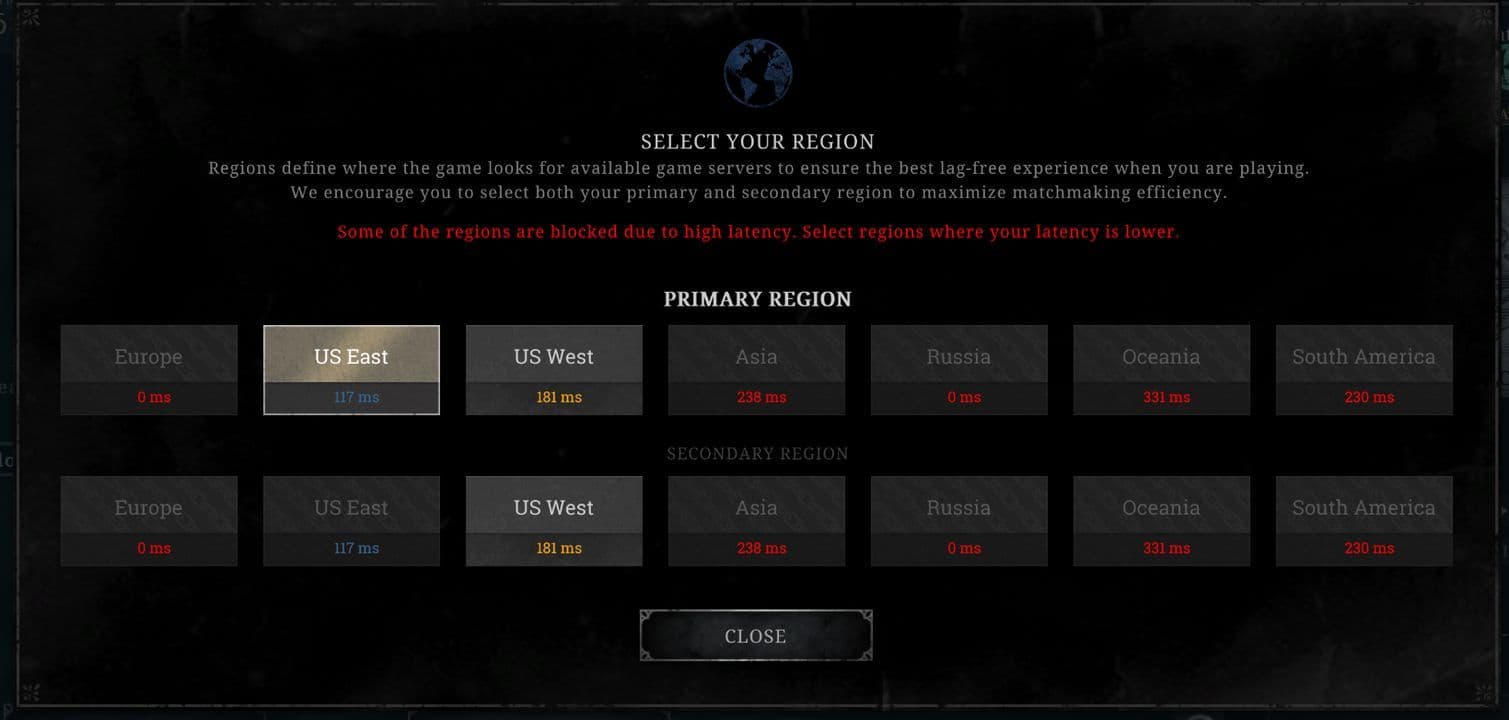
- Choose your destination: Select the region you want to transfer to. Here are the LoL servers you can choose from:
- North America (NA)
- Europe West (EUW)
- Europe Nordic & East (EUNE)
- Oceania (OCE)
- Russia (RU)
- Turkey (TR)
- Brazil (BR)
- Latin America North (LAN)
- Latin America South (LAS)
- Japan (JP)
- Taiwan (TW)
- Southeast Asia (Singapore, Malaysia, Indonesia)
- Thailand (TH)
- Philippines (PH)
- Middle East (ME)
- Pay the transfer fee: Transfers cost 2,600 RP (approximately $23). Ensure you have enough RP before starting.
- Confirm and log out: Complete the transaction, then log out and back in to finalize the process.
Can’t you switch regions for LoL? Here are the usual suspects
If you’re having trouble switching your region in League of Legends, several factors might be preventing the process. Here are the most common reasons and potential solutions:
Transfer restrictions on patch days
Riot Games disables account transfers on patch days until the destination server finishes updating. This prevents potential conflicts caused by mismatched client versions.
Wait until the server you want to transfer to has completed its patch update and retry the process.
Insufficient RP for transfer
Transferring to another region requires 2,600 RP (about $23). If your account doesn’t have enough RP, you won’t be able to initiate the transfer.
Purchase additional RP from the in-game store to meet the required amount.
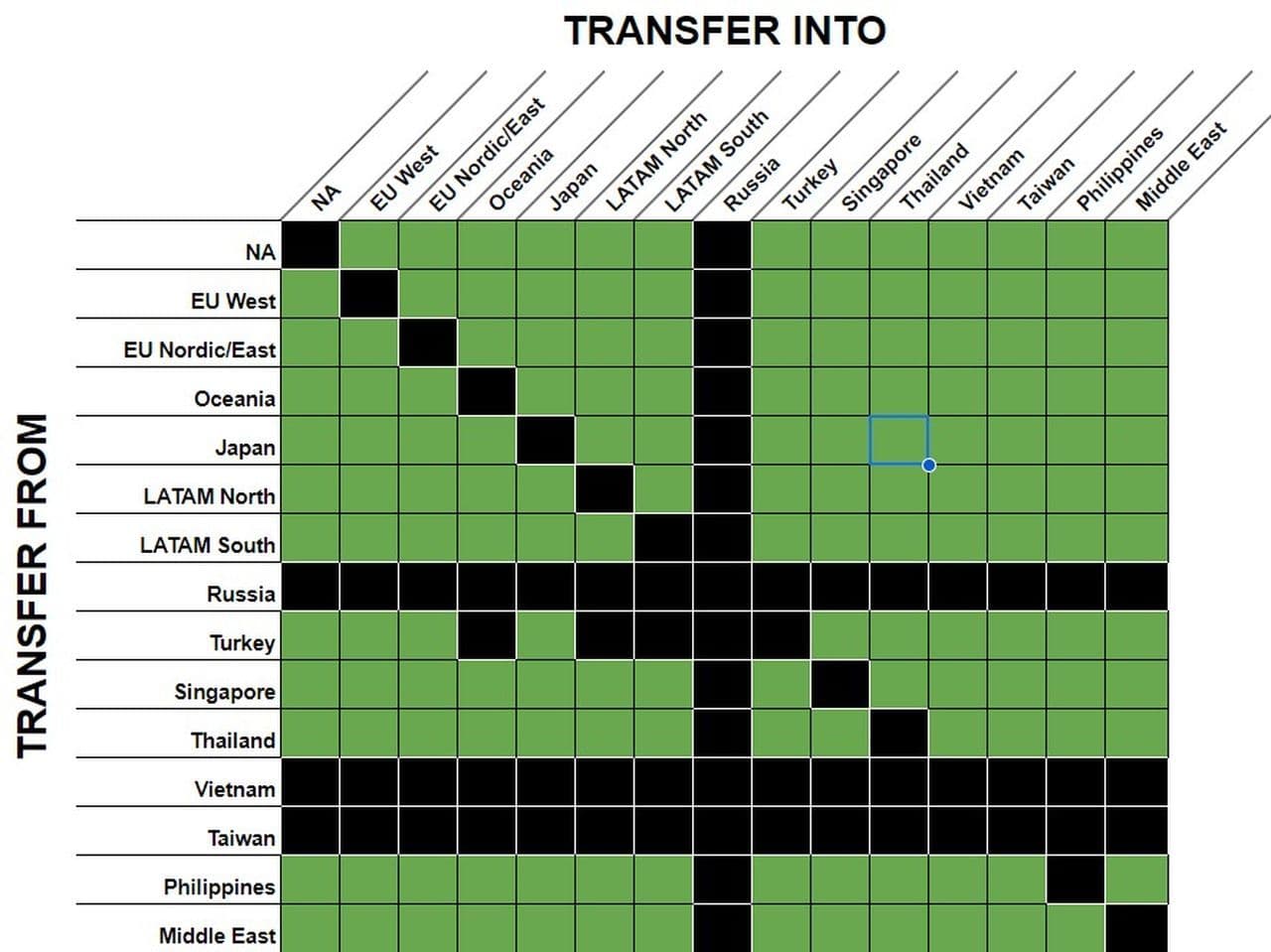
You can not switch every region
Certain transfers may be restricted due to server-specific updates, patch issues, or regional technical limitations. Check the availability.
How do I check my LoL region?
Follow these simple steps:
- Launch the League of Legends client..
- Log in using your Riot ID and password.
- Once logged in, locate your profile picture in the top-right corner of the client screen.
- Move your cursor over the profile picture without clicking.
- A small pop-up window will appear.
- Look for your region displayed right above your username (e.g., NA for North America, EUW for Europe West, etc.).
Knowing your Riot region also helps with:
- Understanding where your account is tied.
- Avoiding high latency when playing on servers far from your location.
- Ensuring proper account access for server-specific features.
Transfer cooldown
After transferring accounts, a 90-day cooldown is applied before you can transfer to another region again.
Check your transfer history to confirm if you’re within the cooldown period. If so, you’ll need to wait until the cooldown expires.
Account-specific issues
Certain account-related problems, such as account suspensions, bans, or unresolved support tickets, may prevent transfers.
Log into the Riot Support portal to check for any notifications or contact Riot Support for assistance.
Technical errors during the process
Sometimes, technical glitches like unstable internet connections, corrupted game files, or server errors can disrupt the transfer process.
- Ensure you have a stable internet connection.
- Restart the League client and try again.
- Reinstall the League of Legends client if the problem persists.
What to do if none of the above work
If you’re still unable to switch regions after addressing these potential issues:
- Take a screenshot of any error messages you’re receiving.
- Gather the following details:
- Your Riot ID
- Your current server
- The desired server for transfer
- A detailed description of the issue
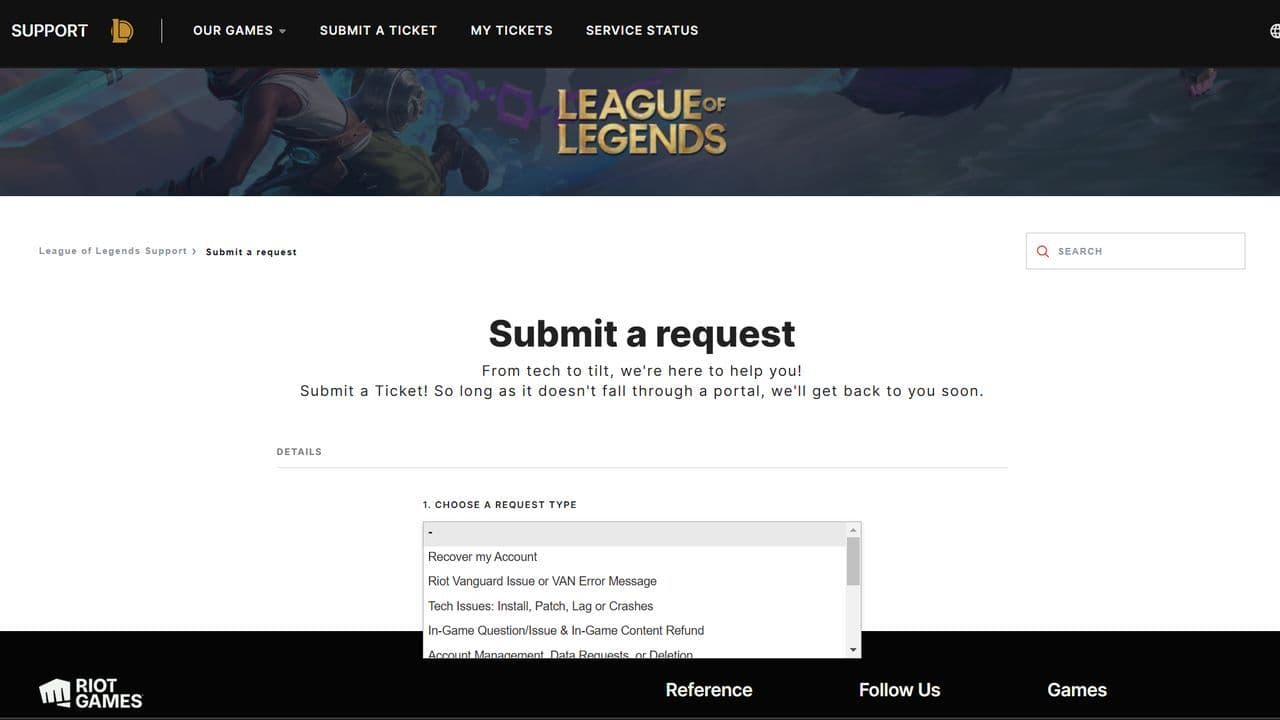
- Submit a ticket to Riot Support for further assistance.
Buyer beware
Changing servers has some consequences to your account. It’s not too complex, and for the most part, nothing to panic about, but it’s good to take these points into consideration:
Be ready for a fresh start in ranked, as changing servers in League of Legends isn't just a change of scenery. Brace yourself, because after changing your servers in League of Legends, you'll be forced to bid farewell to your hard-earned rank. If you were the king of Gold IV on your old server, you'd find yourself back in the unranked, forced to play placement games once again.
Don’t buy RP before making sure that account transfer is available. Account transfers are usually unavailable at patch days and at maintenance, but they can be unavailable at other times as well. So, head to the account tab in the shop and check if account transfers are functional, or simply make sure that there are no notes in the client that notify about account transfer unavailability.
Finally, say goodbye to honor level, eternals progress, and shop offers. As none of these things will carry over to your new server.
And there you have it, summoner! Welcome to your new server, wherever it is. Embrace your decision, adapt to your new environment, and soon enough, you'll be racking up the ranks and leaving a trail of defeated opponents in your journey upwards. Good luck, and may your next climb be swift and simple.
A list of the dangers waiting while switching your LoL region
As mentioned, when switching your League of Legends account to a different region, there are several things you will keep and others that you will lose in the transfer. It’s important to know what will stay intact and what will be reset, so you can plan your transfer accordingly.
Other considerations
- Latency and ping: Transferring to a server far from your location can lead to higher ping and latency, affecting gameplay.
- Account transfer cooldown: After transferring, you must wait 90 days before you can transfer again.
- Clash impact: Progress, trophies, and banners from Clash are not transferred, so you'll need to rejoin or restart your participation in this mode.
Don’t you want to lose your progress? Create a new account in the desired region
If you’d rather start fresh or want a free alternative to transferring your account, create a new Riot account for the desired region.
- Visit the League of Legends Signup Page.
- Click the "Region" Dropdown Menu in the top-right corner.
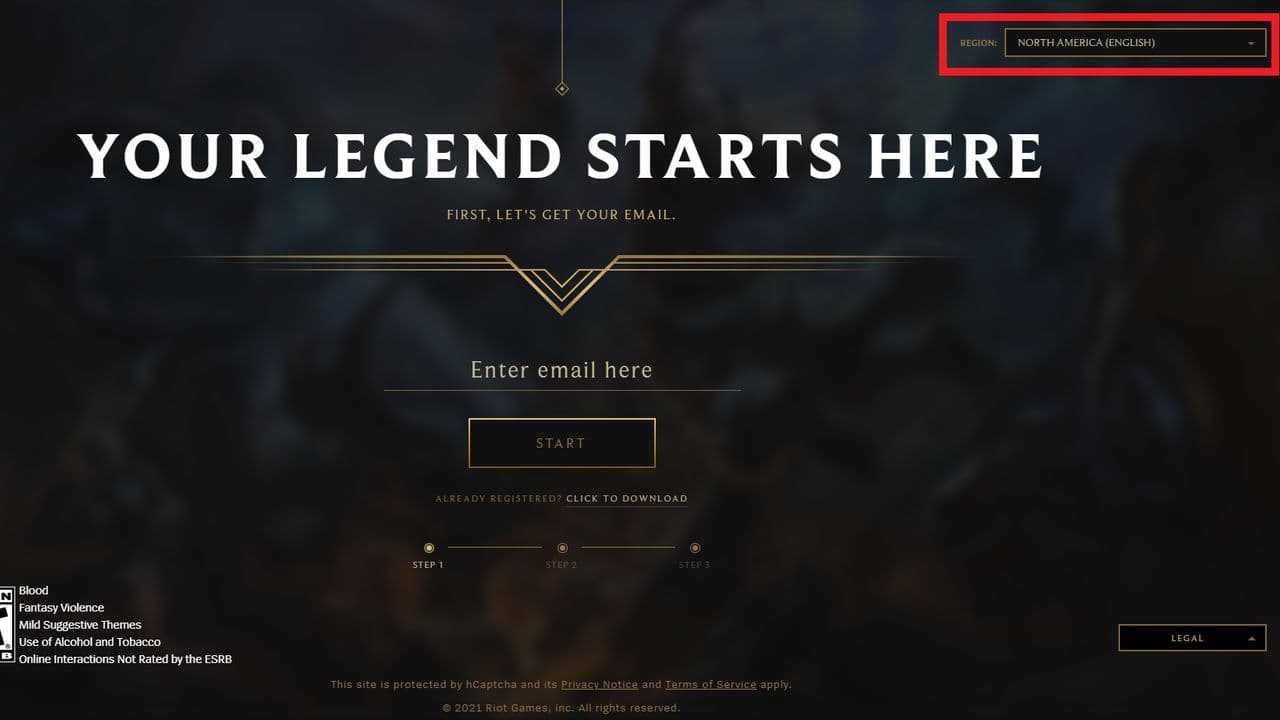
- Select the region you want to play in (e.g., Latin America North, Japan, etc.).
- Enter your email address and complete the account creation process.
Can I change my LoL server for free?
You cannot change your League of Legends server for free. Riot Games requires players to pay for a server transfer. Sometimes, Riot may offer free transfers during special events, but this does not happen often. If you want to switch to another region, you need to buy Riot Points and use them to complete the transfer.
Before you move your account, it helps to know that your rank, honor level, and match history will not carry over. Only your champions, skins, and most items in your collection will transfer. Also, your ping might get higher or lower depending on the server’s location, so make sure to pick a region close to where you live.
How much does it cost to transfer from Eune to EUW?
If you want to transfer your account from EUNE to EUW, it costs 2,600 Riot Points. You can buy Riot Points through the in-game store using a credit card, PayPal, or other payment methods available in your region.
Once you complete the transfer, your champions and skins will stay with you, but your ranked progress will reset. This means you must play new placement matches to earn your rank again. Riot does not refund Riot Points after a transfer, so be sure before you confirm the change.
How to check lol region?
To check your region in League of Legends, open the Riot Client before logging in. You will see your region listed near the login box. If you are already logged in, go to Riot’s website, open your account settings, and find your region under the “Riot Account” section.
Is it allowed to use VPN in LoL?
Using a VPN in League of Legends is not explicitly banned, but it can lead to issues. While some players use VPNs to access different regions or reduce ping, it may trigger Riot's security systems and result in account restrictions if deemed suspicious. Additionally, VPNs can sometimes increase latency, worsening gameplay. It's important to use a VPN responsibly and avoid bypassing regional restrictions or violating Riot's policies.
That’s all for today! Want to explore more? Check out these:
All Related Guides
 How to check how much have I spent on League of Legends?Discover how to check how much have I spent on League of Legends with our guide! Unveil your in-game expenses ...
 How to change your League of Legends language (UPDATED 2024) Want Korean, Japanese, Portuguese, or another language for your League of Legends games? Changing your League ...
 How to appear offline in League of Legends?Learn how to appear offline in League of Legends effortlessly. Plus, you can discover a bonus workaround for a...
 How to check League of Legends MMRIn this guide, we show you how to check your League of Legends MMR through third-party websites and on your ow...
 How to log out and log in League of Legends?Not sure how to log in and log out of League of Legends? We made a simple guide for you to follow and do just ...
 Is League of Legends free to play?Is League of Legends free to play? Learn about Riot Points, in-game currency, and why LoL isn't pay-to-win. Di...
 How to change your name and nickname in League of legendsYour name is your personality in League of Legends, butsometimes you want a change. So whether it be because y...