Apex Legends Cross-Progression and Merging Explained
These are some of the most confusing aspects of the Apex experience. We explain and demonstrate what you need to know.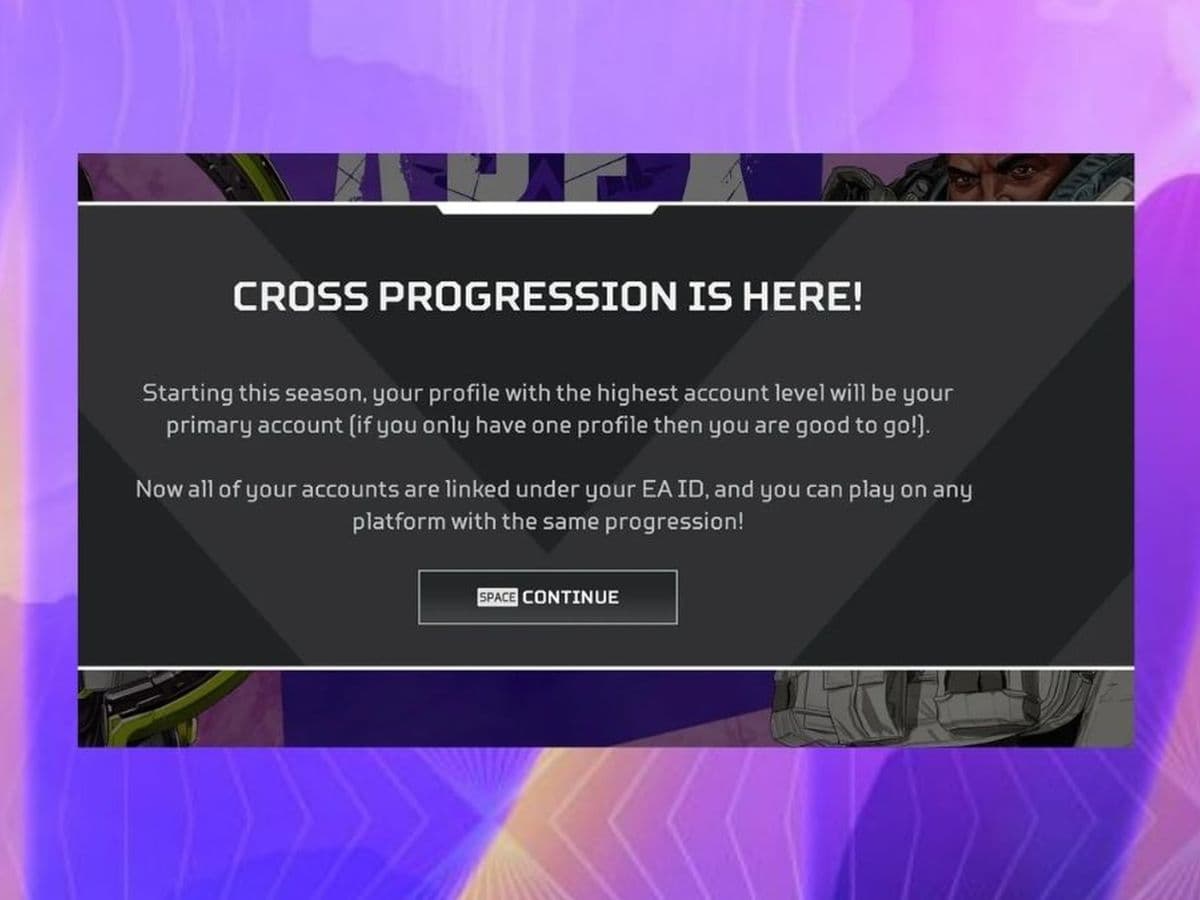
In Apex Legends, your victories and gear should follow you across platforms. Apex Legends cross-progression ensures that your progress is converged under one EA Account.
Learn how to activate it, troubleshoot issues, and explore the future of unified gaming experiences. Discover the freedom to conquer the Outlands wherever you play.
What is Apex Legends cross-progression?
Apex Legends cross-progression ensures that your achievements and unlocked items remain accessible regardless of where you play. Here's how cross-progression affects your Apex Legends experience:
- Single account conversion: If you had one Apex Legends account before Cross Progression was introduced, this becomes your unified Cross Progression account. All your in-game content consolidates under this account.
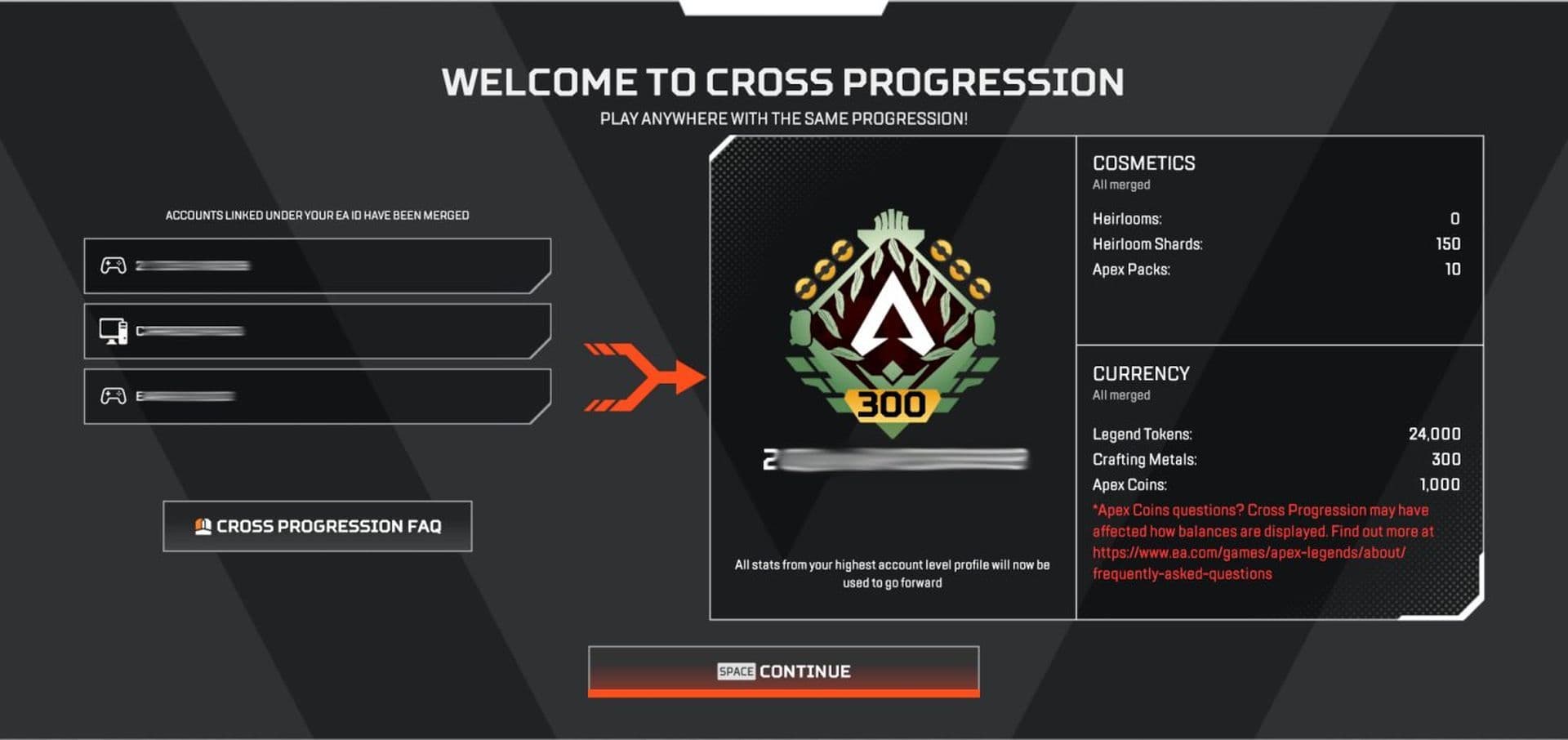
- Multiple accounts: For players with multiple Apex Legends accounts linked to the same EA Account, these are merged into a single Cross Progression account. The profile with the highest account level becomes your primary account, consolidating achievements and stats.
Once activated, Cross Progression cannot be disabled, guaranteeing a cohesive gaming experience across all platforms.
How to enable Apex Legends cross-progression
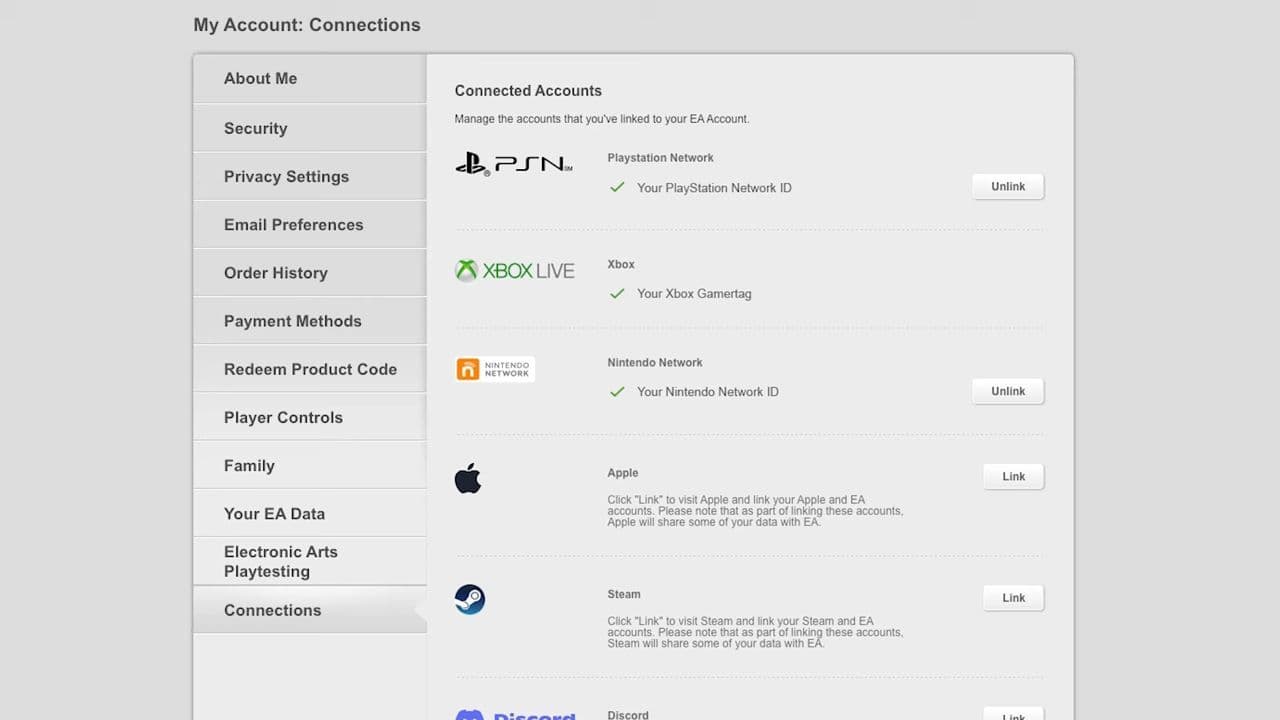
Enabling Cross Progression is a simple process. Just link your platform accounts (such as PlayStation Network, Xbox Live, or Nintendo Account) to your EA Account. This linkage allows your game progress to be tied permanently to your EA Account, ensuring seamless platform transitions.
Common Apex Legends cross-progression errors
Here are some common errors or issues related to Apex Legends cross-progression that players may encounter:
- Missing Content: Some players may experience missing items, cosmetics, or badges after enabling cross-progression. This typically occurs when certain content fails to transfer properly between platforms.
- Badge and Level Discrepancies: There have been reports of discrepancies in badges or player levels after cross-progression is activated. This can include incorrect badge counts or unexpected changes in player level progression.
- Platform Linking Issues: Occasionally, players may encounter difficulties when linking their platform accounts (e.g., PlayStation Network, Xbox Live) to their EA Account for cross-progression. This can prevent proper synchronization of progress across platforms.
- Account Unlinking Challenges: Some players may face issues when attempting to unlink and relink their platform accounts to their EA Account. This process is crucial for maintaining cross-progression but can sometimes result in lost progress if not executed correctly.
- Delayed Content Restoration: In cases where content is lost during the cross-progression process and cannot be regained through normal gameplay, EA plans to restore missing items or cosmetics in future updates. However, the timeline for these restorations may vary.
EA is actively working to address these issues and improve the cross-progression experience for all players.
How to merge Apex Legends accounts? Is Apex Legends account merging possible?
Apex Legends does not currently support the merging of separate accounts. Each player's progress and content are tied to their specific EA Account, and there is no mechanism in place to combine progress from multiple accounts into one unified account.
If you have multiple EA Accounts with Apex Legends progress, each account will maintain its separate progression and cannot be merged together. In the past, Apex Legends accounts linked to the same EA Account were merged to create a single Cross Progression account.
How do I transfer Apex progress from PS4 to PC?
You can move your Apex Legends progress from PS4 to PC through Cross Progression. Follow these steps to keep your levels, skins, and unlocked legends:
- Link your PlayStation account to EA: Go to the EA website and log in or create an EA account. Open the Connections section and link your PlayStation Network account. This step connects your console progress to EA’s servers.
- Link your PC platform to the same EA account: Choose Steam or the EA app on your PC. Sign in with the same EA account that you linked to your PlayStation account. This link lets your progress sync across both platforms.
- Start Apex Legends on PC and check your progress: Launch Apex Legends on PC. The game will show your levels, unlocked legends, and cosmetics from your PS4 profile. Your progress now updates automatically on both platforms.
Make sure you link the correct EA account. You cannot merge or move progress between different EA accounts.
Can you undo cross progression in Apex Legends?
You cannot undo cross progression once you enable it. After linking PlayStation and PC under one EA account, all your progress stays combined. If you unlink a platform later, you risk losing items or stats tied to that platform. EA support confirms that account merging is permanent. To avoid problems, double-check your EA account details before linking. Once set up, your Apex Legends progress will stay shared and update across PlayStation and PC without needing new actions.
All Related Guides
 Apex Legends Season 27 Amped explainedApex Legends Season 27: Amped revamps Olympus, adds Mantle Boost movement, legend buffs, and fresh ranked rewa...
 Apex Legends November update enhances audio clarity and brings new features to the gameApex Legends November update brings major audio upgrades in Season 27 with clearer footsteps, smarter sound mi...
 Apex Legends Raise Hell Event: Everything you need to knowDiscover Apex Legends Raise Hell event: new Reaper vs Demon mode, spooky Kings Canyon map, and exclusive Hallo...
 All Apex Legends connection symbols and their meaningsDiscover all Apex Legends connection symbols and their meanings, plus solutions to keep you in the game withou...
 Is Apex Legends Crossplay or Cross-Progression ?Yes, Apex Legends is on different platforms but does it support cross platform and cross progression gameplay?...
 How to Uncap FPS in Apex Legends on Origin and SteamUnlock higher FPS in Apex Legends on Origin and Steam with our comprehensive guide. Optimize your gameplay for...
 How to tap strafe in Apex LegendsLearn how to master tap strafing in Apex Legends to dodge bullets and enhance your gameplay with advanced move...
 How many Apex packs have I opened?Did you know there are ways to calculate your total Apex pack counter? If you ever asked, "How many Apex packs...
- 1
- 2
- 3