How to delete a Roblox account (and recover it later if needed)
Deleted and maybe then recovered.
How to delete a Roblox account is a question some users of the game face. Whether you’re ready to move on from Roblox or just need a break, this guide will show you exactly how to delete your account in a few easy steps. But what if you change your mind later and want to get your account back? Don’t worry, we’ve got you covered with tips on how to recover a deleted account too!
How to delete a Roblox account in 4 easy steps
If you no longer want to play Roblox, you can request to delete your account permanently. Once deleted, your account and all its data, including games, items, and progress, might not be recovered. Do you want to delete it anyway? Follow these steps:
- Go to the Roblox Support Page: To delete your account, you need to submit a request through Roblox's Support Form. Make sure you're logged into the account you want to delete.
- Fill out the form: The form asks for information to identify and process your account deletion request. Here's what to do:
- Enter your contact information:
- Add the email address linked to your Roblox account.
- Provide your username in the designated field.
- Enter your contact information:
- Select a category:
- Under "Help Category," choose Data Privacy Requests.
- Then, pick Right to Be Forgotten as the specific request type.
- Write your request: In the description box, clearly state that you want to delete your account permanently and click submit. Example:
- "Hello, I want to delete my Roblox account permanently. My username is [YourUsername], and the email connected to this account is [YourEmail]. Please let me know if you need more information."

- Wait for Roblox to contact you: Once you submit the form, Roblox will review your request. To protect your privacy, they will verify your identity to confirm that you’re the account owner. What happens next:
- Roblox will send you an email with instructions on how to verify your account.
- They might ask for additional information, like confirming your email or answering questions about your account activity.
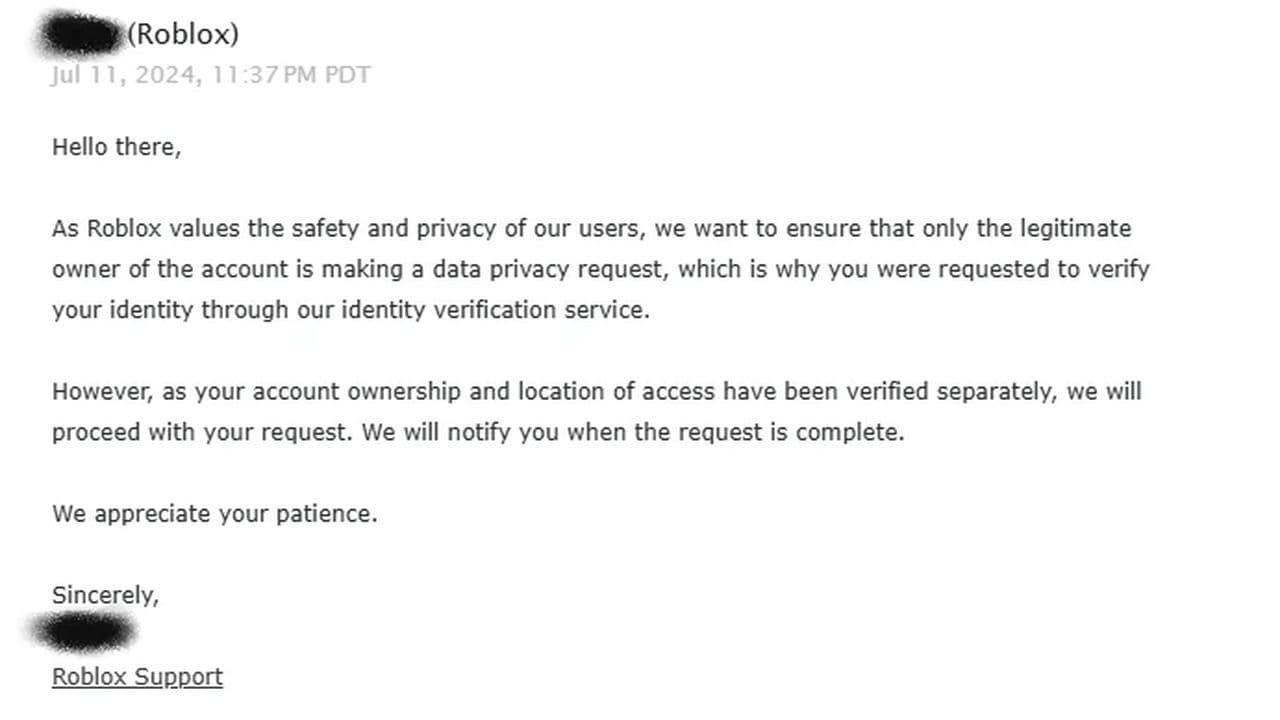
- Confirm Roblox account deletion: After verifying your identity, Roblox will begin processing the deletion.
- Timeframe: The process usually takes a few days, depending on how many requests they are handling.
- Final confirmation: You’ll receive an email once your account is officially deleted.
How to get your deleted Roblox account back
If your Roblox account has been deleted, whether by accident or intentionally, getting it back depends on the reason it was deleted and how long ago it happened. Roblox accounts can be deleted for various reasons, such as:
- User request: You asked for the account to be permanently deleted. If your account was deleted due to your request, Roblox gives you a limited time to recover it.
- Violation of community standards: Your account was deleted for breaking Roblox's rules (e.g., inappropriate behavior, scams, or exploiting).
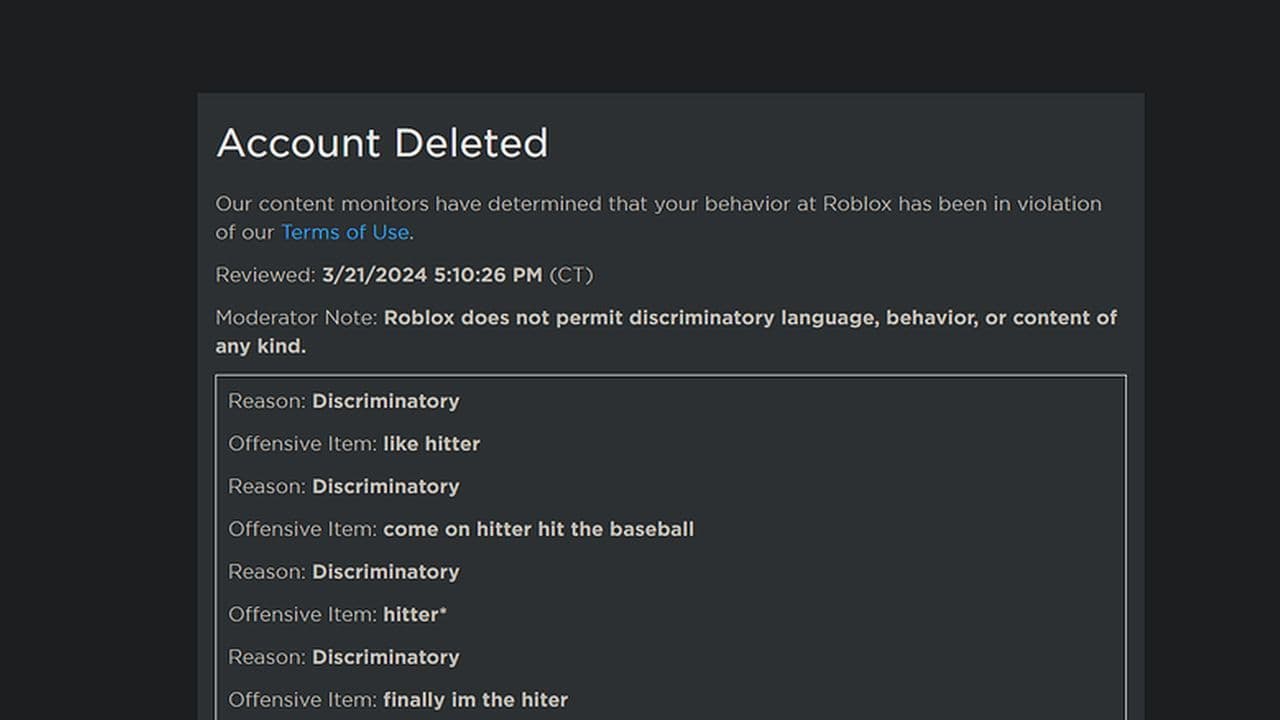
The recovery process depends on the reason for deletion, so it’s important to know why your account was removed. So, what to do now? Roblox Support is your best chance to recover a deleted account. Follow these steps:
- Open the Roblox Support Form
- Fill out the form
- Contact Information: Enter the email address associated with your Roblox account. Provide your username.
- Help Category: Choose Account Hacked or Can’t Log In from the dropdown menu. In the subcategory, select Account Recovery or another relevant option.
- Describe the Problem: Be as clear and detailed as possible. If your account was deleted due to a ban or rule violation, acknowledge the issue and politely ask for a review. Example:
- "Hello, I accidentally requested my account to be deleted, but I would like to recover it. My username is [YourUsername], and the email associated with the account is [YourEmail]. Please help me restore my account. Thank you."
- Respond to verification requests: Roblox will likely ask you to prove that you are the rightful owner of the account. Be prepared to:
- Confirm the email address linked to the account.
- Answer questions about your account, such as recent purchases, login history, or security details.
- Provide any receipts for Robux or memberships purchased.
- Wait for Roblox Support’s decision: After submitting your request and verifying your identity, Roblox Support will review your case.
- If Approved: Your account will be restored, and you’ll be able to log in again.
- If Denied: The deletion may be permanent, especially if the account was removed due to severe rule violations.
By following these steps and contacting Roblox Support, you may be able to recover your deleted account. But don’t forget that, if the account was deleted a long time ago, Roblox might have permanently removed it from their system.
If the recovery is unsuccessful, you can always create a new account and enjoy Roblox again with a fresh start!
All Related Guides
 How to create a player whitelist in RobloxNeed to limit Roblox game access? Learn how to create a player whitelist in Roblox using UserIds and a server-...
 How to start a hunt in Demonology (Roblox)Learn how to start a hunt in Demonology using cursed objects, Energy management, and hunt triggers to identify...
 Roblox playtime check: How to see how many hours you have on RobloxLearn how to check Roblox playtime, view weekly hours, track game activity, and estimate total time spent on R...
 How to make gamepasses in RobloxA simple guide to Roblox gamepasses, covering what they do, how to make one, and how to sell it the right way....
 Universal Tower Defense X tier list (2026): Best units & moreUniversal Tower Defense X tier list for 2026: best units, Infinite Mode picks, beginner recommendations, and c...
 How to get Dark Ring in Roblox Sailor Piece fastLearn how to get Dark Rings fast in Sailor Piece, including Jinwoo boss location, drop rate, respawn timer, an...
 Opera GX Forsaken rewards guide (2026)Opera GX Forsaken rewards guide: unlock exclusive skins, XP Boosters, Killer Chance Tokens, and daily event re...
 All Roblox color codes list & how to use themComplete Roblox color codes guide: BrickColors, RGB values, Color3, HEX conversion, and how to use colors in R...
- 1
- 2
- 3
- 4
- 5
- 6
- 7
- 8
- 9
- 10
- 11