How to show FPS in Warzone
Looking to show FPS in Warzone? Follow our guide as we teach you to do just that.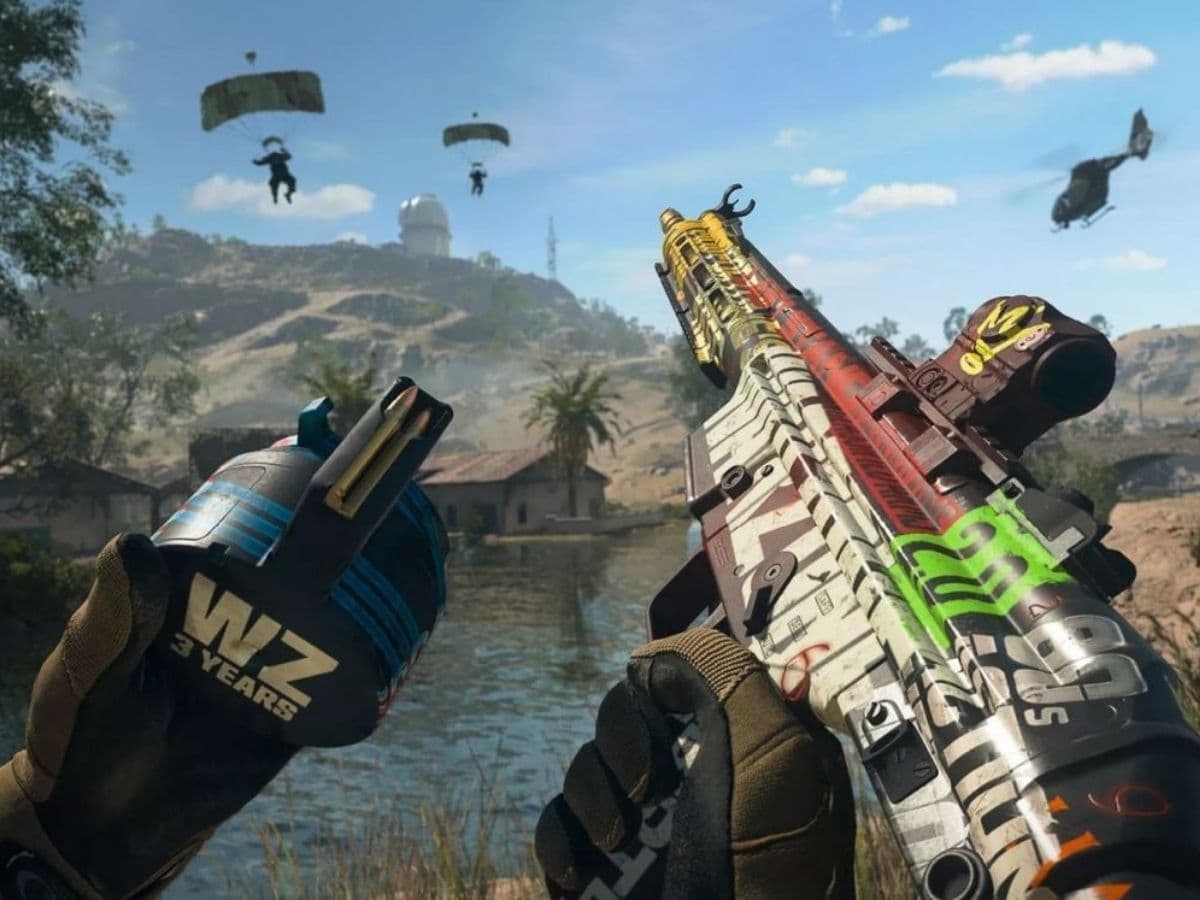
When you jump into the action-packed world of Call of Duty Warzone, every gamer understands that a smooth gaming experience can decide between winning and losing. The game's stunning graphics require a well-adjusted setup, and that's where the Frames Per Second (FPS) counter comes in handy. This guide will guide you through the simple steps to make the most of your FPS counter in Warzone, ensuring your gaming is as smooth as possible.
During the chaos in Warzone, where quick gunfights and strategic decisions happen in the blink of an eye, your gaming gear needs to be spot-on. If the game gets laggy, especially on tricky maps like Al Mazrah, it can frustrate your gaming experience, leading to missed chances and defeats. That's why keeping an eye on your FPS is a game-changer; it gives you insights into how well your system is doing and helps you fine-tune your settings for the best gameplay.
How to show FPS in Warzone 2
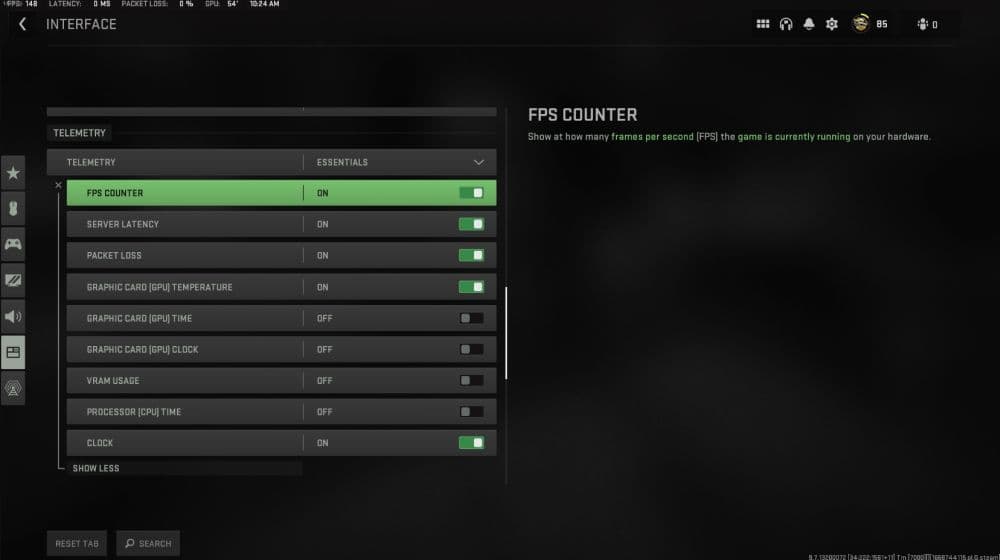
Let's start with the basics – displaying your FPS within Warzone 2 itself. Follow these simple steps:
- Launch Warzone 2 from your gaming account.
- Within the game, head to the "Settings" menu.
- Click on the "Interface" tab.
- Move on to the "Telemetry" section.
- Spot the "Show More" option and flick the switch for the "FPS Counter." A discreet indicator will pop up in the top-left corner of your screen, delivering real-time performance updates.
This little window is your window into the game's inner workings, giving you live data to fine-tune your settings. And don't forget, you can set an FPS limit right there in the game settings, offering an extra layer of customization.
How to show FPS in Warzone using Steam
If you're part of the Steam gaming community, there's an alternative method using Steam's built-in FPS counter:
- Open Steam and locate the "Steam" option in the top-left corner.
- Head to "Settings" and dive into the "In-Game" section.
- Toggle the "In-game FPS counter" dropdown menu and pick your preferred screen position. Ensure the in-game overlay settings are toggled on at the top.
- After adjusting, close the settings, launch Warzone 2, and witness the FPS counter in action.
Steam's FPS counter is a sleek, unintrusive tool that automatically kicks into gear for all games on the platform. It offers accurate data without cluttering your screen, letting you focus on the action.
Every player's gaming experience is different because everyone has different kinds of gaming devices. In Warzone 2, the game sometimes doesn't work perfectly on computers. This can make the game suddenly not run as smoothly, showing a drop in frames per second (FPS). This usually happens when there's too much stuff happening visually in the game.
Because Warzone 2 focuses a lot on making the graphics look super cool, it can make your computer work harder. So, it's important to figure out the best settings for how the graphics look. Watching the FPS counter is like having a guide that shows if your game is looking great and running smoothly.
Remember, when you start playing Warzone 2, keeping an eye on your FPS is more than just a technical thing – it gives you a smart advantage. Whether you use the FPS counter in the game or the one on Steam, both help you keep tabs on how your game feels.
FAQs
What is a good FPS for Warzone?
A smooth, competitive experience in Warzone typically starts around 100–144 FPS if your monitor supports that refresh rate. Many players aim for 144 FPS or higher so they can react faster and see more fluid movement on screen. Anything over 60 FPS is playable, but higher frame rates give a real edge in fast gunfights.
Why is Warzone FPS so low?
Low FPS can be caused by several factors:
- Your hardware may not meet or exceed the game’s demands (CPU, GPU, RAM).
- Graphics settings may be too high (shadows, reflections, lighting) which create extra load.
- Display mode might not be optimized (e.g. borderless windowed instead of fullscreen).
- Outdated or buggy graphics drivers.
- Background programs or processes eating CPU/GPU resources.
- Thermal throttling (overheating) limiting your hardware’s performance.
How to boost Warzone FPS?
Here are effective steps you can take:
- Switch to Fullscreen Exclusive mode (not windowed or borderless).
- Turn V-Sync off and set frame limit to “Unlimited” (or match your monitor).
- Lower demanding settings: shadows, ambient occlusion, reflections, volumetric effects.
- Use upscaling (DLSS, FSR, or similar) so you render at a lower internal resolution but keep good visual quality.
- Enable “Low Latency” or Reflex if your GPU supports it.
- Update (or sometimes roll back) GPU drivers.
- Close background apps that use CPU, GPU or disk.
- Make sure your PC hardware is cooled well to avoid throttling.
- If needed, upgrade key components (GPU, CPU, or RAM) for better performance.
Guide Categories
All Related Guides
 How to check MW4 Beta stats: K/D, wins, kills & Combat RecordLearn how to check your MW4 Beta stats, including K/D, wins, kills, playtime, weapon stats, Combat Record, and...
 How to change your name in WarzoneChanging your Warzone name is simple once you know where to look. Follow the steps and learn how Activision ID...
 How to inspect your gun in WarzoneLearn how to inspect your gun in Warzone on PC, PS5, PS4, and Xbox, plus how to view a weapon’s equipped attac...
 What are Loot Caches in Warzone? Caches vs. Crates explainedWhat are Loot Caches in Warzone? Learn what counts, the difference between caches and crates, and the fastest ...
 What is an infil weapon in Warzone?What is an Infil Weapon in Warzone? Learn what counts and how to get Infil Weapon eliminations....
 Warzone Lockdown Casual guide (New mode)Learn how Warzone Lockdown Casual works, including objectives, respawns, loadouts, rewards, and the best strat...
 How to get Juggernaut in Warzone fastLearn how to get the Juggernaut in Warzone fast, where Juggernaut Drops spawn, and the best tips to survive us...
 How to get a nuke in WarzoneSee how to get a nuke in Warzone, from earning a Champion’s Quest Contract to defending the missile and claimi...
- 1
- 2
- 3
- 4
- 5
- 6