How to fix the “Vanguard session is initializing” error in League of Legends

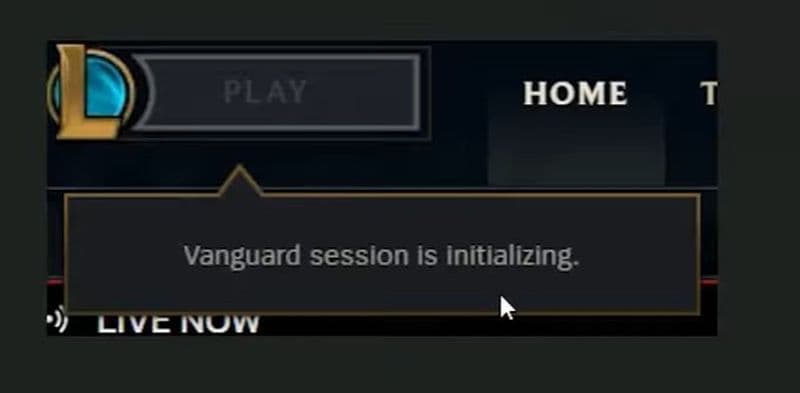
League of Legends now runs with Riot Vanguard in the background, so even a small startup issue can stop the game before it opens. One of the most common examples is the “Vanguard session is initializing” message. It usually appears when Vanguard does not fully load or when the game cannot confirm that the anti-cheat is active. In this guide, we explain what the error is and how to fix it to continue playing League of Legends!
What is the “Vanguard session is initializing” error?
The “Vanguard session is initializing” error means League of Legends is waiting for Riot Vanguard to finish loading. Vanguard is Riot’s anti-cheat system, and League now depends on it to launch and run properly. If Vanguard gets stuck, fails to start, or loses its connection to the game client, League may stop at this message instead of opening normally.
In simple terms, the game is ready, but its security check is not. That can happen after a system update, after a client crash, or when the vgc service does not start the way it should. Some players also report that the problem comes back after a few matches, which suggests Vanguard sometimes fails to stay active between sessions on certain PCs.
Don’t forget to check out our piece on all Vanguard errors!
How to fix the error
There are several ways to fix the “Vanguard session is initializing” error, and it is best to start with the easiest ones first. Most players do not need an advanced solution. A simple restart, a service check, or a Vanguard reinstall is often enough to get League of Legends working again.
Restart the Riot Client and your PC
Start with the fastest fix. Close League of Legends completely and exit the Riot Client. After that, restart your PC.
Once your computer turns back on, open the Riot Client again and try to launch League. This step refreshes Vanguard and clears temporary startup issues that may block the game.
Steps:
- Close League of Legends
- Exit the Riot Client
- Restart your PC
- Open the Riot Client again
- Launch League of Legends
Check if the vgc service is running
If restarting does not help, check the vgc service in Windows. This service helps Vanguard run in the background. If it is stopped, League may stay stuck on the initialization message.
Open the Windows search bar, type Services, and open the app. Scroll down until you find vgc. If it is not running, right-click it and press Start.
Steps:
- Press the Windows key
- Type Services
- Open the Services app
- Find vgc in the list
- Right-click vgc
- Click Start
- Launch League again
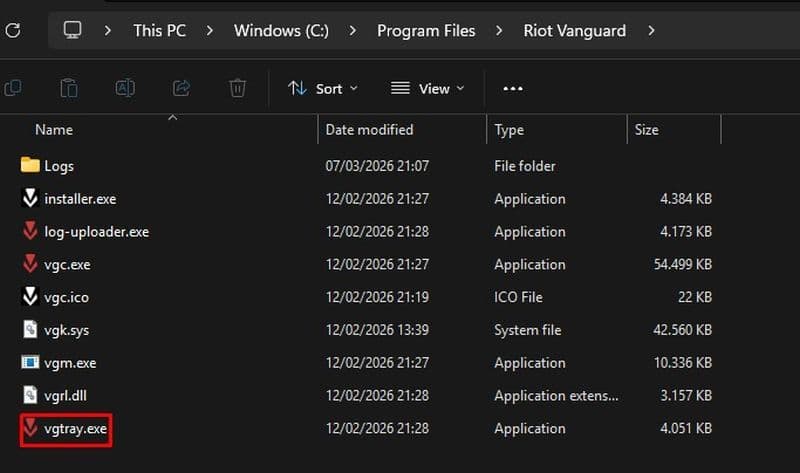
Start Vanguard manually with vgtray.exe
Sometimes the vgc service refuses to start. If that happens, you can try launching Vanguard manually from its install folder. This can help Windows recognize Vanguard properly before you return to Services.
Go to C:\Program Files\Riot Vanguard and find vgtray.exe. Open it, then go back to the Services window and try starting vgc again.
Steps:
- Open File Explorer
- Go to C:\Program Files\Riot Vanguard
- Find vgtray.exe
- Open vgtray.exe
- Return to Services
- Find vgc
- Try to start it again
- Open League of Legends
Reinstall Riot Vanguard
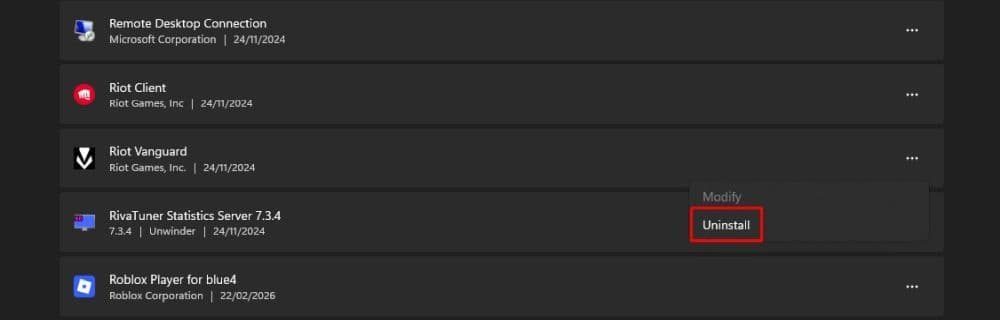
If Vanguard still does not work, reinstall it. This is one of the best fixes for recurring startup issues. A fresh install can replace broken files and reset the service properly.
Go to Add or remove programs on Windows and uninstall Riot Vanguard. Then open the Riot Client and launch League again. The client should reinstall Vanguard automatically. After that, restart your PC before you try to play.
Steps:
- Open Add or remove programs
- Find Riot Vanguard
- Uninstall it
- Open the Riot Client
- Launch League of Legends
- Let Vanguard reinstall
- Restart your PC
- Launch the game again
Update Windows and check system settings
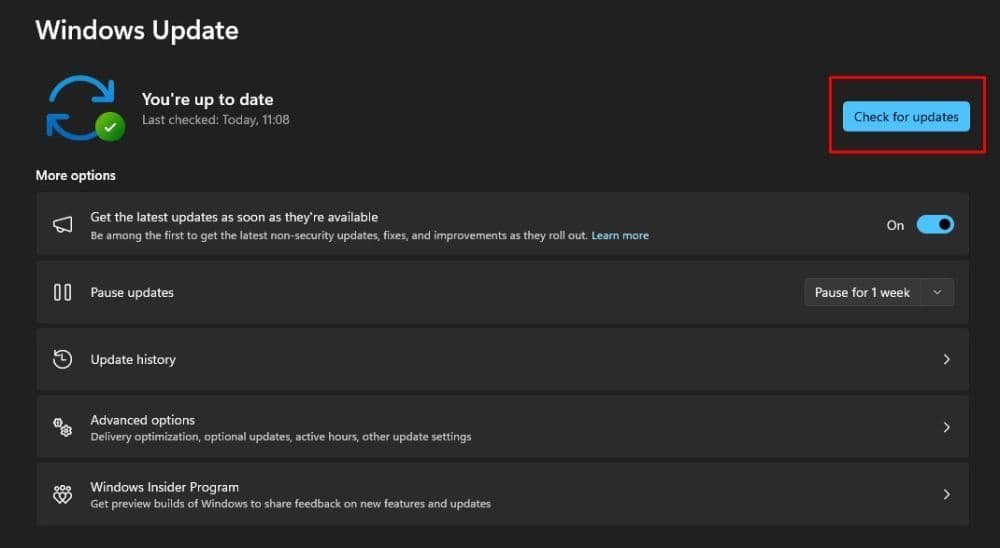
If the error keeps coming back, the issue may come from your system rather than the game itself. Outdated Windows files, missing updates, or security settings can interfere with Vanguard.
Make sure Windows is fully updated. If you use Windows 11, it is also smart to check important security settings like TPM 2.0, Secure Boot, and UEFI. These settings can matter for Vanguard on some systems.
Steps:
- Open Windows Update
- Check for updates
- Install all pending updates
- Restart your PC
- If needed, check TPM 2.0, Secure Boot, and UEFI settings
- Launch League again
Contact Riot Support if nothing works
If you try every fix above and the error still stays, the problem may be deeper. At that point, Riot Support is the best next step. They can help you identify system conflicts, broken Vanguard files, or account-side issues that basic troubleshooting does not fix.
Before you contact support, make note of what you already tried. That can help speed up the process.
Can you install LoL without Vanguard?
No, you cannot properly run League of Legends without Vanguard. Riot requires Vanguard for League, and the game will not launch if it is disabled or missing. You can remove Vanguard from your PC, but if you want to play again, you must reinstall or re-enable it and restart your computer.
Here are more beginner League of Legends guides for you to check:
- The Best Beginner Champions In League Of Legends
- Is League Of Legends Free To Play?
- What Are Eternals In League Of Legends?
- How To Get Mythic Essence In League Of Legends
- Can I Play League Of Legends On Mac? Let’s Find Out How To Download LoL For Mac
Featured Image Credit: Riot Games
All Related Guides
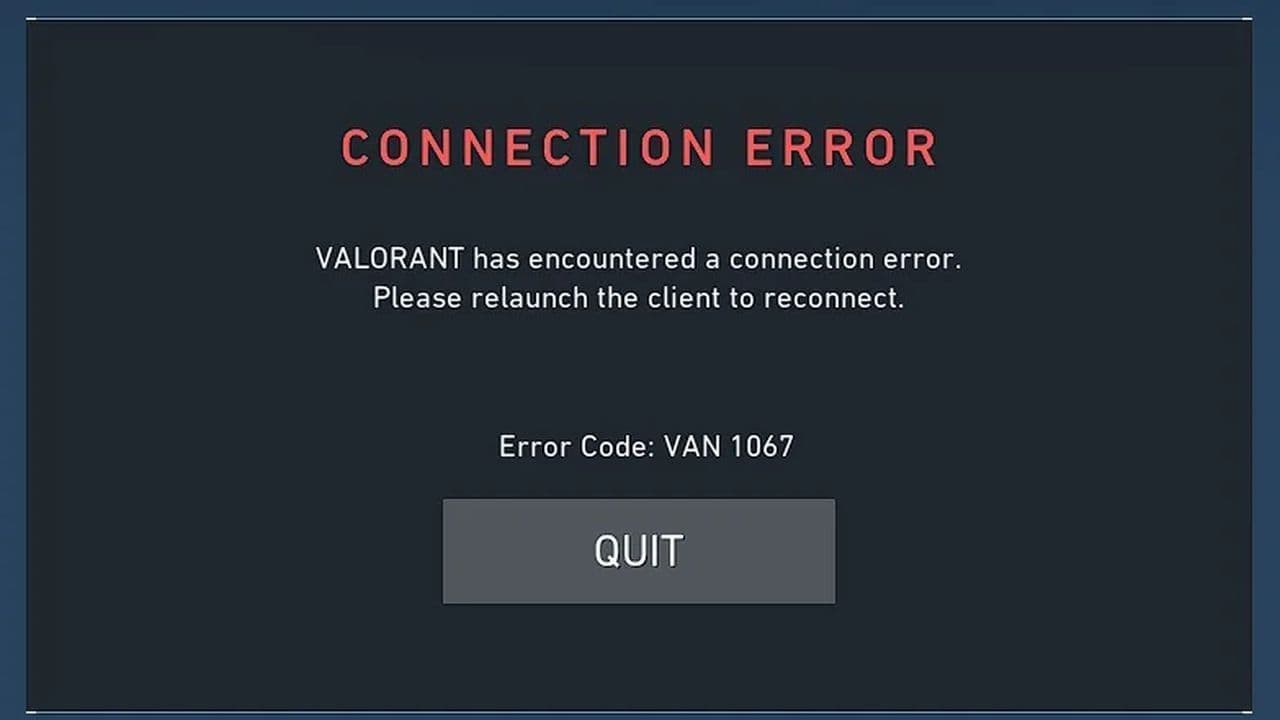 VAN 1067: League of Legends Vanguard error fixFix League of Legends VAN 1067 error with TPM 2.0, Secure Boot, Vanguard reinstall, driver checks, and proven ...
 7 ways to fix LoL Vanguard Error VAN 84 errorLearn how to fix League of Legends Vanguard Error VAN 84 fast with 7 proven solutions, including Riot Client r...