Roblox age check: What it is, why it matters & how to complete it
Your guide to Roblox age verification.
The Roblox age check is one of the most important safety updates the platform has ever introduced. Roblox is used by millions of children, teenagers, and adults every day, and communication is a big part of the experience. But with that comes risk. After facing rising concerns about online safety and several high-profile legal cases, Roblox announced that it will require an age check for anyone who wants to use chat features or access more social tools.
What is Roblox age check requirement?
The Roblox age check is a system that confirms or estimates a user’s age so Roblox can place them into a correct age group. These age groups control what features the account can use, who the user can chat with, and what content they can access.
Roblox age groups
Roblox now places every verified user into one of several age groups:
- Under 9
- 9–12
- 13–15
- 16–17
- 18–20
- 21+
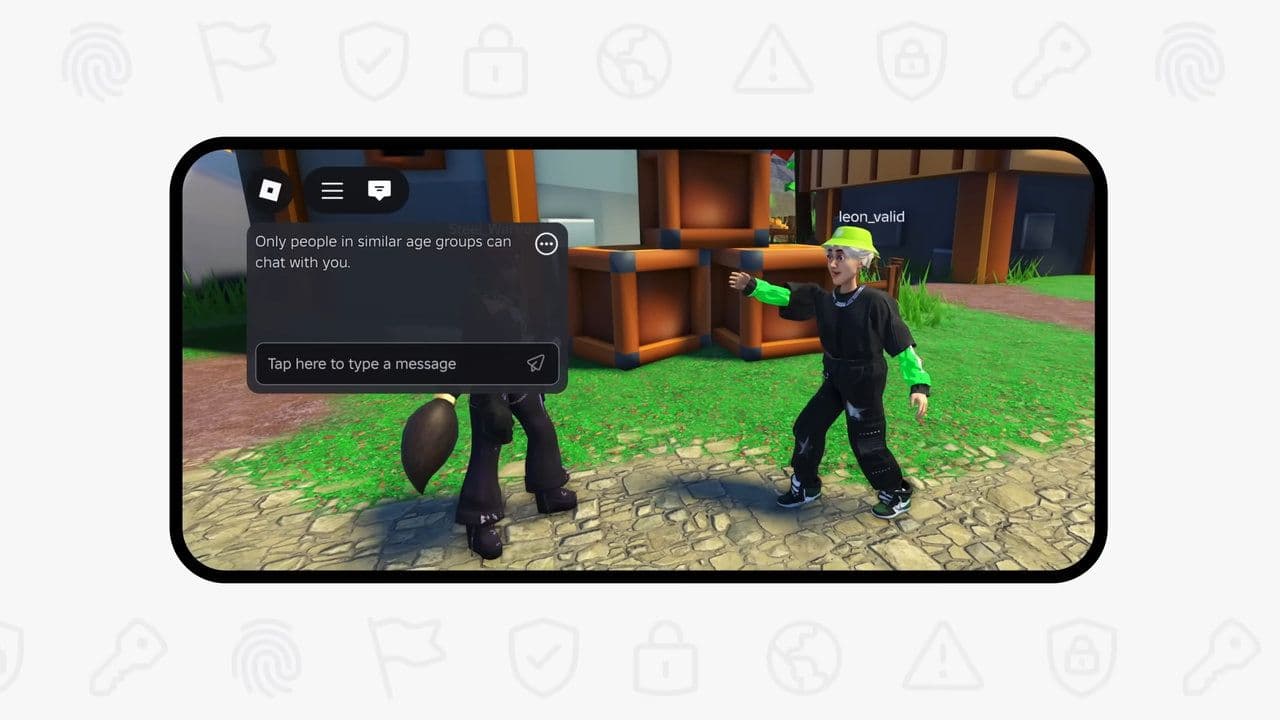
These groups are central to Roblox’s new safety settings. Once your age is confirmed, Roblox automatically adjusts communication limits and content access. Younger users get stronger protection, while older users receive access to more features.
Last date for your Roblox age check
Starting in 2026, users who have not completed an age check will face strict restrictions, including losing access to most chat features. Because of this, the Roblox age check is becoming essential for anyone who wants to communicate or play socially on the platform.
How to complete Roblox age check
There are two ways to complete Roblox age check:
1. How to complete the facial age estimation
This method is available for most users and takes only a few minutes.
- Log in to your Roblox account.
- Open your Settings.
- On desktop: click the gear icon in the top-right corner.
- On mobile: tap the three-dots menu, then choose Settings.
- Go to the “Account Info” tab.
- Select “Continue with selfie” or “Estimate my age.” Roblox might show slightly different text depending on your device.
- Allow camera access and follow the instructions.
- Wait for your confirmed age group. The system generally responds within seconds or minutes.
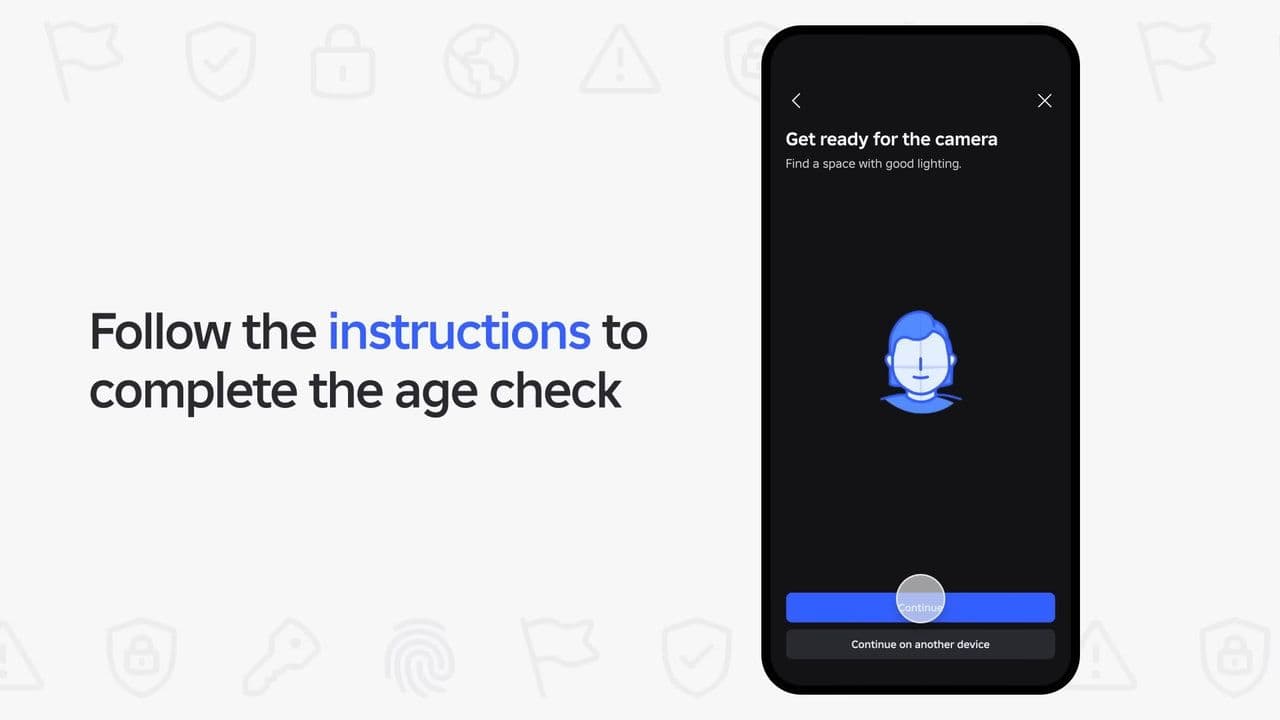
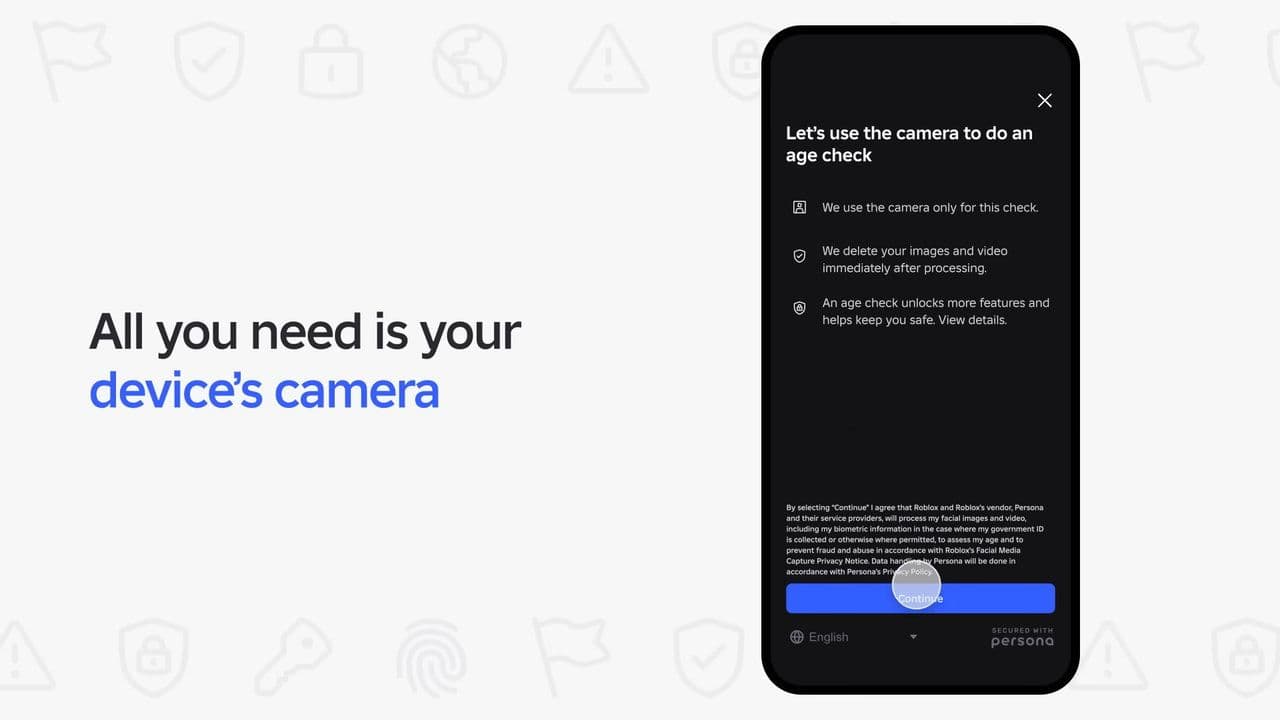
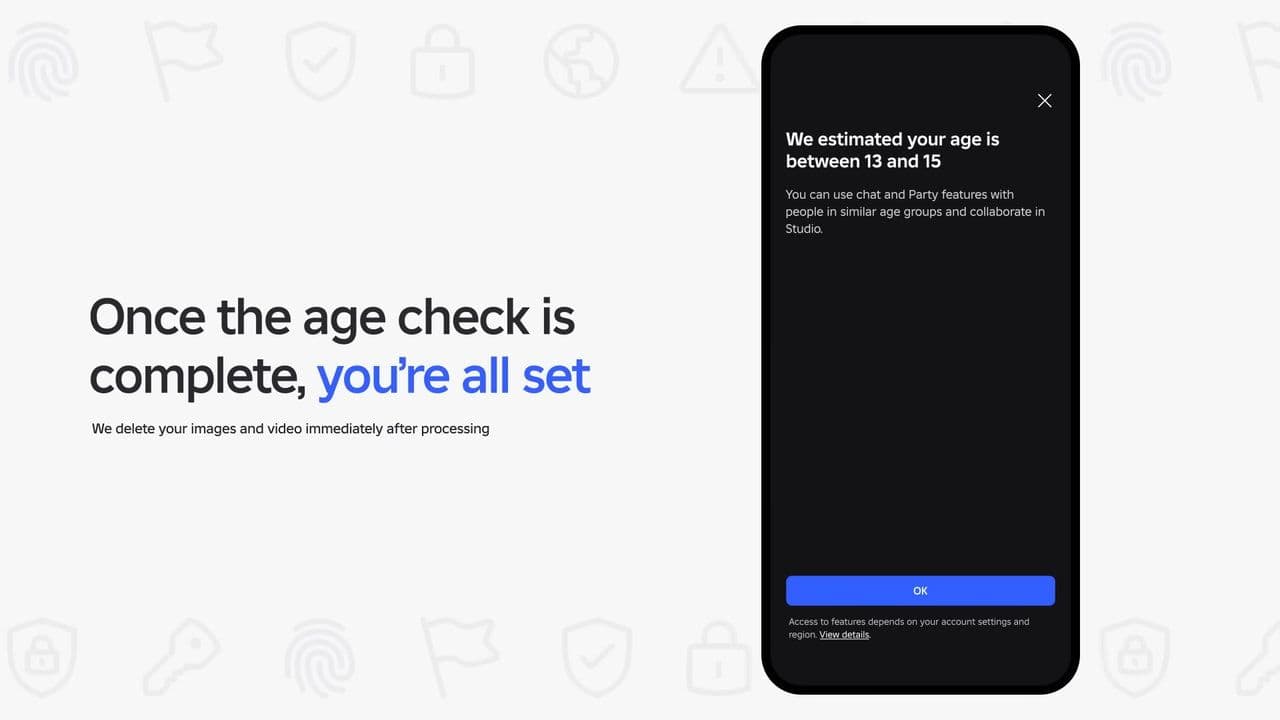

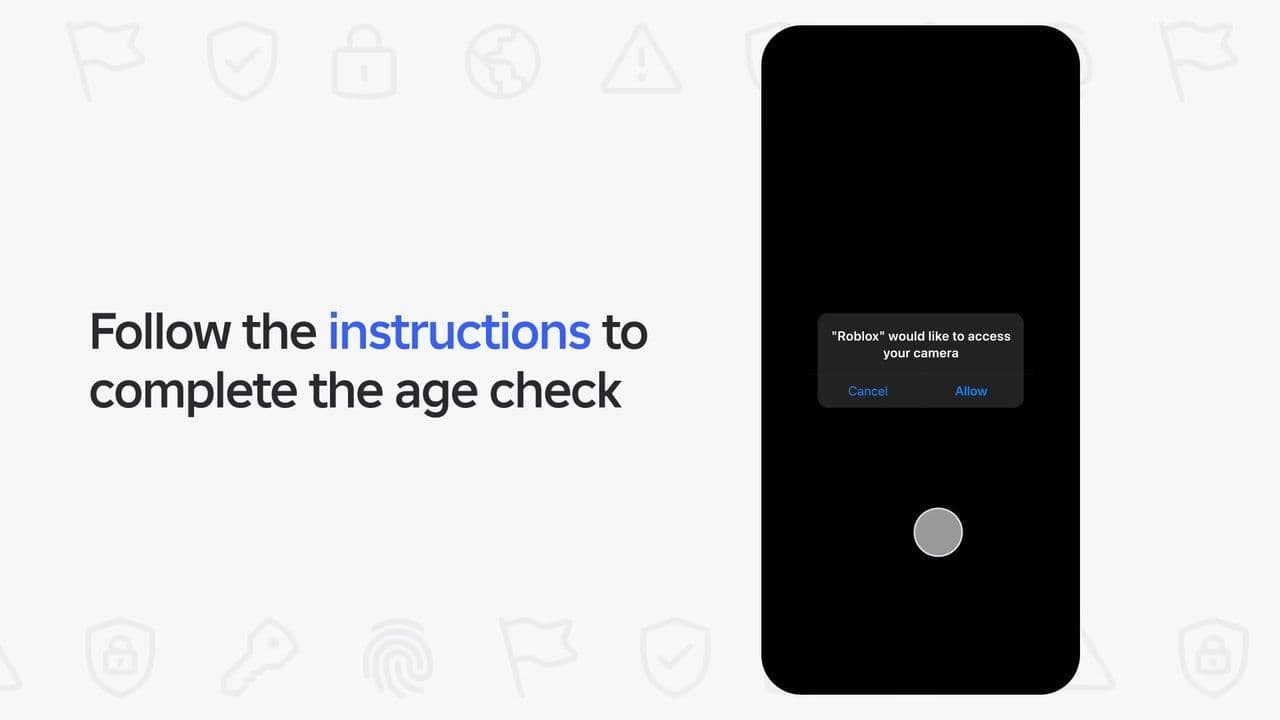
Important notes about facial age estimation:
- Roblox deletes the selfie/video after processing.
- The system is designed to estimate age, not identity.
- If the estimate is incorrect, you can fix it using ID verification within 48 hours.
This method is usually enough for players ages 13+ who want normal chat access.
How to complete age verification with ID (If you 13 or older)
If you want the most reliable result or access to every feature, you can verify your age with an official ID.
- Go to Settings & Account Info. Under your birthday, select “Verify My Age.”
- Scan the QR code (desktop users) or continue directly (mobile).
- Upload or scan a government ID. Roblox accepts passports, driver’s licences, residence cards, and similar documents.
- Take a selfie to match the ID.
- Wait for the system to verify your age. This may take a few minutes.
Key details about ID verification:
- You must be 13 or older to use this method.
- Once verified, the result is permanent and cannot be removed.
- This method unlocks full chat and voice features.
What happens after you complete the Roblox age check
Once your age is confirmed:
- You are placed into your correct age group. This determines who you can message and how you communicate.
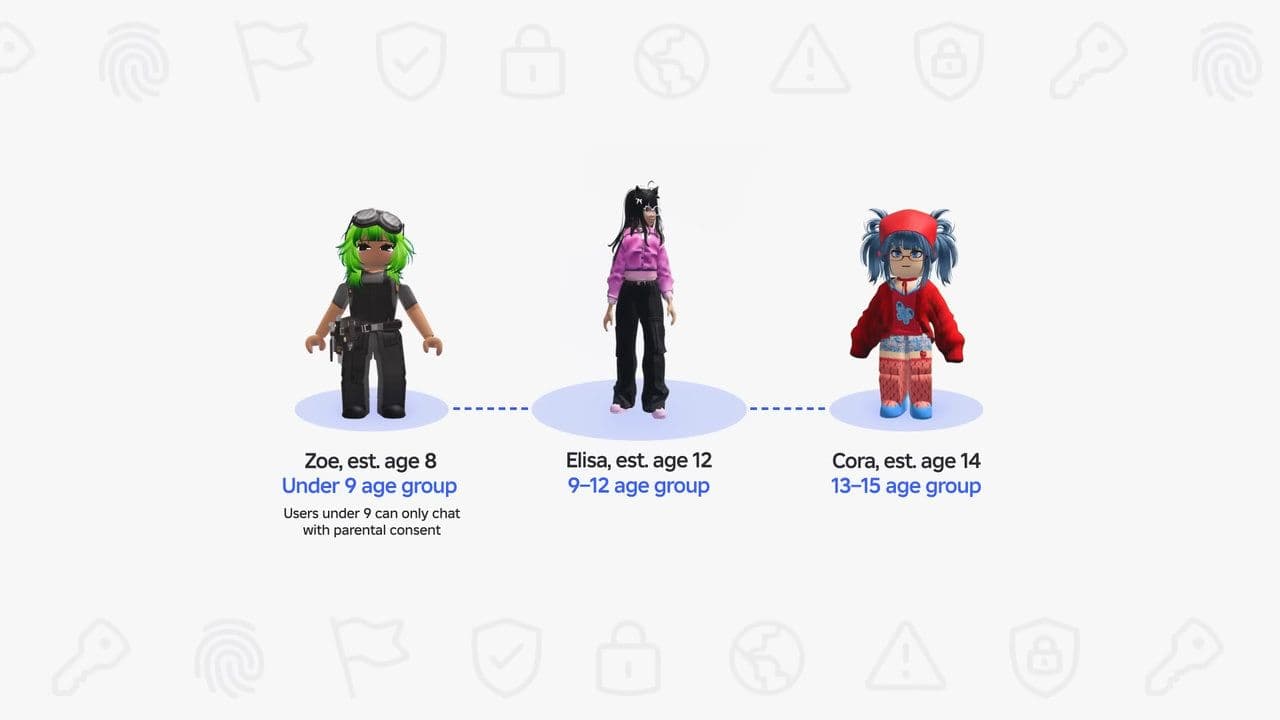
- Chat access changes. You may gain access to more features if you are older, or you may receive stronger protections if you are younger.
- You get age-appropriate content access. Some experiences become unlocked or locked based on your verified age.
- Safety filters adjust automatically.Roblox uses your age to set the right safety level.
If you do not complete the Roblox age check, your chat features may be limited or disabled depending on your region and age.
You should also know Roblox Trusted Connections
Roblox Trusted Connections is a safety feature for users aged 13+ that allows more natural communication — including reduced chat filtering and Party Chat— but only between people who truly know each other. To use it, both users must complete the Roblox age check and then connect using secure real-life verification methods such as scanning QR codes or matching phone contacts.
Trusted Connections are different from regular “Connections” because they require proven identity and age confirmation. Teens can only create Trusted Connections with other verified teens they know, while verified adults can use enhanced chat features automatically with other verified adults.
The goal is to give players safer, more meaningful communication while blocking risky contact with strangers. Under-13 users cannot use Trusted Connections, and all interactions remain monitored for safety.
That’s all for today! Do you want free Roblox items? It’s possible with Roblox game codes like:
All Related Guides
 How to connect Claude to Roblox StudioConnect Claude to Roblox Studio with the current MCP method and see how Claude can work with your scripts and ...
 How to fight in Gakuran RobloxLearn how to fight in Gakuran Roblox, from basic attacks to blocking, parrying, posture, and fighting styles....
 How to get a free avatar in RobloxFind out how to get a free Roblox avatar without spending Robux, from free character bundles to Marketplace it...
 How to reduce lag in Roblox: Comprehensive guideRoblox feeling slow or choppy? Find out how to reduce lag in Roblox and improve your game with a few simple ch...
 How to check Roblox player countHow many people play Roblox in 2026? Check the latest Roblox player count and learn what the numbers actually ...
 App Themes: How to change a Roblox Background (2026)Here’s how to change your Roblox background and theme, including Roblox Plus themes, Dark Mode, Light Mode, an...
 Roblox Safety Dashboard: How to check account status & ban riskLearn how the Roblox Safety Dashboard works, check your Account Status, review recent violations, and see whet...
 How to get the Blossoming Gift of New Beginnings in Roblox (Mystery box)Learn how to get the Blossoming Gift of New Beginnings in Roblox, including Roblox Plus requirements, eligibil...
- 1
- 2
- 3
- 4
- 5
- 6
- 7
- 8
- 9
- 10
- 11
- 12