All Minecraft 1.21.100 highlight updates and changes
Copper chests and golems, as well as mob updates are the highlights of this Minecraft update.ON THIS PAGE:

The Minecraft 1.21.100 update is now live for Bedrock Edition and delivers new features, gameplay improvements, and bug fixes. Players can use Copper Golems, craft copper tools and armor, and explore enhanced biome generation. The focus remains on adding more value to copper, enhancing the world’s natural look, and making gameplay smoother.
Copper Golem
The Copper Golem is the standout experimental feature. You summon it using copper and a carved pumpkin. After summoning, it removes items from copper chests and places them into regular or trapped chests by item type. This function introduces simple automation to organize your base.
The Copper Golem works within 32 blocks horizontally and 8 blocks vertically. It can visit up to 10 containers in order. It can carry up to 16 items in a stack and waits 7 seconds if no matching chest is found. Destroying it yields between one and three copper ingots.

Copper Chests
Copper Chests enhance storage and pair naturally with the Copper Golem. They oxidize over time unless waxed to preserve their look. Just like any other item with a Minecraft recipe, you craft a Copper Chest using copper ingots and a regular chest, or you obtain the first one by summoning the Copper Golem.
These chests accept any item, which the Copper Golem can then sort into other chests. This setup highlights copper’s practical role in item management.
Copper Tools and Armor
Copper tools, weapons, and armor arrive in this update. They stand between stone and iron in terms of strength and speed. Tools made of copper are more durable than stone and enchantable above diamond but fall slightly below iron.
Copper armor provides more protection than leather but less than iron. It gives early players a stylish and functional gear option before they reach iron.
Biome Improvements
Minecraft’s world generation gets several enhancements to feel more natural:
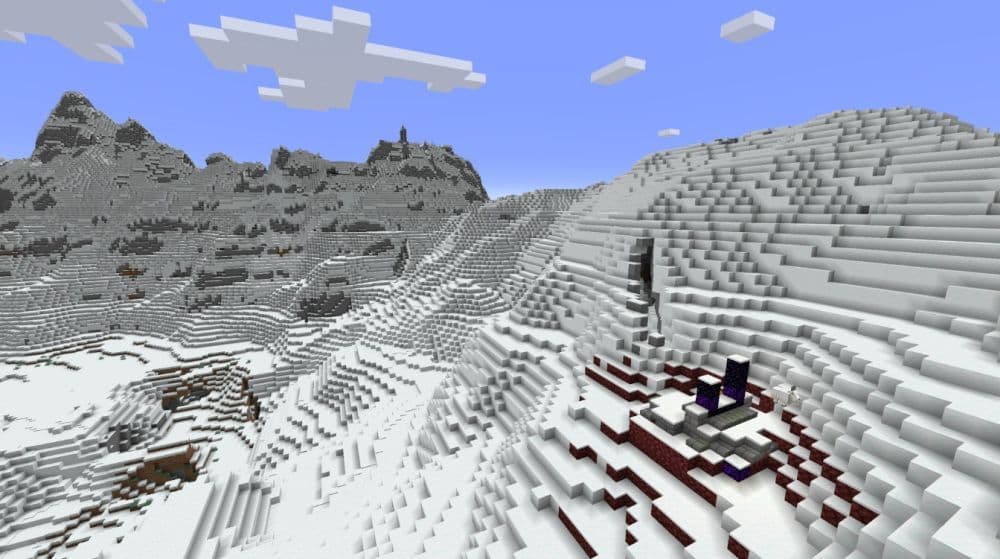
- Trees in Groves now stand farther apart, and Snowy Plains generate more trees.
- Swamps now include mushrooms under trees and small water puddles.
- Icebergs in Frozen Oceans take shapes closer to Java Edition, and some frozen biomes now feature open water.
- Mega Pines and Mega Spruces now always generate with podzol beneath trunks.
- Water colors and fog in swamps update for a clearer look.
Mob Updates
Mob behavior sees important refinements:
- Piglin Brutes now despawn properly in peaceful mode.
- Foxes can now handle non-stackable items correctly.
- Allays can be unleashed by interacting empty-handed.
- Bogged mobs can spawn as Spider Jockeys in swamps and mangrove areas.
- Ghast and Happy Ghast ambient sounds now reach the distances expected in Java Edition.
- Leashed mobs can board and leave boats or minecarts more naturally.
Spawn Points in The End
Players can now set spawn points in The End using commands. This change eases long-term builds and farming there by reducing travel back and forth from the Overworld.
Other important changes with Minecraft 1.21.100
Here are a few more standout improvements:
- Accessibility: UI buttons now include screen narrator labels when adding a new server. Sugar cane clusters turn slightly transparent when the player camera passes through them for better view clarity.
- Graphical Fixes: Vibrant Visuals now properly show effects like caustics, spyglass gamma, beacon beams, and item holds. Lead attachments, chain block rendering, and biome fog now match expected visuals.
- Gameplay Stability: Fixed issues where emoting players get stuck in boats, hotbar detection fails on touch devices, and custom music stays paused when re-entering the game.
- Technical Upgrades: New AI goals allow entities to take and place blocks and transport items between containers. The scripting engine gains stable support for dyeable components, and biome JSON identifiers now require namespaces.
- Blocks and Items: Many visual fixes, including fixed ambient occlusion on non-full blocks, better animations for items like End Crystals and Beacons in Vibrant Visuals, and more accurate rendering of sprites like snowballs and splash potions.
- User Interface: Cloud quality and video options moved to more accessible positions. Marketplace labeling improves to show owned items clearly. Locator bar player dots now move smoothly.
- Vanilla Parity: The Void is now a flat world preset. Projectile visuals and spawn behaviors align more closely with Java Edition.
- Performance: Xbox cloud saves no longer grow uncontrollably, rare crashes during suspension are fixed, and overall stability improves.
Command Updates
- Empty text for '/say', '/me' and '/tell' commands now return 'Invalid message length' error
- /locate biome command now requires that the biome's namespace is specified (ex: minecraft:plains instead of just plains). Auto-complete suggestions for this command will now include namespaces.
- Added @n target selector which returns the single closest entity.
The 1.21.100 update enriches Minecraft Bedrock with meaningful tools and polished gameplay. Copper Golems and Copper Chests deliver automation. New copper gear improves early progression. Refined biomes and mob tweaks make exploration more immersive. Technical upgrades aid creators and overall performance.
All Related Guides
 How to breed tropical fish in MinecraftCan you breed tropical fish in Minecraft? Here is the clear answer, plus how to catch, move, and use tropical ...
 Minecraft Chaos Cubed guide: Everything new in the 2026 updateExplore everything new in Minecraft Chaos Cubed, including Sulfur Caves, Sulfur Cubes, geysers, new blocks, co...
 How to change render distance in MinecraftChange render distance in Minecraft with simple steps for Java and Bedrock, plus tips to balance better visibi...
 How to grow mangrove trees in MinecraftFind out how to grow mangrove trees in Minecraft with simple steps, growth requirements, farming tips, and com...
 How to craft a name tag in MinecraftLearn how to craft a name tag in Minecraft, how to use it with an anvil, and why it matters for pets, mobs, an...
 Here is how to make a water elevator in MinecraftHere’s how to make a water elevator in Minecraft, including the materials you need and why your bubble column ...
 New Minecraft capes alert: How to get the Crafter and Builder CapesMinecraft Crafter and Builder Capes guide: unlock requirements, TwitchCon rewards, Minecraft LIVE details, and...
 What is the “getsockopt” error in Minecraft and how to fix itFix the getsockopt Minecraft error with simple checks for firewall, server address, DNS, LAN settings, and con...
- 1
- 2
- 3
- 4
- 5
- 6
- 7
- 8