How to Set Up and Configure a Minecraft Server in 2025: A Step-by-Step Guide
Learn how to set up your very own Minecraft server.ON THIS PAGE:

Minecraft is one of the most popular games in the world as it lets players build, explore, and play in endless worlds. While playing alone is fun, playing with others makes the game even better. To play with friends, you can join a server, but if you want more control, you can set up your own server. This beginner's guide explains how Minecraft servers work, how to create one for Java and Bedrock, and how to manage your server!
What is a Minecraft server?
A Minecraft server is a digital game world that allows multiple players to play together. The server saves the world and keeps it running even when players leave. You can play on a server with your friends or open it to many people worldwide.
There are different kinds of servers. The official version from Mojang is called Vanilla, which has no mods or plugins. Other server types like Paper or Spigot let you use plugins to add more features, while Fabric and Forge allow you to use mods to modify how the game works. Each type has different uses. Paper is great for large public servers and Fabric is better for smaller servers with mods.
You can host a server on your own computer, rent one from a hosting company, or use Minecraft Realms. Hosting it yourself is free, but it requires more setup. Renting a server costs money, but it is easier to manage. Realms is simple and good for small groups, but you cannot use mods or plugins.
How to set up your own Minecraft server (Java Edition)
To set up a server for Minecraft Java Edition, you need a computer with Java installed and a stable internet connection. Here are all the steps:
- Install Java: Make sure Java is installed and updated on your computer. Open Command Prompt and run java -version to confirm.
- Download the server JAR: Visit Minecraft’s official website and download the latest minecraft_server.X.X.X.jar.
- Create a folder: Make a new folder on your desktop called “Minecraft Server” and place the JAR file inside.
- Open Command Prompt: Navigate to the folder using the cd command. Example: cd C:\Users\YourName\Desktop\Minecraft Server.
- Run the JAR file: Enter java -jar minecraft_server.X.X.X.jar to start the server for the first time. It will fail, but it creates necessary files.
- Accept the EULA: Open eula.txt, change eula=false to eula=true, and save the file.
- Edit server.properties: Open the server.properties file and configure options like game mode, difficulty, and max players. The default port is 25565.
- Port forward your router: Log in to your router settings and forward port 25565 to your computer’s local IP.
- Find your public IP: Search “What is my IP?” in your browser. Share your IPv4 address with trusted players only.
- Start the server again: Use java -jar minecraft_server.X.X.X.jar in the command line to launch the server.
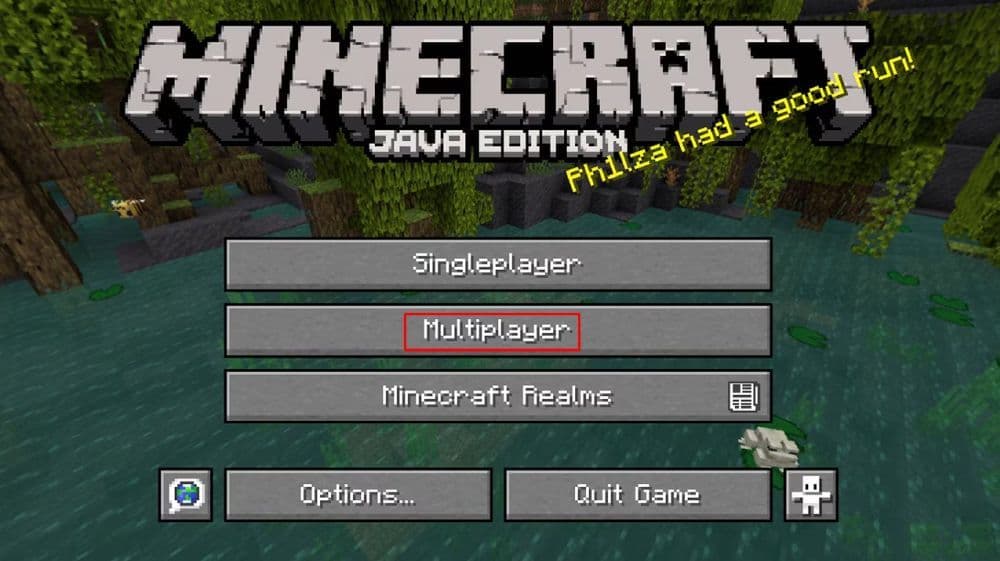
How to play on a Bedrock Minecraft server
Bedrock Edition works across platforms like Xbox, PlayStation, mobile, and Windows. Hosting or joining a Bedrock server is simple, and Realms make it even easier for casual players.
To join a Bedrock server:
Open Minecraft Bedrock and click “Play.”
- Go to the “Servers” tab to browse public servers.
- To join a private server, scroll down and click “Add Server.”
- Enter the server’s name, IP address, and port number (default is 19132).
- Click “Save” or “Play” to connect.

To host a Bedrock server:
- Start a new world or open an existing one.
- Click “Invite to Game” from the pause menu.
- Select friends from your Xbox Live list or add new ones by gamertag.
- Click “Send invites” to start the session.
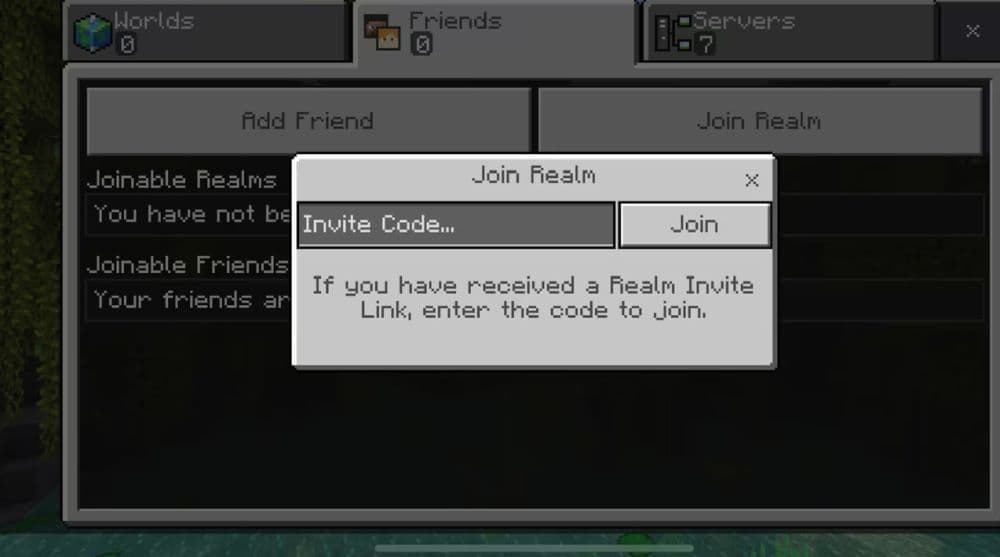
How much RAM does a Minecraft server need for 100 players?
The more players you have, the more RAM your server will need. RAM helps your server handle player actions, mob activity, and world loading. Here is a guide for different server sizes:
If you run mods or large maps, you should use 16 GB or more.
Is 2GB of RAM enough for a Minecraft server?
2GB of RAM can run a small server for up to five players. It is good for basic Vanilla Minecraft but not enough for plugins or mods. If your world grows or more players join, the server may lag or crash. For a smoother experience, start with at least 4 or 5GB.
How to set a Minecraft server to “easy”
Changing server difficulty controls how aggressive mobs are and how fast players lose health or hunger.
To change this:
- Open the server.properties file in your server folder.
- Find the line that says difficulty=.
- Replace the value with easy (it can also be peaceful, normal, or hard).
- Save the file and restart your server.
Alternatively, you can use the command /difficulty easy if you're an operator.
How to set a Minecraft server to creative?
Creative mode gives players access to all items and disables health and hunger, making it ideal for building.
To enable creative mode for everyone:
- Open server.properties.
- Locate the line gamemode=.
- Change the value to creative and save the file.
- Restart the server.
To give creative mode to just one player, use /gamemode creative <playername> in the server chat.

How to give yourself an OP in a Minecraft server
Becoming an operator (OP) gives you access to admin commands like banning players or changing game modes.
To give yourself OP:
- Start the server.
- Open the command window where the server is running.
- Type “op YourMinecraftUsername” and hit Enter.
You can also edit the ops.json file directly by adding your username and UUID, but using the console is faster and safer.
How to TP in a Minecraft server?
Teleporting helps players travel quickly across the map. Only operators can use the command by default.
To teleport a player:
- Use /tp <target> <destination> — for example: /tp Steve Alex
- To teleport to coordinates: /tp Steve 100 64 -200
- You can also teleport yourself: /tp @s 0 80 0
Teleportation works only if command blocks are enabled or if you're an operator.
What rules should be on a Minecraft server?
Server rules create a safe and enjoyable environment for everyone. While each server is different, common rules include:
- No griefing or stealing.
- No cheating or using hacked clients.
- Respect all players and staff.
- Avoid spam or offensive language in chat.
- No advertising other servers.
You can display rules using welcome messages, books at spawn, or signs. For more control, install moderation plugins like LuckPerms or CoreProtect.

How much does a 24/7 Minecraft server cost?
The price of a 24/7 Minecraft server depends on RAM, player capacity, server location, and host quality. Here's a rough estimate:
- Basic host (2–4 GB, small group): $5–10/month
- Medium host (8 GB, 30–60 players): $15–25/month
- High-end (16+ GB, modded or 100+ players): $30–50/month
Premium dedicated servers: $70+/month
Some hosts offer hourly pricing or free plans with wait times and limitations. Oracle and Aternos offer free tiers, but setup and performance may vary. Always choose a provider close to your location for the best latency.
Featured Image Credit: Minecraft