Rail recipe in Minecraft: How to make powered rail
Rails are super useful for transportation, especially if you master the use of powered rails in Minecraft.
Not everyone likes walking all over the map, especially if you have to visit certain spots over and over again. Luckily, Minecraft developers thought about it and added rails to the game. They form tracks that carry minecarts with players and items across your world. A solid rail network helps you link distant areas and speeds up your journeys. In this piece, we go over the rail recipe in Minecraft, how to make powered rails and all other questions you have about this item in the game!
What is a rail in Minecraft?
Rails are non-solid blocks that form tracks for minecarts. They allow players to travel quickly between different areas. Rails move items and players without blocking other blocks. A rail changes its shape when placed next to other rails as it forms a straight, curved, or sloping path.
This block gives players a way to create transportation systems and redstone circuits. The rail offers a simple method to connect distant parts of your world, making transporting goods super easy.
How to make a rail in Minecraft
To craft rails, follow these steps:
Step 1: Open the Crafting Table
- Use the crafting table to view a 3x3 grid. This grid lets you arrange the required items.
Step 2: Arrange Iron Ingots and a Stick
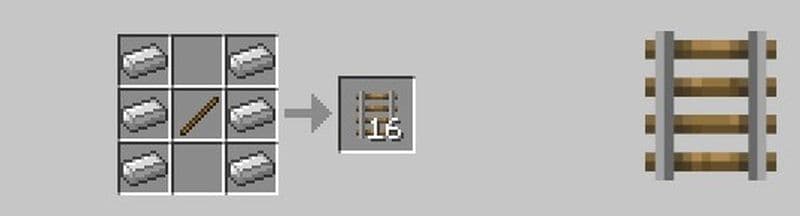
- Place the items in the grid as shown below:
- In the first row, put an iron ingot in the first box and an iron ingot in the third box. Leave the middle box empty.
- In the second row, put an iron ingot in the first box, a stick in the middle box, and an iron ingot in the third box.
- In the third row, put an iron ingot in the first box and an iron ingot in the third box. Leave the middle box empty.
Step 3: Craft the Rails
- When the items are in the correct pattern, sixteen rails appear in the result box.
Step 4: Move the Rails to Your Inventory
- Drag the rails into your inventory to use them later.
How to make a powered rail
Powered rails boost the speed of minecarts. They help minecarts climb hills and maintain momentum on long tracks. Use powered rails in your track to keep the cart moving smoothly.
To craft powered rails, use these steps:
Step 1: Open the Crafting Table
- Access the crafting table to reveal the 3x3 grid.
Step 2: Arrange Gold Ingots, a Stick, and Redstone Dust
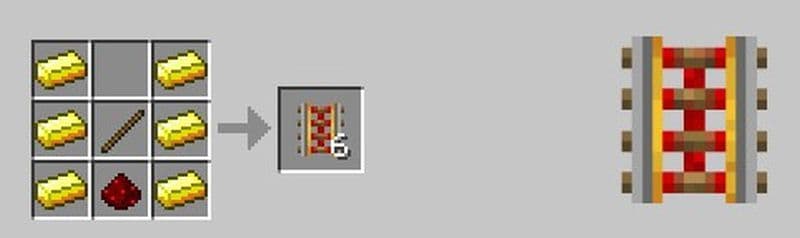
- Place the items in the grid as follows:
- In the first row, put a gold ingot in the first box and a gold ingot in the third box. Leave the middle box empty.
- In the second row, put a gold ingot in the first box, a stick in the middle box, and a gold ingot in the third box.
- In the third row, put a gold ingot in the first box, redstone dust in the middle box, and a gold ingot in the third box.
Step 3: Craft the Powered Rails
- When you arrange the items correctly, six powered rails appear in the result box.
Step 4: Move the Powered Rails to Your Inventory
- Drag the powered rails into your inventory.
How to use rails in Minecraft
Rails help you build efficient minecart tracks and work well with Redstone components. Use these tips to get the best performance from your rails:
Placement on Blocks
Place rails on top of any full block such as stone, dirt, or glass. You can also set rails on the top of upside-down slabs, stairs, or trapdoors. Do not attach a rail to the side or bottom of a block.
Rail Orientation
When you place a rail, it changes to form a straight, curved, or sloping track. The rail connects naturally with nearby rails. A rail at the end of a track continues the same direction as the existing path.

Track Construction
Build long tracks to connect different parts of your world. Insert powered rails at regular intervals to boost minecart speed. Place powered rails on hills and long, straight sections to keep the cart in motion.
Redstone Integration
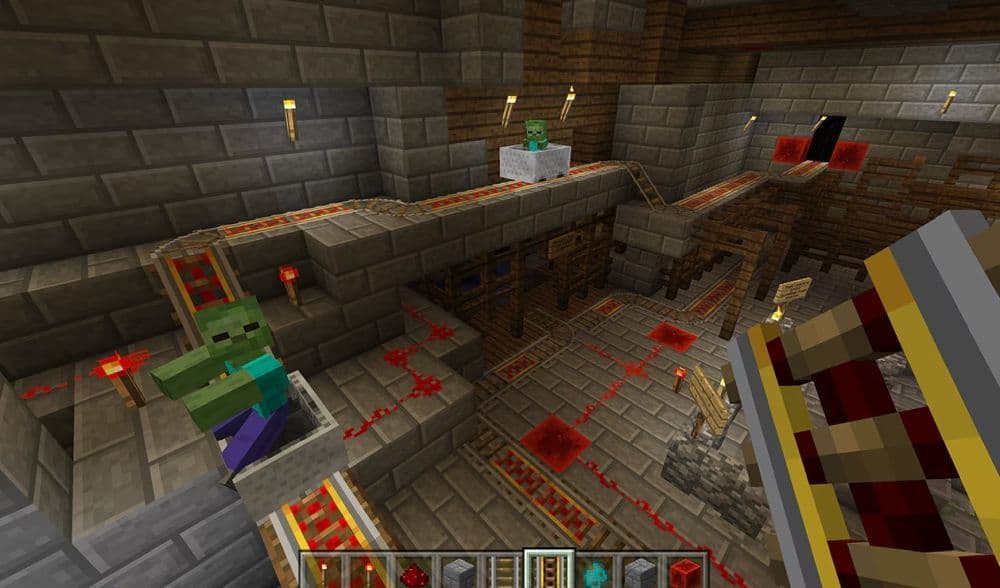
Some rails work with Redstone circuits. They act as part of a Redstone system in many setups. This integration lets you create automatic systems and moving projects.
Piston Interaction
Pistons push rails. This ability lets you change your track layout as needed. You can create hidden doors or moveable tracks with this feature.
Design Tips
Plan your track layout before you start building. Check the path to avoid sharp curves that may slow the minecart. Make sure the rails connect smoothly. A well-planned track makes travel easier and reduces the chance of collisions.
Do mobs avoid rails?
In Java Edition, most mobs do not choose to walk on rails. They typically avoid the rail surface when moving on land and quickly step off if they land on one. Some mobs, such as slimes, frogs, and goats, may jump onto rails, but frogs and goats rarely walk on them intentionally. Aquatic creatures like guardians, tadpoles, and fish can also end up on rails if they come onto land.
What do the different rails in Minecraft do?
Rails in Minecraft help move minecarts from one place to another. Each rail type works in a different way. Some make minecarts faster while others help you build smart systems. If you want to use rails but don’t know which one to pick, check the table below. It shows what each rail does and when you should use it.
Use regular rails for most tracks. Add powered rails when you want speed. Place detector rails if you want something to activate. Activator rails work best with special minecarts. Combine different rail types to build better transport. You can create smart and fast systems with just a few rail blocks.
Check out these house guides too:
- Easy & cute Japanese Cherry Blossom House Minecraft tutorials
- Best Minecraft mountain house ideas & tutorials
- Minecraft village house ideas & tutorials
- Best Minecraft Japanese houses and how to build them
- Best Minecraft brick and spruce houses and how to build them
Featured Image Credit: Minecraft
Top Related Guides

All Related Guides
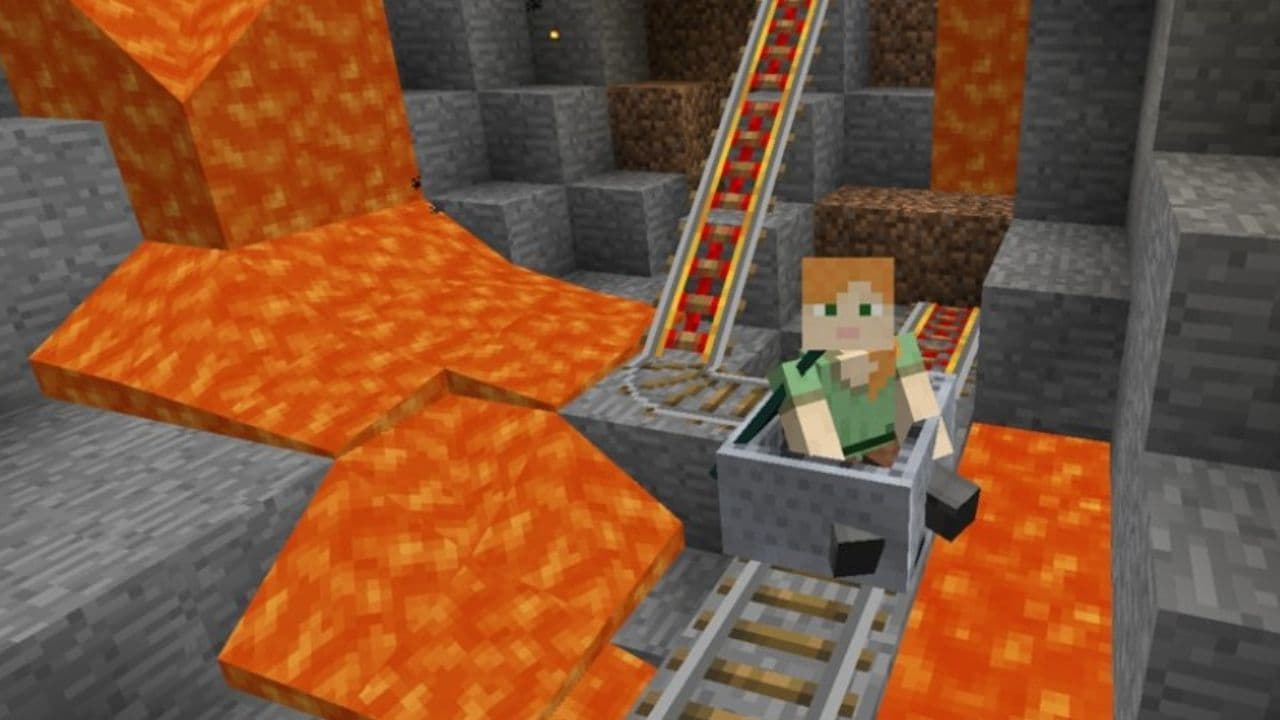 How to craft rails in Minecraft: Regular, Powered, Detector, ActivatorLearn how to craft rails in Minecraft, use minecarts, and build better tracks with a simple recipe and clear s...
 Minecraft Splash Potion of Weakness recipe: Complete brewing guideMinecraft Splash Potion of Weakness recipe guide: ingredients, brewing steps, villager curing, and common mist...
 How to craft a bookshelf in MinecraftLearn how to craft a bookshelf in Minecraft, place it around an enchanting table, and reach stronger enchants ...
 Smelting in Minecraft: A complete guide to furnaces, fuels, and efficiency tips for 2025Master Minecraft smelting in 2025: best furnaces, fuels, and pro tips to boost speed, save resources, and auto...
 Minecraft enchanting table recipe, setup, language and moreMaster Minecraft enchanting! Learn the Minecraft enchanting table recipe, setup for max levels, the secret lan...
 Minecraft blast furnace recipe: How to make a blast furnace in MinecraftWant to smelt ores faster? Here's the blast furnace Minecraft recipe and a step-by-step guide on how to craft ...
 Minecraft beacon guide: How to make a beacon in MinecraftBeacon Minecraft guide: Learn how to craft, activate & optimize a beacon for max power, buffs & effects in Min...
 Minecraft piston recipe & sticky piston guideLearn how to craft and use pistons in Minecraft! Master sticky pistons & get secret doors, traps, flying machi...
- 1
- 2
- 3
- 4
- 5