Minecraft map recipe: Locator & everything you need to about maps in Minecraft
You'll need a map to make your travels in Minecraft more organized.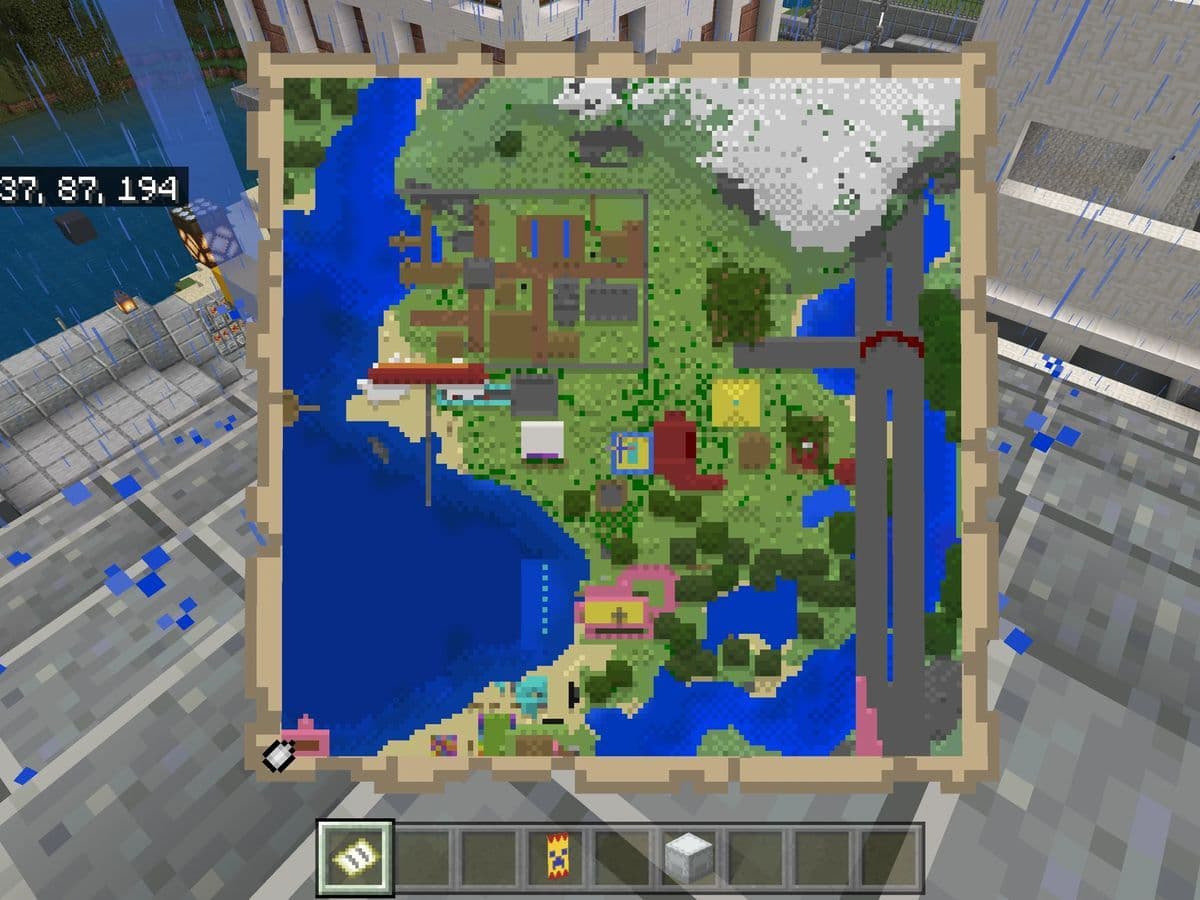
A Minecraft map recipe is more than just crafting paper and a compass—it’s your key to exploring, tracking, and marking the world around you. In this guide, we’ll break down everything you need to know about Minecraft maps—including crafting recipes, zooming techniques, and why maps are essential for survival and exploration.
8 reasons to get the Minecraft recipe for map
In Minecraft, maps are essential tools that help players navigate, explore, and document their surroundings.
1. Navigation and exploration
A map in Minecraft helps you navigate vast landscapes without getting lost. Whether you're exploring new biomes, searching for villages, or mapping out your surroundings, having a map ensures you can always find your way back home. Since the world is almost infinite, using a map makes exploration much easier.
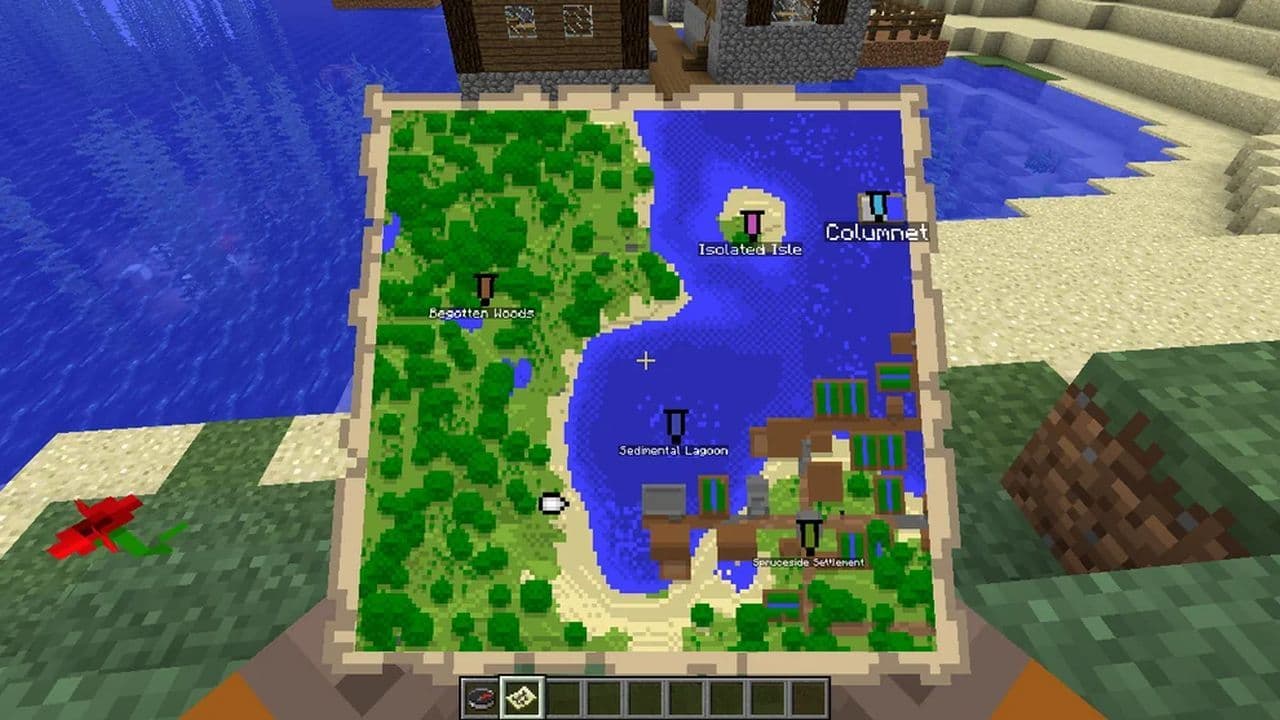
2. Marking important locations
Maps allow you to keep track of essential places like your base, villages, temples, or other points of interest. By using banners or placing maps in item frames, you can create visual landmarks that help you remember key locations, making it easier to revisit them later.
3. Survival and safety
In Survival Mode, getting lost can be dangerous, especially at night when hostile mobs appear. A map reduces the risk by providing an overview of your surroundings. If you're traveling far from your spawn point, a map ensures you won’t lose track of your way back.
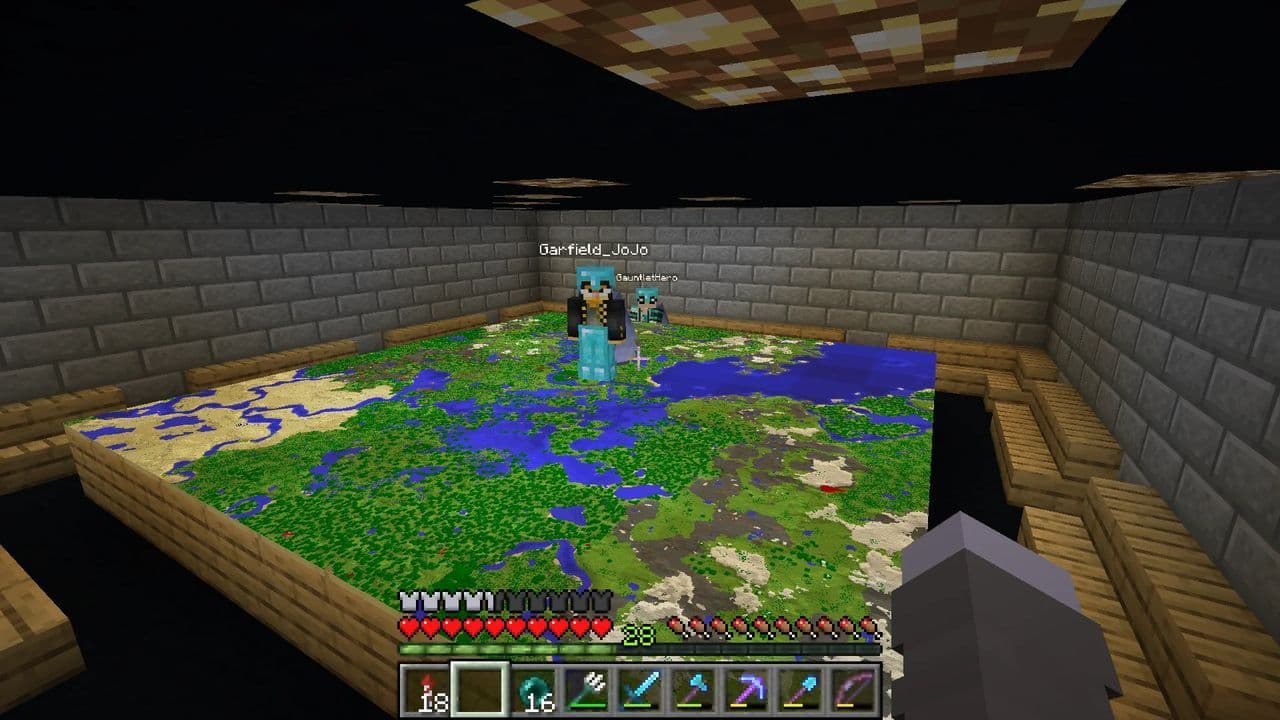
4. Creating a world map
For players who enjoy large-scale builds or server worlds, maps help in designing and organizing the environment. You can zoom out maps to get a broader view of your world, making it easier to plan cities, farms, or other projects.
5. Multiplayer coordination
If you're playing with friends, having maps helps everyone stay oriented and work together more efficiently. By sharing or cloning maps, multiple players can track each other's locations and explore in a coordinated way.
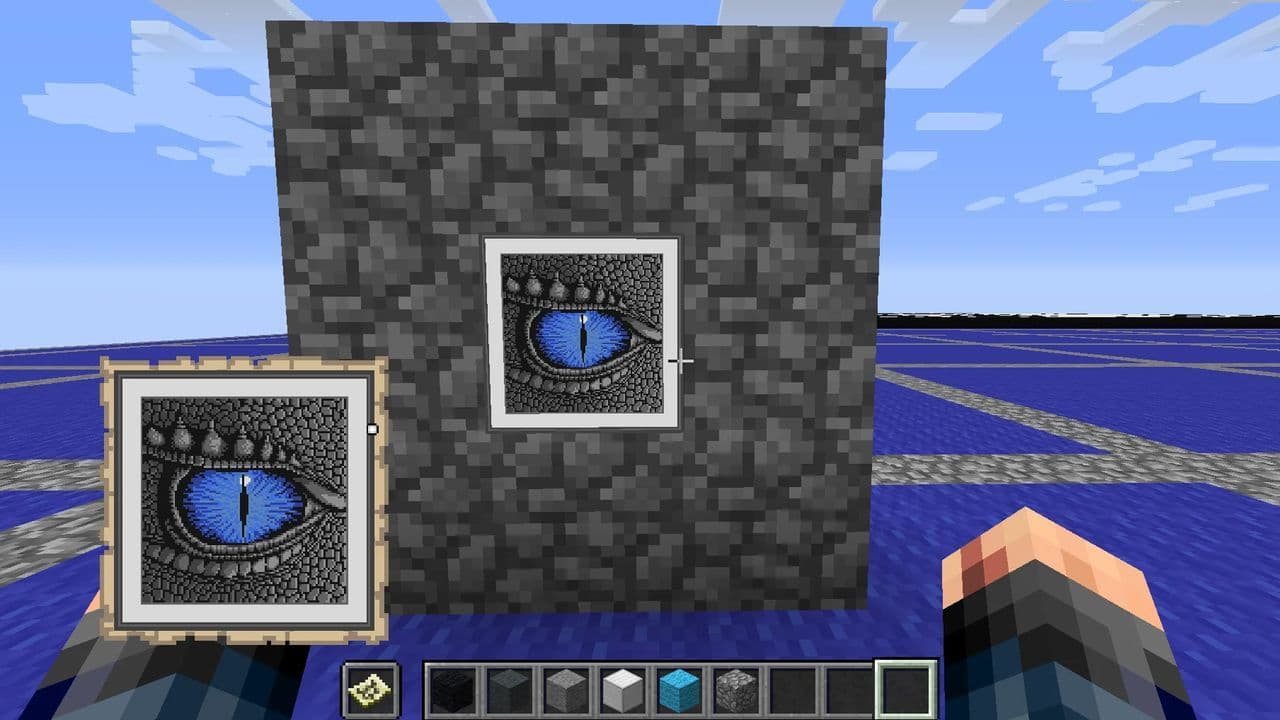
6. Custom artwork and decoration
Maps aren't just for navigation—they can also be used for creativity. Players can create pixel art on the ground and capture it on a map, turning it into custom artwork. These map-based designs can be displayed in frames as decorative pieces inside bases or towns.
7. Efficient resource management
If you’re mining for specific resources or farming materials, maps help you remember where you found them. By mapping different areas, you can mark places rich in ores, trees, or animals, making resource gathering more efficient.
8. Understanding biomes and terrain
Maps provide a bird’s-eye view of the terrain, showing different biomes, rivers, mountains, and other features. This is helpful when searching for rare biomes like mushroom islands or mesa biomes, which can be difficult to find without a map.
Minecraft map recipe: How to make a map in Minecraft
To craft a map in Minecraft Bedrock Edition, you need:
- 8 or 9 paper: Paper is crafted from sugar cane, which grows near water. You need three sugar canes to craft three papers in a crafting table.
- 1 compass (for locator maps, not required for basic maps in Bedrock Edition): Compass is crafted using 4 iron ingots and 1 redstone dust. Place the redstone in the center of the crafting grid, surrounded by iron ingots.
How to craft an empty map in Minecraft
An empty map is the basic version of a map that records terrain but does not show the player’s location. It is mainly used for mapping large areas, cloning, or zooming out other maps without using a compass.
- Open the crafting table (3×3 crafting grid).
- Fill all 9 slots with paper.
- The output will be an empty map.
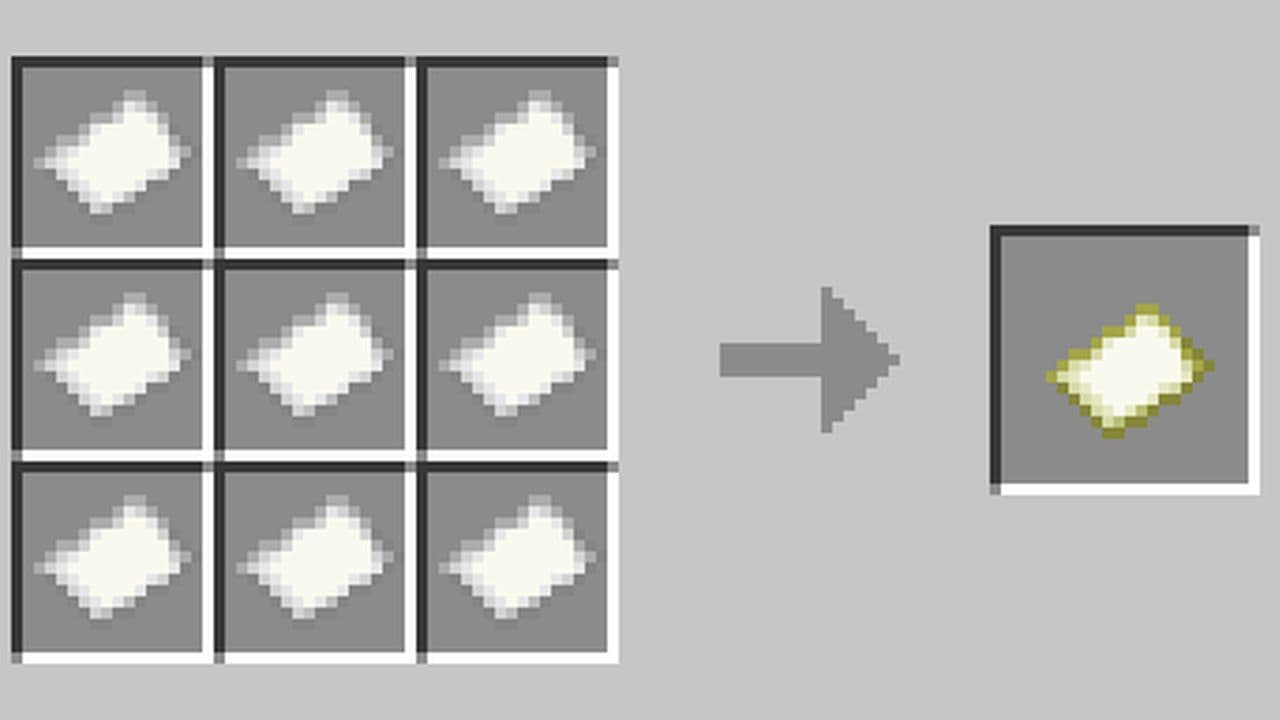
To use an empty map, simply hold it in your hand and activate it. Once used, the map will start recording the surrounding terrain as you explore. However, it will not show your position unless you convert it into a locator map by adding a compass.
Minecraft locator map recipe
A locator map functions the same as an empty map but also shows the player's position. This is useful for navigation and multiplayer coordination.
- Open the crafting table.
- Place 1 compass in the center slot.
- Surround it with 8 pieces of paper.
- The result will be an empty locator map.
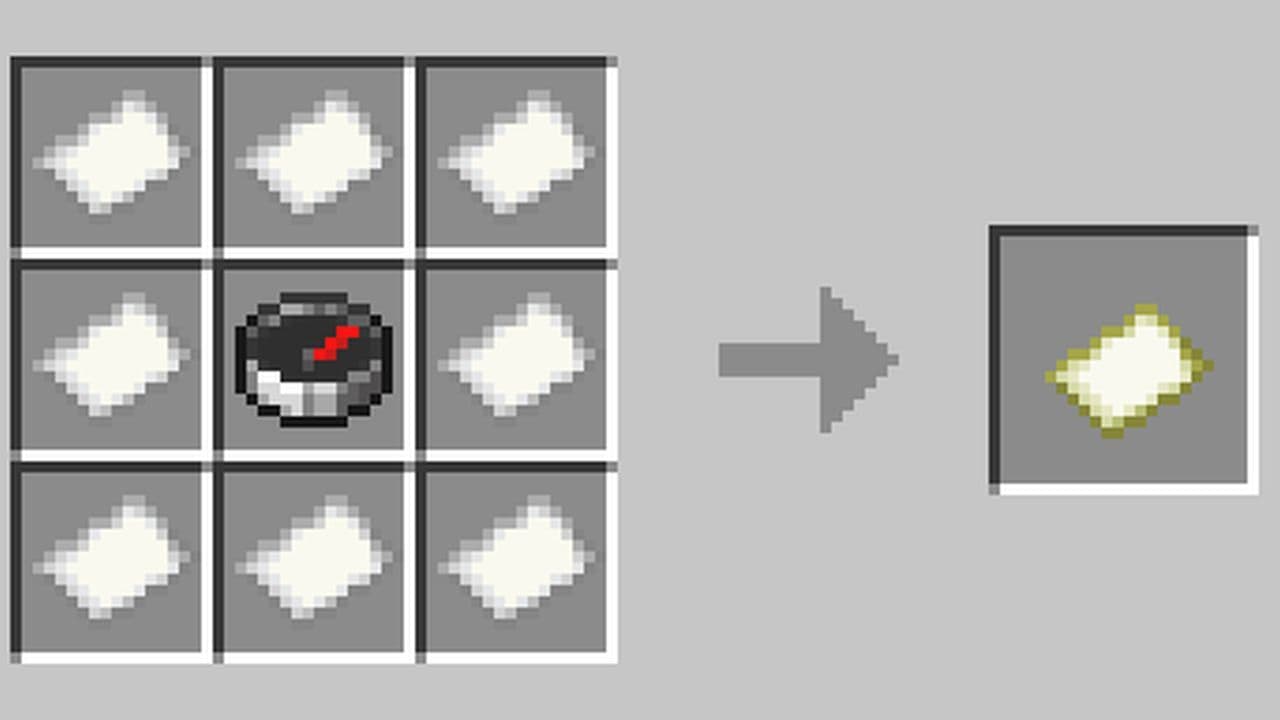
When you activate a locator map, it not only records the surrounding terrain but also displays your position as a moving marker. This helps you track your location in real time and see which direction you're facing, making navigation much easier.
Empty map vs locator map
Feature | Empty Map | Locator Map |
Shows terrain | Yes | Yes |
Tracks player location | No | Yes |
Crafting recipe | 9 Paper | 8 Paper + 1 Compass |
Can be upgraded | Yes, by adding a Compass (Bedrock Edition) | No upgrade needed |
Best for | Large-scale mapping, zooming, and cloning | Navigation and multiplayer use |
Both types of maps are useful, but locator maps are the best choice for exploring and tracking movement.
Minecraft map zoom out recipe
Once you've crafted a map in Minecraft, you can zoom out to cover a larger area or clear it to reuse the map. These actions are done using a cartography table or a crafting table in different ways.
Using a cartography table (Best Method)
- Place the cartography table (crafted with 2 paper + 4 wood planks).
- Open the cartography table interface.
- Place the filled map in the first slot.
- Add one piece of paper in the second slot.
- The output shows a zoomed-out version of the map.
- Take the new map and repeat to zoom out further (up to four times).
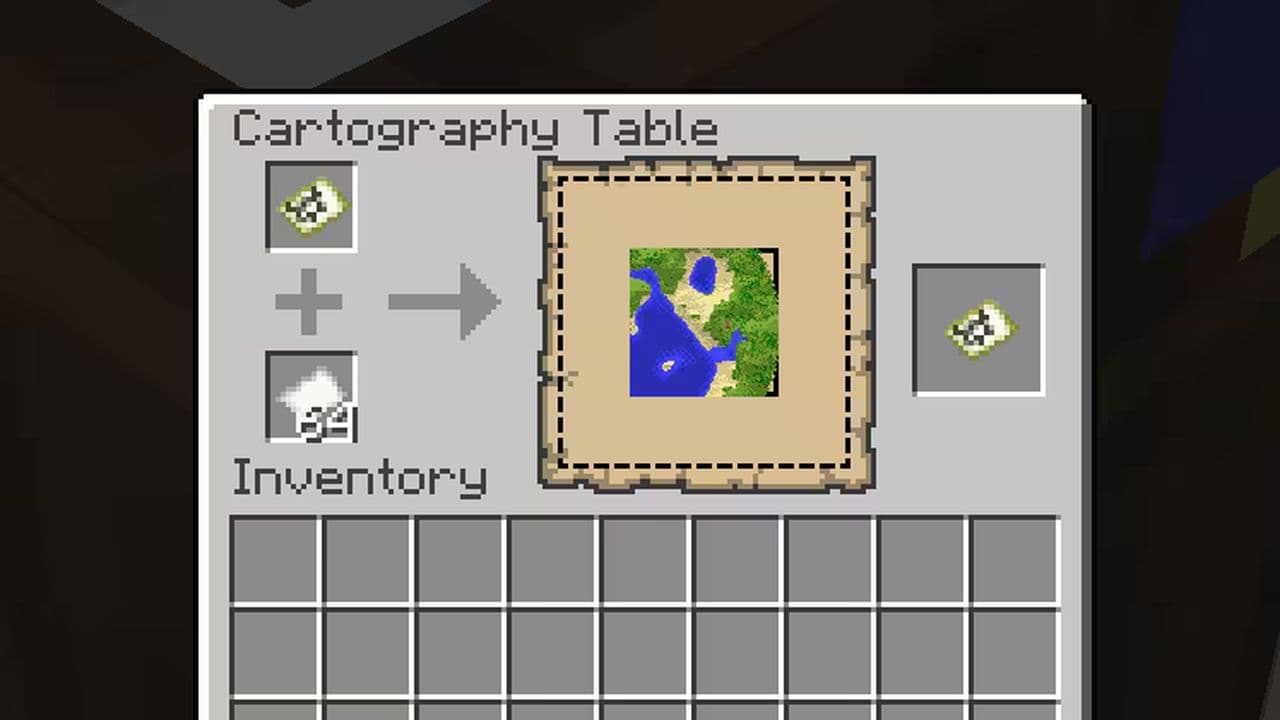
Each zoom level increases the area covered:
- Level 0 – 128×128 blocks (1×1 chunk per pixel)
- Level 1 – 256×256 blocks (2×2 chunks per pixel)
- Level 2 – 512×512 blocks (4×4 chunks per pixel)
- Level 3 – 1024×1024 blocks (8×8 chunks per pixel)
- Level 4 – 2048×2048 blocks (16×16 chunks per pixel)
Zooming out using a crafting table (Bedrock Edition Only)
- Place the map in the center of the 3×3 crafting grid.
- Surround it with 8 pieces of paper.
- This zooms out the map one level.
- Repeat the process up to four times.
The cartography table is more efficient since it only requires one piece of paper per zoom level instead of eight.
How big is a level 4 map in Minecraft?
A level 4 map in Minecraft is the biggest map you can make in the game. It shows an area that is 2048 blocks wide and 2048 blocks long. This means the map covers over 4 million blocks in total. Each square on the map shows 16×16 blocks, which equals one chunk in Minecraft. The scale of the map is 1:16, so the area it covers is 16 times larger than the map itself. To get a level 4 map, you need to place a map in a cartography table and add paper to it four times. Players use this type of map to explore big areas, find structures, or plan large builds.
What are the 5 maps in Minecraft Deluxe Edition?
The Minecraft Deluxe Edition comes with five maps. These are:
- Skyblock One Block – you start on a single block and expand from there.
- Hacker Tools – includes powerful tools that change how you play.
- Pets Collection – adds new pets to your game.
- Parkour Spiral – features a long jumping course.
- Original Bed Wars – a team-based PvP map.
You also get 1600 Minecoins, three skin packs, one texture pack, five character items, and three emotes. This edition gives more content for players who want extra options in the game.
That’s all for today! Looking for more Minecraft recipes? Check out these:
- Minecraft lead recipe explained
- Minecraft anvil recipe & 5 reasons it's worth the iron
- Minecraft book recipe (+Book and Quill, Bookshelf & more) explained
- Minecraft barrel recipe: A better storage option than chests
- Get your Minecraft shield recipe before heading into danger
All Related Guides
 How to craft rails in Minecraft: Regular, Powered, Detector, ActivatorLearn how to craft rails in Minecraft, use minecarts, and build better tracks with a simple recipe and clear s...
 Minecraft Splash Potion of Weakness recipe: Complete brewing guideMinecraft Splash Potion of Weakness recipe guide: ingredients, brewing steps, villager curing, and common mist...
 How to craft a bookshelf in MinecraftLearn how to craft a bookshelf in Minecraft, place it around an enchanting table, and reach stronger enchants ...
 Smelting in Minecraft: A complete guide to furnaces, fuels, and efficiency tips for 2025Master Minecraft smelting in 2025: best furnaces, fuels, and pro tips to boost speed, save resources, and auto...
 Minecraft enchanting table recipe, setup, language and moreMaster Minecraft enchanting! Learn the Minecraft enchanting table recipe, setup for max levels, the secret lan...
 Minecraft blast furnace recipe: How to make a blast furnace in MinecraftWant to smelt ores faster? Here's the blast furnace Minecraft recipe and a step-by-step guide on how to craft ...
 Minecraft beacon guide: How to make a beacon in MinecraftBeacon Minecraft guide: Learn how to craft, activate & optimize a beacon for max power, buffs & effects in Min...
 Minecraft piston recipe & sticky piston guideLearn how to craft and use pistons in Minecraft! Master sticky pistons & get secret doors, traps, flying machi...
- 1
- 2
- 3
- 4
- 5