Roblox Safety Dashboard: How to check account status & ban risk
How close are you banned? Let's find out!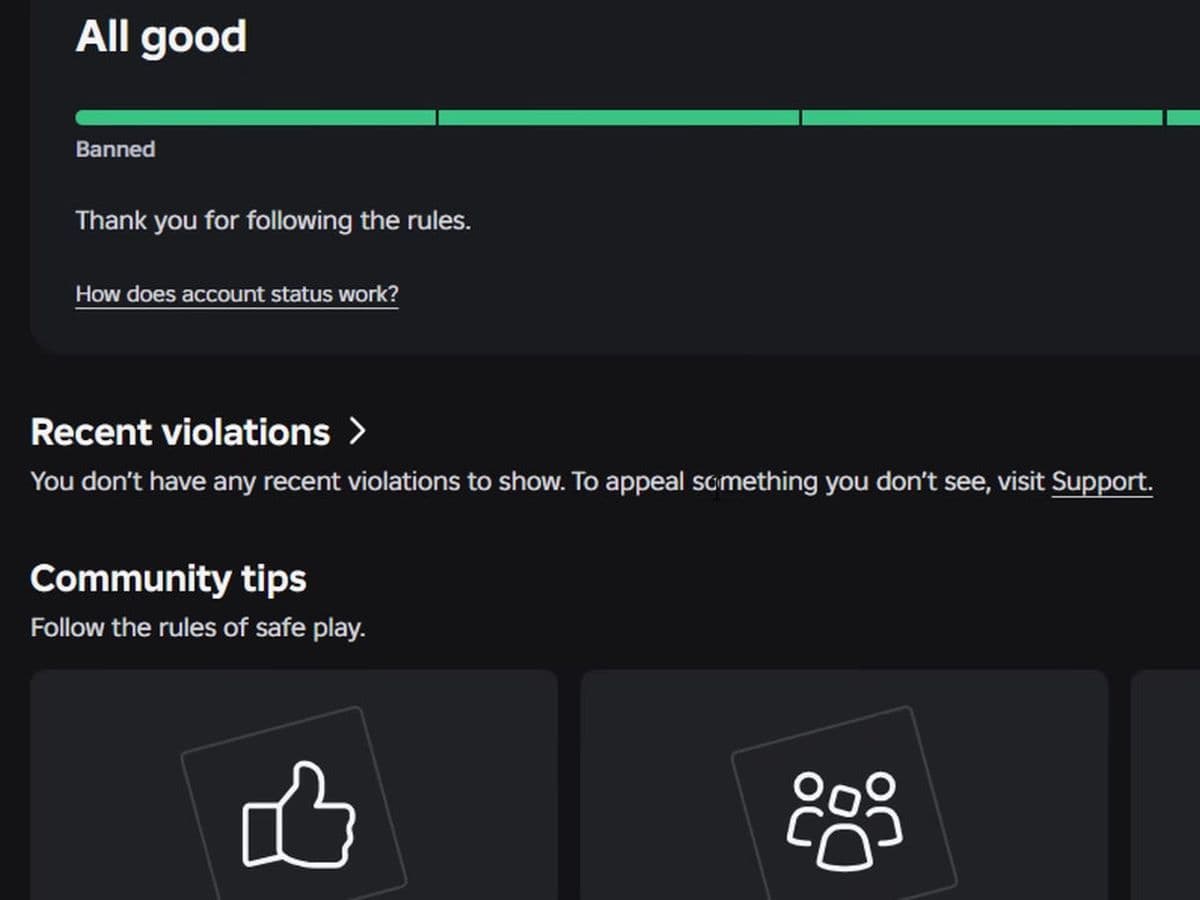
Roblox has started rolling out a new Safety Dashboard that gives players something they've never had this clearly before: a way to see their account standing and how close they may be to a permanent ban.
The new Account Status page uses a color-coded meter running from Banned to All good, while a separate Recent violations section lets you review moderation issues associated with your account.
More importantly, Roblox explains that violations can add up. The number of rules you break, combined with how serious those violations are, can move your account closer to a permanent ban. Your standing can also improve over time if you follow the rules.
What is the Roblox Safety Dashboard?
The Roblox Safety Dashboard is a new account-safety page designed to make your current moderation standing easier to understand.
How to find it
You can access it here:
- Roblox → Safety Dashboard (You can find it by clicking here) → Account Status
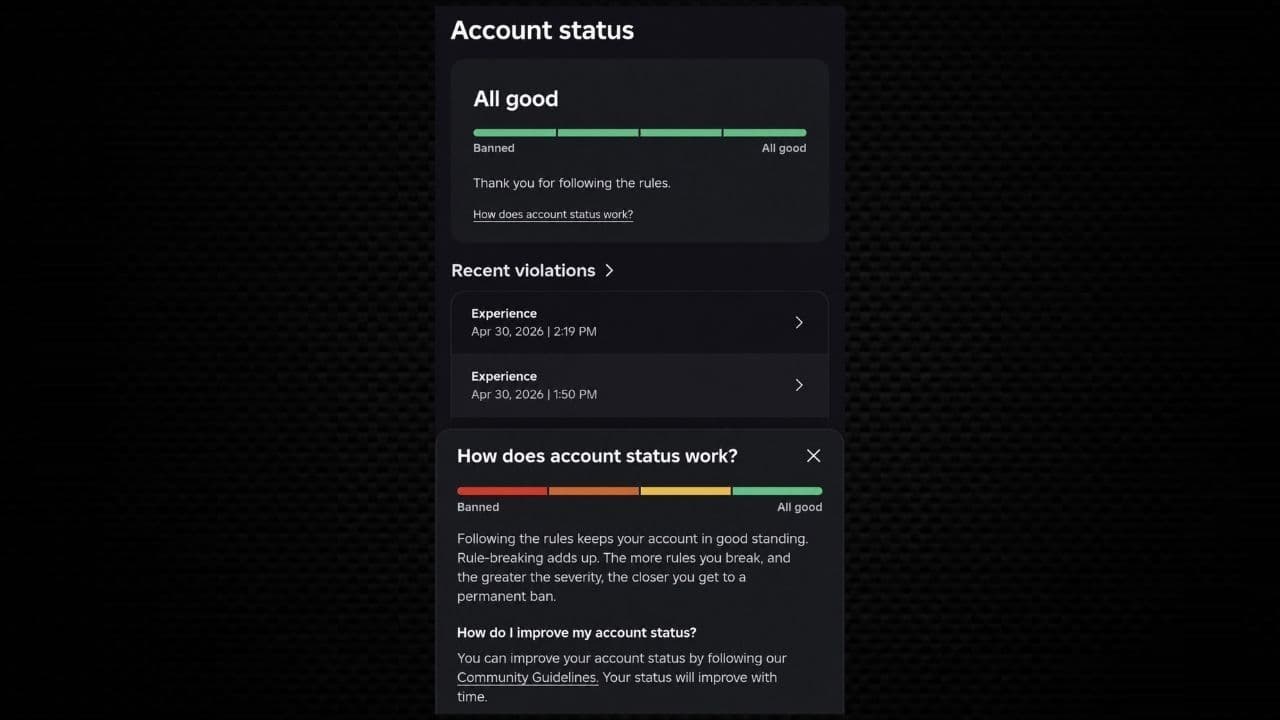
The dashboard is account-specific, so you need to be signed into Roblox to see your own information.
The main Account Status card displays a horizontal meter ranging from:
- Banned → Red → Orange → Yellow → Green → All good
If your account is in good standing, the page can display All good alongside a message thanking you for following the rules.
Important
This isn't the same as Roblox's Creator Safety Analytics. The Safety Dashboard we're talking about here is for checking the standing and violations associated with your Roblox account, not analyzing reports generated inside an experience.
How to check your Roblox account status
Checking your current standing is straightforward if the feature has reached your account:
- Sign in to your Roblox account.
- Open the Roblox Safety Dashboard.
- Find Account status.
- Check where your account sits on the Banned-to-All-good meter.
- Scroll to Recent violations to see moderation issues associated with your account.
- Select a violation to view the available details.
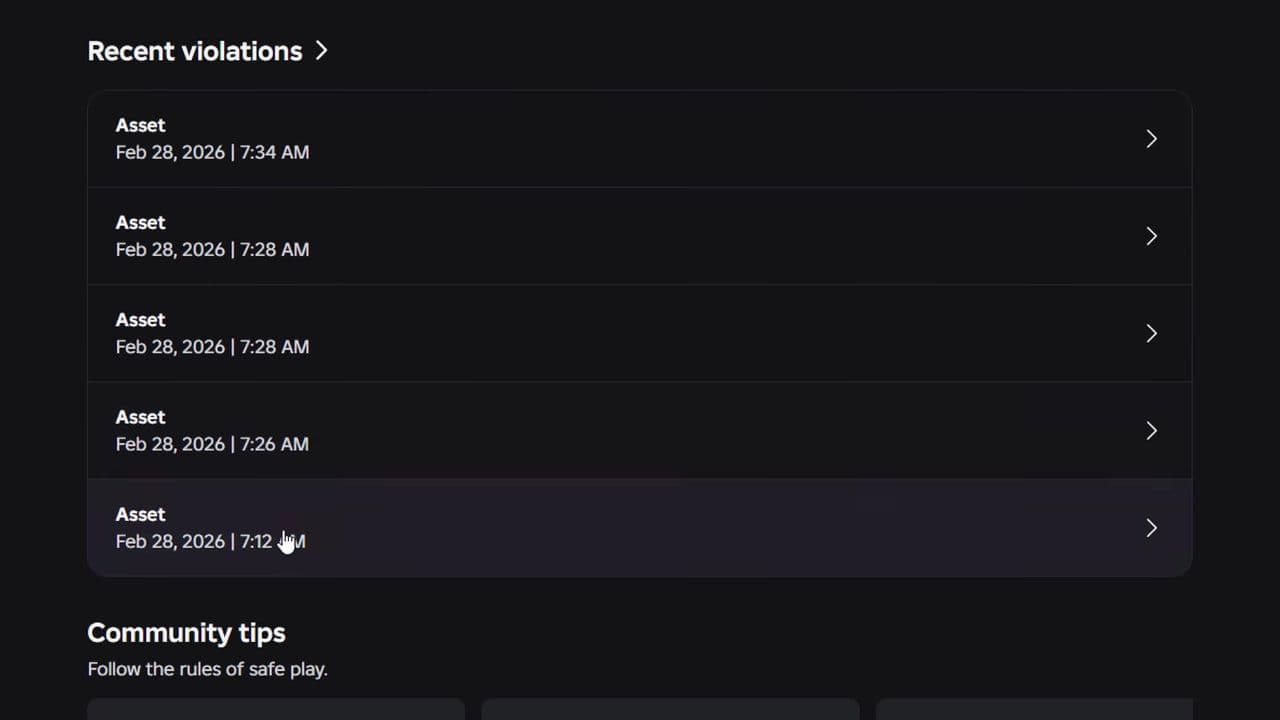
The direct Safety Dashboard is available through Roblox's website.
If you don't see the same Account Status interface yet, the feature may still be rolling out to your account.
How does Roblox Account Status work?
The biggest change is that Roblox now makes it clearer that moderation history can build up over time.
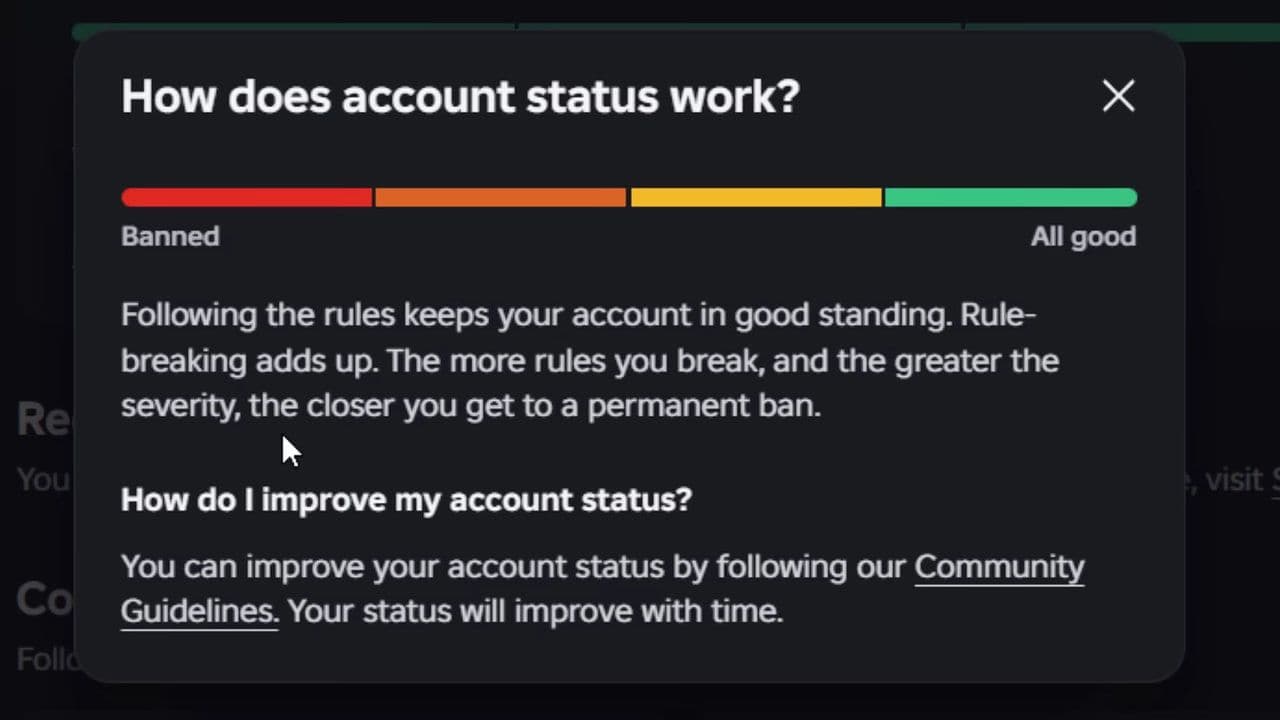
The Account Status system shows that following the rules keeps you in good standing, while violations add up. Both the number and severity of violations can move an account closer to a permanent ban.
This matches Roblox’s existing moderation approach, where both the specific offense and past behavior are considered, and repeated issues can lead to harsher penalties.
The Safety Dashboard simply makes this risk more visible to players.
However, it is not a strict “three strikes and you’re banned” system—there is no fixed public number of violations that guarantees termination, and severity always matters.
Can you see how close you are to a permanent Roblox ban?
Yes, but not as an exact percentage.
The new Safety Dashboard helps players see their overall account standing more clearly than before. Instead of only receiving moderation notices, you can now view a meter showing whether you're closer to All good or Banned.
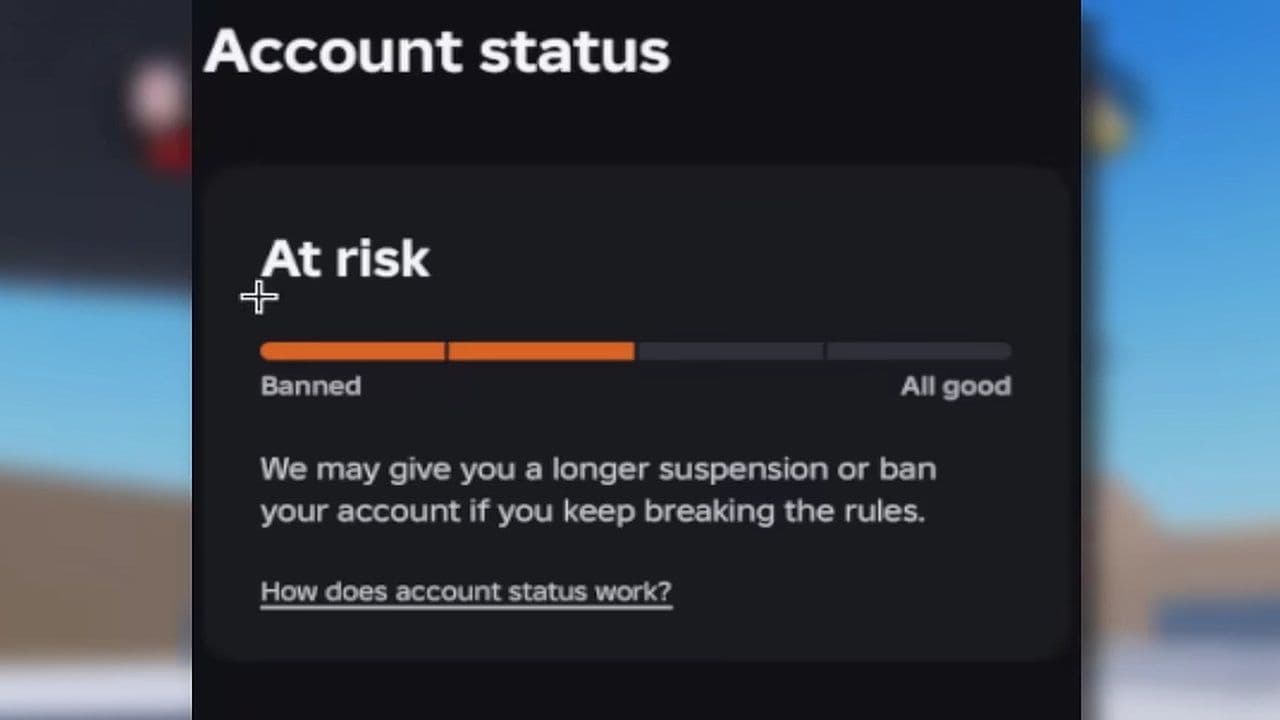
Reports on the rollout also note that Account Status helps indicate how close an account may be to a permanent ban.
However, Roblox does not show anything like a “72% toward a ban” score. The meter is only a general warning indicator, not a precise prediction of future moderation actions.
Do Roblox violations stack?
Yes, Roblox considers your previous behavior when determining moderation consequences.
Repeated violations can lead to escalating penalties, from a warning to a timeout and then a suspension.
The new Account Status system makes this clear by showing that rule-breaking adds up over time.
This means two similar violations may not result in the same punishment, since Roblox also factors in severity and past behavior.
What are Recent violations on the Roblox Safety Dashboard?
Below Account Status, you'll find a Recent violations section.
This shows a record of moderation issues on your account, including details like the affected area and time of the violation. Selecting an entry can reveal more information about that action.
The meter shows where your account stands, while Recent violations explains why it’s there.
If your status drops from All good, this is the first place to check.
Can your Roblox Account Status improve?
Yes.
The Account Status explanation specifically says your standing will improve with time if you follow Roblox's Community Standards.
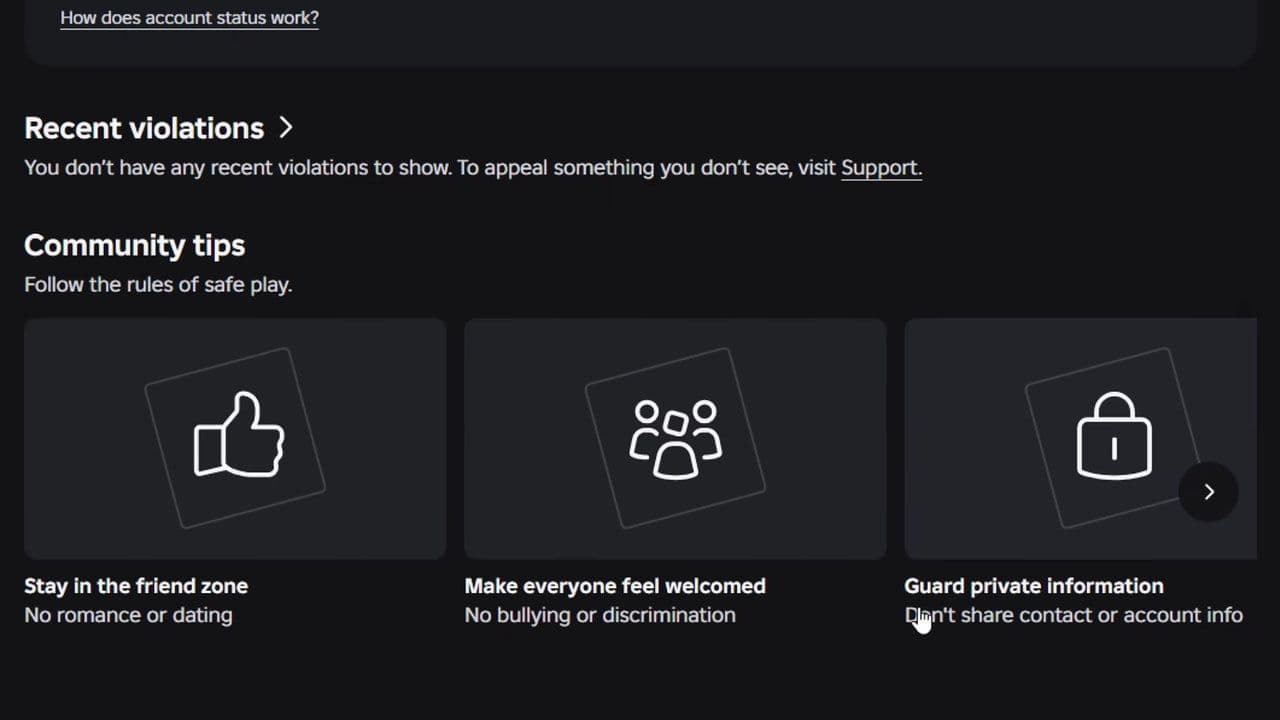
That means moving away from All good isn't necessarily permanent.
How long does it take Roblox Account Status to improve?
Roblox says your status can improve with time, but there isn't currently a confirmed universal timer for how quickly the meter moves back toward All good.
In other words, don't assume that:
"My warning disappears in 30 days, so my status will automatically become green in 30 days."
Can you appeal violations shown in the Safety Dashboard?
If Roblox has moderated your account or content and you believe the decision was incorrect, you may be able to appeal.
Your moderation notice will explain how to appeal. Eligible cases can go through Violations & Appeals, while others may require the Roblox Support form.
Most users must submit appeals within 30 days of the action, while EU users have up to six months for initial moderation appeals.
Submitting an appeal doesn’t guarantee removal of the violation, as Roblox reviews the decision again before making a final call. You also can’t repeatedly appeal the same moderation action once it has already been reviewed.
Does an experience ban affect your Roblox Account Status?
Don’t confuse a ban from a single Roblox experience with an account-level ban.
For example, Error Code 600 means a game creator has banned you from their experience, not Roblox itself. You can still access other games and platform features.
The Safety Dashboard reflects your overall Roblox account standing, so individual game kicks or bans don’t automatically affect it.
Is Roblox Safety Dashboard missing?
The new Account Status interface appears to be rolling out, which means some players may receive access before others.
If you open the Safety Dashboard and don't see the same Account Status meter shown in current screenshots, it doesn't necessarily mean there's something wrong with your account.
Try:
- Make sure you're signed into the correct Roblox account.
- Open the Safety Dashboard directly through Roblox.
- Check again after Roblox updates the feature.
- Don't use third-party websites that ask for your Roblox login just to show your "ban status."
Your moderation standing is account information. There's no reason to hand your password or authentication cookie to an external "ban checker."
Soooooooooooooooooooooo, if your meter says All good, keep it there. If it's drifting toward yellow, orange, or red, check your Recent violations and take the warning seriously: Roblox already considers repeated behavior when escalating moderation, and the new dashboard makes that risk considerably easier to see.
All Related Guides
 How to see Roblox purchase historyLearn how to see your Roblox purchase history, check Robux transactions and find real-money receipts on deskto...
 How to find the Monochrome Roblox code and escapeFind the Monochrome Roblox code, collect all four keys, survive the basement maze and open the elevator to com...
 How to connect Claude to Roblox StudioConnect Claude to Roblox Studio with the current MCP method and see how Claude can work with your scripts and ...
 How to fight in Gakuran RobloxLearn how to fight in Gakuran Roblox, from basic attacks to blocking, parrying, posture, and fighting styles....
 How to get a free avatar in RobloxFind out how to get a free Roblox avatar without spending Robux, from free character bundles to Marketplace it...
 How to reduce lag in Roblox: Comprehensive guideRoblox feeling slow or choppy? Find out how to reduce lag in Roblox and improve your game with a few simple ch...
 How to check Roblox player countHow many people play Roblox in 2026? Check the latest Roblox player count and learn what the numbers actually ...
 App Themes: How to change a Roblox Background (2026)Here’s how to change your Roblox background and theme, including Roblox Plus themes, Dark Mode, Light Mode, an...
- 1
- 2
- 3
- 4
- 5
- 6
- 7
- 8
- 9
- 10
- 11
- 12
- 13