
EA FC 27 Creator Challenges: How to create, share and play custom Career Mode challenges
Turn your Career Mode ideas into challenges
Reviewed by : Naim Rosinski
EA FC 27 Creator Challenges let you build, publish, and share your own custom Manager Career scenarios.
Instead of simply starting another Career Mode save, you can create a challenge around specific teams, objectives, deadlines, and restrictions. That opens the door to everything from relegation battles and points-deduction saves to youth academy rebuilds and transfer challenges.
Creator Challenges are part of Manager Live, but the creation process itself takes place through EA's browser-based Creator Portal, which works on phones, tablets, and computers.
Once your challenge is published, it receives a unique Share Code that other FC 27 players can use to play your scenario.
Here's how EA FC 27 Creator Challenges work, what you can customize, how Share Codes work, and the important restrictions to know before creating one.
What are Creator Challenges in EA FC 27?
Creator Challenges are player-created Manager Live Career Mode scenarios.
Manager Live already gives you shorter Career Mode scenarios built around specific situations and objectives. Creator Challenges expand that idea by giving players access to the tools needed to build their own.
You can define the objectives, set simulation deadlines, choose teams, and introduce restrictions that change how someone has to approach the save.
That means you could create a challenge around:
- Surviving relegation after a points deduction
- Winning a league with a specific club
- Building around youth players
- Rebuilding a struggling team
- Completing an objective before a deadline
- Working under scouting restrictions
- Recreating a real-world football situation
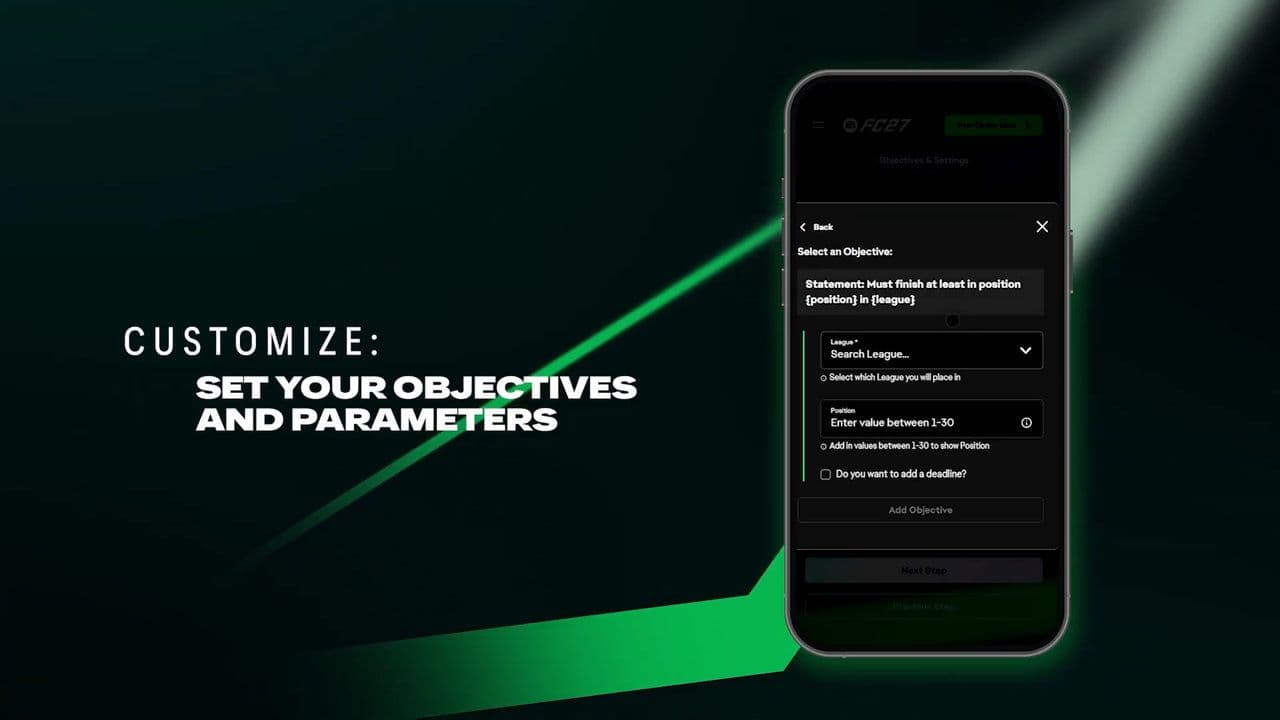
The important difference from a normal Career Mode is that you're creating a defined scenario that can then be published and played by someone else.
How to create a Creator Challenge in EA FC 27
Creator Challenges aren't built entirely through the normal Career Mode menus.
EA uses a separate Creator Portal accessible through a web browser.
To get started, open Manager Live, head to My Challenges, and use the QR code to access the Creator Portal or click here. You can use the portal from a phone, tablet, or computer.
From there:
- Sign in with your EA Account.
- Give your Creator Challenge a name.
- Write its description.
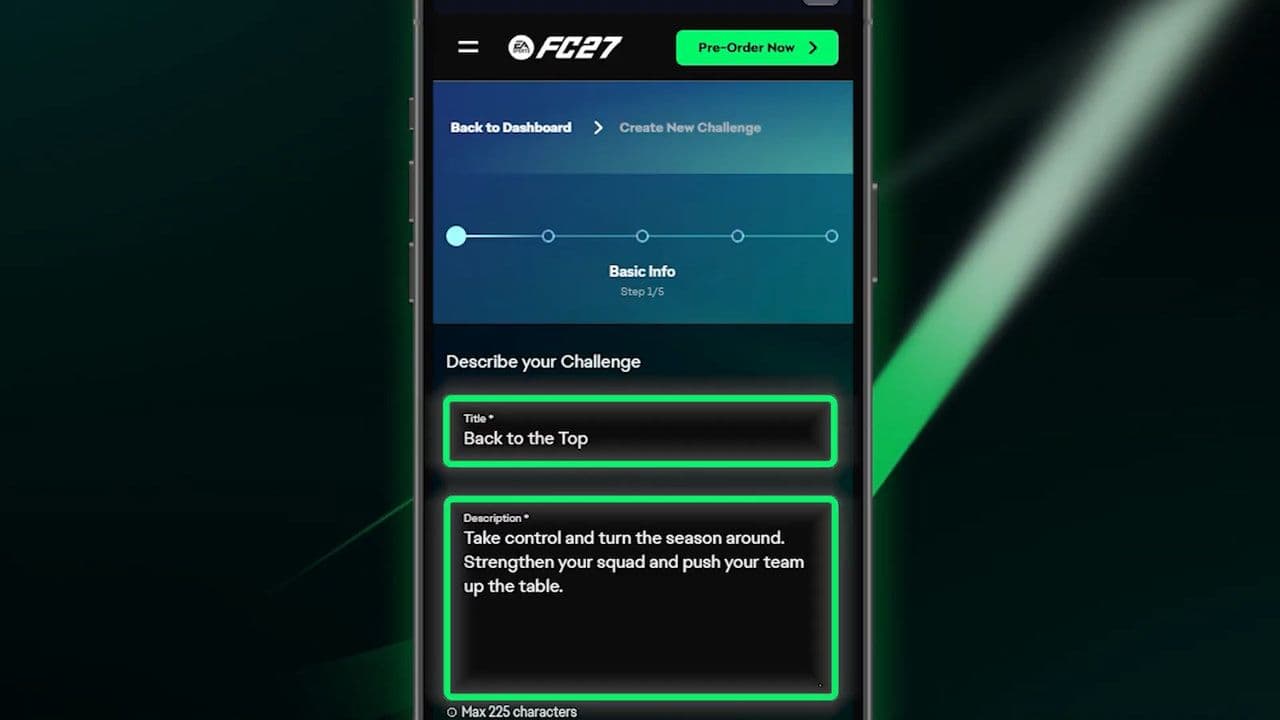
- Choose the scenario and teams.
- Set your objectives.
- Add rules and restrictions.
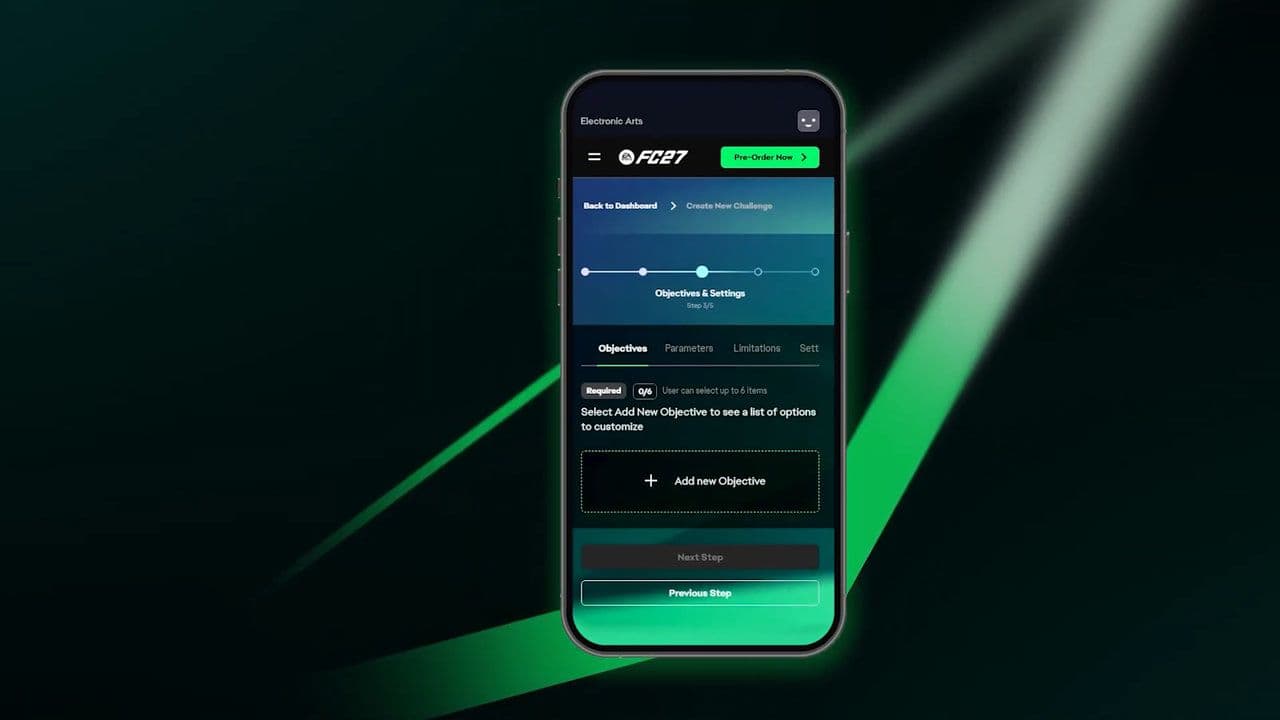
- Set any relevant deadlines.
- Review the complete challenge.
- Publish it.
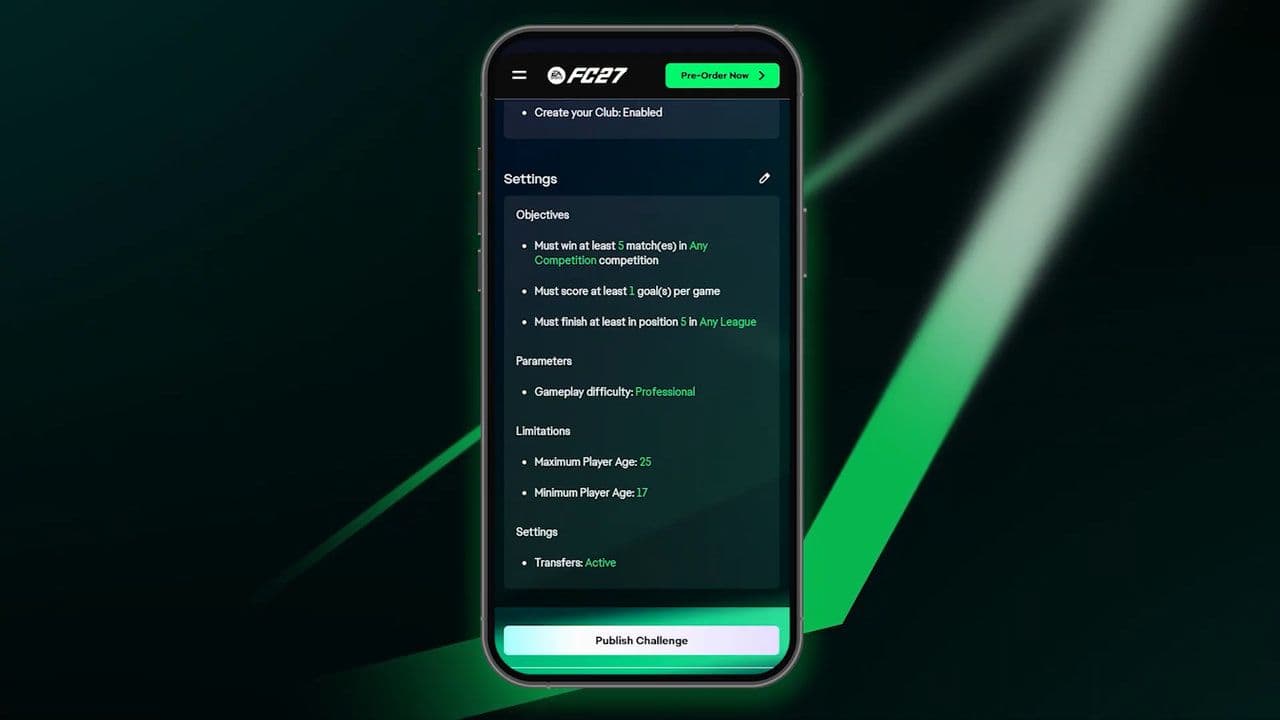
- Copy the generated Share Code.
Once you select Publish, the challenge becomes available in FC 27 and receives its own unique Share Code.
What can you customize in FC 27 Creator Challenges?
Creator Challenges offer considerably more control than simply picking a club and setting an objective.
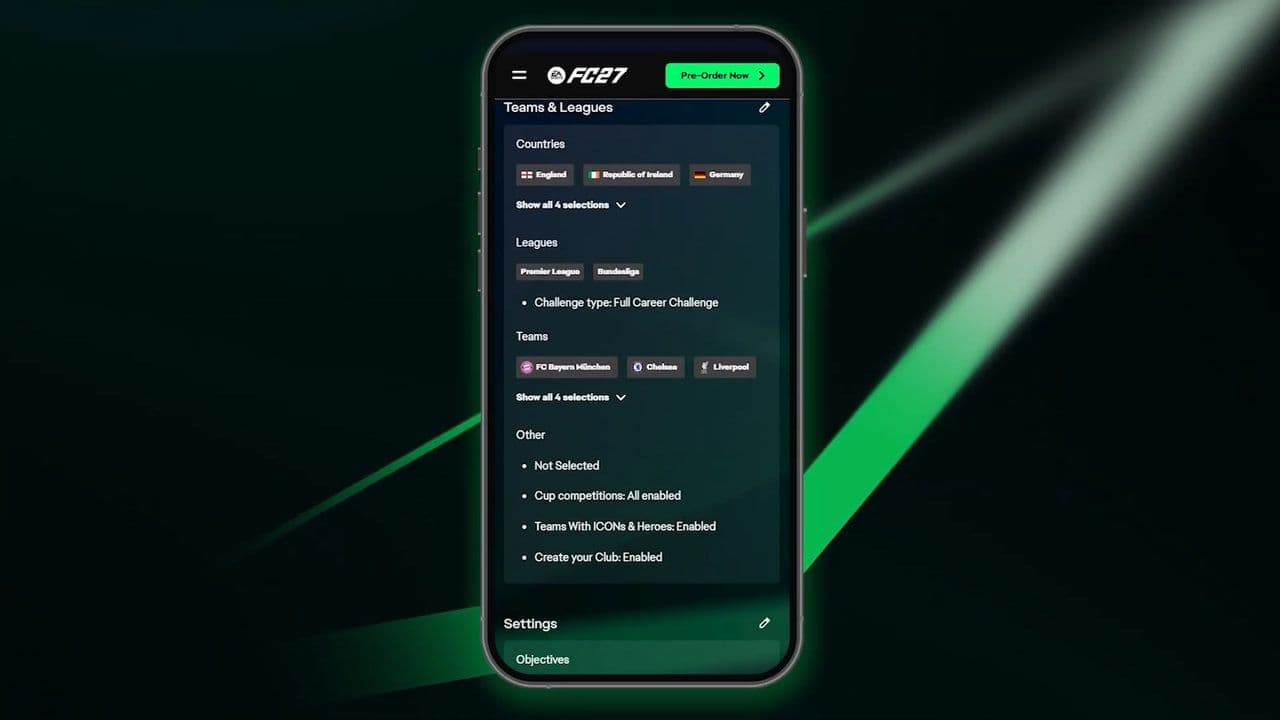
EA confirms that creators can configure areas including difficulty, national teams, scouting, youth players, point deductions, objectives, and simulation deadlines. The Creator Portal also includes controls around leagues, teams, cup competitions, start dates, and Create Your Club.
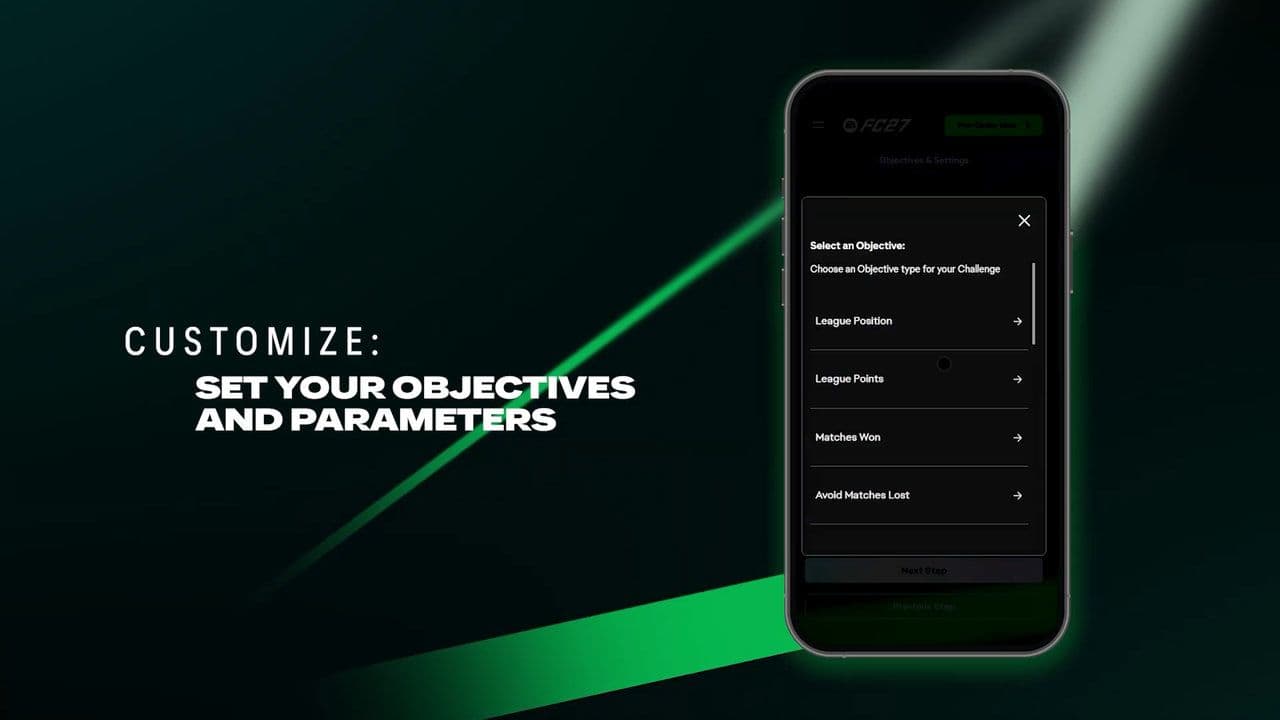
The interesting part isn't any individual setting. It's how you combine them.
A simple "avoid relegation" objective isn't particularly different from a normal Career Mode save. Starting near the bottom of the table with a points deduction, limited scouting options, and a strict deadline creates a much more defined challenge.
How objectives and deadlines work
Objectives determine what actually counts as completing your Creator Challenge.
You can then attach simulation deadlines to those objectives, limiting how long players have to achieve them.
This is important because Manager Live isn't designed around endlessly simulating seasons until you eventually succeed.
A challenge might instead ask you to reach a certain position, complete a rebuild, achieve a footballing objective, or survive a difficult situation within a defined period.
That deadline creates the pressure.
If you're creating challenges yourself, we'd avoid making every scenario extremely long. A clear objective with a meaningful time limit generally gives players more reason to actually replay it.
How to play Creator Challenges in EA FC 27
Creator Challenges are played through the Manager Live Hub.
Go to:
Manager Career > Live > Manager Live Hub
From there, you can browse the available Manager Live Challenges.
Your own published creations appear under My Challenges.
If you're trying to play a specific challenge created by another player, you'll need its Share Code.
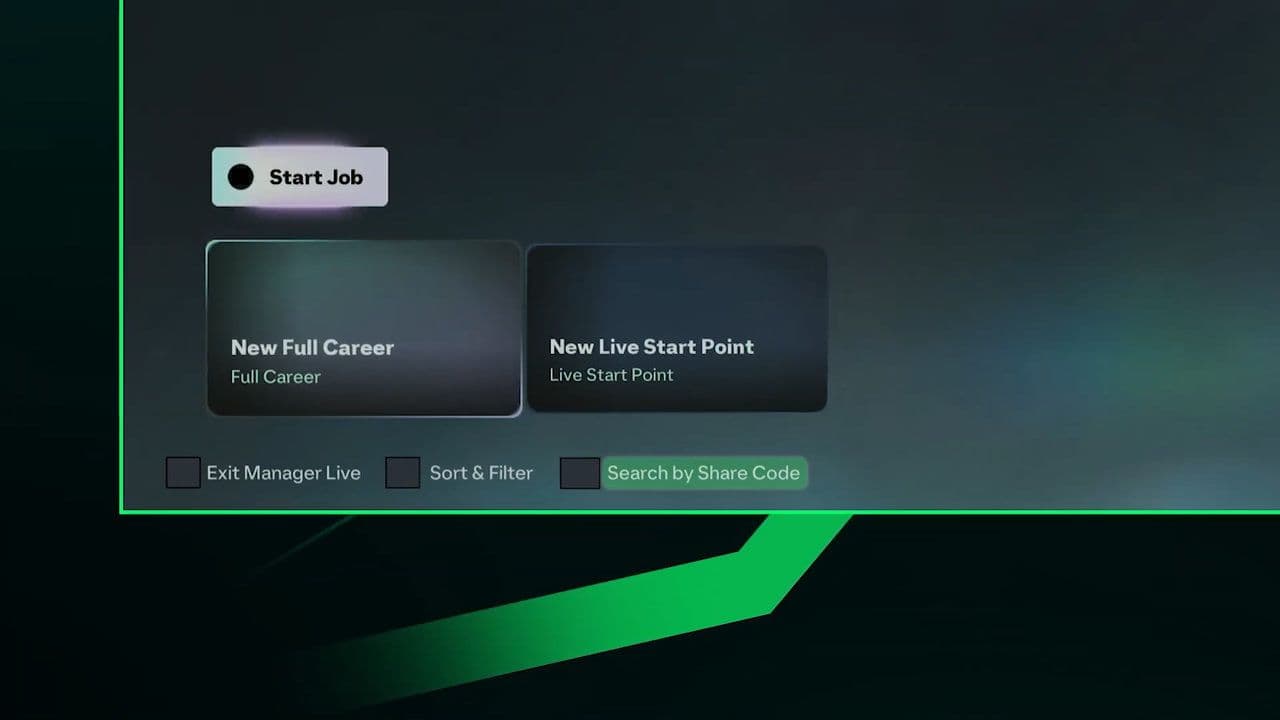
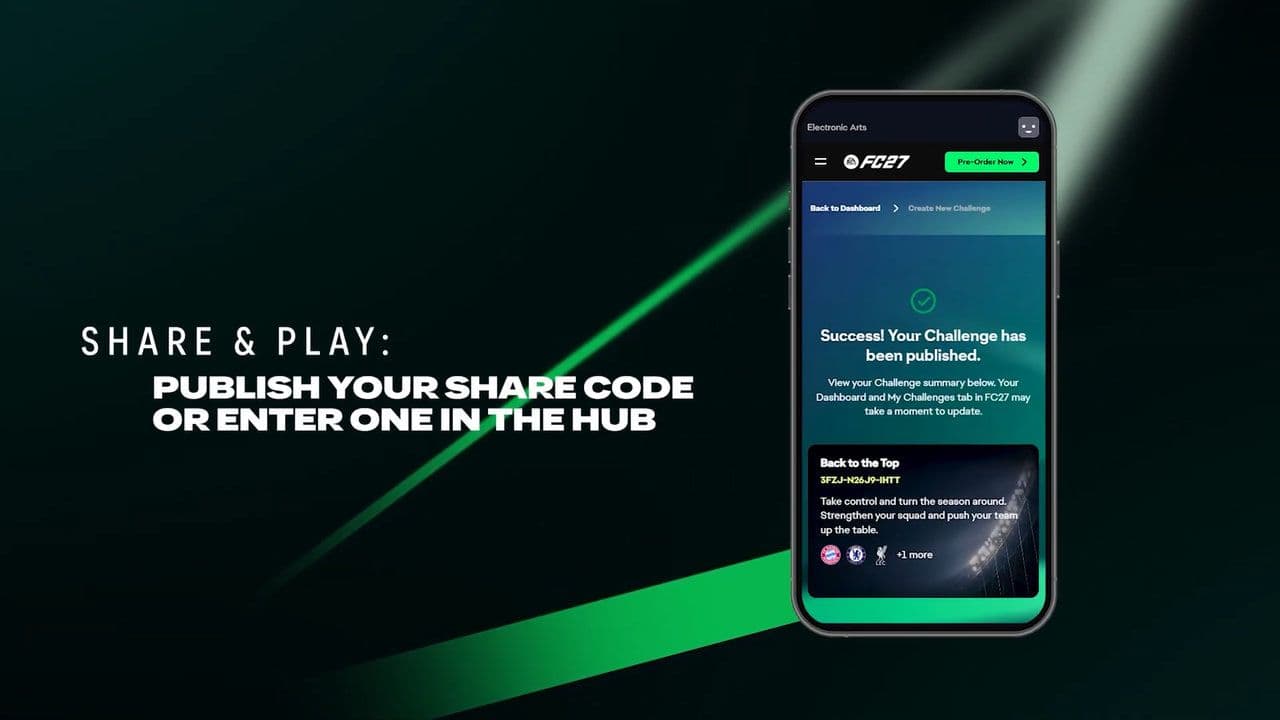
For example, you could create a brutal relegation challenge and send the same code to several people. Everyone then plays the scenario using the rules and conditions you established.
Players accessing your challenge cannot change those conditions before playing it.
That makes Creator Challenges much better suited to comparing attempts than informal Career Mode challenges where everyone might interpret the rules differently.
How many Creator Challenges can you make?
You can have up to 10 published Creator Challenges at the same time.
If you reach the limit, published challenges can be deleted to make room for new ones.
This means you aren't limited to making one scenario and replacing it every time you have another idea.
You could maintain separate youth academy, relegation, Road to Glory, and club rebuild challenges simultaneously.
Can you edit a Creator Challenge after publishing it?
No.
Once a Creator Challenge has been launched, you can't edit its rules or settings.
Are EA FC 27 Creator Challenges cross-platform?
Yes, with restrictions.
Creator Challenges can be shared across supported platforms within the same console generation.
For example, a challenge created on PlayStation 5 can be accessed on Xbox Series X|S, but not on PlayStation 4.
Nintendo Switch 2 works separately.
Nintendo Switch 2 Creator Challenges can only be accessed on Nintendo Switch 2.
So if a friend's Share Code isn't working, platform compatibility is one of the first things worth checking.
Do EA FC 27 Creator Challenges have rewards?
This needs an important distinction.
Player-created Creator Challenges don't provide rewards.
Other challenges can offer rewards such as Season Points and kits, but you can't create a challenge yourself and attach rewards to it.
Creator Challenges are therefore about creating new Career Mode scenarios rather than farming progression rewards.
Creator Challenges vs Manager Live Challenges
Creator Challenges are part of the larger Manager Live system rather than a completely separate Career Mode.
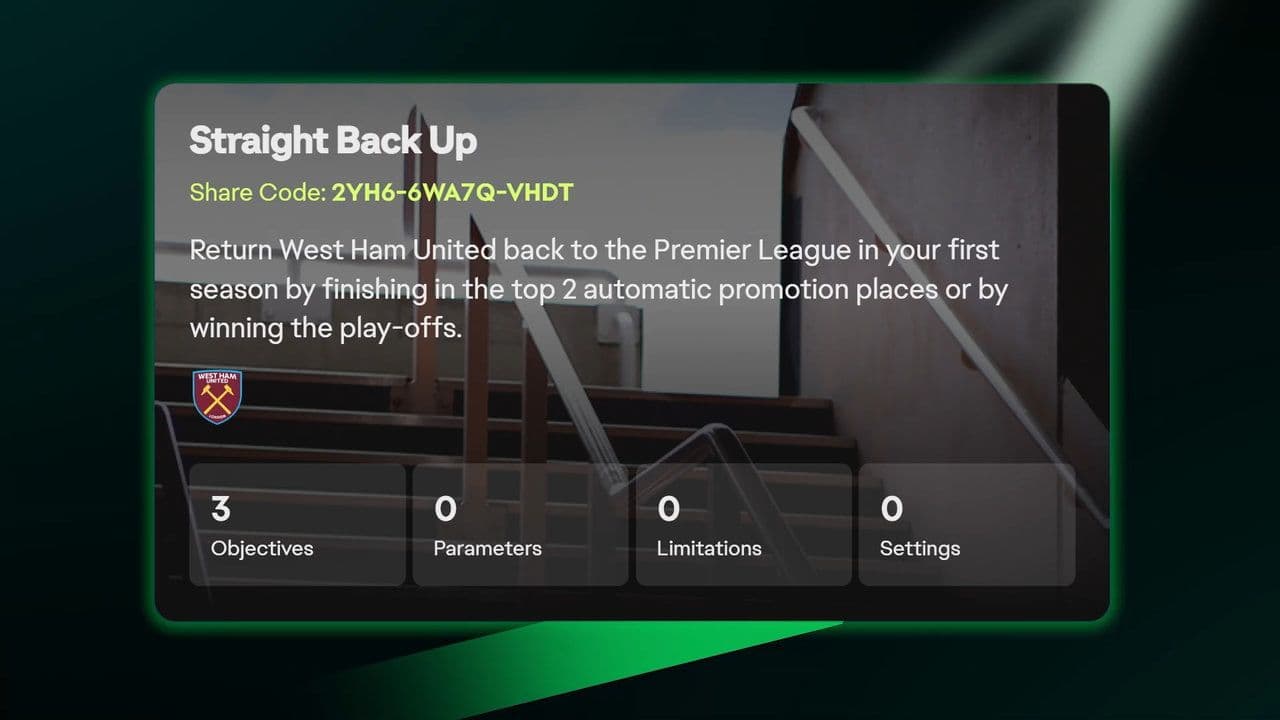
FC 27 launched Manager Live with scenarios such as Transfer Savvy, Winning Start, Top at Christmas, and Rio's Rising, while new challenges are expected to continue appearing throughout the season.
Creator Challenges take that scenario-based format and let players build their own versions.
Best EA FC 27 Creator Challenge ideas
A good Creator Challenge should change how someone approaches Career Mode rather than simply telling them to win matches.
Youth academy rebuilds are an obvious starting point. Restrict established signings and make youth development central to the save.
A points deduction survival challenge can be even more interesting. Start the player behind the rest of the league and give them a limited period to recover.
For a Road to Glory, choose a smaller club and build the challenge around promotion or another progression target while restricting scouting or squad building.
You can also recreate situations inspired by real football. A team struggling near the bottom, losing important players, dealing with a points deduction, or unexpectedly competing for a trophy can all become the foundation for a custom scenario.
Why isn't my Creator Challenge working?
If another player can't find your challenge, start with the Share Code.
EA specifically recommends checking that you've sent the correct code.
Then check platform compatibility. Challenges are cross-platform within compatible console generations, but not across every version of FC 27.
Also make sure the challenge was actually published. An unfinished challenge in the Creator Portal won't work like a published scenario with an active Share Code.
Can you track how friends perform?
Yes. EA's Creator Challenge system isn't limited to simply publishing a scenario and forgetting about it.
EA says creators can share challenges with friends and track how they perform, adding a competitive element when several people attempt the same scenario.
Combined with fixed rules that other players can't change, this makes Creator Challenges particularly useful for small competitions between friends.
Are EA FC 27 Creator Challenges worth using?
Creator Challenges are one of the more interesting additions to FC 27 if you regularly play Manager Career.
Career Mode players have always created their own rules: academy-only saves, transfer bans, Road to Glory runs, realistic rebuilds, relegation challenges, and dozens of other formats.
FC 27 turns that idea into an actual system.
You can define the scenario through the Creator Portal, set objectives and restrictions, publish it directly into FC 27, and give other players the exact same challenge through a Share Code.
You can also maintain up to 10 published challenges, track how friends perform, and potentially have a creation surfaced through the wider Manager Live Hub.
The lack of rewards for player-created challenges means the feature isn't something you need to grind. It's there for Career Mode replayability.
If normal saves are starting to feel repetitive, build around a clear objective, use restrictions that genuinely change how the squad has to be managed, and give the scenario a meaningful deadline.
That's where EA FC 27 Creator Challenges make the biggest difference: instead of simply telling someone about your Career Mode idea, you can actually build it, publish it, and let them play it.
Meet Eray, a tech enthusiast passionate about AI, crypto, gaming, and more. Eray is always looking into new developments, exploring unique topics, and keeping up with the latest trends in the tech industry, and gaming is the sweetest spot.
Eray has been rocking it as a news manager and content creator at spots like, TechBriefly, Gamelevate, Softonic, and various tech realms. Crafting over 2k tech articles, Eray captivated millions of readers for over three years.
Now, over at THESPIKE, Eray is a content writer, blending the love for spinning stories and helpful guides for all-things gaming.