How to turn on LoL WASD controls and play League of Legends with keyboard

League of Legends now supports a new control scheme called Keyboard (WASD). The feature changes how you move your champion, replacing the classic point-and-click system with direct keyboard input. Patch 14.24 marked the wider rollout of this mode, and players across all regions can now test it in supported queues. This guide explains what the WASD mode does, how to turn it on, and more!
What is WASD movement in League of Legends?
Keyboard (WASD) is an alternative input method that lets you move your LoL champion using the W, A, S, and D keys. Instead of right-clicking with your mouse to walk, W moves you up, A left, S down, and D right. The system also reassigns several basic actions and abilities into a keyboard-driven layout.
Riot added WASD to make the game more intuitive for new players who are familiar with PC controls from shooters or action games. It also serves as a secondary playstyle for veteran users who want to try a different movement system.
If you are a newcomer, you may want to learn how to play League of Legends first, before diving into different controlling settings.
Which LoL game modes support WASD movement right now?
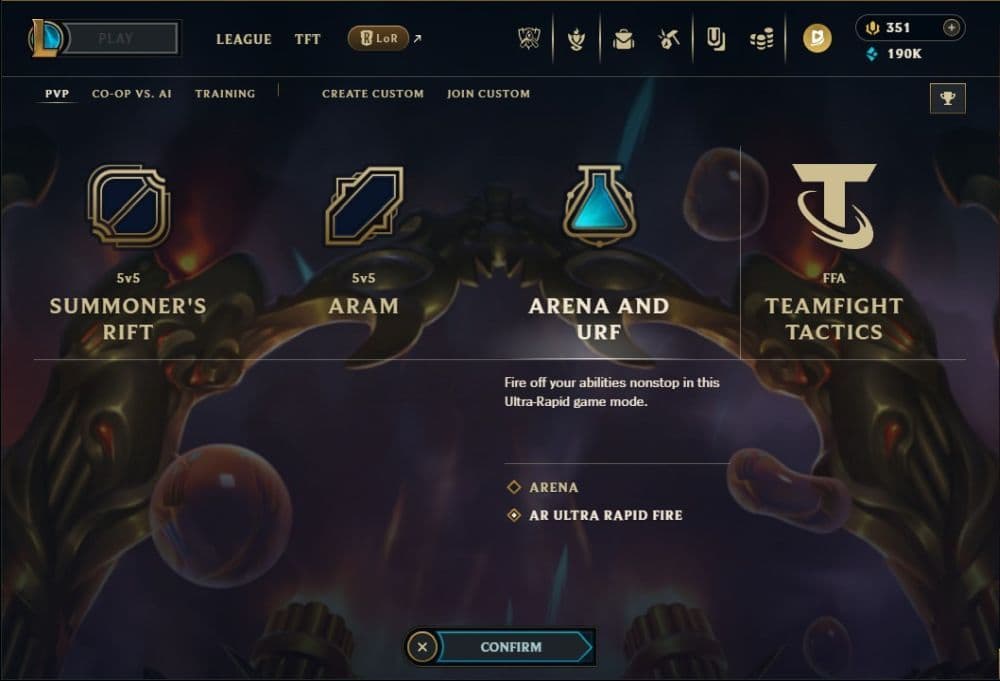
WASD is still in beta, so it is only available in non-competitive modes. You can enable it in:
- Tutorial
- Practice Tool
- Custom Games
- Swiftplay
- ARAM
- Arena
- ARURF and other rotating modes
You cannot use WASD in Normal Draft or Ranked, and Riot has not announced a date for competitive support. The current rollout helps Riot gather feedback before Season 16.
How to turn on WASD in League of Legends (step by step)
You can switch to the WASD input method directly from an in-game settings menu. Follow these steps:
- Enter a supported mode: Open Practice Tool or a Custom Game to test safely.
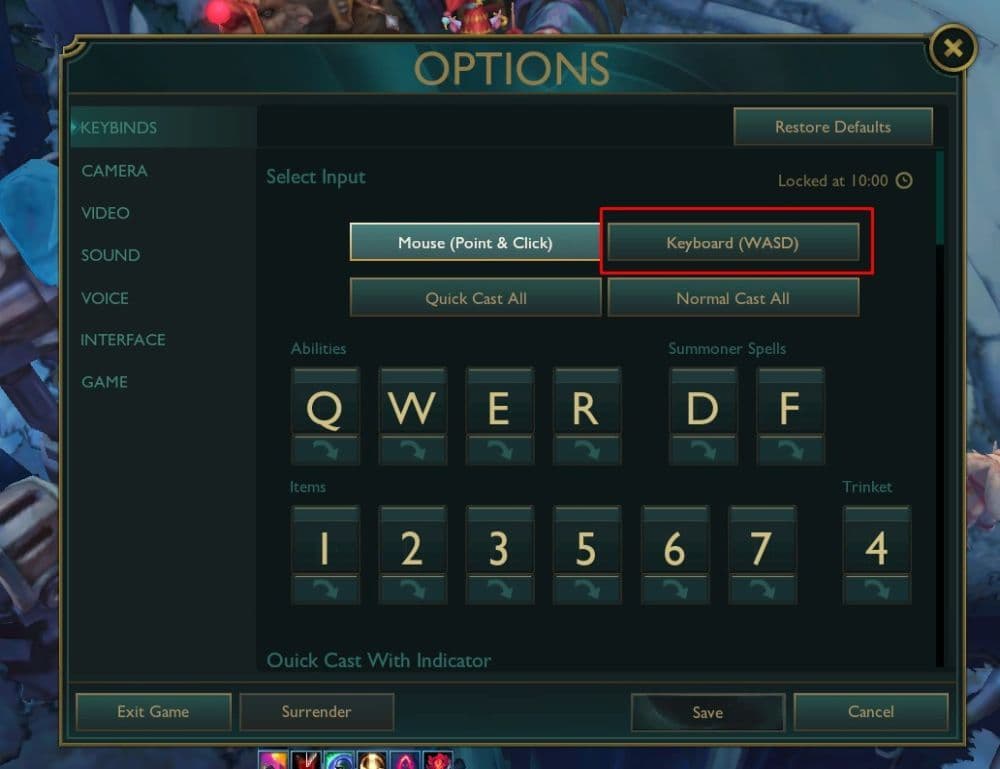
- Press Esc to open Options
- Go to Hotkeys / Keybinds
- Find the input method selector
- You will see two options:
- Point & Click
- Keyboard (WASD)
- Select Keyboard (WASD)
- Save your settings: LoL stores binding profiles separately, so you can switch back without losing your original layout.
After activation, the game automatically enables Dynamic Camera, which keeps your champion centered. You can adjust camera speed or turn Dynamic Camera off if you prefer more manual control.
Default WASD keybinds and what each key does
League of Legends assigns a full set of actions to the keyboard when WASD mode is active. The default layout includes:
- Movement: W / A / S / D
- Left-click (MB1): Confirm Cast
- Right-click (MB2): Ability 1
- Shift: Ability 2
- E: Ability 3
- R: Ultimate Ability
- Q: Summoner Spell 1
- F: Summoner Spell 2
- C: Cancel Cast
- You can also enable an optional mechanic that moves your champion at a 45-degree angle, which aligns better with the map layout and lane direction.
All bindings can be customized independently of your standard point-and-click setup.
How to play League of Legends with WASD controls
Here is what you should know before you turn this setting on and start playing the game:
Basic movement and camera handling
The WASD keys act as direct input for champion movement. You no longer rely on clicking the ground. Dynamic Camera will follow your champion automatically so you do not lose track of your position.
If the camera feels too fast, the speed slider in the Camera settings helps you slow it down. You can also disable Dynamic Camera entirely for a more traditional manual-scroll experience.
Ability casting, attacking, and kiting
With WASD enabled:
- You still aim using your mouse.
- You cast abilities using their assigned keys.
- You attack by left-clicking enemies or minions.
This creates a hybrid playstyle: movement on the keyboard, actions on the mouse. Many players experiment with quickcast settings to increase responsiveness.
Practicing WASD in low-pressure modes
To build comfort, start with:
- Practice Tool to learn last hitting and directional movement.
- Swiftplay for controlled skirmishes.
- ARAM or Arena for constant combat and spacing practice.
These modes help you develop muscle memory before trying faster champions.
Advantages and disadvantages of playing LoL with WASD movement
For long-time League of Legends players, the new WASD movement setting can be confusing. Here are some of the advantages and disadvantages this new setting has:
Advantages
- Familiar layout for new players: Many players coming from shooters or action games instantly understand WASD movement.
- Better dodging: WASD allows smoother sidesteps and reactive movement against skillshots.
- Accessibility: Less reliance on fast mouse flicking.
- Improved kiting: ADCs and ranged champions often benefit from tighter spacing and defensive movement patterns.
Disadvantages
- Champion restrictions: Some champions do not work well with WASD because of how their abilities interact with movement (Briar, Taliyah, Bard, Malzahar).
- Not available in Ranked: Competitive queues remain point-and-click only.
- Diagonal movement learning curve: Moving at angles feels different and can require practice.
- Muscle-memory reset: Veteran players may struggle to adapt after years of right-click movement.
Should you switch to WASD or stay with point-and-click?
WASD is a great option if you are new to League or if you want to experiment with a more direct movement style. Players who enjoy ARAM, Arena, or casual modes can get the most value from it right now.
If you are a long-time player with established mechanics, or if you mainly focus on Ranked, it may make sense to test WASD occasionally rather than fully switching. The feature is still evolving, so future updates may refine the experience further.
Check out more of our League of Legends guides below:
- The Best Beginner Champions In League Of Legends
- Is League Of Legends Free To Play?
- What Are Eternals In League Of Legends?
- How To Get Mythic Essence In League Of Legends
- Can I Play League Of Legends On Mac? Let’s Find Out How To Download LoL For Mac
Featured Image Credit: Riot Games
All Related Guides
 What is low priority queue in League of Legends and how to fix itGot a 10-minute low priority queue in League of Legends? Learn how many games it lasts and what resets the pen...
 Guide to League of Legends Partner ProgramLeague of Legends Partner Program guide: benefits, requirements, application dates, Creator Hub access, and ho...
 Client Server version mismatch League of Legends error fix guideHow to fix Client Server version mismatch League of Legends error: causes, quick LoL fixes, repair tool, reins...
 Why am I getting low FPS on high-PC in LoL and how to fix itLeague of Legends low FPS on high end PC can have simple causes. Learn the best fixes for stutter, frame drops...
 How to turn on last hit assist in League of LegendsLast Hit Assist in LoL makes farming easier for new players. Learn how to enable it and which modes support it...
 What is omnivamp in League of Legends and how does it work?Learn how omnivamp works in League of Legends, how it differs from lifesteal, and which items currently give t...
 How to get more Silver Shields in LoL Demacia RisingLearn how to farm Silver Shields in LoL Demacia Rising with a simple plan: daily goals, weekly rewards, and ef...
 LoL Demacia Rising guide: Everything you need to know about Act 1LoL Demacia Rising guide: learn how to launch it, manage turns, resources, combat, champions, mobs, and unlock...
- 1
- 2
- 3
- 4
- 5