Can I see my League of Legends match history?
Looking for your match history? Here are your options in League of Legends.
Looking back at your past games has always been a great way to improve. Match history lets players see their stats, champion choices, and gameplay details. It helps identify strengths and weaknesses, so players can focus on getting better. People wonder whether they can see their match history in League of Legends or not. Here are all the answers you are looking for!
Can I see my old match history in League of Legends?
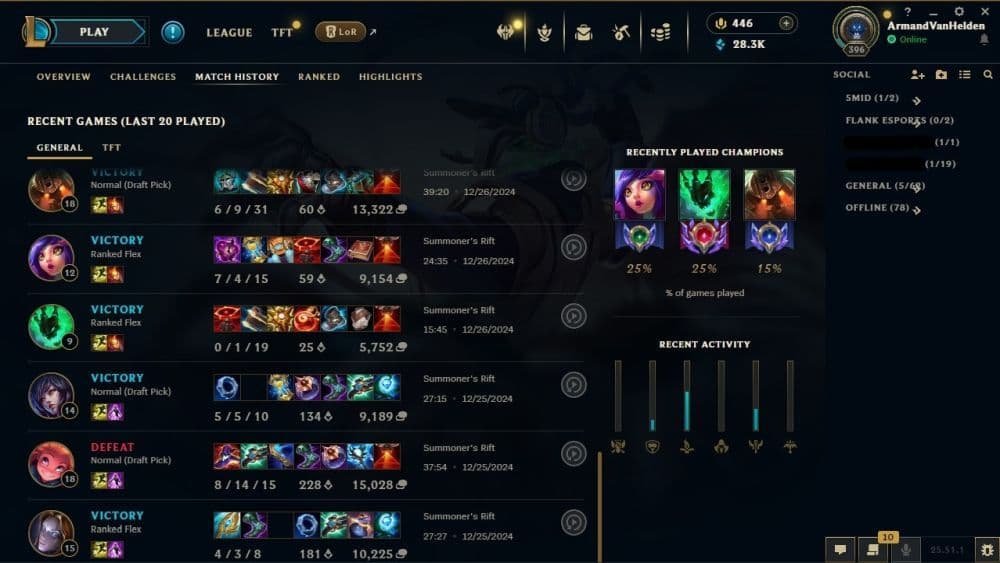
League of Legends came out many years ago and since the very early days of the game, players can track their past games using the match history feature in the game client. This tool shows details about previous matches, such as kills, deaths, assists, and the items used during the game. It is a helpful way to evaluate performance and learn from past games.
Before 2021, Riot Games also offered an online service to view match history on their official website. However, this option is no longer available, announced in a blog post. Now, players must rely on the in-game client or use third-party platforms.
Websites like OP.GG, Mobalytics, and Porofessor allow players to access match history and get additional insights. These platforms show data such as champion stats, win rates, and player rankings. They are widely used by the League of Legends community to review games in greater detail.
How to see League of Legends match history
The easiest way to view your match history is through the League of Legends client. Here’s how you can do it:
- Open the Client: Log in to your League of Legends account.
- Go to Your Profile: Click on the profile icon at the top of the screen.
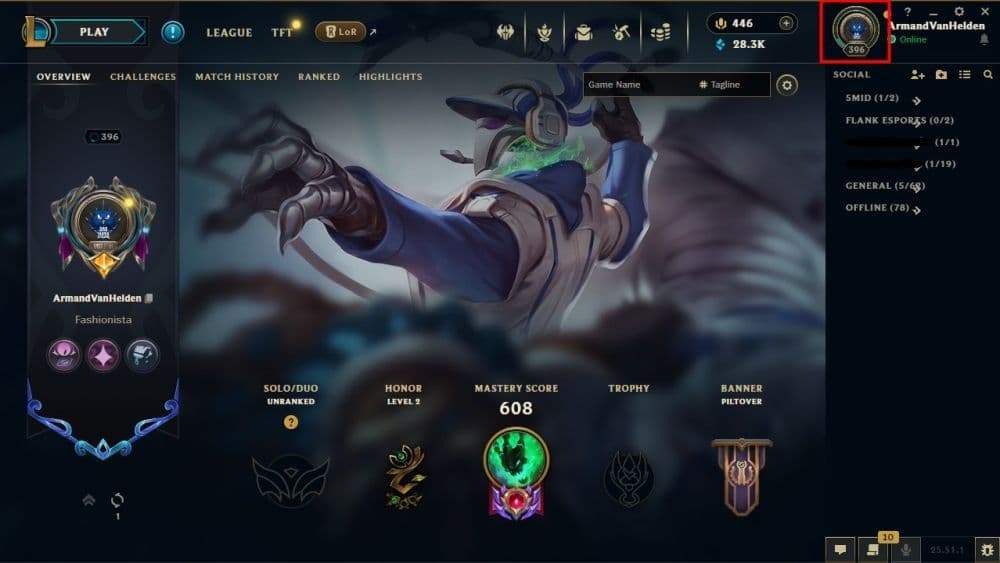
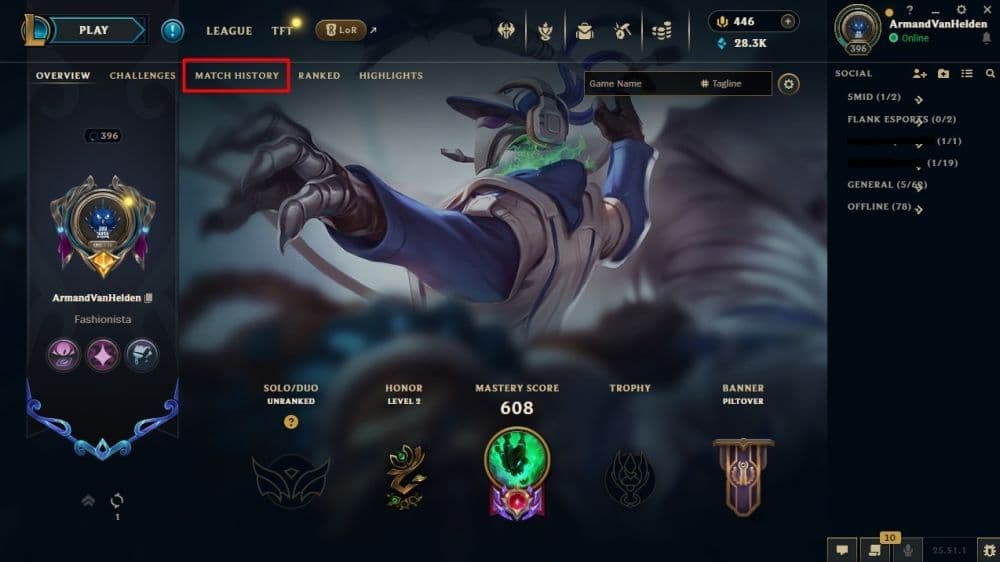
- View Match History: Select the "Match History" tab in your profile. You will see a list of your recent games.
If you need more detailed statistics, third-party websites can help. Follow these steps to check your match history on platforms like OP.GG:
- Go to the Website: Open a platform like OP.GG or Mobalytics in your browser.
- Search Your Summoner Name: Enter your username in the search bar.
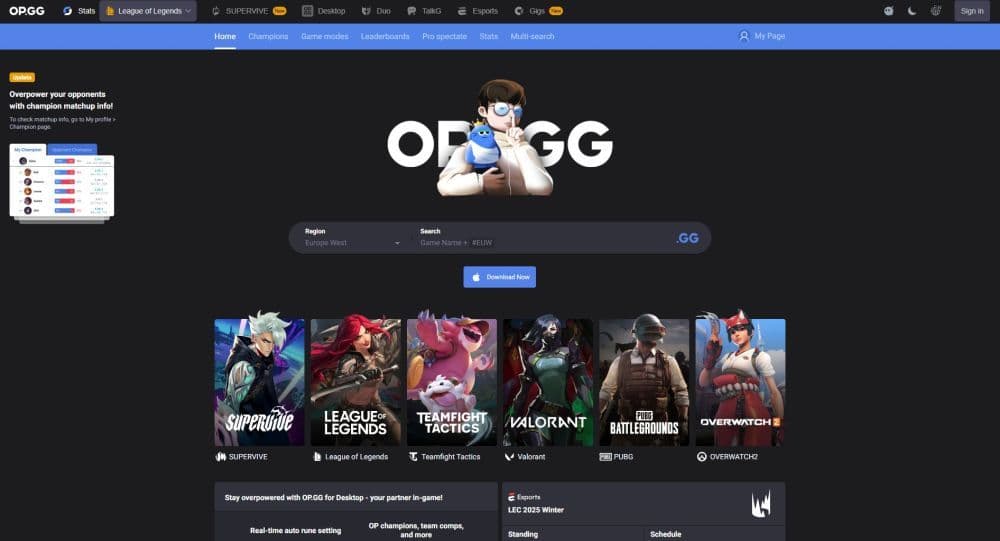
- Review Your Data: Once your profile appears, explore the match history, champion stats, and performance metrics.
These third-party tools provide extra information that the in-game client does not, such as lane performance and advanced analytics.
How to turn off match history in League of Legends
League of Legends does not allow players to turn off their match history. Every game you play is recorded and can be viewed through the client or third-party websites. Riot Games does not provide an option to disable this feature.
How to hide your League of Legends match history
You cannot completely hide your match history in League of Legends. However, you can block specific players to stop them from viewing your profile or interacting with you. To block someone, follow these steps:
- Open the Client: Log in to your account.
- Find the Player: Search for the player’s username in the client.
- Block Them: Open their profile and select the block option.
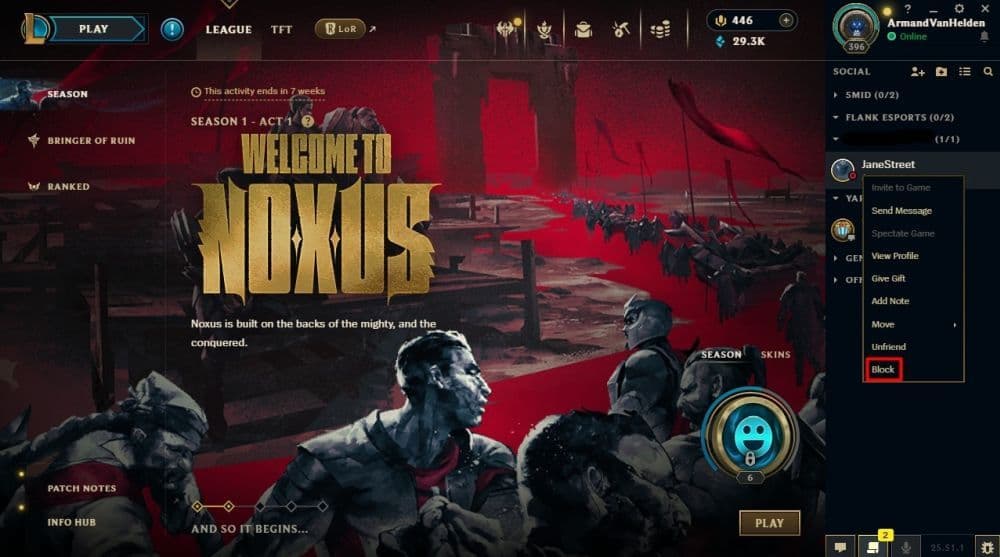
Blocking a player prevents them from accessing your profile, but it does not remove your match history from public platforms or the client.
How to delete match history in League of Legends
Match history cannot be deleted in League of Legends. Riot Games keeps this data linked to your account for as long as it is active. However, some third-party platforms, such as OP.GG, remove inactive accounts after a few months.
If you stop playing the game for an extended period, your data may no longer appear on these websites. However, the in-game client will always show your match history, even if you haven’t played for a long time.
How to check someone's match history League of Legends
You can view another player’s match history in two main ways:
Using the Game Client:
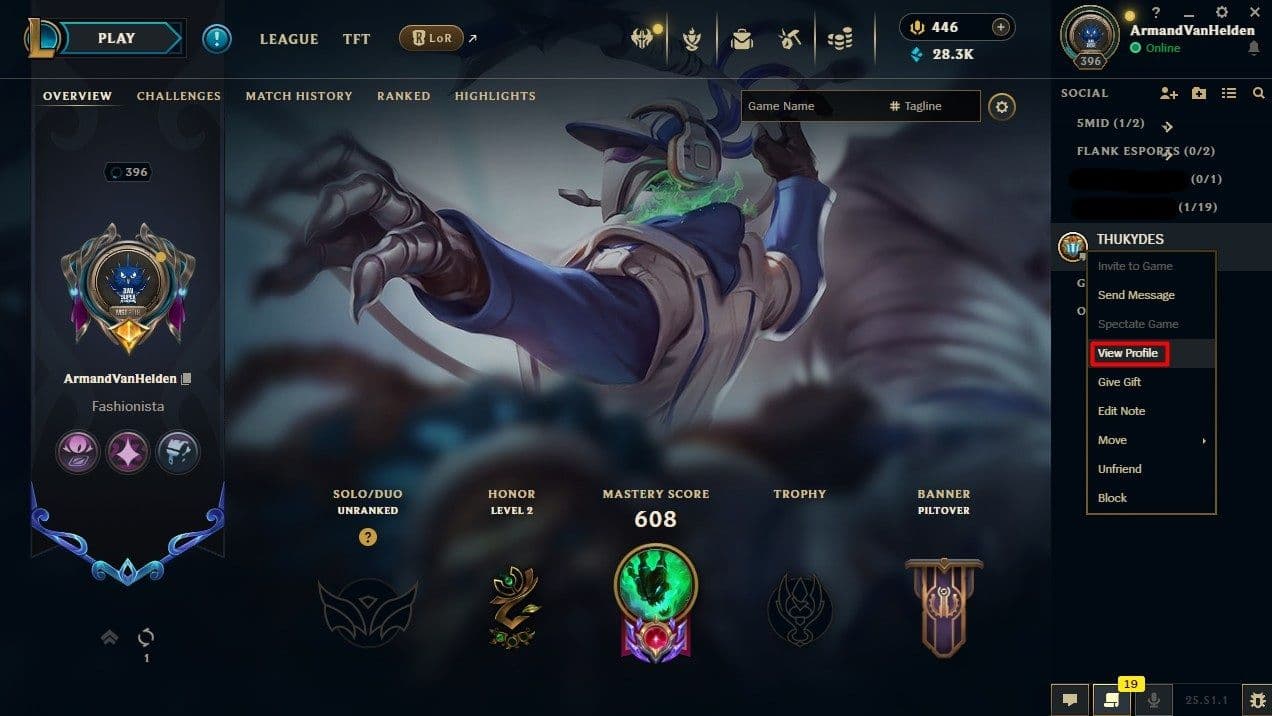
- Find the player: Find the player’s profile either through the search client or from your friends list.
- Open Their Profile: If their profile is not blocked, you can view their match history in the same way you check your own.
Using Third-Party Websites:
- Visit a Platform Like OP.GG: Open a trusted website in your browser.
- Search Their Name: Enter the summoner’s username.
- Check Their Stats: Browse their recent matches, performance metrics, and champion stats.
Where can I find my LoL replays?
You can find your League of Legends replays in the client and on your computer. First, open the LoL client and click on your profile. Go to the match history tab and look at your recent games. If a game has a replay available, you will see a download icon next to it. Click the icon to download the replay.
Once downloaded, the replay file saves to your computer in this folder: C:\Users[YourName]\Documents\League of Legends\Replays
Can I see my LoL playtime?
League of Legends does not show total playtime in the game client. However, you can check it using third-party websites. One of the most popular tools is Wasted on LoL. Type in your summoner name, and it gives an estimated number of hours you have played.
You can also use sites like OP.GG or Porofessor to see how many matches you have played in each season. Then, you can multiply the average game time to guess your total hours.
Match history is an important tool for every League of Legends player. It helps you see how well you performed and where you can improve. While it can’t be turned off or erased, it’s easy to access and analyze through the client or other tools. Here are more League of Legends guides:
All Related Guides
 How to remove tokens in League of LegendsLearn how to remove tokens in League of Legends, clear Challenge Tokens from your profile, and fix them if the...
 2026 Riot Games parental controls update (LoL, VALORANT & TFT)Learn how Riot Games parental controls (2026) work for League of Legends, VALORANT, and TFT, including setup, ...
 How to disable Parental Controls in League of Legends (2026 update)Learn how to disable Riot's League of Legends parental controls, who can remove Parent Permissions, and what t...
 How to change the install path in League of LegendsFind the League of Legends install location and move the game safely to a new drive with this clear step-by-st...
 League of Legends player lookup: How to check an accountCheck a LoL account with a League of Legends player lookup tool and learn what Riot ID, match history, rank, a...
 How to link your Twitch account to League of LegendsWant League of Legends Twitch drops? Learn how to connect your Riot Account, watch eligible streams, and claim...
 What is low priority queue in League of Legends and how to fix itGot a 10-minute low priority queue in League of Legends? Learn how many games it lasts and what resets the pen...
 Guide to League of Legends Partner ProgramLeague of Legends Partner Program guide: benefits, requirements, application dates, Creator Hub access, and ho...
- 1
- 2
- 3
- 4
- 5
- 6