Advanced Custom Enchantments in Minecraft: Features, Configuration, and Server Integration
Expanding the features of enchantments in Minecraft.
Minecraft offers powerful tools for server customization, and the Custom Enchantments 3 plugin is one of the best options if you are looking for something new in your Minecraft world. Instead of using basic enchantments, players can unlock new powers based on the roles they choose. Everything happens on the server side, and players can use in-game commands or shop interfaces to access custom enchantments and skills. In this Minecraft guide, you will find everything you need to know to get started.
What is the Minecraft custom enchantments plugin?
The Custom Enchantments 3 plugin replaces Minecraft’s default enchantment system with a class-based RPG structure. Players unlock skills and enchantments by leveling up through combat, mining, and quests. After level 10, they choose a class: Warrior, Archer, or Wizard, each with unique abilities.
The plugin adds over 50 enchantments, a skill system, a custom currency (RACO), and a quest feature. Players buy enchantments through shops instead of using the vanilla system and recipes. It also includes rankings, allies, and crafting through progression.
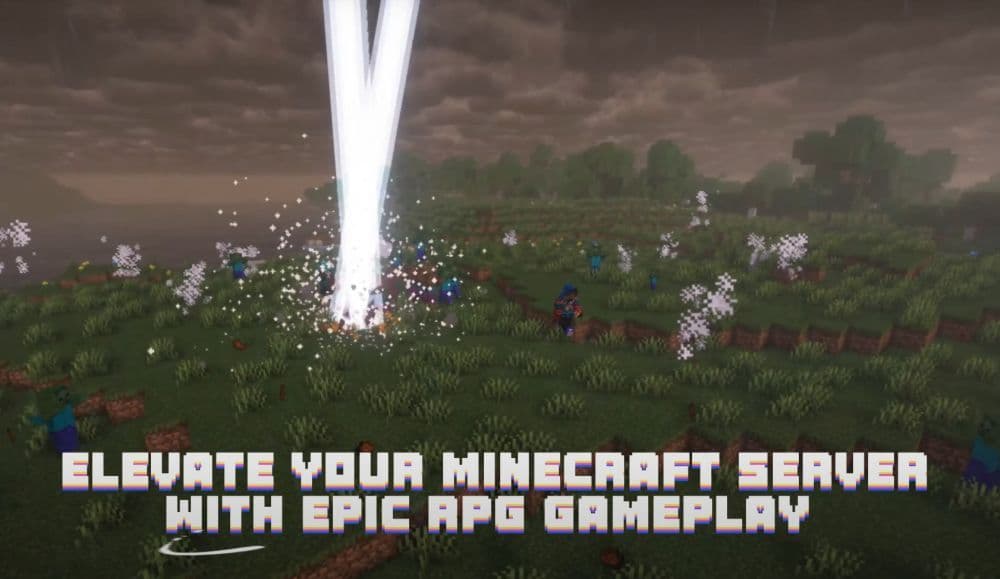
Designed for Spigot and Paper servers, it works server-side without mods. The plugin turns basic survival into a more controlled and rewarding RPG experience.
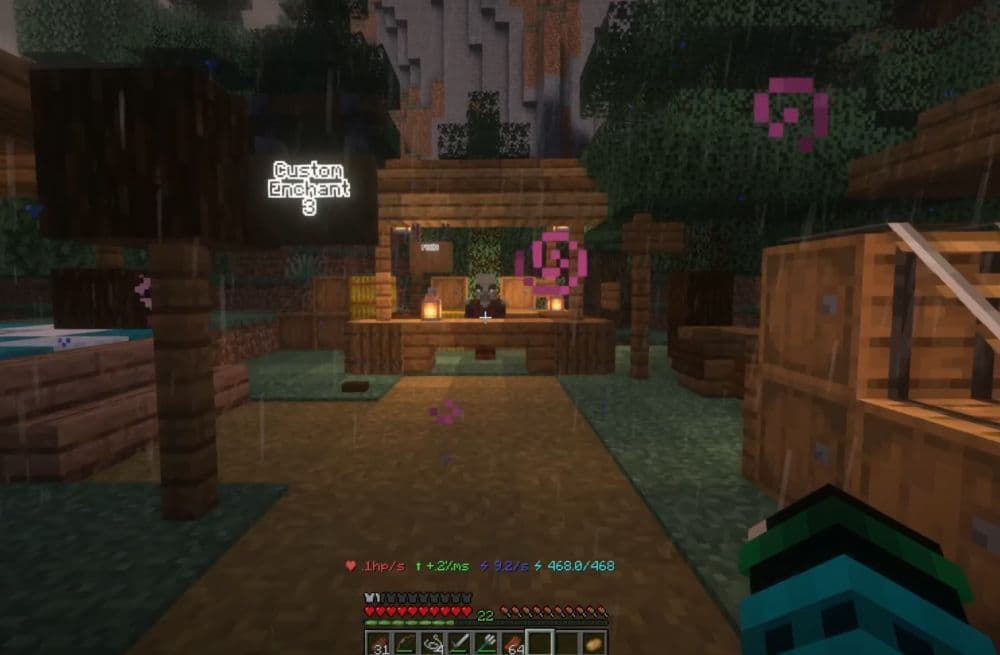
How does the plugin work?
The Custom Enchantments 3 plugin brings structure and progression to Minecraft servers. It replaces random enchantments with a full RPG system, where players earn and unlock new powers through gameplay. Here’s a quick breakdown of what it adds and how it works:
- Replaces vanilla enchanting with a skill-based system
- Players gain XP by killing mobs, breaking blocks, and finishing quests
- Each level grants attribute points for Strength, Agility, or Intelligence
- Every 10 attribute points unlocks 1 skill point for class-specific upgrades
- Players choose between Warrior, Archer, or Wizard at level 10
- Introduces RACO currency earned through quests and gameplay
- Enchantments and gear are bought through in-game shops, not tables
- Shops and quest NPCs are placed using simple admin commands
- No mods required; works fully server-side on Spigot and Paper
- Designed for servers focused on progression and custom enchantment crafting
All the features it adds
Here is a look at all the features this plugin adds:
Player Classes
Players choose one of three classes: Warrior, Archer, or Wizard. Each class unlocks unique enchantments and skills.
- Warrior: Uses sword enchantments and focuses on Strength.
- Archer: Uses bow enchantments and focuses on Agility.
- Wizard: Uses magic enchantments and focuses on Intelligence.
Players must reach level 10 before they can select a class.
Skill and Attribute System
Players gain attribute points by leveling up. They use these points to improve
Strength, Agility, or Intelligence. Each attribute improves different aspects of the character.
- Strength: Increases melee damage and defense.
- Agility: Improves speed and critical chance.
- Intelligence: Boosts mana regeneration and magic damage.
Every 10 attribute points give 1 skill point. Skill points unlock abilities tied to the player’s chosen class.
Custom Enchantments
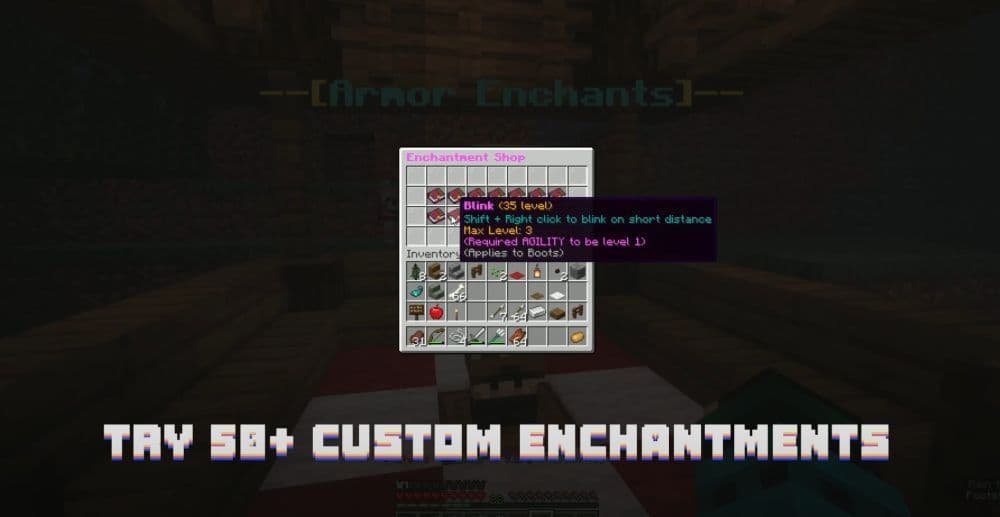
The plugin includes over 50 enchantments. These are not the same as vanilla enchantments. Some provide passive buffs, while others are active skills like Berserk or Mana Charge. These enchantments offer more variety and allow players to customize their combat style.
Custom Enchantments Crafting System
Instead of using the enchantment table, players use RACO currency or complete quests to unlock enchantments. The plugin supports in-game shops where players buy enchantments based on their class and progression, instead of classic enchantments like Density.
Currency and Quests
The plugin includes a built-in economy system. Players earn RACO through quests, fights, and events. RACO is used to buy enchantments or trade with shop NPCs. Admins can set up quests to give rewards and add structure to the game.
Shops and Quest NPCs
Admins can place shops or quest NPCs in the world using commands. NPCs can sell enchantments, offer quests, or exchange currency. Each shop has a role, such as Sword Shop, Bow Shop, or Magic Shop. The plugin also allows players to track active quests and see NPC locations.
Rankings and Allies
Players can check the top 10 players on the server. They can also add other players as allies and form teams. This system helps create cooperation and competition within the server. Check out our Minecraft servers guide if you want to know more about how they work.
How to get the Minecraft custom enchantments plugin
Follow these steps to download and install the plugin:
- Step 1: Go to the plugin’s page on Spigot: Custom Enchantments 3 or the official Wiki page.
- Step 2: Download the latest version of the plugin .jar file.
- Step 3: Upload the .jar file to your server’s /plugins folder.
- Step 4: Restart your server to activate the plugin.
- Step 5: Open the config.yml file to change any settings you need.
- Step 6: Use /ce help in-game to start setting up classes, shops, and quests.
No mod installation is required for players. All features work through the server.
Server requirements
Check out the minimum server requirements below:
Minimum Requirements:
- CPU: 1GHz with at least 2 cores
- RAM: At least 2GB
- Storage: At least 1GB
- Network: At least 3 Mbps
Note: The premium version of the plugin does not work on Aternos. You must have a dedicated server to access all features.
Supported Server Software:
- SPIGOT: Minecraft 1.16 – 1.21+ (recommended)
- PAPER: Minecraft 1.16 – 1.21+
All plugin commands
Here are all the commands you can use in the Minecraft custom enchantment plugin and what they do:
Featured Image Credit: Jaymar921 on YouTube
All Related Guides
 How to start a raid in Minecraft: Java and Bedrock guideLearn how to start a raid in Minecraft Java and Bedrock, get Ominous Bottles, trigger Raid Omen, prepare villa...
 How to breed frogs in MinecraftBreed frogs in Minecraft with this simple guide to slimeballs, frogspawn, tadpoles, frog variants, and common ...
 Best Minecraft PS5 seeds in 2026 - Version 26.2Discover the best Minecraft PS5 seeds in 2026, with strong Bedrock worlds for survival and creative projects....
 Best Minecraft PS5 seeds in 2026 - Version 26.2Find the best Minecraft PC seeds in 2026, with great worlds for survival, villages, building, exploration, and...
 Top 5 Minecraft 26.1 seeds you must try todayFind the best Minecraft 26.1 seeds for villages, rare biomes, island survival, and creative builds, with seed ...
 How to turn on keep inventory in MinecraftUse the correct Keep Inventory command in Minecraft and learn how it works across Java, Bedrock, servers, and ...
 How to breed tropical fish in MinecraftCan you breed tropical fish in Minecraft? Here is the clear answer, plus how to catch, move, and use tropical ...
 Minecraft Chaos Cubed guide: Everything new in the 2026 updateExplore everything new in Minecraft Chaos Cubed, including Sulfur Caves, Sulfur Cubes, geysers, new blocks, co...
- 1
- 2
- 3
- 4
- 5
- 6
- 7
- 8
- 9