
What does ADR mean in CS2? Average Damage per Round explained
ADR is an important stat in CS2. Here's what it means, how it's calculated, and how important it REALLY is.
Reviewed by: Naim Rosinski
What does ADR mean in CS2? It’s a key stat that reflects your impact in each round of Counter-Strike 2 by tracking the damage you deal to opponents. In this guide, we’ll explore how ADR is calculated, why it’s important, and practical tips to help you improve your performance and contribute more to your team’s success.
What does ADR mean in CS2?
In Counter-Strike 2 (CS2), ADR stands for Average Damage per Round. It measures how much damage you deal to enemies on average during each round of a match. ADR is a useful stat because it shows how much you’re contributing to your team’s success, even if you’re not getting a lot of kills.
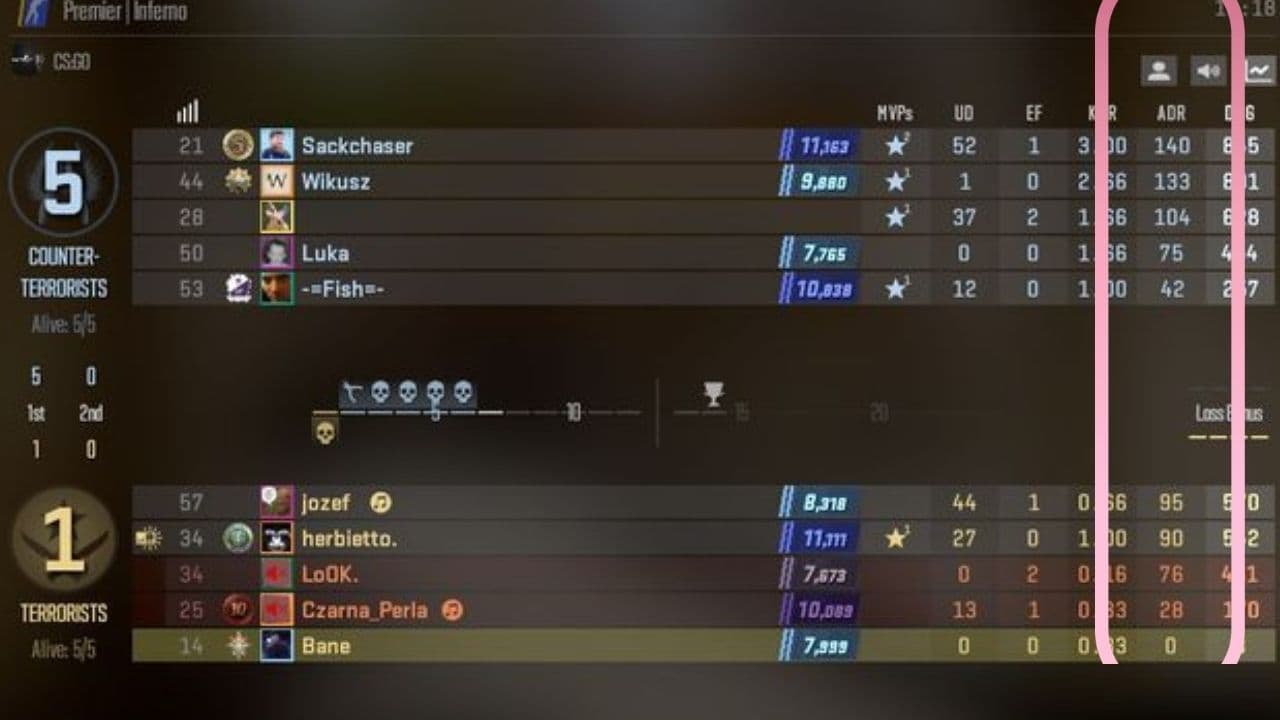
Your ADR includes:
- Bullet Damage from guns like rifles, pistols, or SMGs.
- Grenade Damage from utilities like explosive grenades or molotovs.
- Knife Damage, though this is rare.
It does not include:
- Damage to teammates.
- Damage you do to yourself (e.g., if you get hit by your own grenade).
How is CS2 Average Damage per Round calculated & how can you improve it in Counter-Strike 2?
Average Damage per Round is calculated using this formula: ADR= Total Damage Dealt/Rounds Played
Here’s how it works:
- Total Damage Dealt: This is all the damage you do to opponents using weapons or grenades in a match. It doesn’t include damage to teammates or yourself.
- Rounds Played: The number of rounds that have been completed in the match.
A good ADR is typically 70–80, showing solid contribution, while 80–95 is excellent, and 95+ is outstanding performance. Players below 60 should focus on improving aiming and utility usage.
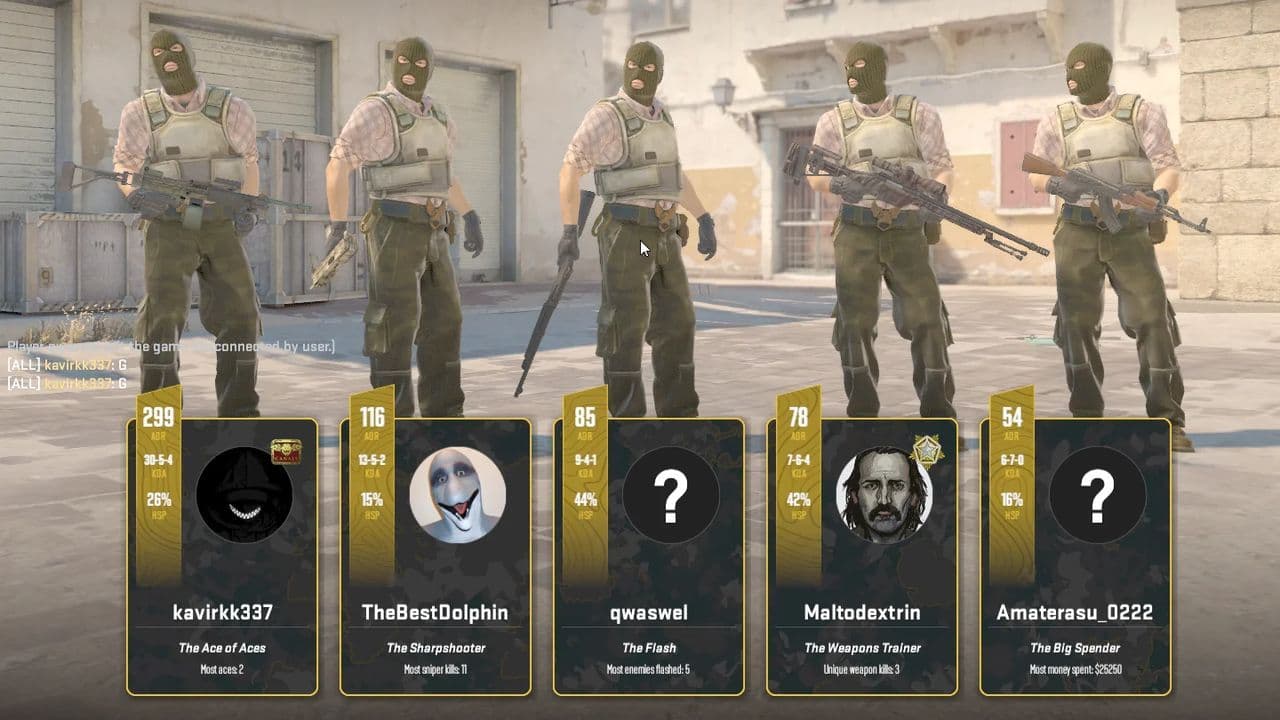
Roles affect ADR, with snipers (AWPers) often having higher numbers due to high-damage weapons, while support players may have lower ADR as they prioritize assisting teammates with smokes and flashes over direct damage.
To improve your ADR in CS2, focus on precise aiming by keeping your crosshair at head level and pre-aiming common enemy spots. Practice burst and tap firing to control weapon recoil and maintain accuracy. Use grenades wisely to deal area damage and deal chip damage. Also, map knowledge is great and comes with time. On maps, use sound cues like footsteps to anticipate movements and time your firefights. Finally, study professional players to adopt their strategies for positioning, utility usage, and when to enter 1v1 fights, helping you deal consistent damage and boost your performance (and ADR!).
How to check ADR in CS2
You can see your ADR during or after a game:
- During the game:
- Press the TAB key to open the scoreboard.
- Look for the ADR column (it might say “DMG per Round”).
- After the game: At the end of the match, CS2 shows your ADR in the detailed performance summary.
ADR vs other stats
ADR shines because it reflects both combat effectiveness and overall contribution in a way KDR often cannot. For example, a player with a high ADR but low KDR is still valuable to their team.
That’s all! Looking for more CS2 guides? Scroll down:
Meet Eray, a tech enthusiast passionate about AI, crypto, gaming, and more. Eray is always looking into new developments, exploring unique topics, and keeping up with the latest trends in the tech industry, and gaming is the sweetest spot.
Eray has been rocking it as a news manager and content creator at spots like, TechBriefly, Gamelevate, Softonic, and various tech realms. Crafting over 2k tech articles, Eray captivated millions of readers for over three years.
Now, over at THESPIKE, Eray is a content writer, blending the love for spinning stories and helpful guides for all-things gaming.
- 1
- 2
- 3
- 4