Everything about Snap Tap in CS2
While this feature was a revolution at first, it is advisable not to even attempt using snap tap in CS2 now. Here's why.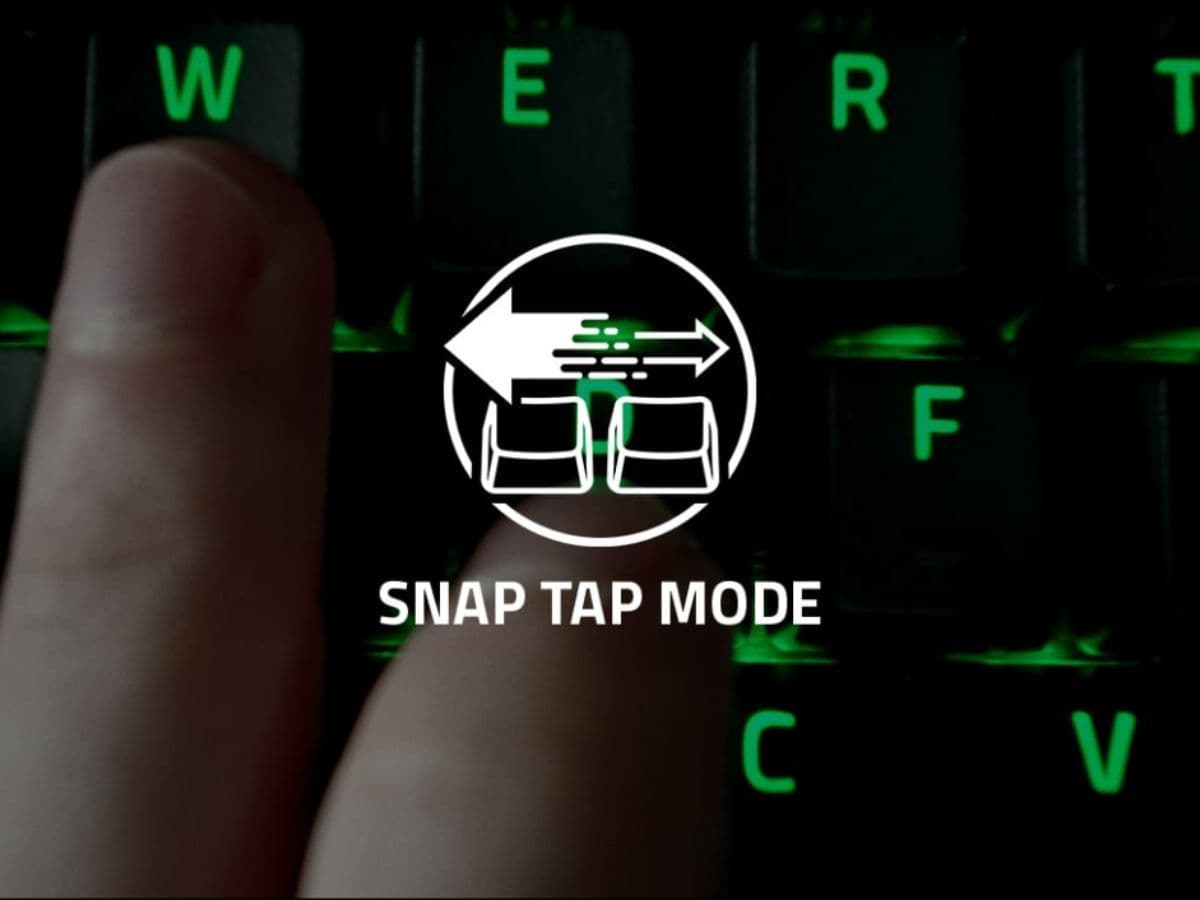
Quick reactions and precise controls make a big difference in competitive games, such as Counter-Strike 2. One new feature that's getting attention is "Snap Tap" in CS2. This feature, found in Razer keyboards, helps players move more smoothly and react faster during games. Is that fair to all players and does Valve allow it? There are many questions about this features an in this piece, we will explore everything you need to know about Snap Tap starting from its basic features, whether it is allowed in official games, which keyboards support it, and more.
What is Snap Tap in CS2?
Snap Tap is a feature in some Razer keyboards that changes how movement keys work during games. Normally, if you press two opposite keys at the same time, like left and right, you won’t move. Snap Tap lets the last key you press take over. This means you can keep pressing the left key and briefly press the right to move right without stopping. This helps players change directions quickly without having to lift their fingers off the keys. It gives an advantage to those who have keyboards with Snap Tap because it allows Razer users to have the upper hand that can be very important in certain scenarios.
Additionally, Wooting keyboards include a feature known as SOCD, short for "Simultaneous Opposing Cardinal Directions." This feature comes into play when two opposite directions (like left and right or up and down) are pressed at the same time on keyboards or controllers, just like Snap Tap. SOCD cleaning determines which input is active, with several options:
- No resolution: Both inputs stay active.
- Neutral: Both inputs turn off.
- Absolute priority: Only one chosen direction is active.
- Last input priority: The last key pressed remains active.
- Last input controlled priority: The first input stops until the last key is released.
Is Snap Tap bannable in CS2?
Valve, the creator of Counter-Strike 2 (CS2), has banned certain features they believe could provide an unfair advantage, including Snap Tap. Valve argues that features like Snap Tap reduce the need for skills such as manual coordination and precise timing, which are crucial to the game. Therefore, they have prohibited the use of this technology in official games to ensure fair play and maintain a high skill ceiling.
The company's decision reflects a broader policy that essential gaming skills should come from the player, not from advanced hardware. Using Snap Tap or (SOCD) in official matches can lead to players being removed from the game. Valve has also disabled specific in-game settings that automate more than one action at a time to avoid accidental rule violations.
This policy aims to keep the game competitive and skill-based. Players who wish to participate in official CS2 matches are advised to disable Snap Tap to avoid any interruptions or penalties during gameplay. In the past, René "TeSeS" Madsen of Heroic used Snap Tap in the opening map against Ninjas in Pyjamas at ESL Pro League Season 20. Despite winning the map, the result was overturned in favor of NiP after the officials discovered the incident.
This doesn’t mean that you can't be the best CS2 player, check out our CS2 beginner’s guide to get better in the game!
Which keyboards support Snap Tap?
Snap Tap is a feature found in several Razer keyboard models, designed to improve gameplay. It allows players to execute movements more smoothly by enhancing key responsiveness. The keyboards equipped with this feature are:
- Razer Huntsman V3 Pro: This full-size, wired keyboard includes an LED display, volume control, two macro keys, and a media key, offering players many customization options.
- Razer Huntsman V3 Pro TKL: Similar to the full-size version but without a numeric keypad, this model is great for gamers who need more space on their desk or prefer a smaller keyboard.
- Razer Huntsman V3 Pro Mini: The smallest option, this 60% keyboard maximizes desk space, making it ideal for gamers who need extensive mouse movement or who travel frequently.
These models are compatible with the Razer Synapse 4 software, which is necessary to activate the Snap Tap feature, showcased directly on the official Razer website. However, the lineup doesn’t end there. As of September 2024, the features was made available on Razer keyboards dating back to 2014, such as the Huntsman V2 Analog and Huntsman Mini Analog, and also on compatible Razer Blade laptops. As of September 2024, all these devices support Snap Tap.

How does Snap Tap work?
Snap Tap improves how quickly and smoothly you can move in games. Without Snap Tap, pressing both left and right keys at once stops your character. With Snap Tap, the game recognizes the last key you pressed, so you can switch directions immediately. This is especially useful in CS2, where you need to be quick. Razer, the company behind this feature, recommends using it with another setting called Rapid Trigger mode. This combination makes your reactions even faster, helping you move and counter moves quickly during intense game moments.
How to activate Snap Tap
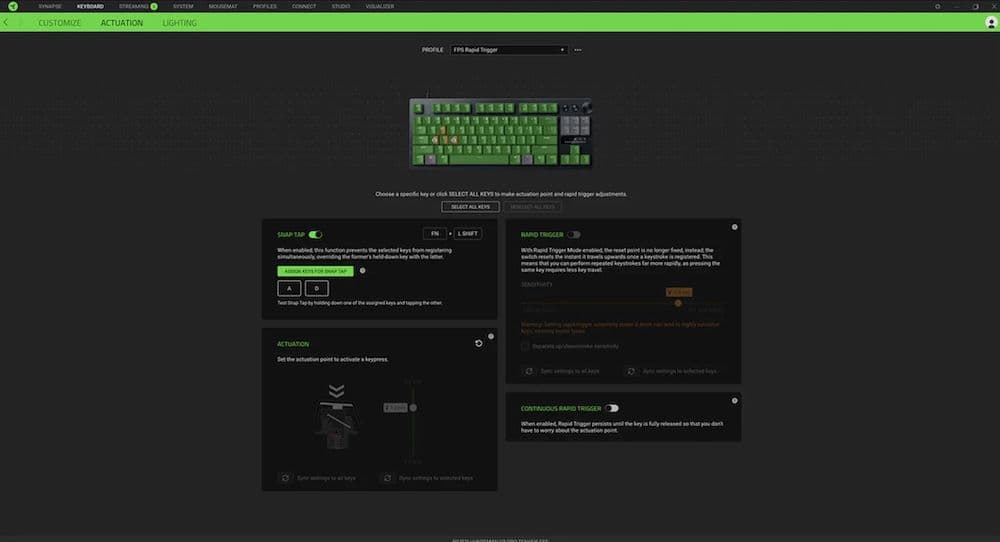
Turning on Snap Tap is easy if you have a compatible Razer keyboard. You can enable it using the Razer Synapse software, or simply by pressing FN + Left Shift on your keyboard. The keys used for Snap Tap, usually 'A' and 'D', will light up in white when it’s on and turn red when it’s off. To make sure everything works smoothly, keep your keyboard’s software and firmware updated.
Did CS2 remove Snap Tap?
Yes, CS2 no longer allows Snap Tap, as explained above. Valve blocked hardware and key binds that let players use more than one movement or attack command at once. This change stops automated strafing and other fast actions that gave unfair advantages. Players who try to use Snap Tap on official servers can get removed from the match.
Snap Tap is a new feature that can change the way players interact with games by making controls quicker and movements smoother. Howeveri it is not available in any of the Valve or ESL tournaments so if you are dreaming of buying a Razer keyboard and taking advantage of this feature in the game, you will have to bid farewell to the dream. ESL and Valve banned Snap Tap and you can’t use this feature in any of the national or international tournaments held by these organizations.
While Snap Tap provides significant benefits in terms of responsiveness and ease of movement, CS2 players must disable this feature in official games to comply with Valve's regulations and avoid disruptions during their matches. Don’t forget to check out more of our CS2 guides:
All Related Guides
 Valve introduced Animgraph 2 for CS2 and here are all of the changesAnimgraph 2 is now live in CS2. Here is what changed, how it affects weapon animations, and what players shoul...
 How to change FOV in CS2: Best viewmodel commandsChange your CS2 FOV the right way with simple console commands, viewmodel settings, and clear tips for better ...
 New CS2 music kits: Guide to NIGHTMODE II CollectionNew CS2 music kits guide: NIGHTMODE II collection, all tracks, MVP anthems, artists, and best kits for every p...
 nocries CS2 settings: The Faceit prodigyFind the latest nocries CS2 settings with his DPI, sensitivity, stretched resolution, viewmodel, and crosshair...
 How to copy a crosshair in CS2Copy a crosshair in CS2 in seconds with this simple guide covering share codes, settings, and easy fixes for i...
 How to bind noclip in CS2Want to know how to bind noclip in CS2? This guide explains the command, setup steps, and common fixes in a cl...
 How to defuse the bomb in CS2 and what to do if you can’t defuse itWondering how to defuse bomb in CS2? This guide explains the defuse key, bomb timer, kit timing, and why defus...
 Why is my FPS low and how to boost FPS in CS2: Guide for older and problematic systemsLearn how to boost FPS in CS2 with simple settings, PC tips, and fixes to make Counter-Strike 2 run smoother a...
- 1
- 2
- 3