How to build a rising door in LEGO Fortnite
If normal doors are simply not enough for you, then automating them is a cool thing to do!
LEGO Fortnite blends building and gaming in a way that encourages players to improve their in-game structures. Rising and automatic doors are simple examples of it. These doors not only secure bases but also add a realistic touch to the buildings. Let’s go over everything you need to know about rising and automatic doors in LEGO Fortnite!
How to make a rising door in LEGO Fortnite
To create a rising door in LEGO Fortnite, you must follow specific steps and use certain materials to ensure the door looks good and works well. Here is a step-by-step guide for you:
- Choosing the Right Walls: Begin with the right materials. Wood or granite-style walls are best because they are strong. Do not use snow biome walls. Their hooks at the top can interfere with the door mechanism.
- Initial Wall Setup: Line up three castle walls. Remove the middle wall to make space for the door. Behind this, add another wall with a two-square gap for the door mechanism.
- Second Level Construction: Do the same as the first level, making sure to cover any gaps to keep the structure stable.
- Creating the Automatic Door: Above the doorway, place a wooden foundation that aligns with the center. Attach smaller castle doors to this foundation, extending them to cover the opening.
Adding Mechanisms for Automation:
- Balloons: Put balloons on each side of the door to help it lift.
- Tires: Add tires at the bottom of each side to reduce the impact when the door moves and to prevent damage.
- Thrusters: Place small thrusters near the tires to allow the door to open and close on its own.
Final Steps:
- Removing the Foundation: After setting up all mechanisms, remove the wooden foundation so the door works properly.
- Top Structure: Add a strong roof, like Castle Floor 2, to keep the wall from moving unexpectedly.
- Activation Switch: Set up a switch at the base of the door for easy use.
- Concealment: Cover the sides of the door with additional walls and castle corners to hide the mechanisms and maintain a neat appearance.
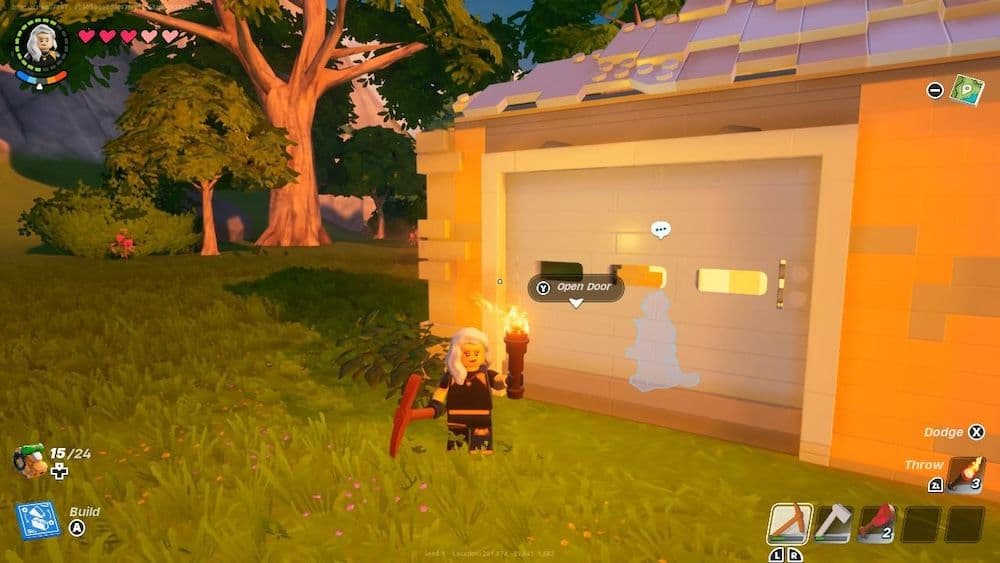
How to make automatic doors in LEGO Fortnite
The steps to build automatic doors in LEGO Fortnite are the same as those for rising doors. These doors use the same materials and construction methods to add both security and convenience to your builds. Key points include:
- Materials Needed: Choose wood or granite-style walls for their stability.
- Construction Steps: Stack walls, create an opening by breaking the middle wall, and establish a solid foundation.
- Mechanics Involved: Use balloons for lifting, tires for stability, and thrusters for automatic movement.
- Final Touches: Hide the mechanical parts with external walls and install activation switches for easy access.
Can villagers open doors in LEGO Fortnite?
Originally, villagers in LEGO Fortnite could not open doors, which limited how they moved within the structures players built. With the v28.10 update from Epic Games, this changed. Villagers can now open doors, which makes the game more interactive and realistic.
If you don’t want villagers to get inside your building or house, you can build a small fence around and jump over it to get inside your garden and building. While it doesn’t sound very pleasing, it is unfortunately the only working method.
Here are more guides for you to take a look at:
FAQs
How to build in any direction in LEGO Fortnite?
Building in any direction is possible through the Directional Building feature. By holding the build button while placing a piece, you can rotate it to align in any desired direction. This flexibility allows for more creative and complex constructions.
How to build upside down in LEGO Fortnite?
To build upside down in LEGO Fortnite, use the Directional Building feature. While placing a piece, press and hold the build button (usually R2 on PlayStation or RT on Xbox). This allows you to rotate the piece freely, enabling upside-down placement. This technique is useful for creating unique structures and designs.
Can you build whatever you want in LEGO Fortnite?
Yes, LEGO Fortnite offers extensive building freedom. You can construct structures, villages, and designs using a wide variety of LEGO pieces.
How to build a village in LEGO Fortnite?
To build a village:
- Choose a location: Select a flat area with access to essential resources.
- Prepare the land: Clear any obstacles and level the ground if necessary.
- Place structures: Begin with basic buildings like homes and workbenches.
- Expand and decorate: Add farms, walls, and decorative elements to enhance the village.
Remember to plan your village layout for optimal space and resource management.
Is LEGO Fortnite suitable for 7-year-olds?
LEGO Fortnite is rated PEGI 7 in Europe and ESRB E10+ in the United States. These ratings indicate that the game is suitable for players aged 7 and above. The game features non-realistic violence aimed at LEGO characters, with no visible injuries or blood effects, making it appropriate for younger audiences.
All Related Guides
 How to get iron in LEGO FortniteFind out where iron spawns in LEGO Fortnite and what you need before entering Frostlands caves for your first ...
 How to get Honed Bamboo in LEGO Fortnite: Complete the recipeIf you are looking to get Honed Bamboo in LEGO Fortnite, this guide is for you. Here are all of the details!...
 How to get ink in LEGO Fortnite: Lighting, ice & earthA clear guide to Ink farming in LEGO Fortnite NINJAGO, with Epic Ink locations, shrine routes, and tips to unl...
 How to get Cord in LEGO Fortnite easily in 3 stepsLearn how to get Cord in LEGO Fortnite with this easy 3-step guide. Gather Vines, build a Spinning Wheel, and ...
 How to find LEGO Fortnite NaNa Village location easilyDiscover how to find and upgrade NaNa Village in LEGO Fortnite easily. Complete quests, recruit villagers, and...
 Where is Haven in LEGO Fortnite? Finding and talking with the villagerWhere is Haven in LEGO Fortnite? Learn her location, unlock Klombo quests, and discover resources!...
 How to find and use LEGO Fortnite essence tomesEssence tomes help you unlock powerful rune recipes in LEGO Fortnite and you can find all the details about th...
 How to get copper bars in LEGO FortniteUnlike other LEGO Fortnite items that are found out in nature, copper bars are “made” with certain items. Here...
- 1
- 2
- 3
- 4
- 5