Minecraft Infested Blocks: What they are and how to get rid of them
These blocks can be a real headache to get rid of in Minecraft.
Minecraft is full of blocks that players use to build, craft, and explore. While most blocks are safe, some hide dangers inside. Infested blocks are one of these traps. They look the same as regular stone or stone variants, but when broken, they release silverfish. Many players come across infested blocks when exploring strongholds or digging underground. We explain what Infested Blocks are in Minecraft, how to avoid and get rid of them!
What is the Minecraft Infested block?
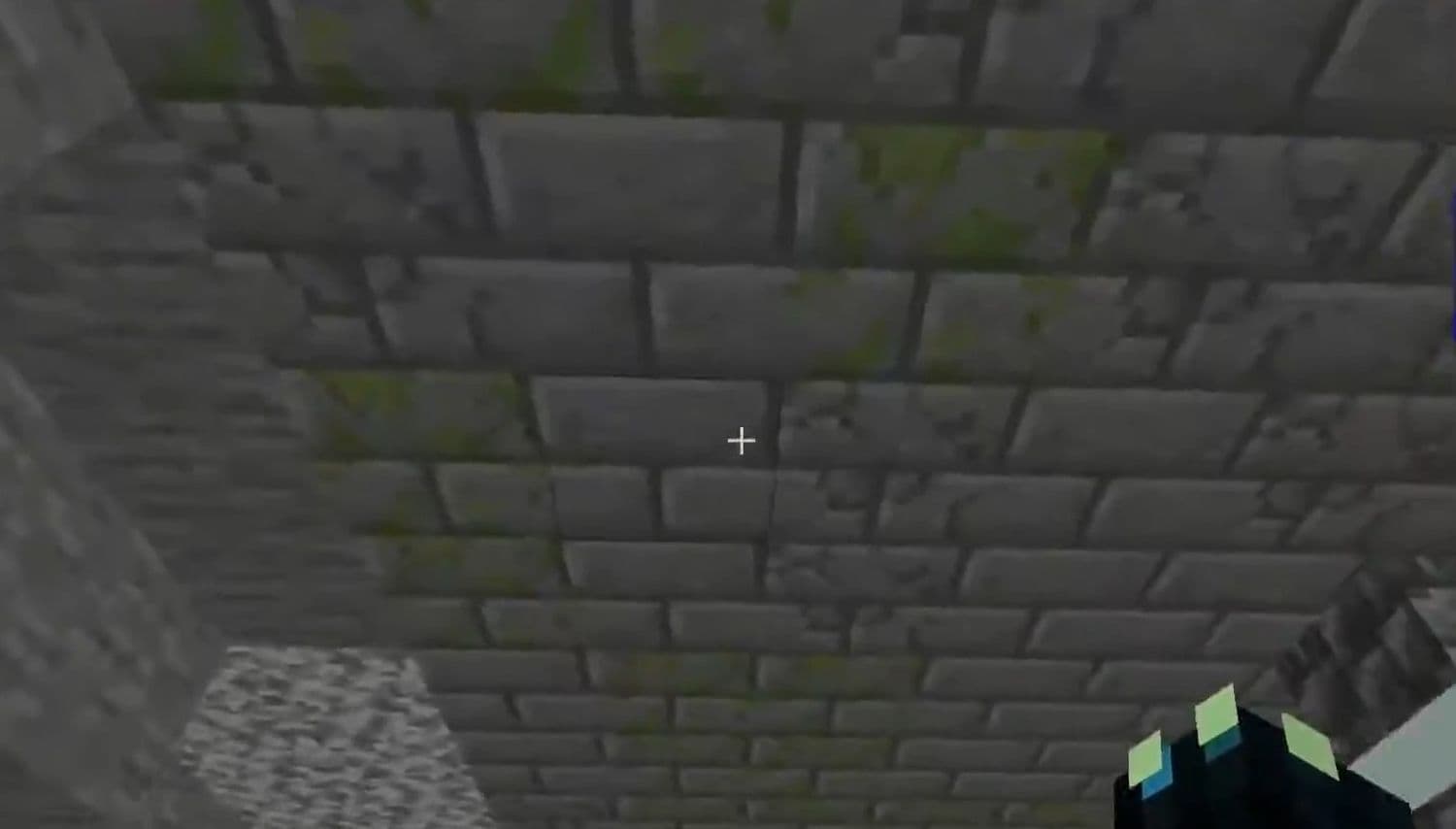
Infested blocks are stone-based blocks that contain a Minecraft mob called silverfish. They can appear as stone, cobblestone, deepslate, or stone brick types. Although they look the same as regular blocks, they behave differently when mined. They mostly surprise beginners who aren’t deeply familiar with the game.
- If you mine one without Silk Touch, it breaks and spawns a silverfish.
- If you mine it with Silk Touch, it drops the normal version of the block instead.
These blocks are not collectible in survival mode. Players cannot store them, even with Silk Touch. They are only available in Creative mode or by using commands.
Infested blocks naturally generate in several structures and biomes:
- Strongholds
- Igloo basements
- Woodland mansion End portal rooms
- Underground areas in biomes such as Cherry Grove, Windswept Hills, and Snowy Slopes
As a result, they serve as traps for explorers who are not adequately prepared.
How do infested blocks work in Minecraft?
Infested blocks are designed to surprise players. They break more easily than normal stone blocks, making them easier to mine. But this speed often misleads players into thinking they found a normal block.
When broken, a silverfish spawns and attacks. If you hurt a silverfish with weapons like a sword, bow, or Harming potion, nearby infested blocks may also break, causing even more silverfish to appear. However, if you kill a silverfish in one hit, the chain reaction does not start.
Infested blocks also react to explosions. TNT or creepers release silverfish when they destroy these blocks. The only exception is the Ender Dragon, which does not spawn silverfish when destroying them.
How to know what blocks in Minecraft are infested?
Spotting an infested block can be difficult because it looks identical to the real block. However, there are reliable ways to distinguish between them.
- Breaking speed: Infested blocks break faster than normal stone or brick. This works with or without a pickaxe.
- Note block sounds: In Java Edition, placing a note block on an infested block makes a harp sound. On Bedrock Edition, it makes a flute sound. Normal stone makes a bass drum sound.
- Debug screen: In Java Edition, pressing F3 displays block details, including whether the block is infested.
You may need some time to figure out where you may encounter Infested Blocks or how you should get rid of them. In time, all the pieces will come in place and you will find it much easier.
How to get rid of infested blocks in Minecraft
Once you find an infested block, you need a safe way to clear it. The best method is to use a Silk Touch tool, which gives you the normal block without spawning silverfish. If you do not have Silk Touch, you can still remove them with other methods:
- Break them normally and fight the silverfish that spawn.
- Use lava or fire to destroy them safely.
- Use strong weapons or potions to kill silverfish in one hit and stop chain reactions.
This is useful when clearing areas like strongholds where many infested blocks are placed.
How to mine infested blocks in Minecraft
Mining these blocks requires extra care. Without Silk Touch, they drop nothing and release silverfish. With Silk Touch, they drop the safe version of the block. This works with any Silk Touch tool, even swords.
To help players understand better, here is a comparison of breaking times:
This shows that infested blocks always break faster, which is one of the main ways to identify them. To make the best tools or supplies, such as the Silk Touch pickaxe, you can explore our Minecraft recipes guide!
When mining without Silk Touch, prepare strong weapons to kill silverfish in one hit. This prevents nearby blocks from breaking and releasing more mobs. For more articles:
- Minecraft Serene Seasons Mod: A deep dive into seasonal dynamics and gameplay
- Here is a closer look at the free Japanese government Minecraft map
- Minecraft Movie's Post-Credits Scene: Implications for the Minecraft Universe
- Minecraft blast furnace recipe: How to make a blast furnace in Minecraft
- How to make a stone cutter in Minecraft: Complete recipe
Featured Image Credit: u/TomatoSimilar735 on r/Minecraft
All Related Guides
 What is the “getsockopt” error in Minecraft and how to fix itFix the getsockopt Minecraft error with simple checks for firewall, server address, DNS, LAN settings, and con...
 How to turn off narrator in Minecraft (All platforms)How to turn off narrator in Minecraft: PC shortcut, Java, Bedrock, Xbox, PlayStation, and mobile fixes....
 Minecraft Sulfur Spikes guide: How to get it, location, uses, & tipsMinecraft Sulfur Spikes guide: locations, how to get, damage mechanics, uses, traps, and survival tips....
 What is “The beginning” achievement in Minecraft and how to get itConfused about the Minecraft The Beginning achievement? Here is how to unlock it, what players get wrong, and ...
 Minecraft Experience Oberhausen: Villager Rescue guideMinecraft Experience Oberhausen guide: Villager Rescue event, location, tickets, gameplay, Orb system, and how...
 Minecraft Dungeons 2: Release date, gameplay, features & what to expectMinecraft Dungeons 2 guide: release date, gameplay changes, features, story, platforms, and what to expect....
 Minecraft Hypixel IP, how to use it, Hytale & moreWhat is Minecraft Hypixel IP? Learn how to join mc.hypixel.net, fix connection issues, explore game modes, and...
 Minecraft Live 2026: Complete guide to the eventMinecraft Live 2026 guide: date, time, where to watch, and expected announcements including new mobs, items, a...
- 1
- 2
- 3
- 4
- 5
- 6
- 7