How to make an armor stand in Minecraft: Full recipe
Display your armor and switch out armor sets quickly in Minecraft using this item.ON THIS PAGE:
- What is an armor stand in Minecraft?
- How to craft an armor stand in Minecraft
- How to use armor stands
- Can you still craft armor stands?
- Why can't I build an armor stand?
- Do armor stands break?
- How to make smooth stone slab for armor stand
- Why don't Java armor stands have arms?
- Do armor stands generate naturally?
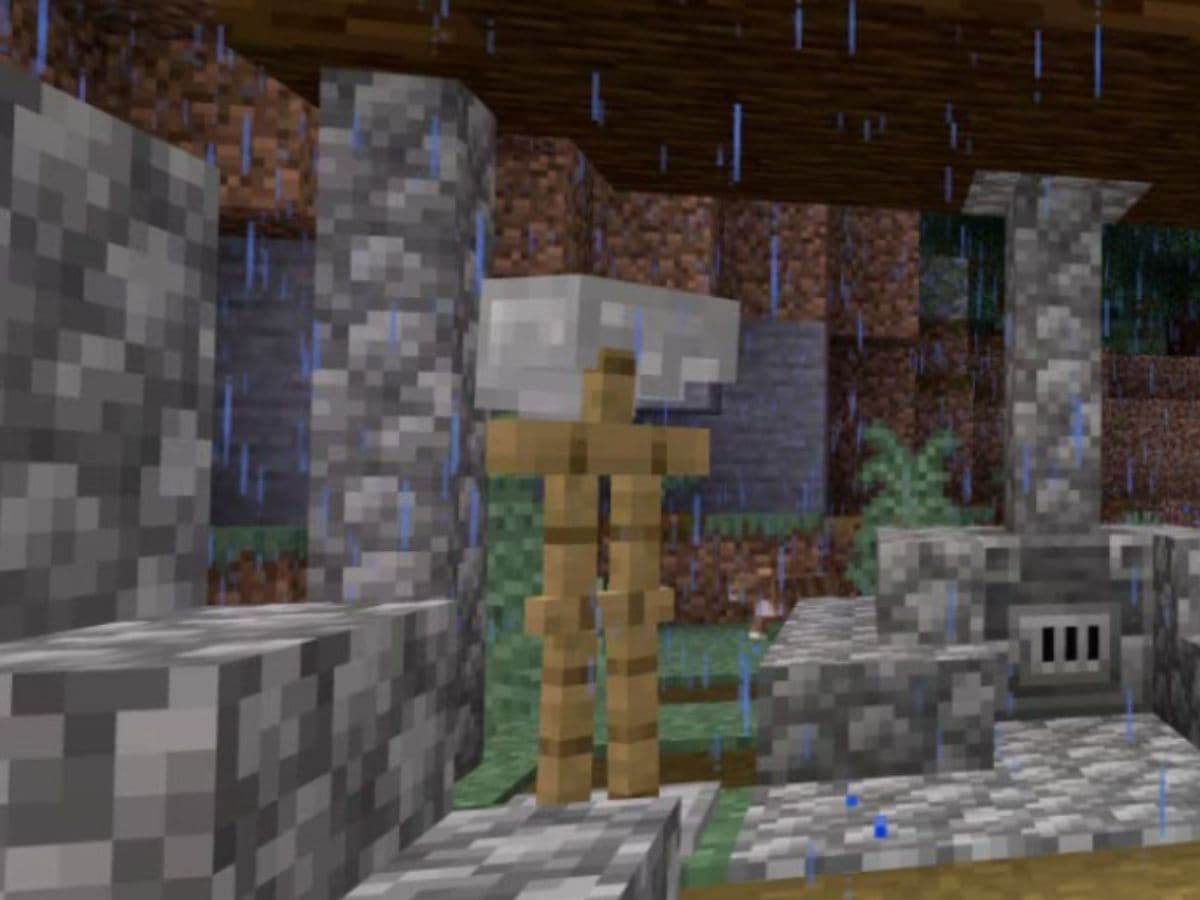
The armor stand is a tool that shows your armor and items in a clear way. It helps you keep your gear in order and adds a neat look to your base, especially if you are building a medieval Minecraft house. Put your armor on the stand and showcase it at the heart of your base to give some Game of Thrones vibes. How do you do that? It’s quite easy, and this guide covers everything you need to know about the armor stand recipe in Minecraft!
What is an armor stand in Minecraft?
An armor stand is a non-moving object that shows armor and decorative items. It acts as a display for items like helmets, chest plates, and other gear. The armor stand does not move on its own. In Java Edition, players need commands to pose the stand. In Bedrock Edition, players can change its pose by direct action.
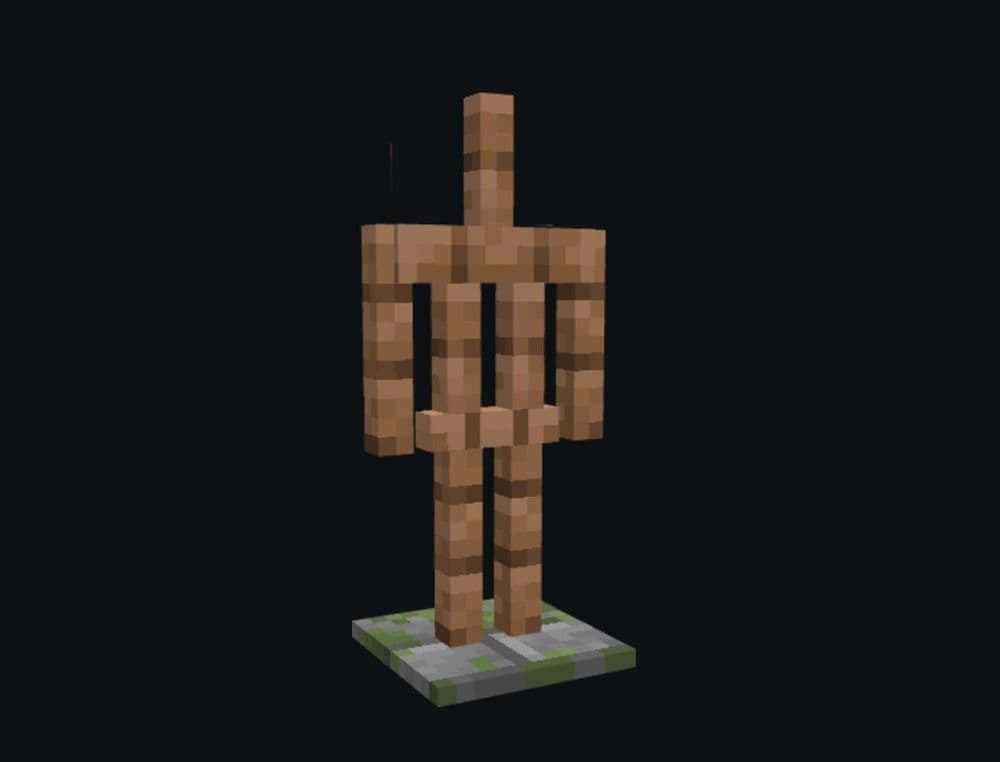
How to craft an armor stand in Minecraft
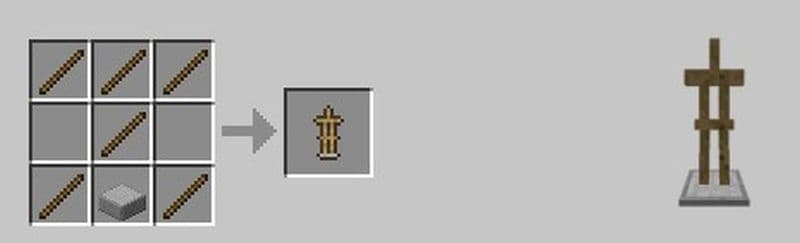
Just like any other item, campfire or lantern, you need the base items and know how to use the crafting menu. You must first open your crafting table to see a 3x3 grid. The grid is essential for the recipe. You need to prepare six sticks and one smooth stone slab. Follow these steps carefully:
- Open the Crafting Menu: Place the crafting table on the ground and right-click on it. You see a grid with nine empty boxes. This grid is the key tool for crafting the armor stand.
- Place the Items Correctly: You need to put the six sticks and one smooth stone slab in a set pattern.
- In the first row, place one stick in each of the three boxes.
- In the second row, place one stick in the center box only.
- In the third row, place one stick in the left box, one smooth stone slab in the center box, and one stick in the right box.
- Follow the layout exactly. A wrong placement stops the recipe from working. The game shows the result if you have the right items in the right places.
- Collect the Armor Stand: When the pattern is correct, the armor stand appears in the result box. Click on the armor stand to move it to your inventory. This final step gives you the new item.
How to use armor stands in Minecraft
Armor stands serve many roles in Minecraft. They show armor and items with style. Players add items to the stand to decorate their game worlds. The stand also acts as a useful way to store and display gear. Below are the main ways to use an armor stand:
Display Armor and Items
Place armor on the stand to show your favorite gear. You can add mob heads and carved pumpkins as well. In Bedrock Edition, the stand can hold blocks, tools, or shields in its hand. This is one of the most important reasons why players choose to craft an armor stand in Minecraft.
Direct Interaction
The armor stand does not have a menu. You interact with it directly. Left-click to remove items and right-click to add items. This action lets you swap armor quickly.
Environmental Interaction
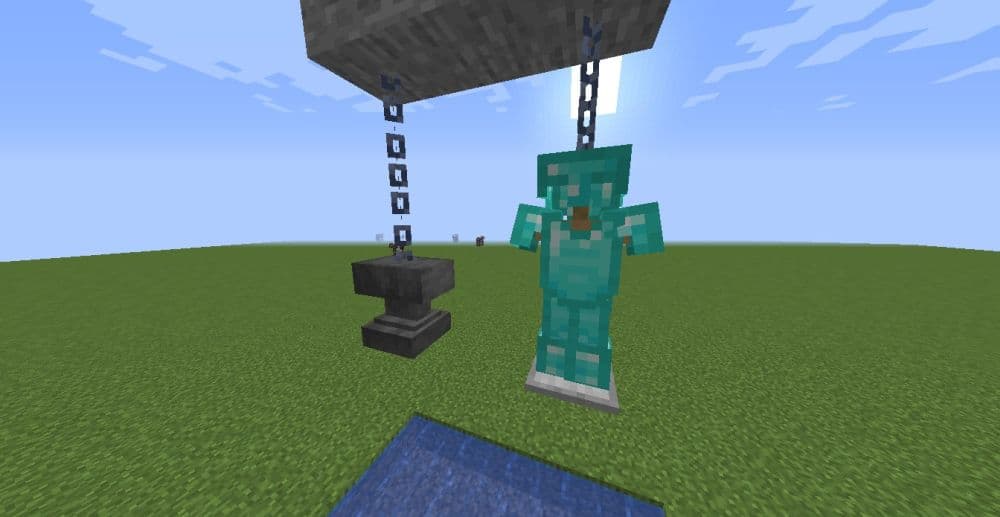
The armor stand is treated as an entity. It can be moved by water flows, pushed by pistons, or bumped by players. It reacts to events in the game world.
Customization Options
Use game commands to change the pose of the armor stand. In Java Edition, you can use command codes to add arms or set the stand to defy gravity. These changes let you customize the look of your display.
Automatic Placement
A dispenser can place items on the armor stand. This trick works well in maps that use command blocks. It provides an automatic method to set up the display. You can create complex systems with this feature.
Can you still craft armor stands?
You can still craft armor stands in Minecraft. The game now requires only stone slabs for the recipe. Other slab types will not work. The recipe still needs the correct items in the right pattern. Follow the instructions to craft the stand without issues.
Can an armor stand hold a sword?
An armor stand can show a sword in Bedrock Edition. The stand can also display elytra, carved pumpkins, and mob heads. In Bedrock Edition, players can put blocks, tools, or shields in the stand’s hand.
Why can't I build an armor stand?
You may face problems when you lack the required items. To build an armor stand, you must have six sticks and one smooth stone slab. The smooth stone slab must come from a furnace process. Without these key items, the crafting recipe will fail. Check that you have all items and that they come from the proper source. The game needs the right materials in the correct order. Make sure you gather all resources before you try to craft an armor stand.
Do armor stands break?
Armor stands break if you hit them quickly. A fast double hit makes the stand drop. When this happens, the game drops the armor stand item along with any items on it. You may lose your display items if you attack it by mistake. Be careful when you interact with your armor stand to avoid unwanted damage.
How to make smooth stone slab for armor stand
To make a smooth stone slab, you need cobblestone. First, place the cobblestone in a furnace. This gives you regular stone. Then smelt the regular stone again to get smooth stone. When you have three smooth stone blocks, place them in a row on the crafting table. This creates six smooth stone slabs. You don’t need smooth stone slabs to craft an armor stand, but many players use them as a base. They look clean and work well in display areas.
Why don't Java armor stands have arms?
In Java Edition, armor stands do not have arms by default. This is how the game was designed. The goal was to keep the game simple and reduce system load. However, you can add arms with commands. You need to use the /summon command with special tags. This allows you to create armor stands with arms. These custom armor stands are useful in creative builds. In Bedrock Edition, you can add arms more easily without commands. You can do it through the settings when you place the armor stand.
Do armor stands generate naturally?
Armor stands do not appear naturally in the world. You will not find them in villages or structures. You need to craft them yourself. To craft one, use six sticks and one smooth stone slab. Place the slab at the bottom center of the crafting table. Then place the sticks in a “T” shape above it. The armor stand can hold armor and tools.
Armor stand is a basic item but if your house design allows, it can be a great decoration for your main hall. However, you must use the proper materials and follow the correct steps.
We have many more Minecraft guides for you to check out:
- Saddle recipe in Minecraft: Is it craftable?
- Get your Minecraft shield recipe before heading into danger
- Minecraft barrel recipe: A better storage option than chests?
- Minecraft anvil recipe & 5 reasons it's worth the iron
- Minecraft book recipe with book and quill, bookshelf, and more
Featured Image Credit: Minecraft
All Related Guides
 How to craft rails in Minecraft: Regular, Powered, Detector, ActivatorLearn how to craft rails in Minecraft, use minecarts, and build better tracks with a simple recipe and clear s...
 Minecraft Splash Potion of Weakness recipe: Complete brewing guideMinecraft Splash Potion of Weakness recipe guide: ingredients, brewing steps, villager curing, and common mist...
 How to craft a bookshelf in MinecraftLearn how to craft a bookshelf in Minecraft, place it around an enchanting table, and reach stronger enchants ...
 Smelting in Minecraft: A complete guide to furnaces, fuels, and efficiency tips for 2025Master Minecraft smelting in 2025: best furnaces, fuels, and pro tips to boost speed, save resources, and auto...
 Minecraft enchanting table recipe, setup, language and moreMaster Minecraft enchanting! Learn the Minecraft enchanting table recipe, setup for max levels, the secret lan...
 Minecraft blast furnace recipe: How to make a blast furnace in MinecraftWant to smelt ores faster? Here's the blast furnace Minecraft recipe and a step-by-step guide on how to craft ...
 Minecraft beacon guide: How to make a beacon in MinecraftBeacon Minecraft guide: Learn how to craft, activate & optimize a beacon for max power, buffs & effects in Min...
 Minecraft piston recipe & sticky piston guideLearn how to craft and use pistons in Minecraft! Master sticky pistons & get secret doors, traps, flying machi...
- 1
- 2
- 3
- 4
- 5