THESPIKE.GG
THESPIKE
    EN
    Login
    EN
    1. Home
    2. HYTALE
    3. Beginner Guides
    4. Hytale Character Creator: Complete customization guide

    Hytale Character Creator: Complete customization guide

    How to customize your character?

    ON THIS PAGE:

    • What is the Hytale Character Creator?
    • How to access the Hytale Character Creator
    • How to use the Hytale Character Creator
    • Head customization
    • Body customization
    • Clothing customization
    • Capes and cloaks
    • Random character generator
    • Equipment and armor appearance
    • Changing your character later in Hytale
    Hytale Character Creator
    Written By Eray Eliaçık

    Reviewed by : Naim Rosinski

    (Content Manager & Editor)

    Last UpdatedMarch 16, 2026 at 02:56PM
    Share On
    Share On

    Hytale Character Creator is one of the most flexible customization systems in sandbox RPGs, letting you adjust facial features, body traits, clothing, and accessories.

    This guide explains how the Hytale Character Creator works, how to access it, and how to use every customization option to create a unique character.

    What is the Hytale Character Creator?

    The Hytale Character Creator is the in-game editor used to customize your avatar’s appearance. Players can modify many aspects of their character, including hairstyles, facial features, skin tone, clothing, and accessories.
    Credit: Inmo/Youtube
    Credit: Inmo/Youtube

    Unlike many RPGs that limit customization to presets, the Hytale Character Creator uses a modular system. This means players can mix and match different parts of their avatar. Hairstyles, clothing layers, and accessories can all be combined to create thousands of possible character designs.

    The system focuses on visual customization. It does not change gameplay abilities, but it allows players to express their identity and stand out in multiplayer worlds.

    How to access the Hytale Character Creator

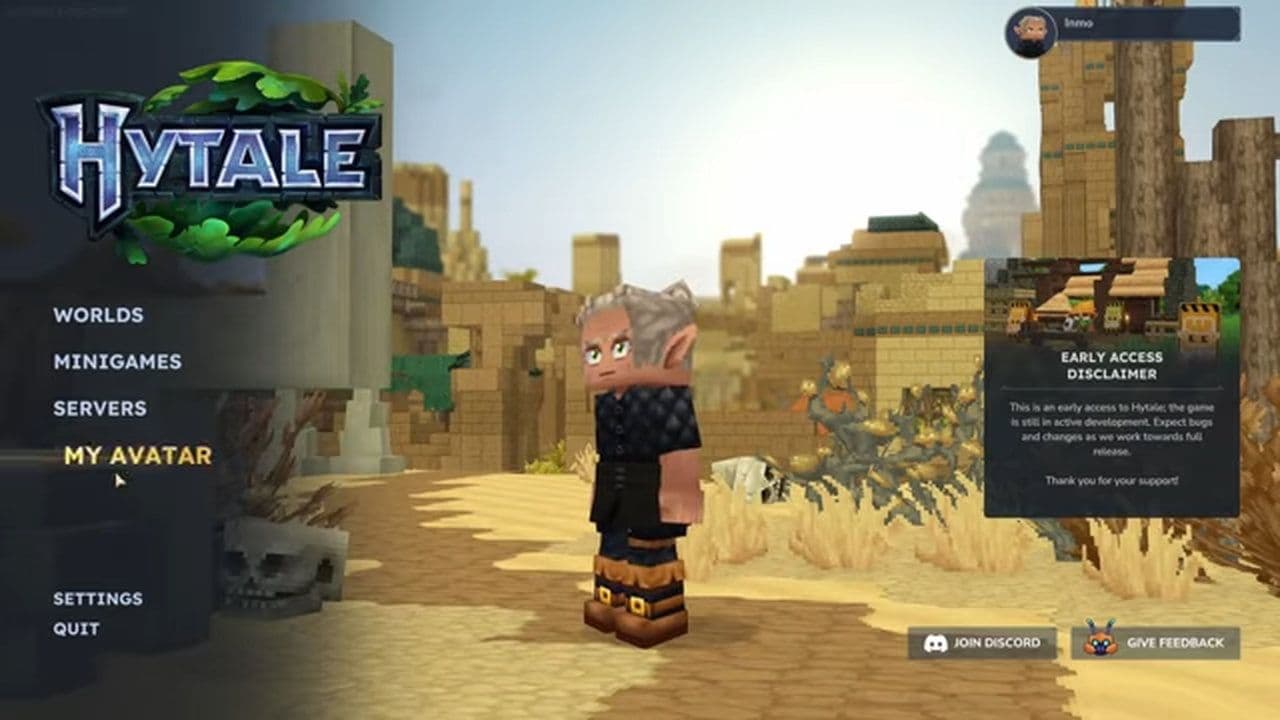
    You can open the Hytale Character Creator from the main menu or during gameplay.

    • Launch Hytale.
    • From the main menu, select My Avatar.
    Credit: Inmo/Youtube
    Credit: Inmo/Youtube
    • The Hytale Character Creator screen will open.
    • Use the category tabs to edit your character.
    • Click Save when you finish.

    Players can return to the Hytale Character Creator anytime to change their avatar without affecting their game progress.

    How to use the Hytale Character Creator

    The Hytale Character Creator is organized into several customization categories. Each category controls a different part of the character model, such as:

    • Head
    • General (Body)
    • Torso
    • Legs
    • Capes or Cloaks

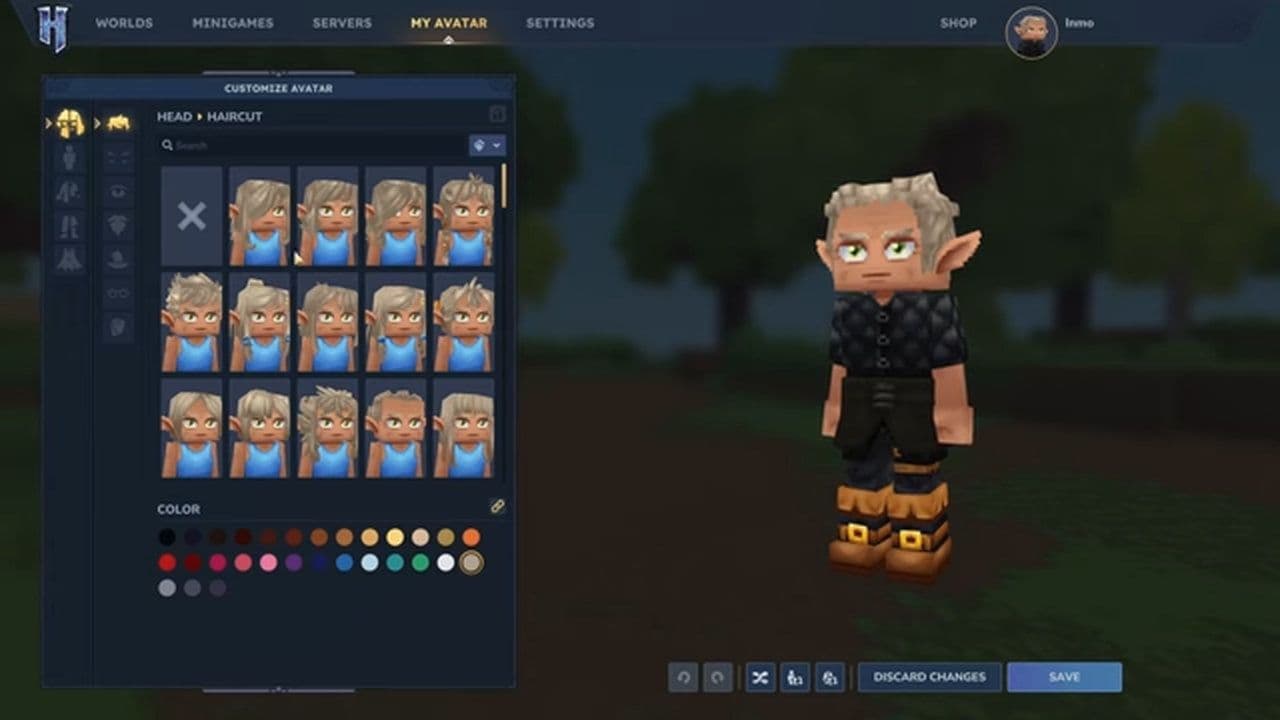
    A preview window displays the character model in real time. Players can rotate the model and immediately see how each change affects their character.

    Here is a detailed look at each part.

    Hytale head customization

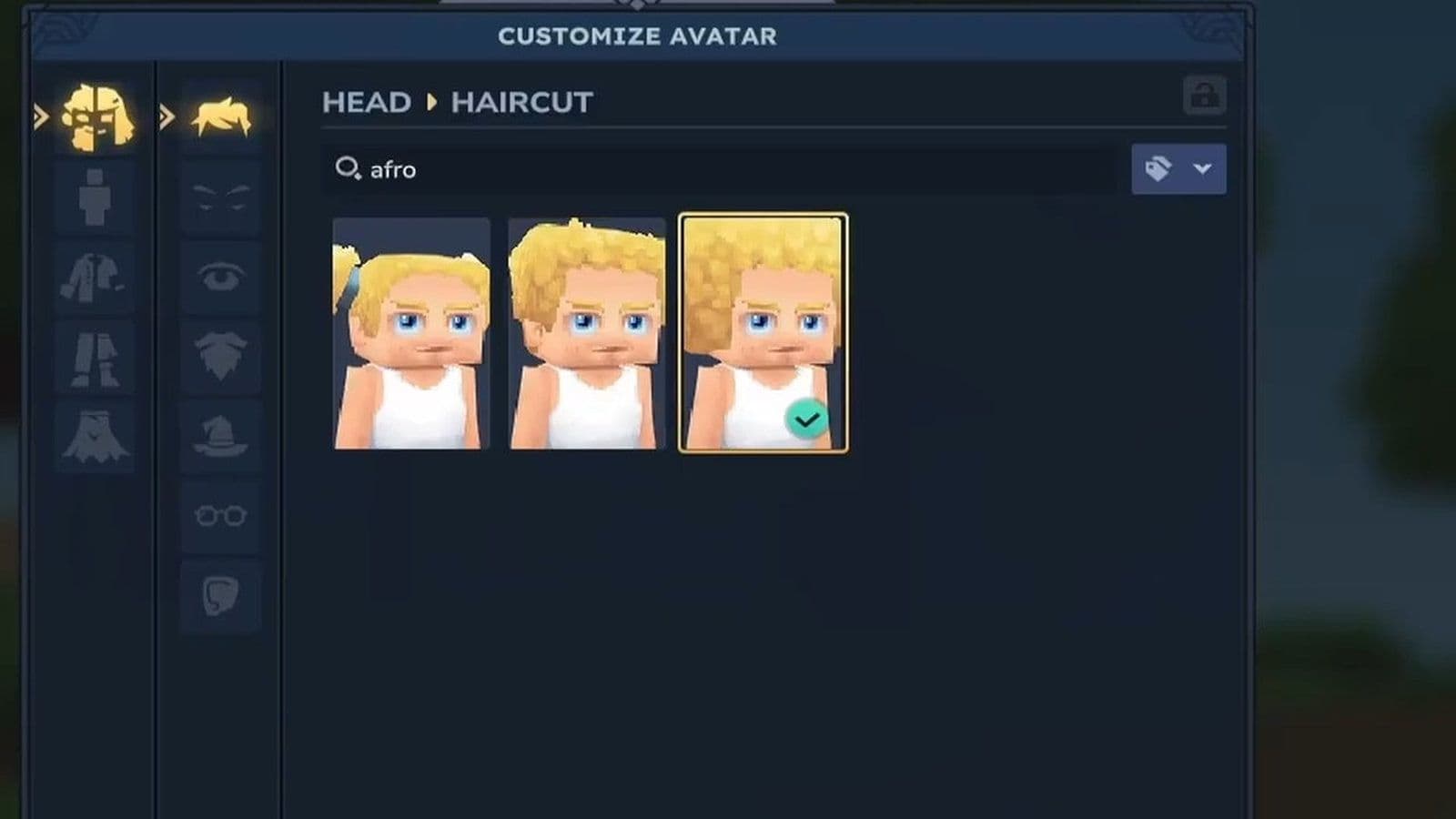
    The Head section of the Hytale Character Creator contains most of the facial customization options. This part of the editor lets players adjust hairstyles, facial hair, eyes, eyebrows, and accessories to create a unique character appearance.
    Customization

    category

    Options available

    Description

    Hairstyles

    Short hair, Long hair, Braids, Ponytails, Stylized fantasy hair

    Players can select from multiple hairstyle types. Each hairstyle can also be customized with different hair colors to match the character’s style.

    Facial Hair

    Beards, Mustaches, Light stubble

    Some avatars can use facial hair options. Facial hair color can match the hairstyle or use a different color for more variety.

    Eyes and Eyebrows

    Eye shape, Eye color, Eyebrow shape, Eyebrow color

    These options control facial expressions and personality. Adjusting eye and eyebrow settings can make a character look friendly, serious, or mysterious.

    Head Accessories

    Hats, Glasses, Masks, Earrings

    Accessories can be equipped in the head slot. These items add personality and help players create more distinctive character designs.

    Credit: Inmo/Youtube
    Credit: Inmo/Youtube

    Hytale body customization

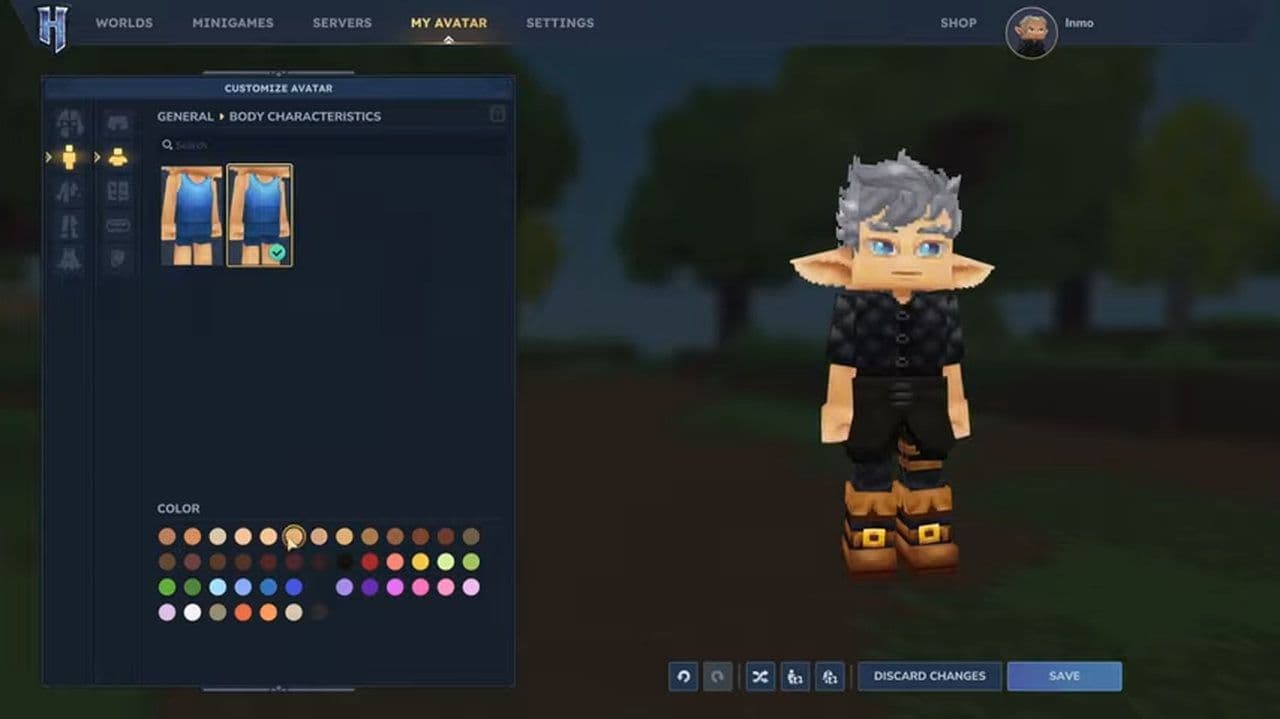
    The General section of the Hytale Character Creator controls the overall appearance of your avatar. It includes options for skin tone, body type, and gender expression, allowing players to design characters that match their preferred identity and style.
    Customization 

    category

    Options available

    Description

    Skin Tone

    Multiple skin tone variations

    The Hytale Character Creator includes a wide range of skin tone options, allowing players to represent different identities and styles.

    Body Type

    Default body, Slightly muscular body, Other subtle variations

    Players can select different body builds. These changes adjust the silhouette of the character without affecting gameplay.

    Gender Expression

    Determined by body features, hairstyles, and clothing

    Hytale does not require a gender selection. Instead, players shape gender presentation through customization choices, allowing more flexible character design.

    Credit: Inmo/Youtube
    Credit: Inmo/Youtube

    Hytale clothing customization

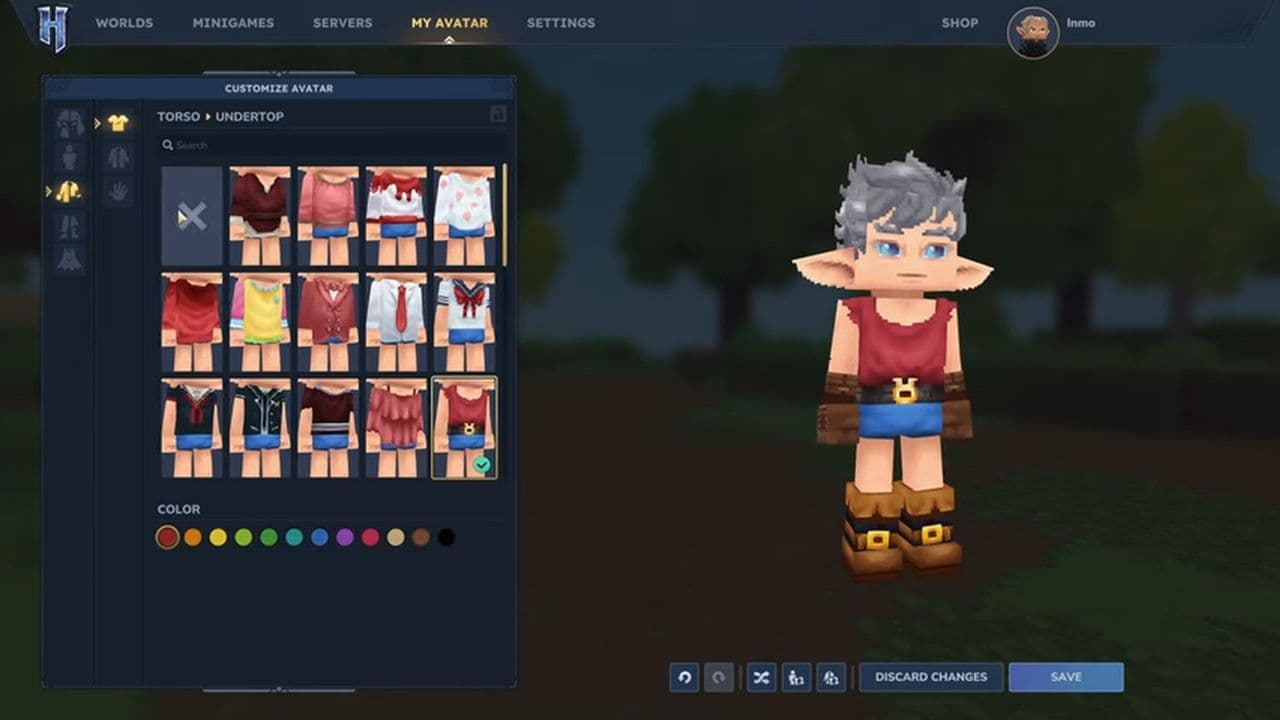
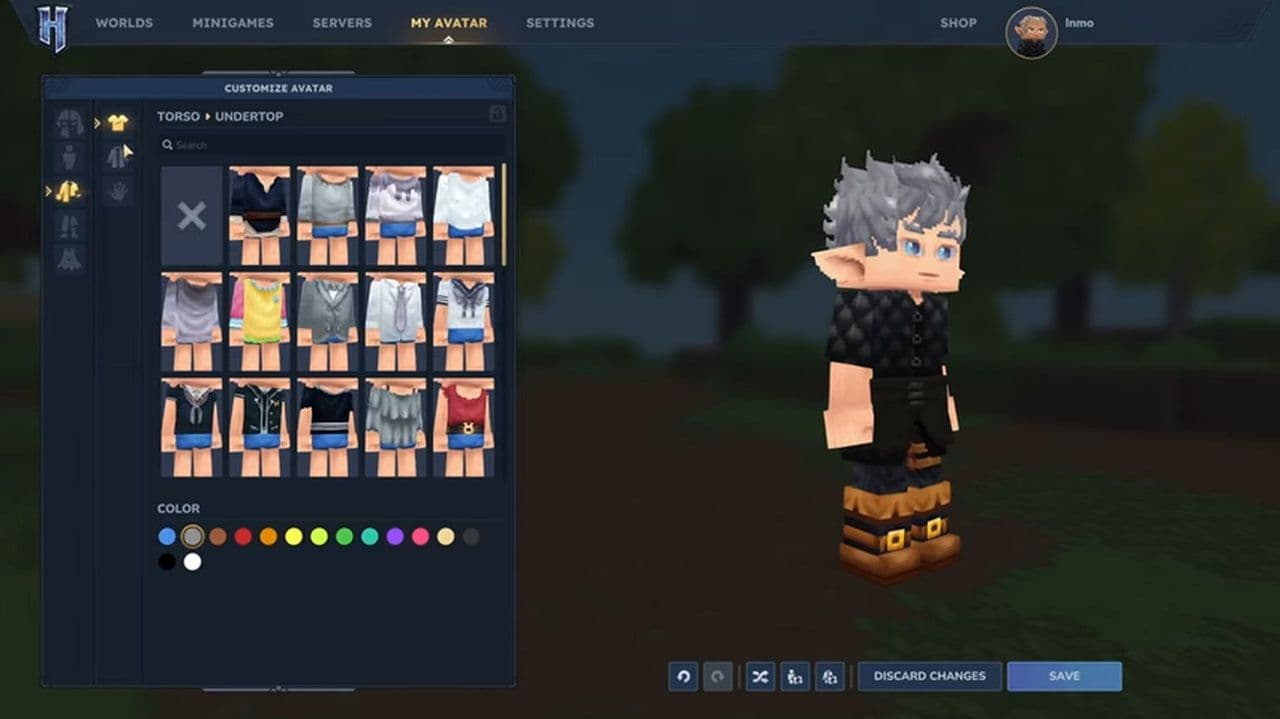
    Clothing is one of the most important parts of the Hytale Character Creator. The system uses layered clothing, meaning multiple clothing items can be worn at the same time.
    Clothing Layer

    Examples

    Description

    Undertop

    Base shirts, undershirts

    The base clothing layer worn under jackets or armor-like items.

    Overtop

    Jackets, coats, armor-style clothing

    Outer clothing that sits on top of the undertop layer and defines much of the character’s style.

    Gloves

    Gloves, wrist accessories

    Hand accessories that add detail and personality to the outfit.

    Pants

    Trousers, shorts, skirts

    The main leg clothing layer that forms the base of the lower outfit.

    Overpants

    Socks, extra leg layers

    Additional leg accessories worn over or alongside pants.

    Shoes

    Boots, footwear

    Footwear that completes the outfit and can match different clothing styles.

    Credit: Inmo/Youtube
    Credit: Inmo/Youtube

    Hytale capes and cloaks

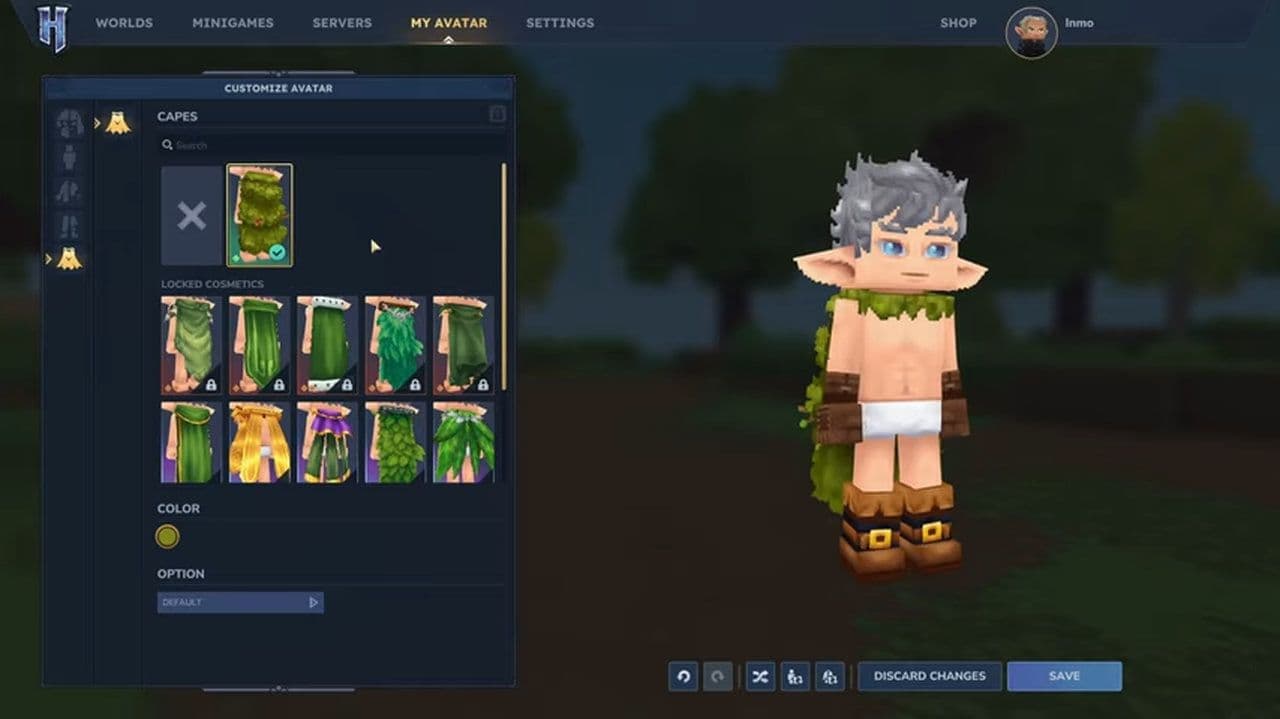
    The Hytale Character Creator also includes capes or cloaks in some customization categories.
    Capes add visual flair and help characters stand out. Some capes may be cosmetic rewards or part of special content.
    Although capes look dramatic, they are purely cosmetic and do not affect gameplay.
    Credit: Inmo/Youtube
    Credit: Inmo/Youtube

    Random character generator

    If players do not want to manually customize every option, the Hytale Character Creator includes a Randomize feature.

    The random generator can:

    • Create a completely new character design
    • Combine different hairstyles and clothing
    • Suggest creative character ideas

    Players can also lock certain features before randomizing the rest.

    Equipment and armor appearance

    When players equip armor or weapons in Hytale, those items appear on the character model.

    These items may cover parts of the base outfit while the character is exploring or fighting.

    Changing your character later in Hytale

    The Hytale Character Creator is not limited to the beginning of the game.

    Players can edit their avatar anytime. Changes do not affect:

    • Game progress
    • Inventory
    • Worlds

    The Hytale Character Creator gives players powerful tools to design their own avatar. With detailed facial options, layered clothing, accessories, and flexible color choices, players can create a character that fits their style.

    Whether you want to build a heroic adventurer, a mysterious traveler, or a stylish explorer, the Hytale Character Creator provides everything needed to bring that character to life.

    That’s all for today! Looking for more? Check out these:

    • Is Hytale multiplayer? Learn how to play with friends
    • Will Hytale be on Steam?
    • Is Hytale Free? Pricing, access & everything you need to know
    • How to get Hytale Mithril ore: Location, mining, and using it
    • How to get Hytale Voidheart

    Guide Categories

    • Mods
    • Beginner Guides
    • Resources
    • Weapons
    • Armor
    • Food
    • Servers
    • Mobile
    Eray Eliaçık

    Meet Eray, a tech enthusiast passionate about AI, crypto, gaming, and more. Eray is always looking into new developments, exploring unique topics, and keeping up with the latest trends in the tech industry, and gaming is the sweetest spot.

    Eray has been rocking it as a news manager and content creator at spots like, TechBriefly, Gamelevate, Softonic, and various tech realms. Crafting over 2k tech articles, Eray captivated millions of readers for over three years.

    Now, over at THESPIKE, Eray is a content writer, blending the love for spinning stories and helpful guides for all-things gaming.

    View More
    THESPIKE
    AboutCareersPrivacy PolicyTerms of UseAbout THESPIKEDisclaimer
    Contact UsCommercialsSend an emailPost Feedback
    ResourcesBetting SitesOnline CasinosSweepstakes Casinos
    © 2026 THESPIKE.GG | All Rights Reserved | Not affiliated with Riot Games
    18+ Bet Responsibly | BeGambleAware.org
    Light Mode
    Login