How to make a backpack in Hytale
Unlock more storage
Inventory space is limited in early Survival mode, so learning how to make your Backpack as soon as possible makes exploration, mining, and combat much easier. Below, you’ll find every resource, requirement, and upgrade path you will need.
First of all, why do you need a Backpack in Hytale?
Before learning how to make a Backpack in Hytale, it’s important to understand why it matters. The default inventory fills up quickly. Once you begin mining iron, collecting leather, farming drops, and exploring dungeons, you’ll constantly run out of space. A backpack permanently unlocks additional storage slots for your character. Key benefits:
- Extra inventory slots
- More efficient exploration
- Fewer trips back to base
- Better item organization
- Permanent unlock once used
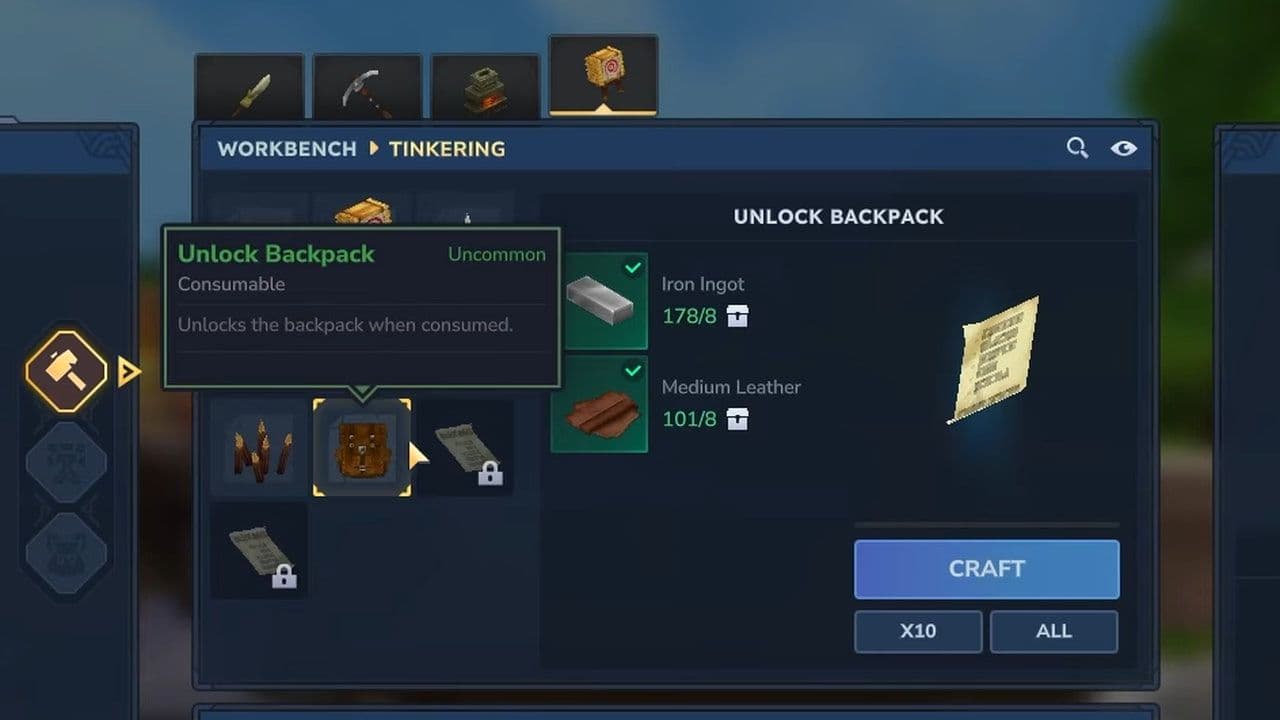
How to make a backpack in Hytale in 3 steps
Here is how to get a backpack in Hytale:
- Upgrade your Workbench to Tier 2.
- Mine Iron Ore, smelt it into 8 Iron Ingots, and craft 8–16 Medium Leather from animal hides at a Tanning Rack.
- Craft the Backpack at the Tier 2 Workbench.
Now let’s go step by step.
Step 1: Build and upgrade a Workbench
The first requirement for how to make a Backpack in Hytale is unlocking the recipe through a Workbench upgrade. You’ll need:
- 4 Wood Logs
- 3 Stone
Place the Workbench in your base.
Upgrade the Workbench to Tier 2
The backpack recipe does not appear on the base Workbench. You must upgrade it to Tier 2.
Important detail:
- Do not move your Workbench after upgrading it.
- Moving it resets the upgrade level.
Once your Workbench is Tier 2, the Backpack recipe becomes available under the crafting menu.
Step 2: Gather materials for the basic Backpack
To craft the first backpack unlock, you need:
- 8 Iron Ingots
- Mine Iron Ore underground.
- Smelt Iron Ore in a Furnace.
- Each ore produces an Iron Ingot.
- 8–16 Medium Leather
- Hunt animals such as deer or wolves.
- Collect animal hides.
- Process hides at a Tanning Rack to produce Medium Leather.
Once you have the materials, return to your Tier 2 Workbench.
Step 3: Hytale Backpack recipe
Open your Tier 2 Workbench, craft the Backpack item using the Iron Ingots (8) and Medium Leather (8).
After crafting the Backpack item:
- Move it into your hotbar.
- Right-click to activate it.
- The item is consumed.
- A new backpack storage tab is permanently unlocked.
The basic backpack gives you 9 additional inventory slots.
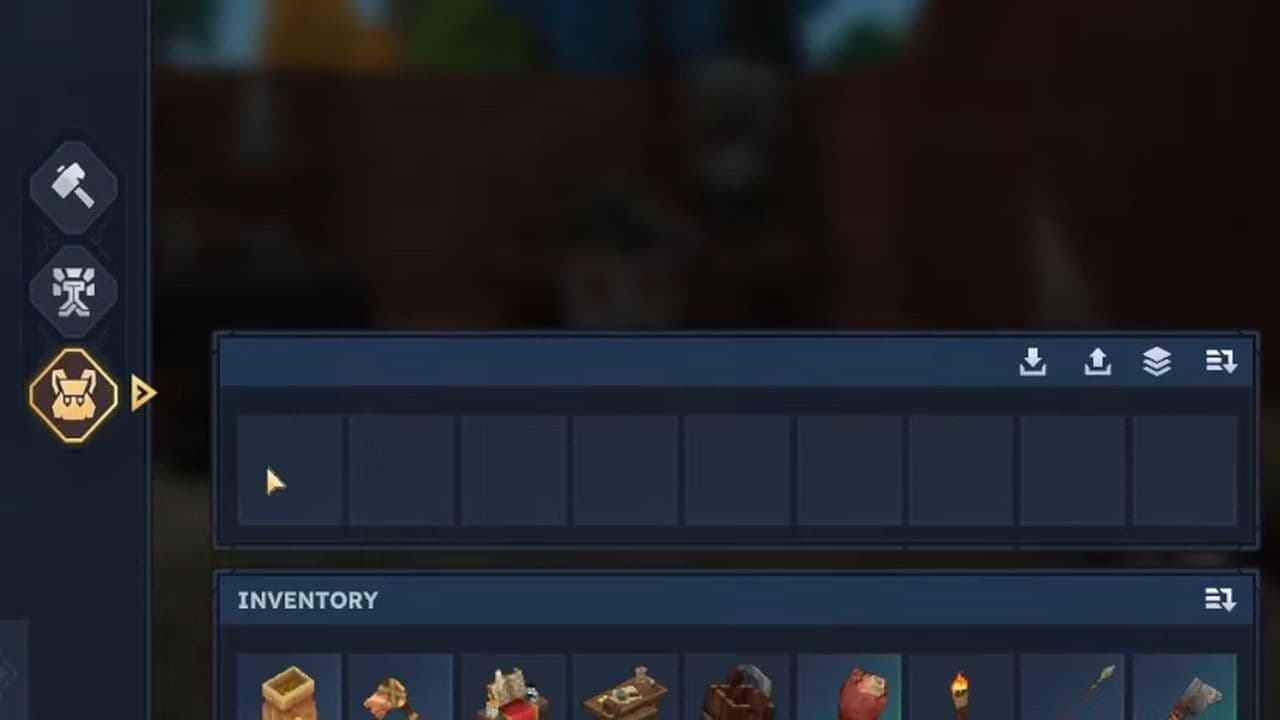
You can access the extra space by opening your inventory and clicking the backpack icon.
This completes the base process of how to make a Backpack in Hytale.
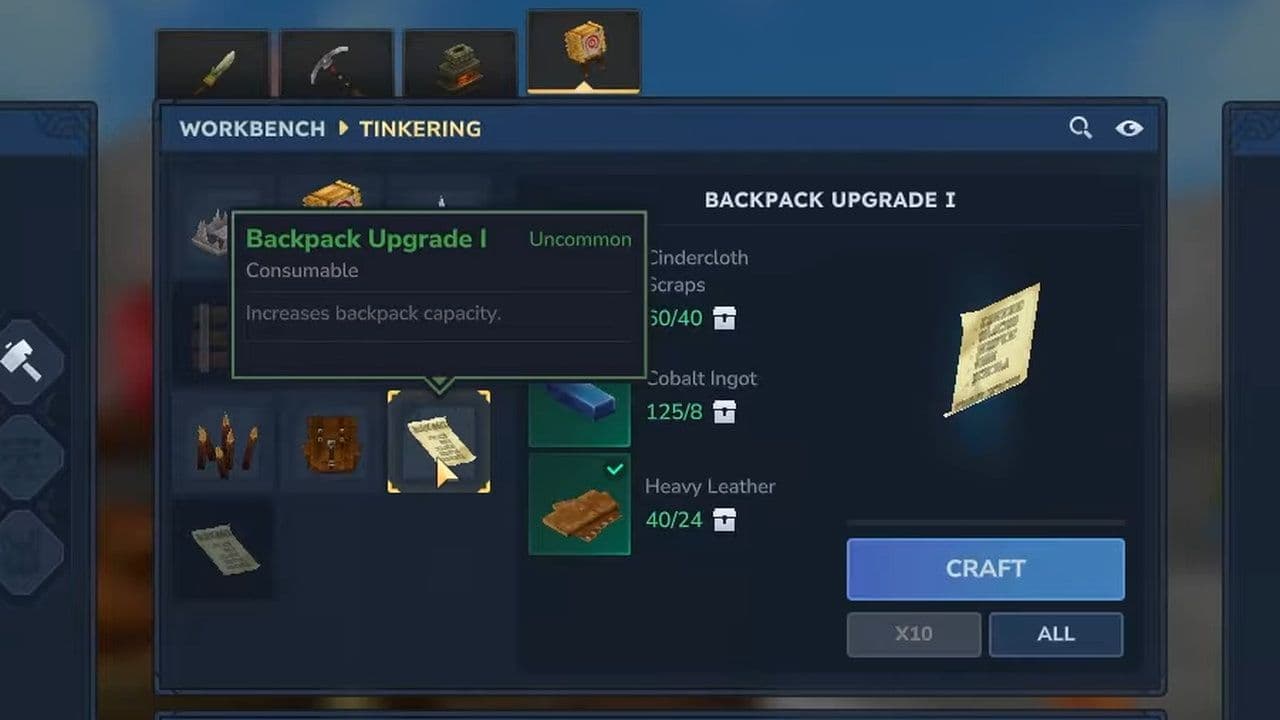
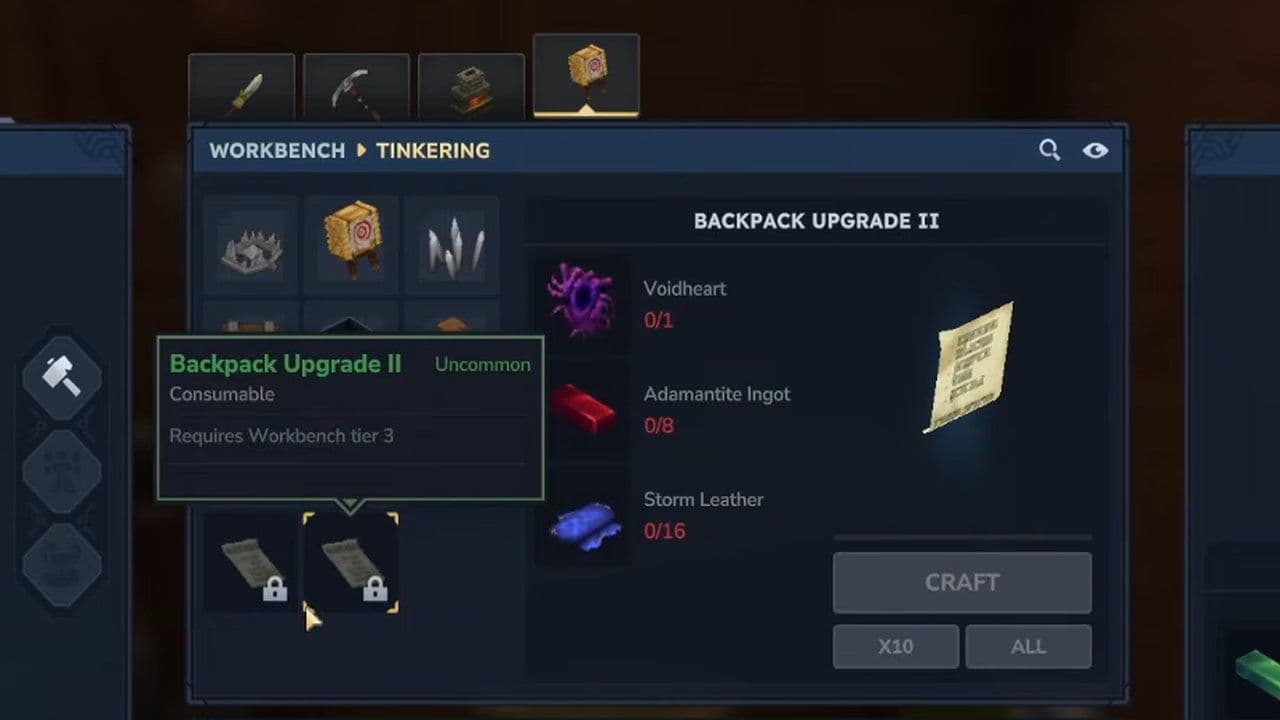
Hytale Backpack upgrades
After unlocking the basic backpack, you can upgrade it for more storage.
Don’t make these mistakes
When following how to make a Backpack in Hytale, avoid these common errors:
- Moving your upgraded Workbench (resets its tier).
- Ignoring Memory deposits (blocks Upgrade II progress).
- Skipping early leather farming.
- Delaying the first backpack unlock (inventory pressure slows progression).
With limited inventory space at the start of the game, unlocking your first backpack quickly reduces frustration and allows you to focus on exploring, mining, fighting, and progressing more efficiently.
Each upgrade significantly improves your gameplay flow, cuts down unnecessary trips to base, and helps you stay prepared for tougher biomes and enemies.
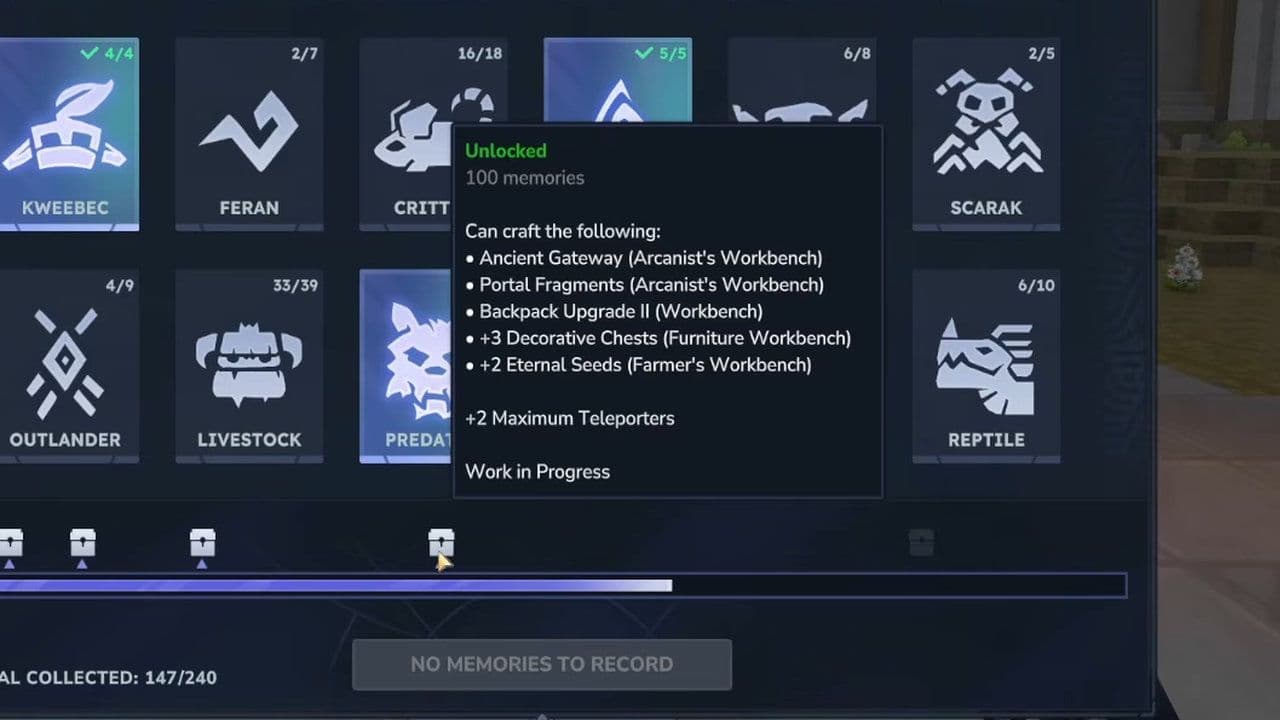
If you follow the steps carefully and avoid common mistakes, you’ll have maximum storage as soon as possible.
That’s all for today! Looking for more? Check out these:
All Related Guides
 Best Hytale plugins and how to create yoursExplore the best Hytale plugins for servers, from permissions and shops to NPCs, kits, performance tools, and ...
 Meet the Hytale Pokemon mod Pokefind: Release date, gameplay and moreGet the latest details on the Hytale Pokemon mod Pokefind, including gameplay plans, server support, release s...
 Can you create an infinite water source in Hytale?Learn if a Hytale infinite water source is possible, why the 2x2 trick fails, and which mods can help you get ...
 Who is The Hedera in Hytale Endgame & QoL mod and how to defeat itFind out how to reach and defeat The Hedera in Hytale Endgame & QoL mod, including boss phases, best prep, and...
 How to heal in Hytale (Food, potions, totem & more)How to heal in Hytale: food, potions, totem, regen buffs, best methods, and full survival guide explained....
 Hytale Update 4 (Part 5): What’s new?Hytale Update 4 Part 5 adds 500+ new blocks, system upgrades, bug fixes, and major improvements before full re...
 All Hytale signs & how to craft themDiscover all 29 Hytale signs, their crafting recipes, and how to use them. Learn sign mechanics, placement tip...
 When will Hytale fully release? (2026 update)When will Hytale fully release? Learn the expected 2026–2027 timeline, Early Access plans, and what must happe...
- 1
- 2
- 3
- 4
- 5
- 6
- 7
- 8