All Minecraft commands and how to use them

Minecraft commands can make the game much easier, faster, and more fun. They let you teleport, change the weather, spawn mobs, give yourself items, and control many parts of the world in seconds. That is why so many players search for them, especially when they want to build faster, test ideas, or manage a server.
This guide explains what Minecraft commands are, how to use them, where or how they work, and which ones you should be using more in Java and Bedrock Edition!
What are Minecraft commands for?
Minecraft commands are text instructions that you type into the game. Every command starts with a forward slash. When you enter it, Minecraft performs an action right away.
Some commands are simple. For example, “/time set day” changes the time, and “/weather clear” removes rain. These could be very useful, especially for beginners. Others are more advanced and can control mobs, players, world settings, and server rules. In short, commands give you direct control over the game.
Players use commands for different reasons:
- To travel faster
- To test builds and ideas
- To spawn items and mobs
- To manage private servers
- To create mini-games, pranks, or custom events
Check out our guide on how to teleport in Minecraft as well!
How to use Minecraft commands
Using commands is easier than it first seems. You do not need to memorize everything at once. Start with a few basic commands, learn how the format works, and then build from there.
Here is how to use commands in Minecraft:
- Make sure commands are enabled: In Bedrock Edition, you need to turn on Allow Cheats in the world settings. In Java Edition, you usually enable cheats when you create the world. If you forgot, you can temporarily turn them on through Open to LAN.
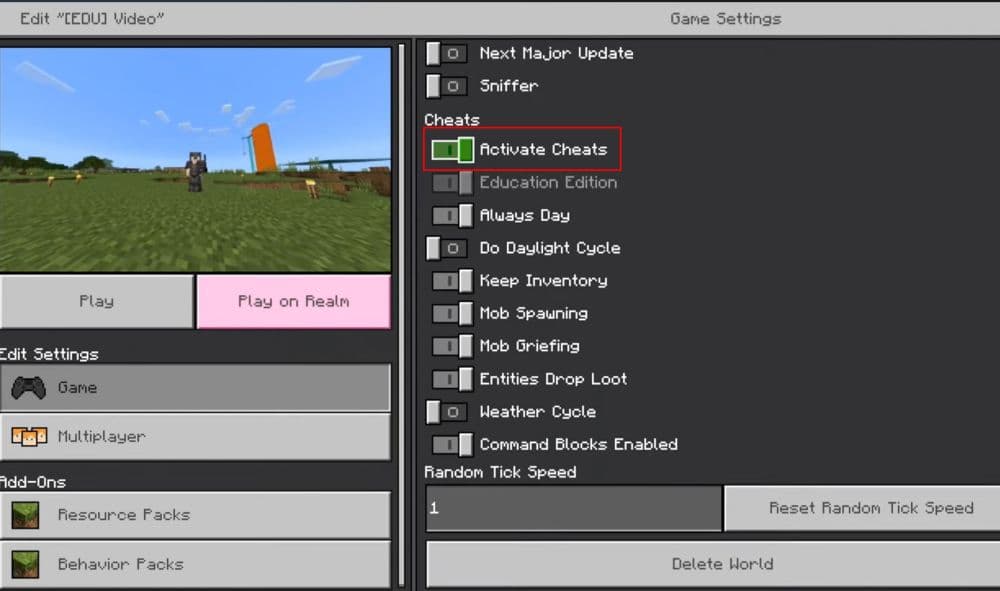
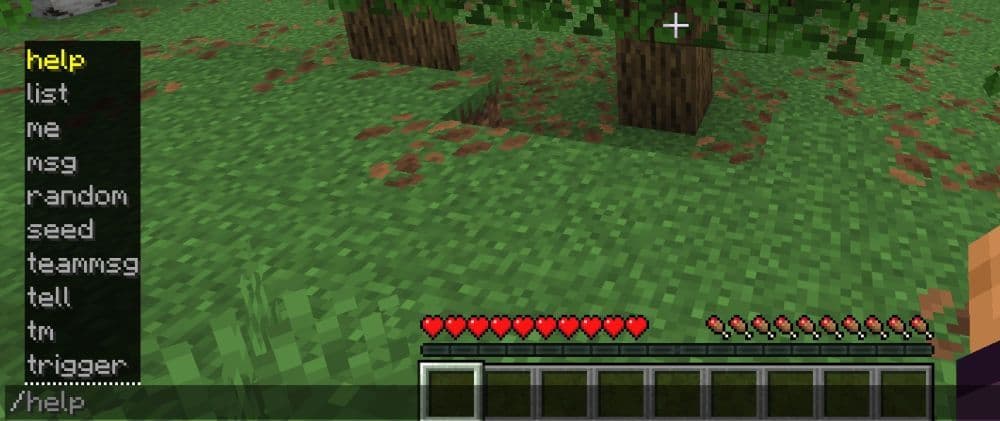
- Open the chat window: On most platforms, this is where you type commands. Commands go into the same place as chat messages.
- Start with a forward slash: Every command begins with /. Without it, Minecraft reads the text like a normal message.
- Type the command name: For example, /gamemode, /give, /teleport, or /weather.
- Add extra details if needed: Some commands need more information. For example, /weather clear tells Minecraft what kind of weather you want. /give Steve diamond 5 tells the game who gets the item, which item, and how many.
- Press Enter to run it: If the command is written correctly, it works right away. If not, Minecraft usually shows an error.
All useful Minecraft commands
Minecraft has a long list of commands, but not all of them matter to every player. Some are mostly for admins, some are for map makers, and some are only useful in one edition. Here is a practical Minecraft commands list in alphabetical order:
If you only want the most useful commands to start with, focus on these first:
- /teleport
- /give
- /gamemode
- /time
- /weather
- /summon
- /locate
- /effect
- /fill
- /setblock
Where can I use commands in Minecraft?
You can use commands in several places, but not every Minecraft world gives you full access.
The most common places are:
- Single-player worlds with cheats enabled
- Java worlds opened to LAN with cheats on
- Private servers where you are the owner or operator
- Realms where you have permission
- Command blocks, if the world allows them
- Server consoles and custom maps
Public servers usually work very differently. Most of them do not let normal players use strong vanilla commands like /give, /gamemode, /ban, or /teleport. Instead, they often use custom server commands or plugins with their own rules.
So, if you want to test commands properly, the best place is your own world, a private Realm, or a server where you have admin access.
If you want to learn more about Minecraft, start here:
- How to change skin in Minecraft (Java, Bedrock, PC, and Console)
- How to TP in Minecraft: Teleportation explained (Coordinates, Villages, Death Location)
- How to tame Parrots in Minecraft: Seeds, advantages, and more
- Smelting in Minecraft: A complete guide to furnaces, fuels, and efficiency tips for 2025
- Minecraft enchanting table recipe, setup, language & everything you need to know
Featured Image Credit: Mojang