How to TP in Minecraft: Teleportation explained (Coordinates, Villages, Death Location)
Teleport anywhere in Minecraft fastON THIS PAGE:
- Minecraft teleport command
- How to teleport in Minecraft (Basic command)
- How to teleport to coordinates in Minecraft
- How to teleport to a village in Minecraft
- How to teleport to your death location in Minecraft
- How to teleport to another player in Minecraft
- How to teleport a player to you
- How to use relative coordinates
- How to teleport in Minecraft without coordinates
- Hytale teleport command examples you should know
Teleportation is one of the most useful command features in the game. If you learn how to TP in Minecraft, you can instantly travel to your base, a village, your death location, or any exact coordinates. This saves time and helps you recover items faster.
This guide explains how to teleport in Minecraft, including teleporting to coordinates, villages, and your last death location, using simple steps that work in both Java Edition and Bedrock Edition.
Minecraft teleport command explained
“TP” means teleport. The teleport command lets you instantly move yourself, another player, or a mob to a specific location. The main commands are:
- /tp
- /teleport
Both commands do the same thing.
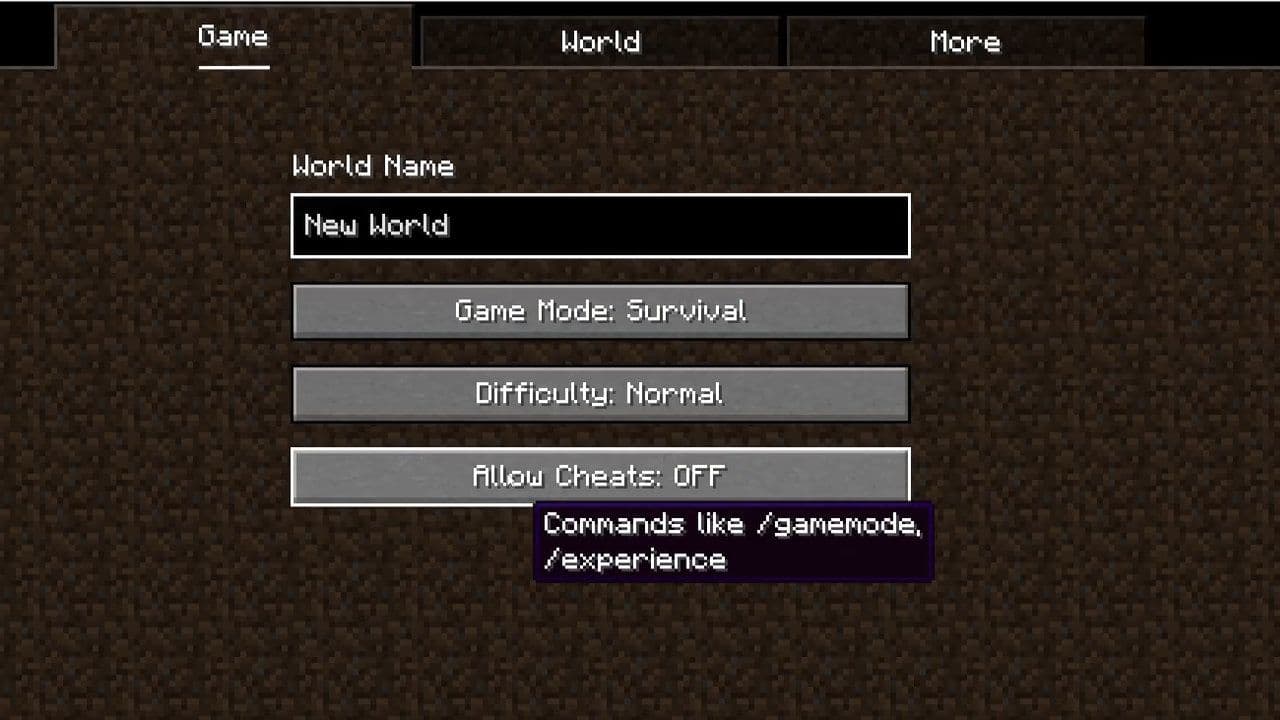
Before using it, make sure cheats are enabled:
- Java Edition: Enable cheats when creating the world or open to LAN.
- Bedrock Edition: Turn on cheats in world settings.
How to TP in Minecraft (Basic command)
The basic way is:
- /tp <player> <x> <y> <z>
Here is an example of how to:
- /tp Steve 100 64 -200
This teleports Steve to:
- X: 100
- Y: 64
- Z: -200
If you want to teleport yourself, you can type:
- /tp 100 64 -200
- /tp @s 250 70 -300
@s means yourself. The other indicators are:
- @s = yourself
- @p = nearest player
- @a = all players
- @r = random player
- @e = all entities
How to TP to coordinates in Minecraft
This is the most common method when learning how to TP in Minecraft.
Step 1: Find the coordinates
To see your coordinates:
- Java Edition: Press F3
- Bedrock Edition: Turn on Show Coordinates in settings
You will see:
- XYZ: 250 / 70 / -300
Step 2: Enter the TP command
Example:
- /tp @s 250 70 -300
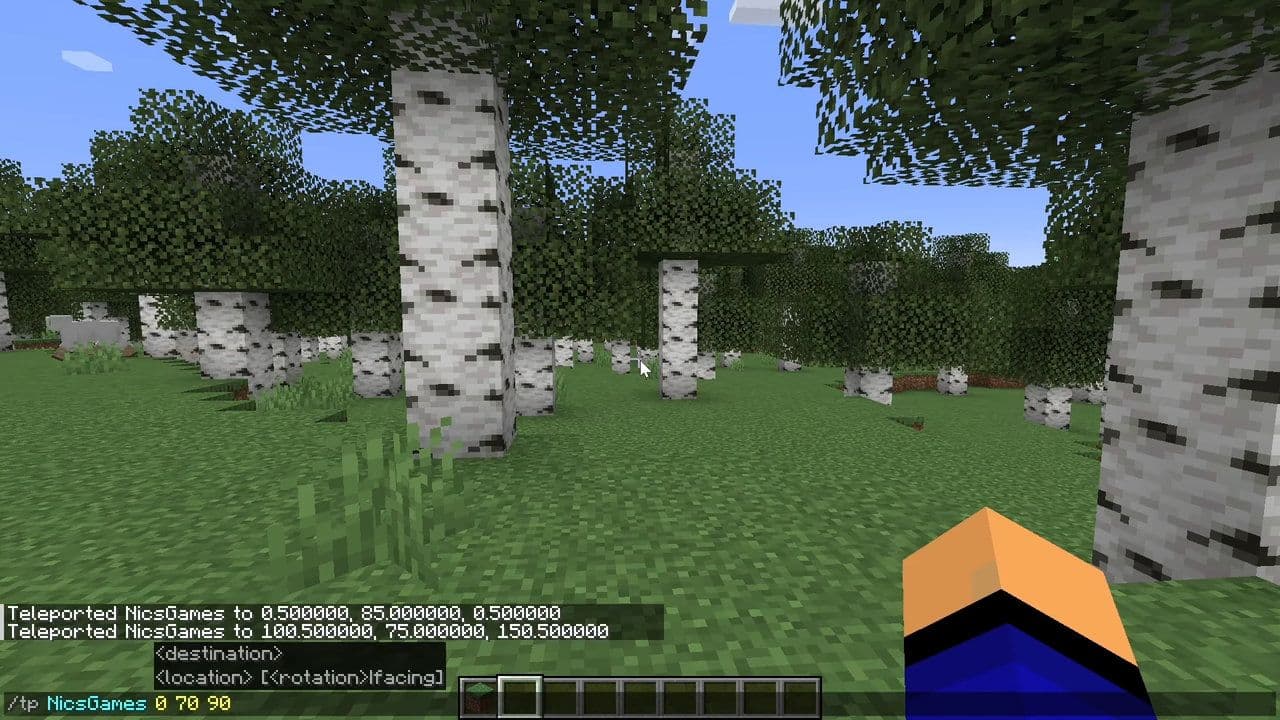
You will instantly teleport there.
You have to know this
The Y value controls height:
- 64 = ground level
- Too low = inside blocks
- Too high = fall damage
Safe range: 60–80
How to TP to a village in Minecraft
If you want to know how to TP to a village in Minecraft, use the locate command first.
Step 1: Locate Village
Type:
- /locate structure minecraft:village
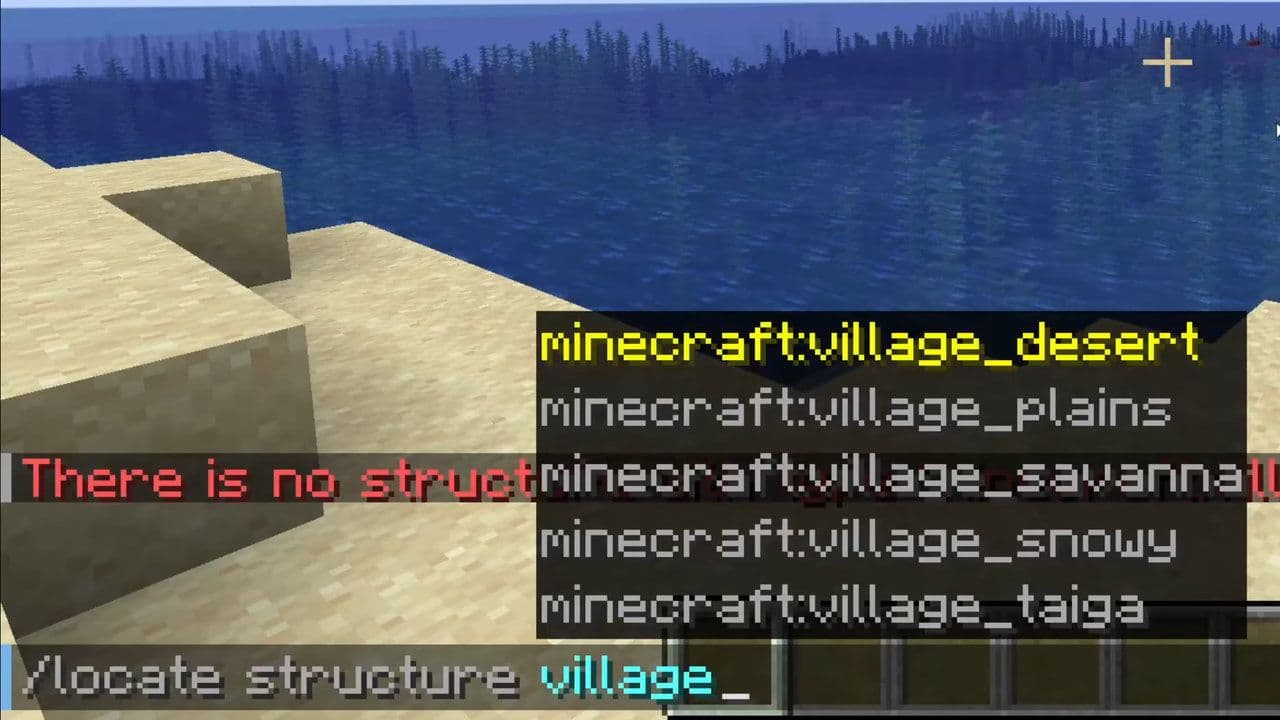
Example result:
Nearest village is at 1200, 70, -950
Step 2: Teleport to Village
Type:
- /tp @s 1200 70 -950
You will teleport directly to the village.
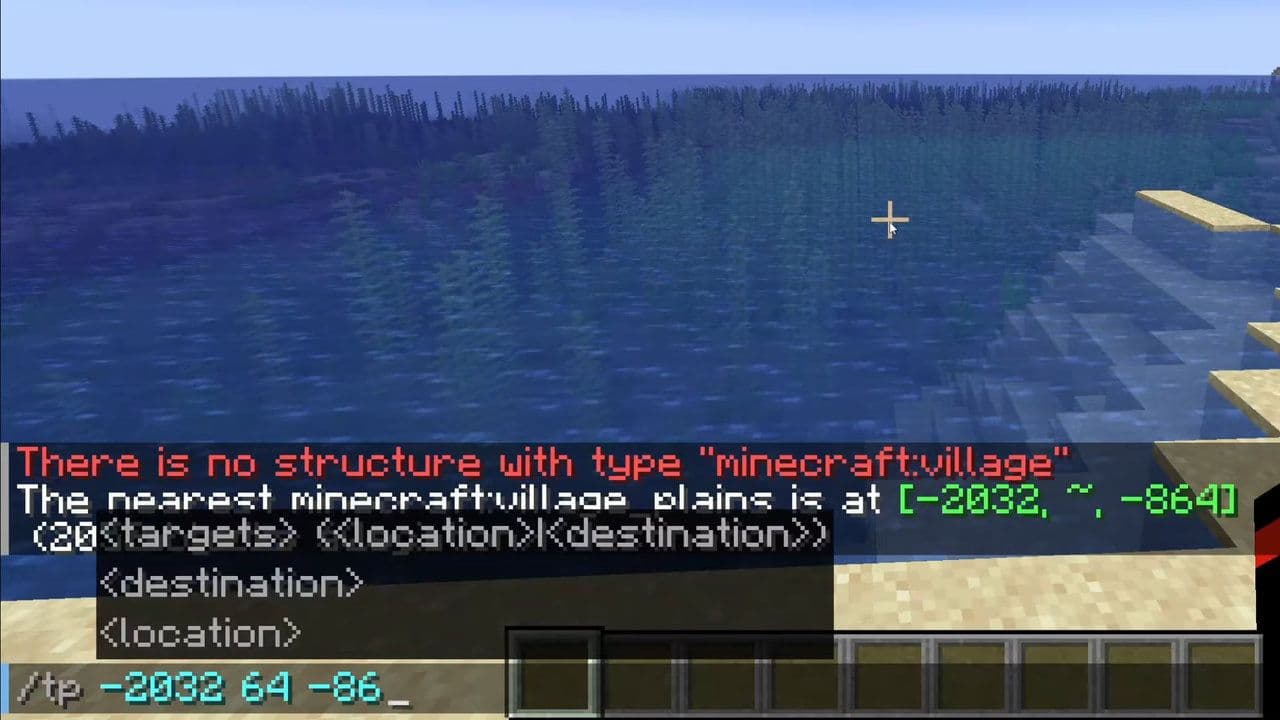
This works for:
- Plains village
- Desert village
- Savanna village
- Snow village
- Taiga village
How to teleport to your death location in Minecraft
If you died and lost your items, this is important.There is no simple /tp death command, but there are 2 real methods.
Method 1: Use last death coordinates (Java Edition)
Type:
- /data get entity @s LastDeathLocation
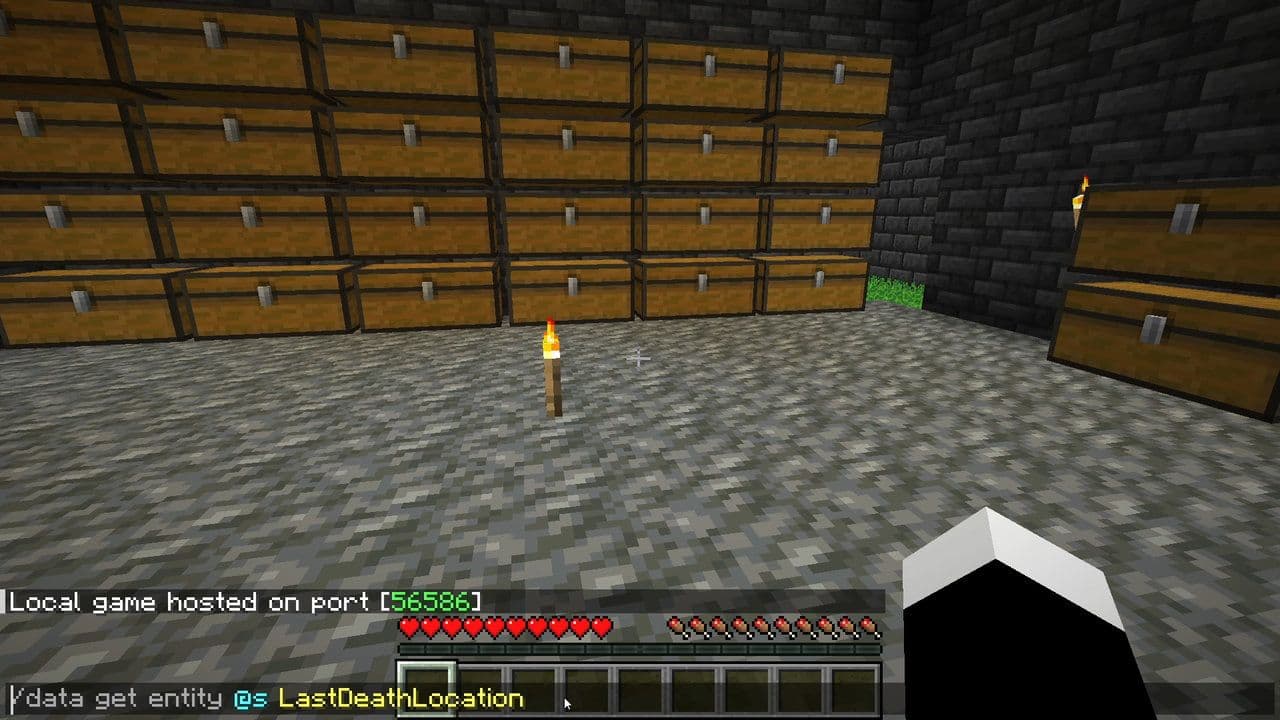
You will see coordinates like:
- X: 340
- Y: 65
- Z: -120
Then teleport:
- /tp @s 340 65 -120
You will return to your death location.
Method 2: Use Recovery Compass (Java and Bedrock)
Recovery Compass points to your last death location.
Craft using:
- 1 Compass
- 8 Echo Shards
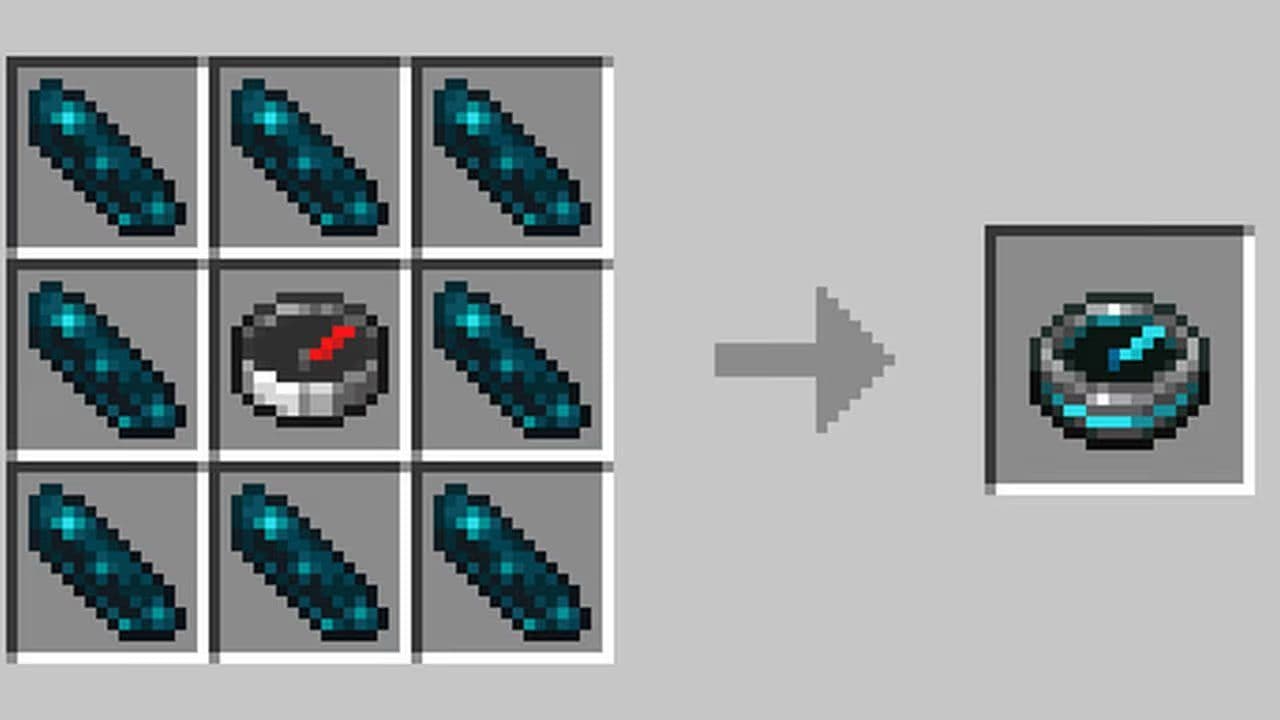
Echo Shards are found in Ancient Cities.
Hold the Recovery Compass and follow it.
You can also combine it with TP if you enable coordinates.
How to teleport to another player in Minecraft
Command:
- /tp YourName PlayerName
Example:
- /tp Steve Alex
Steve teleports to Alex.
How to TP a player to you
Command:
- /tp PlayerName YourName
Example:
- /tp Alex Steve
Alex teleports to Steve.
How to use relative coordinates
Relative coordinates use:
- ~
Example:
- /tp @s ~10 ~0 ~0
This moves you:
- 10 blocks forward
- Same height
Useful for small movements.
How to teleport in Minecraft without coordinates
You can teleport using locate command:
Example village:
- /locate structure minecraft:village
Then TP using result.
You can also teleport to:
- Stronghold
- Mansion
- Ancient City
Example:
- /locate structure minecraft:stronghold
Hytale TP command examples you should know
Learning how to TP in Minecraft helps you:
- Return to base fast
- Recover items after death
- Find villages quickly
- Travel long distances
- Save time exploring
It is one of the most powerful commands in the game.
Always remember:
- Enable cheats
- Use correct coordinates
- Use safe Y level
- Use /locate to find structures
That’s all for today! Looking for more Minecraft guides? Check out these:
- Minecraft Phonk Edits Mod: Integrating viral phonk music and visual effects into gameplay
- Finding diamonds in Minecraft: Everything you need to know
- Minecraft Orbital Railgun Mod: Complete guide to download, craft and use the weapon
- Exploring the best Minecraft shaders for enhanced visuals
- Minecraft Controlify Mod: How to install and use
All Related Guides
 How to start a raid in Minecraft: Java and Bedrock guideLearn how to start a raid in Minecraft Java and Bedrock, get Ominous Bottles, trigger Raid Omen, prepare villa...
 How to breed frogs in MinecraftBreed frogs in Minecraft with this simple guide to slimeballs, frogspawn, tadpoles, frog variants, and common ...
 Best Minecraft PS5 seeds in 2026 - Version 26.2Discover the best Minecraft PS5 seeds in 2026, with strong Bedrock worlds for survival and creative projects....
 Best Minecraft PS5 seeds in 2026 - Version 26.2Find the best Minecraft PC seeds in 2026, with great worlds for survival, villages, building, exploration, and...
 Top 5 Minecraft 26.1 seeds you must try todayFind the best Minecraft 26.1 seeds for villages, rare biomes, island survival, and creative builds, with seed ...
 How to turn on keep inventory in MinecraftUse the correct Keep Inventory command in Minecraft and learn how it works across Java, Bedrock, servers, and ...
 How to breed tropical fish in MinecraftCan you breed tropical fish in Minecraft? Here is the clear answer, plus how to catch, move, and use tropical ...
 Minecraft Chaos Cubed guide: Everything new in the 2026 updateExplore everything new in Minecraft Chaos Cubed, including Sulfur Caves, Sulfur Cubes, geysers, new blocks, co...
- 1
- 2
- 3
- 4
- 5
- 6
- 7
- 8
- 9