How to wall hop in Roblox and how to use it better
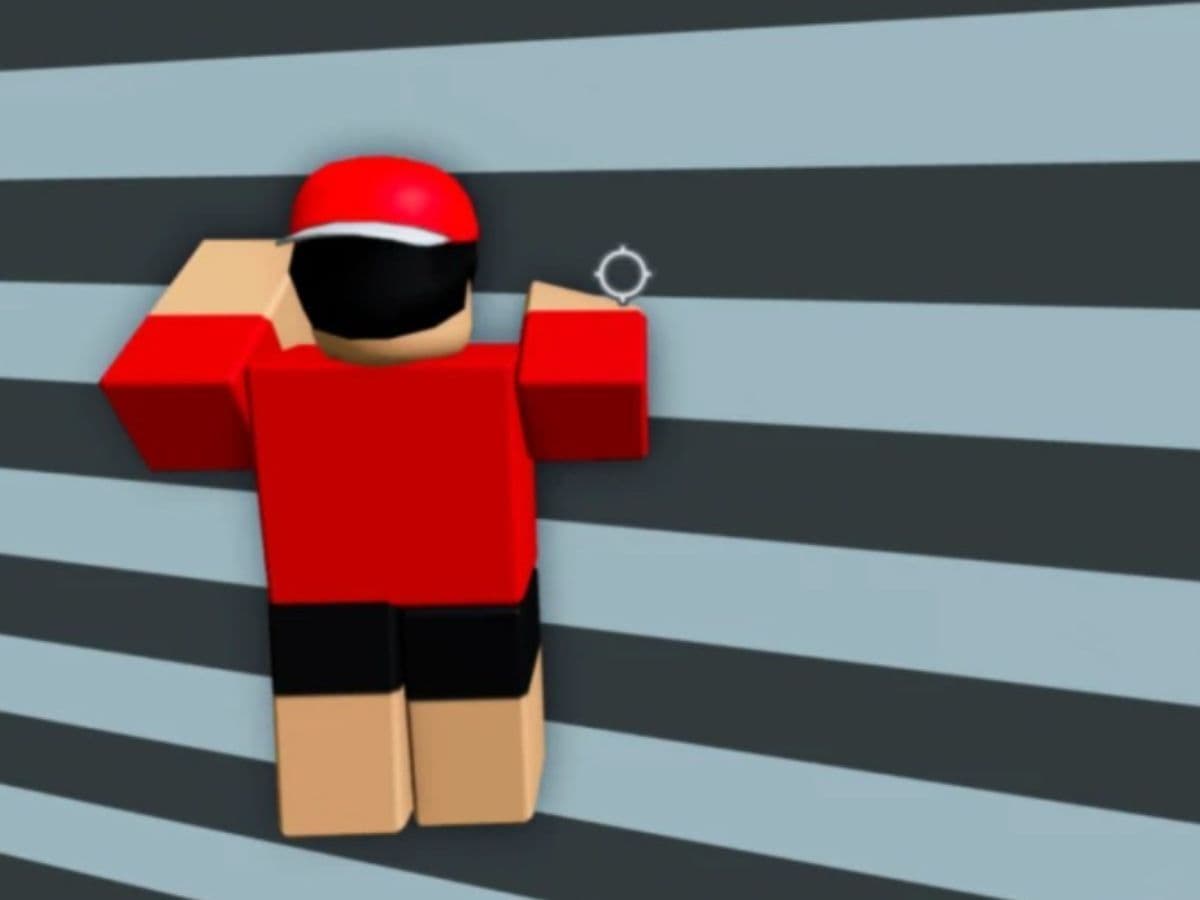
Wall hopping in Roblox turns a simple wall into a shortcut. Players often discover it in obbies, then they use it to climb past sections that look impossible at first glance. The trick looks like a glitch, but it feels like a skill once you learn the timing. Here is how to wall hop in Roblox and some tips and tricks for you!
What is wall hopping in Roblox?
Wall hopping is a movement trick that lets you climb up a wall that uses two or more connected parts. You push into the wall, then you spam jump with a steady rhythm. At the right moment, you snap your camera to the side near the seam where the two parts meet. That camera snap helps you keep gaining height instead of bouncing in place.
Many obbies design walls to stop normal jumps. Wall hopping can bypass that design, so some games patch it or reshape walls to block it. If you are a beginner who wants to learn more about the game, find the step-by-step explanation in the next step!
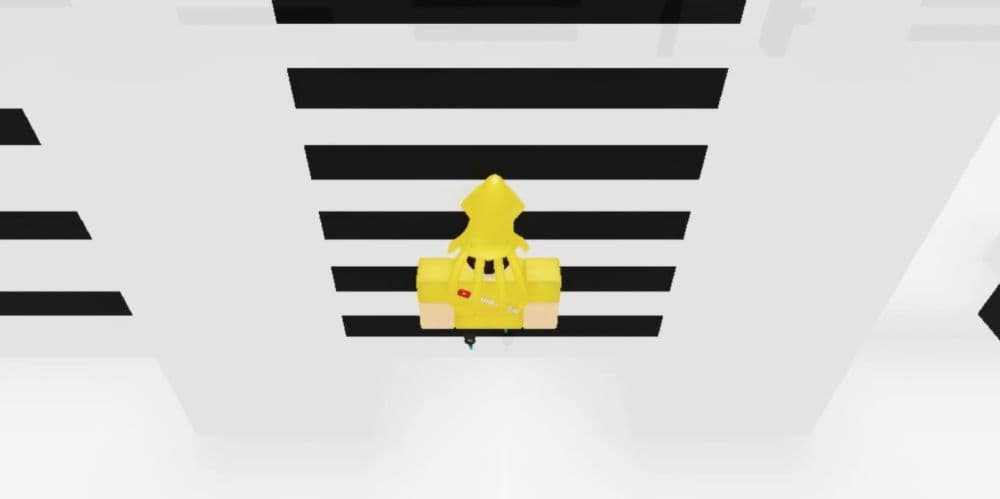
How to wall hop in Roblox
You can wall hop on most PCs with Shift Lock or First-Person. You can also try it on other devices, but PC usually feels easier because you control the camera faster and more precisely.
What you need
- A wall made from two or more connected parts
- Shift Lock or First-Person camera
- A stable frame rate, since smoother motion helps timing
Step-by-step wall hop method
- Walk up to the wall and keep your character pressed against it.
- Turn on Shift Lock or switch to First-Person.

- Hold the Jump key so your character keeps jumping without breaks.
- Watch the seam where the wall parts meet.
- When your feet or hips reach that seam, flick your camera to the left or right as fast as you can.
- Keep holding Jump, then repeat the camera flick each time you reach the seam.
- Maintain the rhythm until you clear the top edge.
Quick control notes for PC
- If you use Shift Lock, keep your cursor stable and flick the camera with small, sharp moves.
- If you use First-Person, keep your view tight on the seam and focus on timing, not distance.
Tips that make wall hopping easier
- Wall hopping fails for clear reasons. Fix the setup first, then fix the rhythm.
- Aim for the seam. You climb the join between parts, not the middle of one part.
- Use short camera snaps. Big swings break your alignment.
- Reset fast. If you slide off, step back, re-center, and restart the rhythm.
- Keep inputs simple. Hold Jump and focus on the camera flick only.
How wall hopping helps players in obbies
Wall hopping matters because it changes how you approach a map. You gain options when a stage blocks normal movement.
Players often use wall hops to:
- Skip a hard climb that needs perfect jumps
- Recover a run after a slip, if a seam sits nearby
- Speed up routes in obbies that allow clean shortcuts
- Practice movement control that also improves other camera-based tricks
Use it with care in challenge maps. Some creators treat wall hopping as an unintended exploit, and some stages can break if you skip trigger zones.
What Shift+P does in Roblox and how players use it
Shift+P can trigger a free camera or developer camera mode in some Roblox experiences and test setups. Roblox does not apply this shortcut the same way in every game. Some games ignore it. Some games bind it to tools that creators use for filming, debugging, or clean camera movement. You may also see a related shortcut such as Ctrl+Shift+P in certain environments.
When it works, Shift+P helps wall hopping in practical ways:
- You can study the wall seam from a better angle before you attempt the climb.
- You can record clean clips of your timing for practice or guides.
- You can spot anti-cheese geometry, like invisible lips or angled trims, before you commit to a route.
If Shift+P does nothing, the game likely blocks it or never enables that tool.
The core idea stays the same. You press into connected parts, hold jump, and snap the camera at the seam until you climb past the wall.
If you are looking for even more Roblox guides to learn more about the game, start from here:
- How to listen to music while playing Roblox
- How to get multiple hairs on Roblox and layer hairstyles properly
- How to redo Roblox age check after the latest update
- Top Roblox DTI Tropical outfit ideas and all other details
- Roblox Practical Basketball: What It Is, How to Play, and the Full Controls Guide
Featured Image Credit: Roblox
All Related Guides
 Roblox Robux codes (October 2026): Gift cards, free items & moreFind Roblox Robux codes & redeem gift cards, claim free avatar items, convert Roblox Credit, and fix codes tha...
 How to see Roblox purchase historyLearn how to see your Roblox purchase history, check Robux transactions and find real-money receipts on deskto...
 How to find the Monochrome Roblox code and escapeFind the Monochrome Roblox code, collect all four keys, survive the basement maze and open the elevator to com...
 How to connect Claude to Roblox StudioConnect Claude to Roblox Studio with the current MCP method and see how Claude can work with your scripts and ...
 How to fight in Gakuran RobloxLearn how to fight in Gakuran Roblox, from basic attacks to blocking, parrying, posture, and fighting styles....
 How to get a free avatar in RobloxFind out how to get a free Roblox avatar without spending Robux, from free character bundles to Marketplace it...
 How to reduce lag in Roblox: Comprehensive guideRoblox feeling slow or choppy? Find out how to reduce lag in Roblox and improve your game with a few simple ch...
 How to check Roblox player countHow many people play Roblox in 2026? Check the latest Roblox player count and learn what the numbers actually ...
- 1
- 2
- 3
- 4
- 5
- 6
- 7
- 8
- 9
- 10
- 11
- 12
- 13