Rocket League Easy Anti-Cheat (EAC) explained
Rocket League’s biggest security updateON THIS PAGE:

Rocket League Easy Anti-Cheat is one of the biggest technical changes Rocket League has seen since going free-to-play. On April 28, 2026, developer Psyonix officially launched Easy Anti-Cheat (EAC) for the PC version of Rocket League as part of Season 22, making anti-cheat protection mandatory for online play.
From that date forward, PC players on both Steam and the Epic Games Store must run Rocket League with EAC enabled to queue for ranked, casual online matches, private matches, and tournaments.
What is Easy Anti-Cheat?
Easy Anti-Cheat (EAC) is software that protects multiplayer games from cheats, bots, automation tools, and unauthorized third-party programs. It detects suspicious files, memory changes, injected code, and unusual gameplay behavior that may indicate cheating.
Popular titles that use EAC include Fortnite, Apex Legends, Elden Ring, Dead by Daylight, Fall Guys, Halo: The Master Chief Collection, Rust, Paladins, War Thunder, and Hell Let Loose. With hundreds of supported PC titles, Easy Anti-Cheat has become one of the most widely adopted anti-cheat systems in modern gaming, giving Rocket League Easy Anti-Cheat a strong and proven foundation.
Why did Rocket League add EAC?
Rocket League may not have traditional shooter cheats like aimbots or wallhacks, but cheating still exists. In recent seasons, players have reported:
- AI-controlled bots capable of highly mechanical play
- Automation scripts for repeated inputs
- Account farming and boosting
- Exploits affecting matchmaking or lobbies
- Malicious activity like DDoS attacks in competitive environments
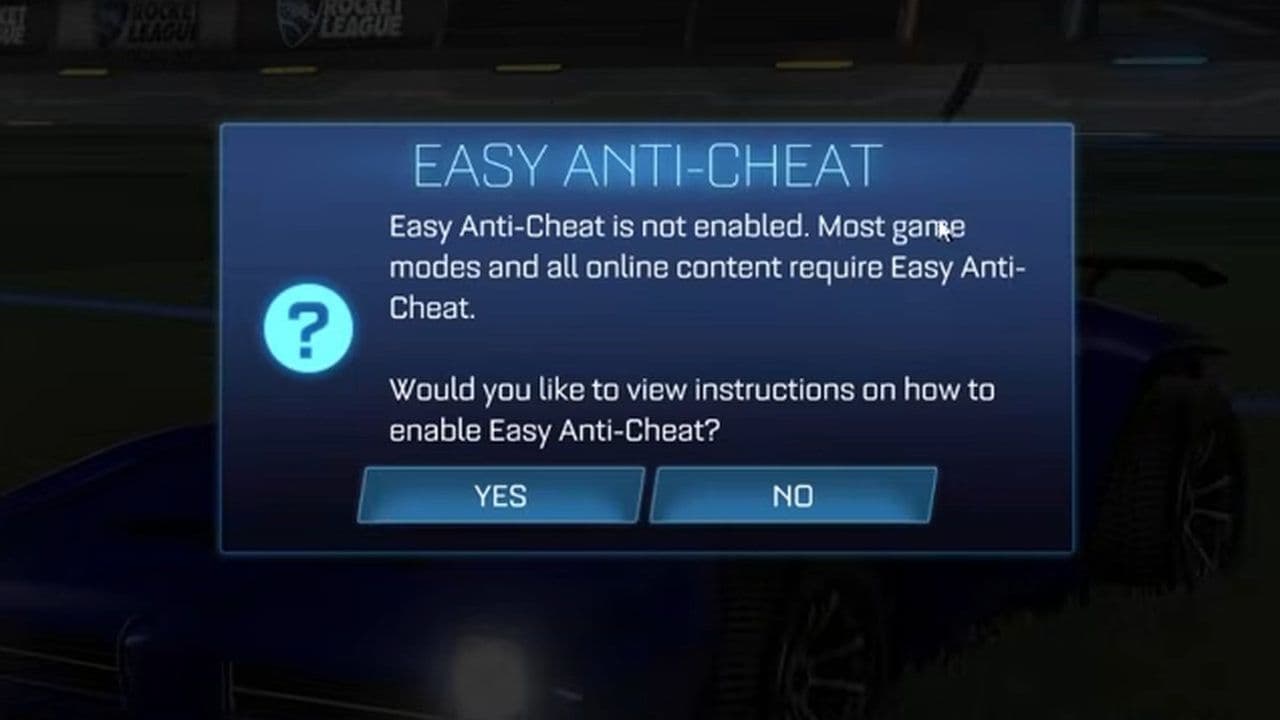
Psyonix confirmed that Rocket League Easy Anti-Cheat is part of a broader security effort that also includes additional bot detection methods and DDoS prevention. The goal is simple: make online matches fairer and remove automated advantages.
How does Rocket League Easy Anti-Cheat work
Rocket League Easy Anti-Cheat uses several layers of protection to detect cheats and suspicious activity.
- Launch verification: When Rocket League starts, EAC checks game files, launch files, and active processes for tampering, modified executables, DLL injections, and known cheat tools. This stops many cheats before the game even launches.
- Process monitoring: While the game is running, EAC monitors software interacting with Rocket League’s memory, including cheat engines, injection tools, automation scripts, overlays, and suspicious background programs. This helps detect external cheats that do not directly modify game files.
- Behavior detection: EAC also analyzes gameplay patterns. It can flag perfectly timed repeated inputs, unnatural consistency, robotic movement, and reaction times that appear automated—making it especially effective against bots.
- Server-side validation: On top of local checks, Rocket League uses server-side monitoring to detect unusual input timing, networking anomalies, impossible movements, and suspicious account behavior. This adds another layer of security that is much harder to bypass.

Is Rocket League Easy Anti-Cheat not working?
While players can choose to launch the game with or without EAC enabled, Easy Anti-Cheat must still be installed on your PC to run Rocket League properly.
If you skipped the EAC installation during setup—or if the installation failed—you may need to reinstall Easy Anti-Cheat before launching the game.
Psyonix also notes that if you run into installation or launch issues, it may help to install Rocket League on the same drive as your Windows operating system. This can prevent problems related to registry access, user permissions, or installation paths, which may stop Rocket League Easy Anti-Cheat from working correctly.
What changes for players?
The launch of Rocket League Easy Anti-Cheat changed how PC players use the game.
EAC is required for online play
To play online, EAC must be on.
That includes:
- Ranked
- Casual online matches
- Private online matches
- Tournaments
If EAC is disabled, online queueing is blocked.
Mods do not work with EAC enabled
Many third-party mods use injection methods that anti-cheat systems treat as unsafe.
That means mods cannot run while Rocket League Easy Anti-Cheat is active.
Offline modding is still allowed
Psyonix kept an important option for the community.
Players can launch Rocket League with EAC disabled for:
- Training
- Offline matches
- LAN matches
- Replay viewing
- Custom video editing tools
- Workshop content
This keeps modding alive outside competitive online play.
Steam Deck and Linux support remains
One major concern was compatibility with Steam Deck and Linux via Proton. Psyonix confirmed that Rocket League Easy Anti-Cheat supports those platforms, so players can continue playing on their preferred hardware.

Rocket League also adds a “Play Without Easy Anti-Cheat” option
Alongside the launch of Rocket League Easy Anti-Cheat, Psyonix also introduced a “Play without Easy Anti-Cheat” launch option for PC players. This allows users to start Rocket League with EAC disabled for offline play, training, LAN matches, and certain third-party tools, while keeping Easy Anti-Cheat mandatory for online matchmaking.
However, shortly after release, the official Rocket League Status account noted that some players might experience a brief disruption while the new option rolled out. According to the update, the “Play without Easy Anti-Cheat” setting may not appear immediately for everyone, and restarting the launcher and game should resolve the issue if the option is missing during the first few minutes after release.
This small rollout issue was temporary, but it highlighted an important point: while Rocket League Easy Anti-Cheat is now central to online play, Psyonix still wants to preserve offline flexibility for players who use mods, custom tools, or simply want to play without anti-cheat running outside of competitive modes.
How to disable Rocket League Easy Anti-Cheat
Psyonix has also added a “Play without Easy Anti-Cheat” launch option for PC players.
To disable EAC:
- Open Steam or Epic Games Launcher
- Launch Rocket League
- Select “Play without Easy Anti-Cheat” from the launch options
- Start the game normally
Cheating just got much harder in Rocket League
Rocket League Easy Anti-Cheat will not eliminate cheating overnight. No anti-cheat system can promise that. But what it does do is raise the barrier significantly.

Cheat developers now face:
- Faster detection
- Real-time bans
- Stronger monitoring
- More advanced behavioral checks
- Increased technical difficulty
For legitimate players, that means a fairer ladder and a stronger competitive scene.
That’s all for today! Looking for more Rocket League guides? Check out these:
Guide Categories
All Related Guides
 How to change MPH to KPH in Rocket LeagueLearn how to change MPH to KPH in Rocket League through the Metric setting, switch back to MPH, and learn what...
 How to rank up in Rocket League and what is a good rank?Trying to climb in Rocket League? Learn how ranking works, which skills matter most, and how to make steady pr...
 How to get the JUNKO title in Rocket LeagueTrying to get the Junko title in Rocket League? Here is how the title works, who can earn it, and where BALRIG...
 How to get Rocket League on mobileFind out how to play Rocket League on mobile, where to download Rocket League Sideswipe, and whether it suppor...
 Did Rocket League get stuck on “Press any button to start”? Here is how to fix it on PCRocket League stuck on press any button to start? Try these PC fixes for cache, files, login issues, controlle...
 Rocket League codes (July 2026): All active redeem codes & free rewardsLooking for Rocket League codes? Redeem all active Rocket League redeem codes to unlock free Player Titles, th...
 How to get Jynxzi Rocket League skin & moreLearn how to get the Jynxzi Rocket League decal, title, and exclusive rewards through the Season 23 community ...
 How to fix latency variation in Rocket LeagueLearn how to fix Rocket League latency variation with Ethernet, CSTS input buffer, correct server region, and ...
- 1
- 2
- 3
- 4
- 5
- 6
- 7
- 8
- 9