Rocket League “Complete a Custom Training Using Randomization” challenge explained
How to complete randomized training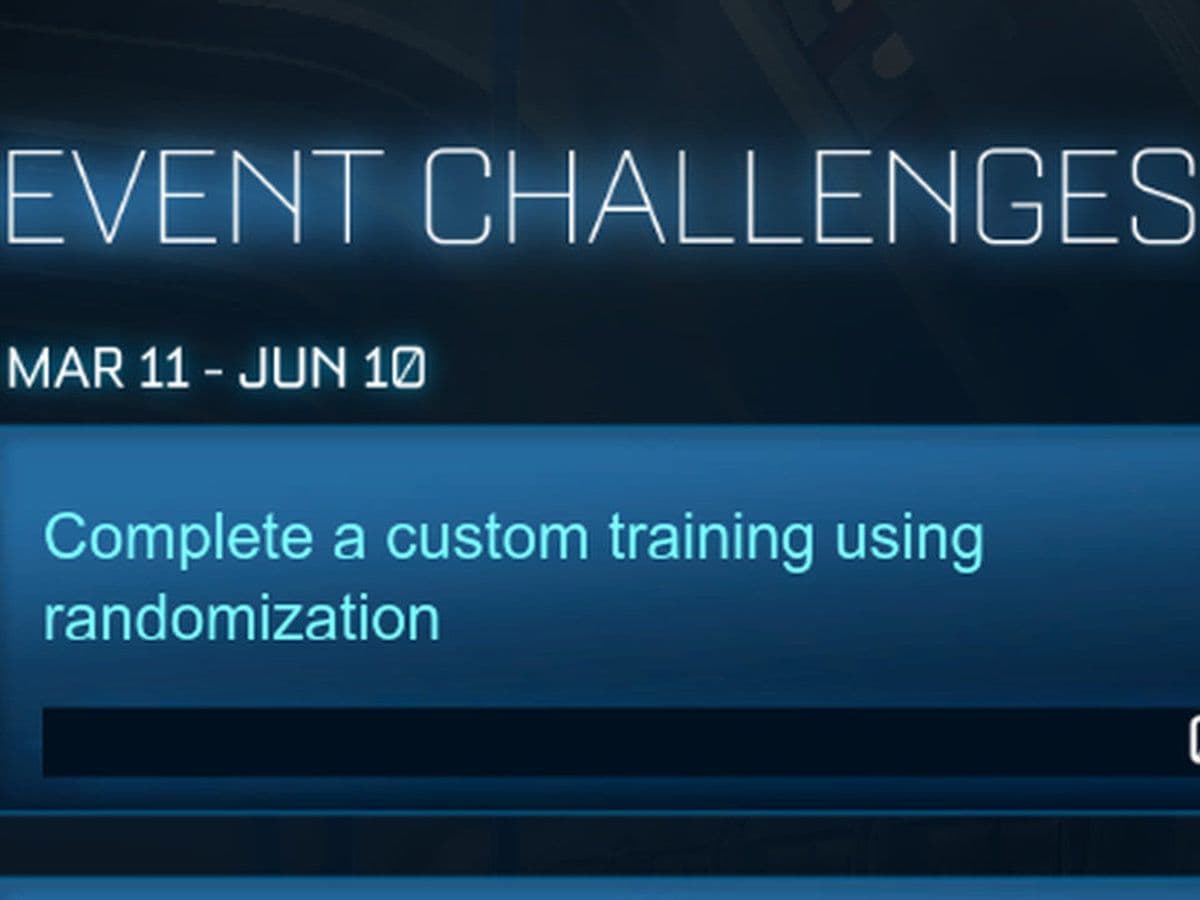
One of the more unusual challenges that occasionally appears in Rocket League challenges is “Complete a Custom Training using Randomization.” At first glance, this objective can be confusing. Many players attempt the challenge but fail to trigger completion because they misunderstand how the randomization settings work.
This guide explains exactly what the challenge means, how to complete it, and how to use it as a powerful training method to improve your mechanics.
What is Rocket League Custom Training?
Before diving into the challenge, it is important to understand how Custom Training works.
Custom Training is a mode that allows players to practice specific shots and situations created by the community or by themselves. Each training pack contains a sequence of scenarios where the ball and car spawn in predefined positions so the player can repeatedly practice mechanics such as:
- Aerial shots
- Dribbling
- Redirects
- Saves
- Wall shots
This system allows players to practice situations that might only occur rarely during real matches, making it one of the most efficient ways to improve mechanical consistency.
Training packs can be created, shared, and downloaded by other players through unique codes generated by the game.
What does randomization mean?
Normally, every attempt starts exactly the same way. The ball and car spawn in the same position each time. However, when you enable randomization, the game slightly changes these conditions.
Randomization can modify things like:
- Ball speed
- Ball position
- Ball height
- Car position
- Car rotation
These changes create small variations so the scenario feels more like a real match instead of a repeated drill.
To Complete a Custom Training Using Randomization, you simply need to finish a training pack while these randomized modifiers are active.
So, how to complete the Rocket League Complete a Custom Training Using Randomization challenge?
Follow these steps carefully to ensure the challenge registers correctly.
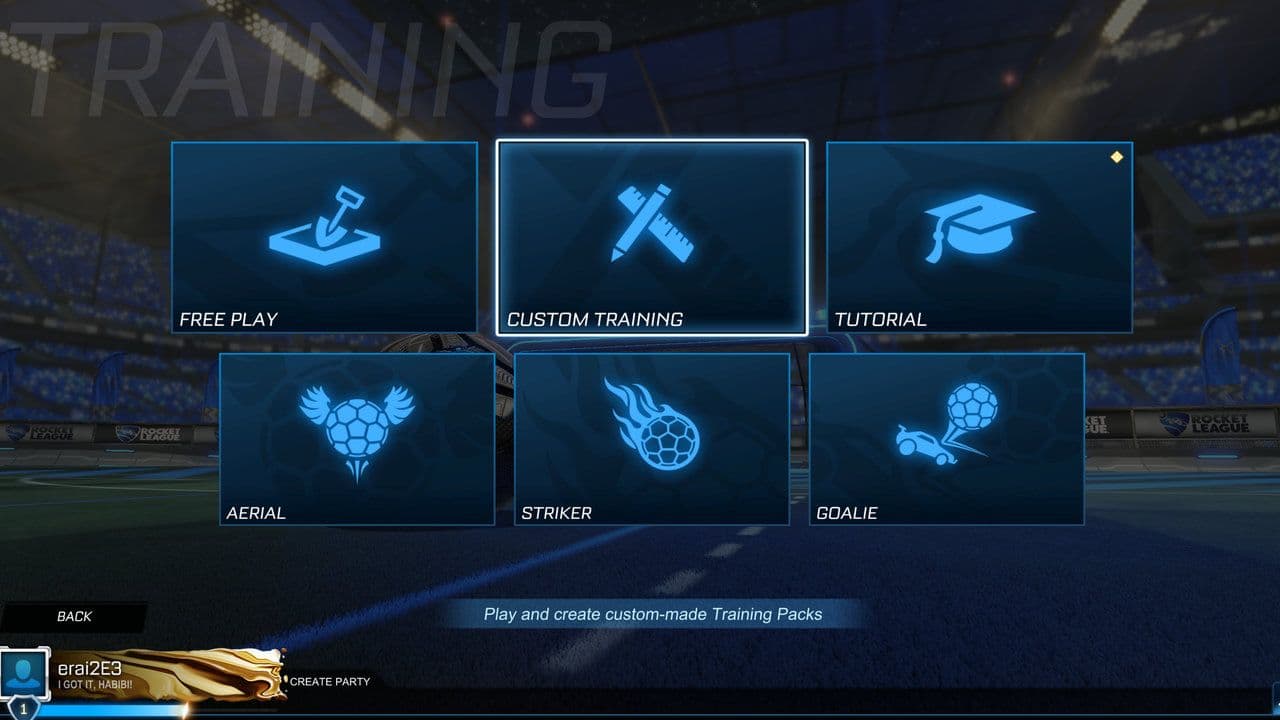
1. Open the Training Menu
From the main menu in Rocket League:
- Select Play
- Click Training
- Choose Custom Training
This will open the list of available training packs.
2. Select any training pack by Psyonix
You can use any training pack by Psyonix to Complete a Custom Training Using Randomization.
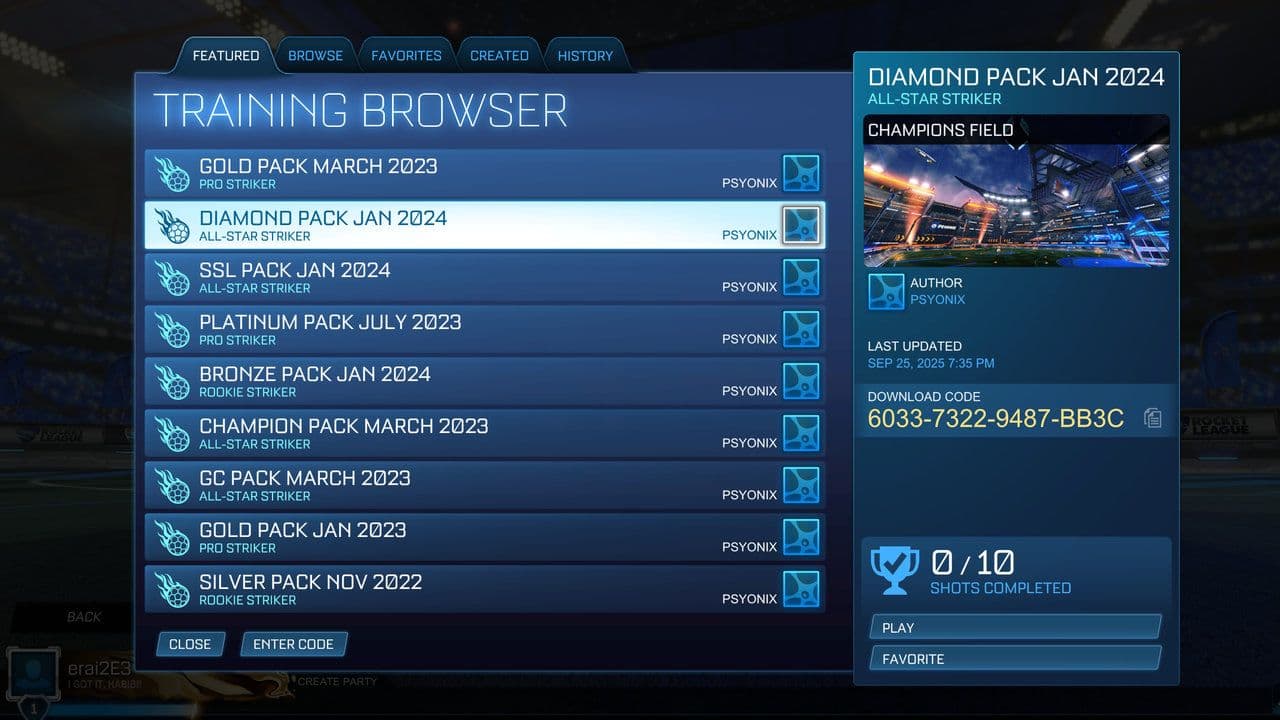
If you want to complete the challenge quickly, choose a short and easy pack such as basic striker training or open net shots.
3. Start the training pack
Enter the training pack and begin the first shot.
Once you are inside the training session, you can adjust the settings.
4. Open Training Settings
Pause the game during the training pack and open Training Settings.
Depending on your platform, this is usually done by pressing the pause/options button.
Inside this menu you will see multiple settings that control how the training behaves.
5. Enable randomization modifiers
To Complete a Custom Training Using Randomization, you must enable at least one randomization option.
Options include:
- Ball Speed Modifier – changes the starting speed of the ball
- Ball Location Modifier – moves the ball spawn slightly
- Ball Height Modifier – changes the vertical spawn height
- Vehicle Location Modifier – adjusts where your car spawns
- Vehicle Rotation Modifier – changes the direction your car faces
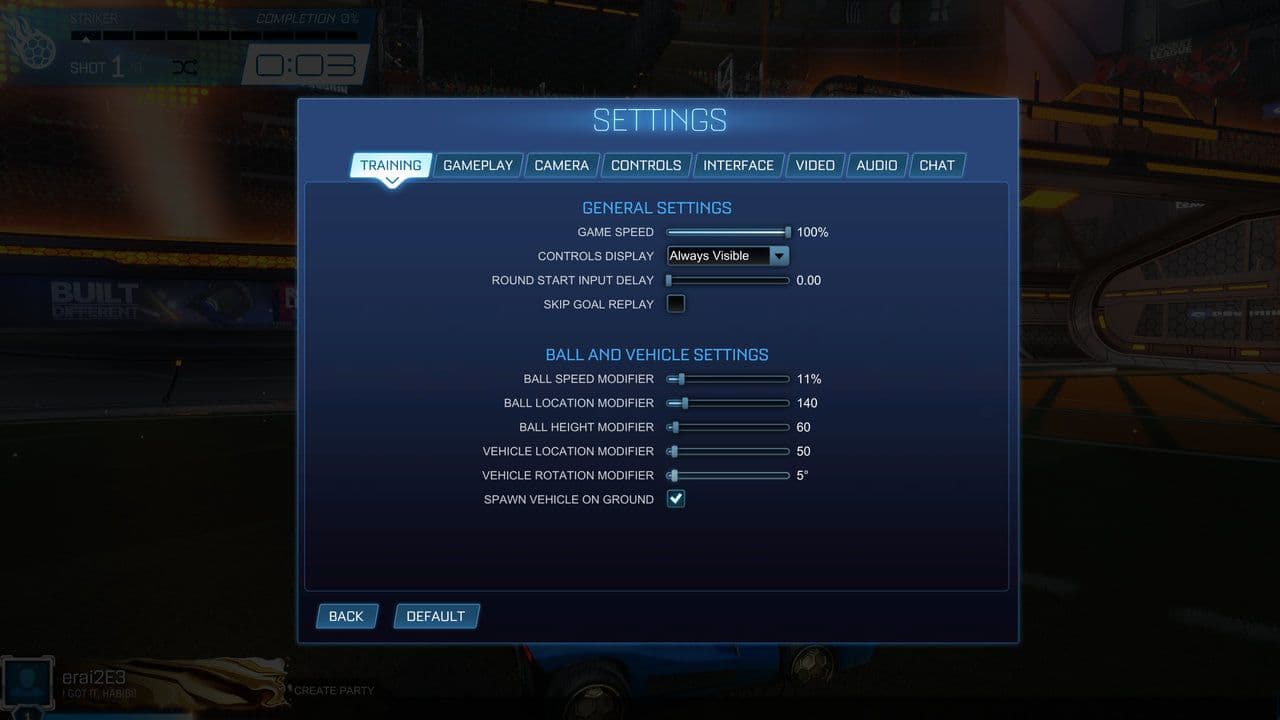
You only need one modifier active, but you can enable several if you want a more dynamic training session.
6. Restart the Training Pack
After enabling randomization settings, restart the training pack.
This step is important because the new modifiers must be active from the beginning of the pack for the challenge to count.
7. Finish the Training Pack
Now complete all shots in the pack.
Once you finish the final shot while randomization is enabled, the Complete a Custom Training Using Randomization challenge should register.
Fastest way to complete the challenge
If you only want to finish the challenge quickly, use this method:
- Choose a very short striker training pack
- Enable a small Ball Speed Modifier
- Restart the pack
- Score each shot
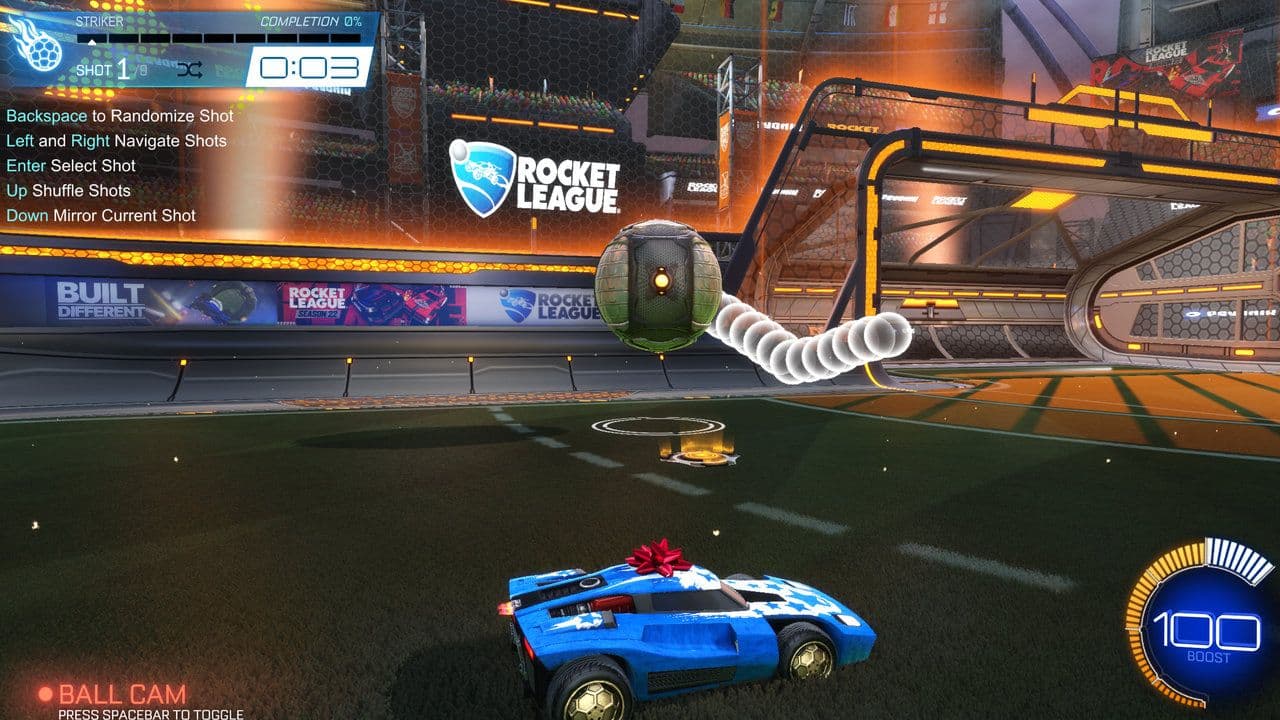
Many basic packs have 5–10 shots, so the challenge can be finished in just a few minutes.
Common mistakes when completing the challenge
Many players struggle with this objective because of a few common mistakes.
- Randomization was never enabled: Some players start a training pack and finish it normally. The challenge only works if randomization modifiers are turned on.
- Training was not restarted: If you change settings in the middle of a training session, they may not apply correctly. Always restart the pack after enabling randomization.
- The pack was not fully completed: You must finish the entire pack. Leaving early or skipping shots may prevent the challenge from counting.
The Complete a Custom Training Using Randomization challenge in Rocket League is easy once you understand the requirement. Simply enable randomization modifiers in a Custom Training pack, restart the session, and finish all shots.
While many players complete it quickly for rewards, randomized training is also a great way to build mechanical consistency and improve your reaction skills.
By practicing with slight variations in ball speed, position, and car orientation, you prepare yourself for the unpredictable situations that happen in real Rocket League matches.
That’s all for today! Looking for more Rocket League guides? Check out these:
Guide Categories
All Related Guides
 How to get Jynxzi Rocket League skin & moreLearn how to get the Jynxzi Rocket League decal, title, and exclusive rewards through the Season 23 community ...
 How to fix latency variation in Rocket LeagueLearn how to fix Rocket League latency variation with Ethernet, CSTS input buffer, correct server region, and ...
 Rocket League TikTok Drops guide: How to get free rewardsRocket League TikTok Drops guide: earn free cosmetics, reward codes, RLCS drops, and learn how to redeem TikTo...
 Guide to the Ratatouille Rocket League EventRatatouille Rocket League event guide: all rewards, challenges, cosmetics, Goal Explosion, and Fortnite integr...
 Rocket League Easy Anti-Cheat (EAC) explainedRocket League Easy Anti-Cheat explained: how EAC works, online requirements, mod support, Linux compatibility,...
 How to play custom maps in Rocket LeagueDiscover how to play custom maps in Rocket League with a quick guide to setup, loaders, and the best maps for ...
 How to horse dash in Rocket LeagueLearn how to horse dash in Rocket League with simple steps, key tips, and common mistakes to avoid in this qui...
 How to air roll in Rocket LeagueHow to air roll in Rocket League: controls, settings, tips, and step-by-step guide to improve aerial control....
- 1
- 2
- 3
- 4
- 5
- 6
- 7
- 8