How to change language in Rocket League (Epic Games Store, PS, Xbox, Switch & Steam)
Changing the language is a basic option in any video game. Here's how to do it on different platforms in Rocket League.
Is it hard to learn how to change language in Rocket League? No matter if you're on Epic Games Store, PlayStation, Xbox, Nintendo Switch, or Steam, changing the language is super easy. And if you're looking to play with friends who are on different platforms, don't miss our article on Rocket League's cross-platform compatibility.
How to change language in Rocket League
Just follow these simple steps to set RL to your preferred language and get back to dominating the field:
Epic Games Store
- Open the Epic Games Launcher: Launch the Epic Games Launcher on your PC.
- Access Settings: Click on your Profile Icon (the first letter of your username) in the top-right corner and select "Settings."
- Locate Rocket League: Scroll down and click on "Rocket League."
- Add Command Line Argument: Check the box for "Additional Command Line Arguments."
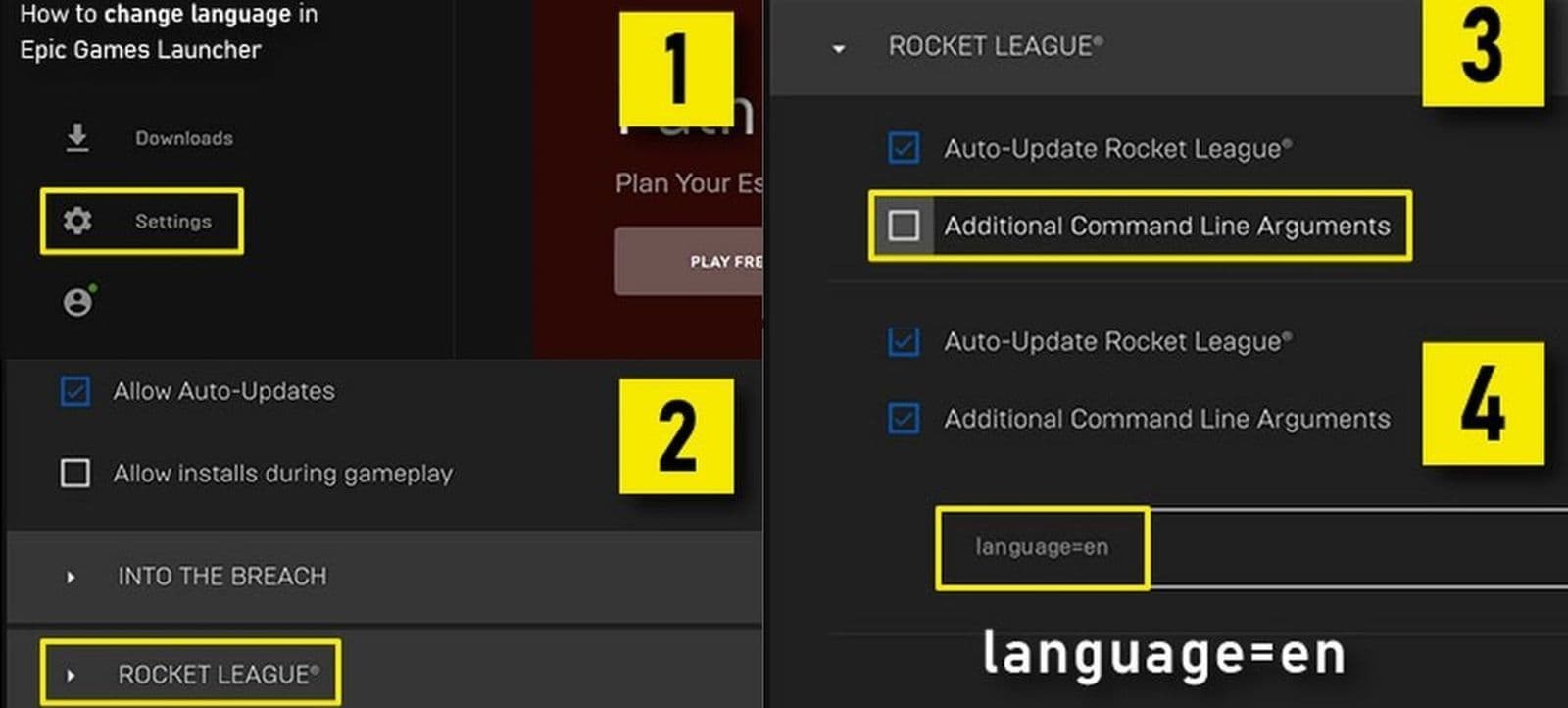
- Enter Language Code: Type -language=xxx, replacing xxx with the 3-letter code for your desired language:
- English: INT
- French: FRA
- Italian: ITA
- German: DEU
- Spanish (LATAM): ESN
- Dutch: DUT
- Brazilian Portuguese: PTB
- Japanese: JPN
- Korean: KOR
- Turkish: TRK
- Russian: RUS
- Polish: POL
PlayStation
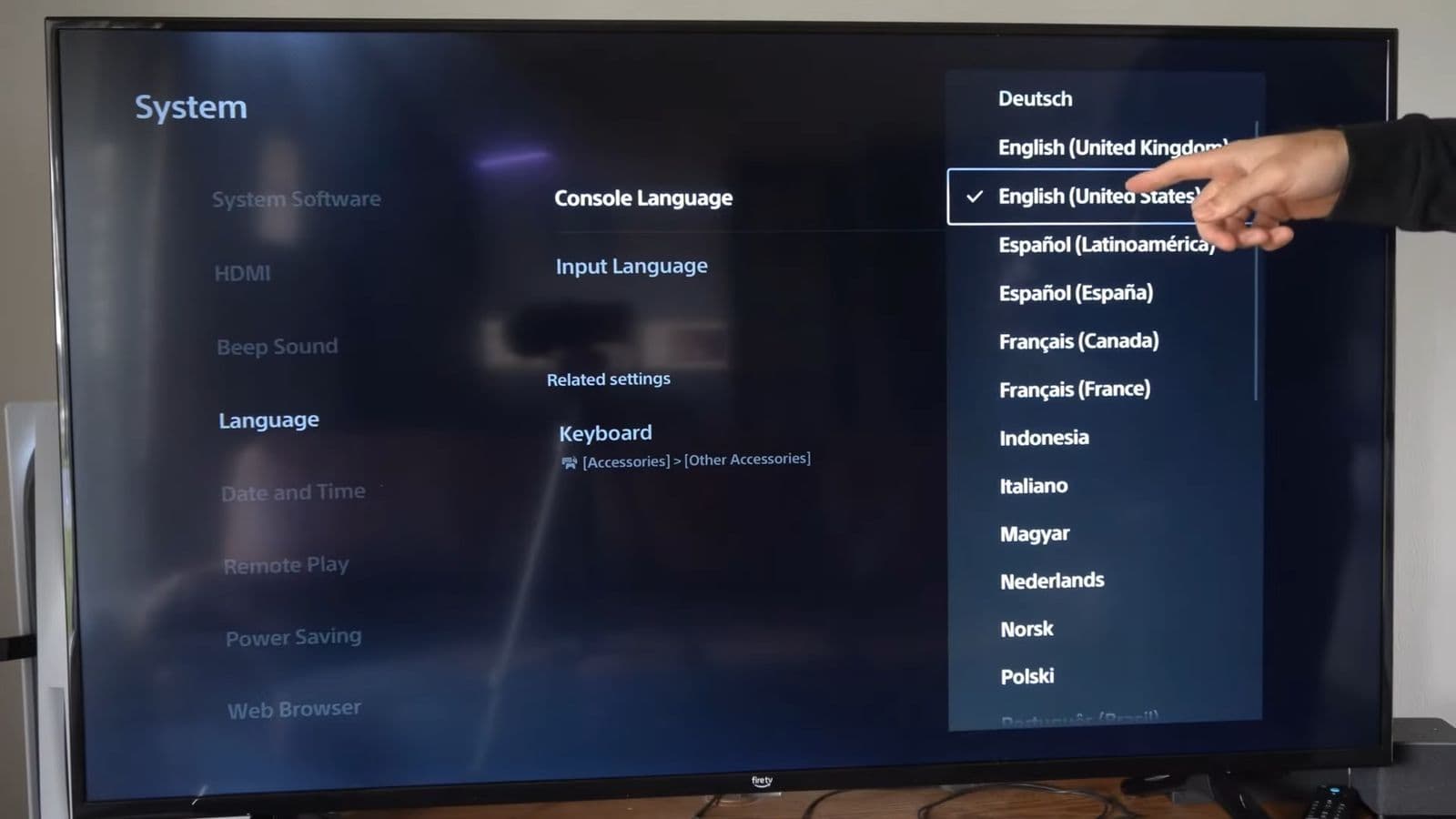
- Access Dashboard: Go to your PlayStation Dashboard.
- Open Settings & System: Select "Settings" located in the top right corner and find “System”
- Choose Language: Choose "System Language" and set your new “Console Language”
Xbox
- Open Guide Menu: Press the Guide button on your controller.
- Navigate to Settings: Go to "Settings."
- Select System Settings: Choose "System Settings."
- Access Language and Locale: Select "Console Settings" and then "Language and Location."
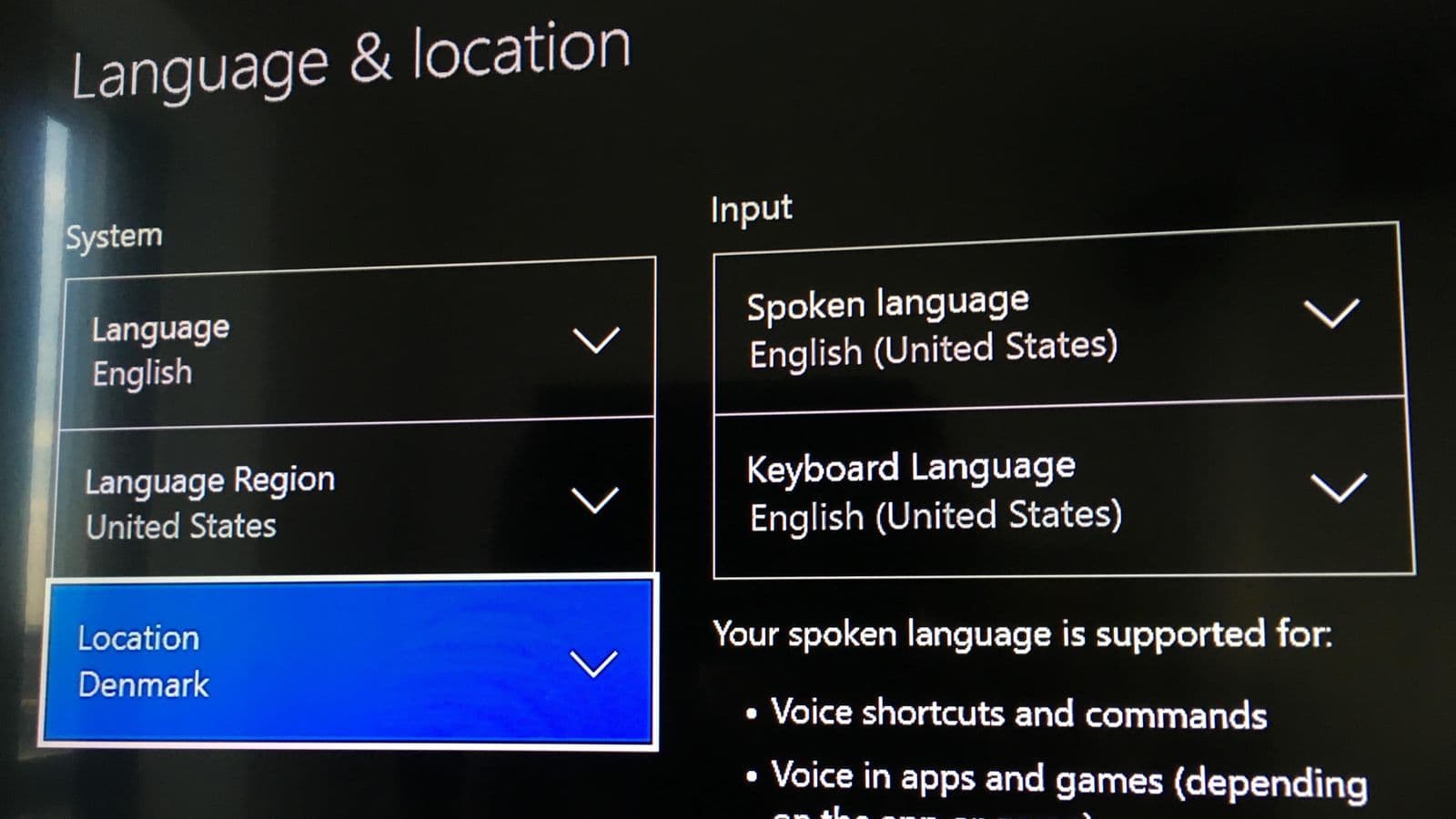
- Set Language: Choose "Language" and select your preferred language.
Nintendo Switch
- Go to Home Menu: Navigate to the Home Menu on your Switch.
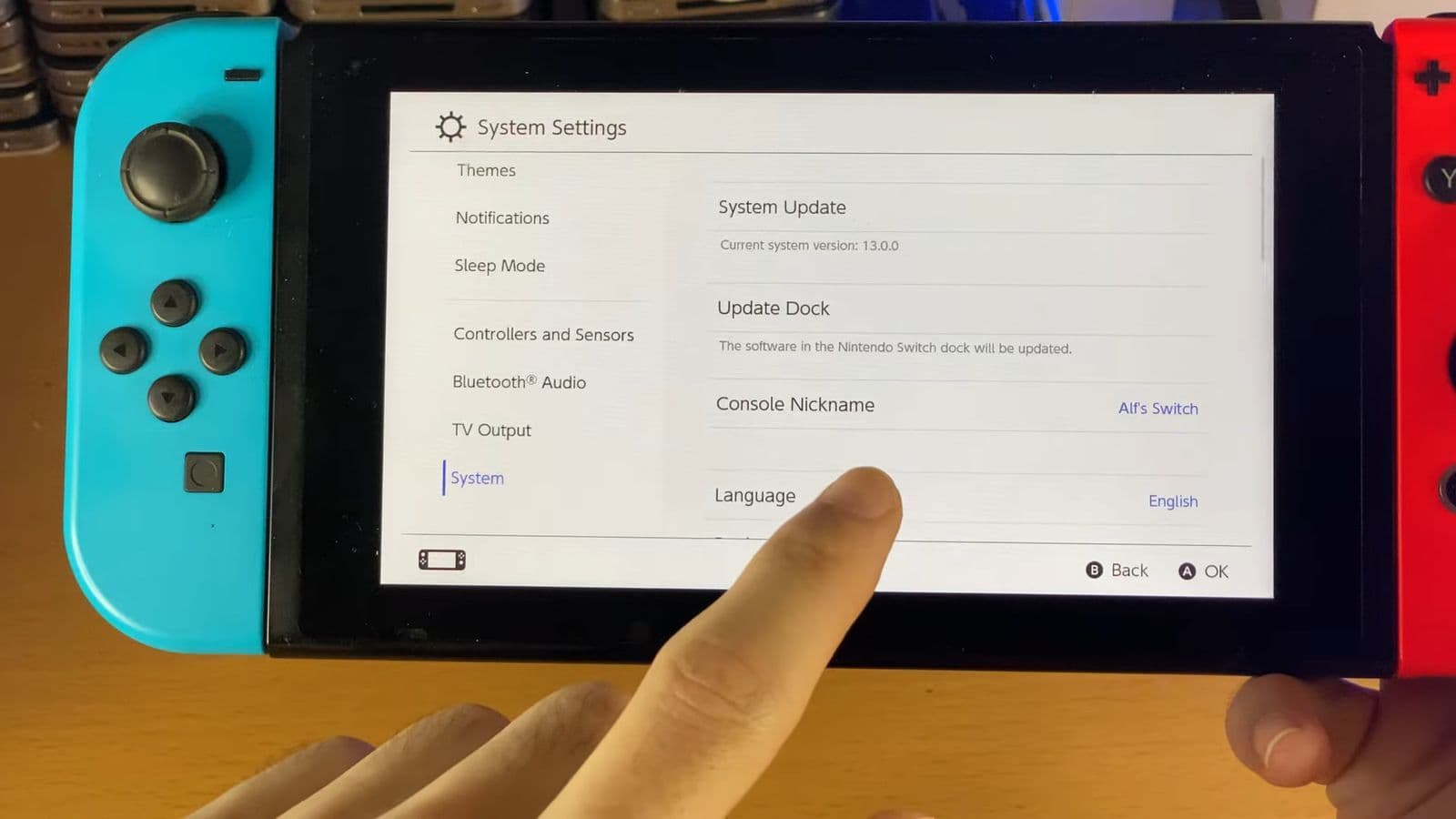
- Open System Settings: Select "System Settings."
- Choose System: Go to "System."
- Change Language: Select "Language" and pick your desired language.
Steam
- Open Library: Click on "Library" in the Steam client.
- Find Rocket League: Locate Rocket League in the list on the left.
- Access Properties: Right-click on Rocket League and select "Properties."
- Select Language Tab: Go to the "Language" tab.
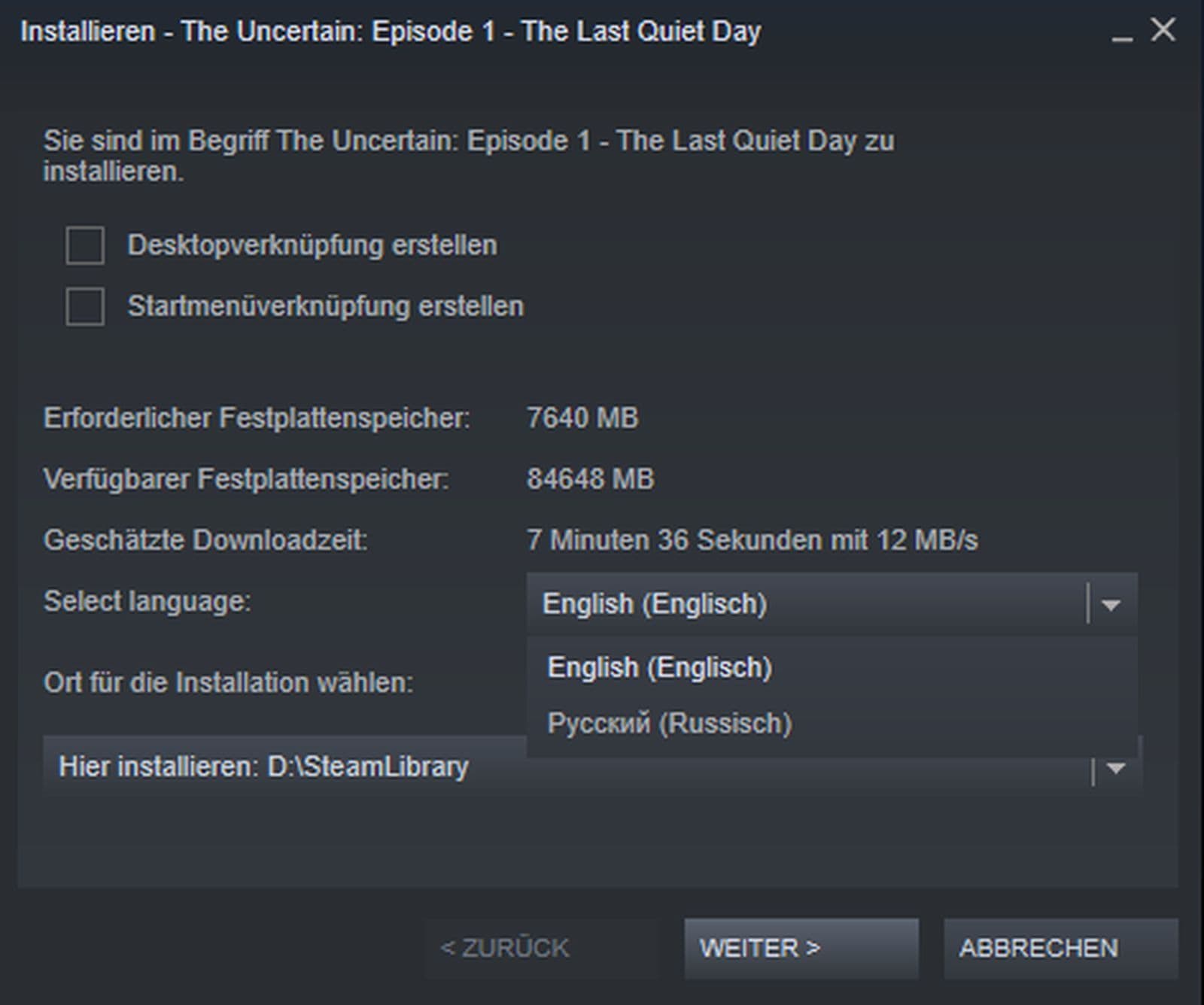
- Choose Language: Pick your language from the drop-down menu and click "OK."
By following this Rocket League guide, you can easily switch Rocket League to your preferred language and enjoy a more personalized gaming experience. Speaking of personalization, you may want to check out the following as well.
Bonus: How to change your name on Rocket League
Want to give your Rocket League Sideswipe persona a fresh new identity? The name displayed in the game is tied to your Epic Games account’s display name. Verify your email and follow these steps:
- Go to your Epic Games Account Info page.
- Click the Pencil icon next to your Display Name.
- Enter your new name and click Confirm.
- Scroll down and click Save Changes.
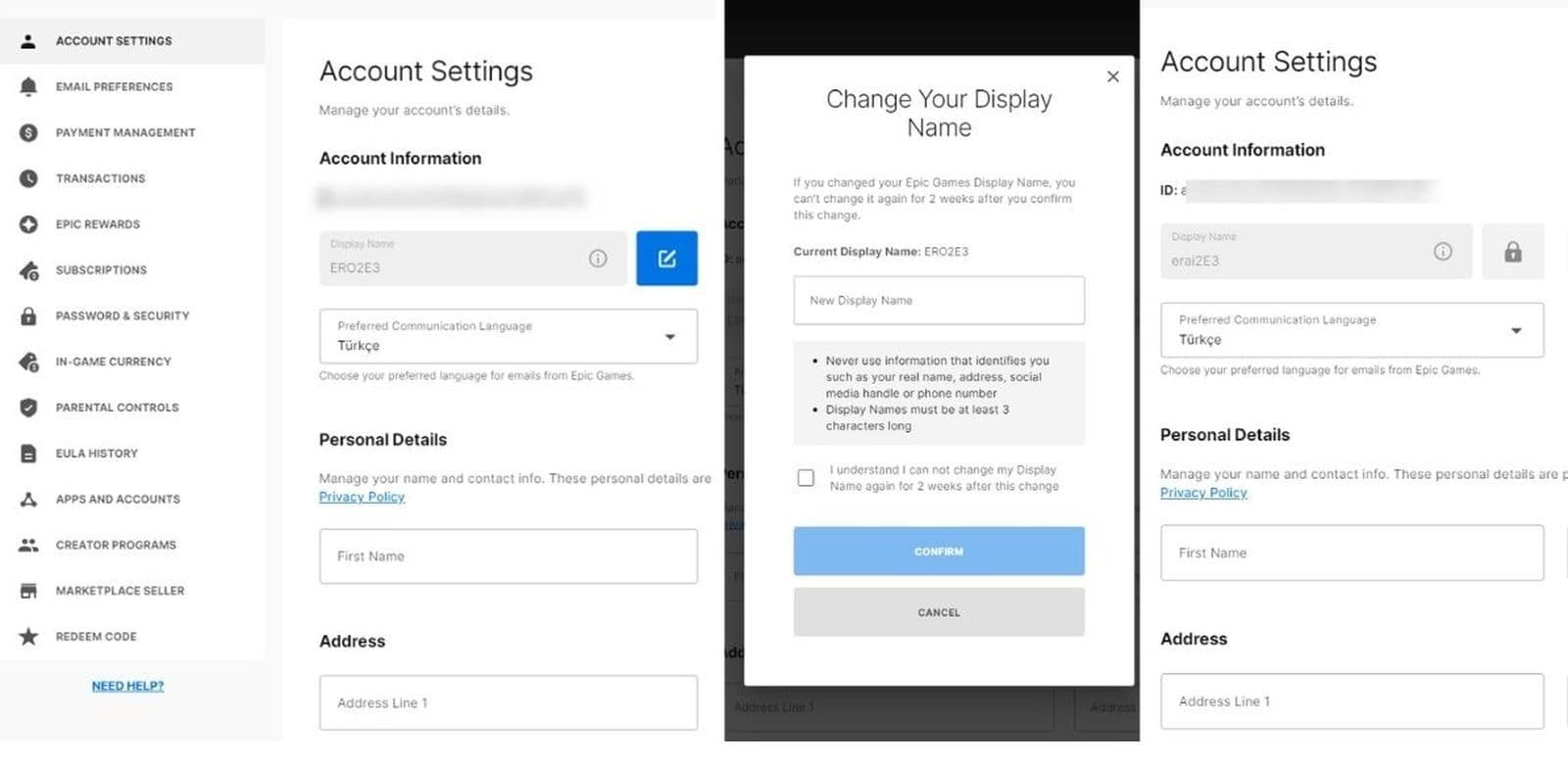
Your new name will now appear in Rocket League! Keep in mind, you can’t change your new display name again for 2 weeks after this update.
Now that you know how to change language in Rocket League, there’s still much more to learn, including:
Guide Categories
All Related Guides
 How to change MPH to KPH in Rocket LeagueLearn how to change MPH to KPH in Rocket League through the Metric setting, switch back to MPH, and learn what...
 How to rank up in Rocket League and what is a good rank?Trying to climb in Rocket League? Learn how ranking works, which skills matter most, and how to make steady pr...
 How to get the JUNKO title in Rocket LeagueTrying to get the Junko title in Rocket League? Here is how the title works, who can earn it, and where BALRIG...
 How to get Rocket League on mobileFind out how to play Rocket League on mobile, where to download Rocket League Sideswipe, and whether it suppor...
 Did Rocket League get stuck on “Press any button to start”? Here is how to fix it on PCRocket League stuck on press any button to start? Try these PC fixes for cache, files, login issues, controlle...
 Rocket League codes (July 2026): All active redeem codes & free rewardsLooking for Rocket League codes? Redeem all active Rocket League redeem codes to unlock free Player Titles, th...
 How to get Jynxzi Rocket League skin & moreLearn how to get the Jynxzi Rocket League decal, title, and exclusive rewards through the Season 23 community ...
 How to fix latency variation in Rocket LeagueLearn how to fix Rocket League latency variation with Ethernet, CSTS input buffer, correct server region, and ...
- 1
- 2
- 3
- 4
- 5
- 6
- 7
- 8
- 9