How to get Rocket League on mobile
Yes, you can play Rocket League on your phone, but...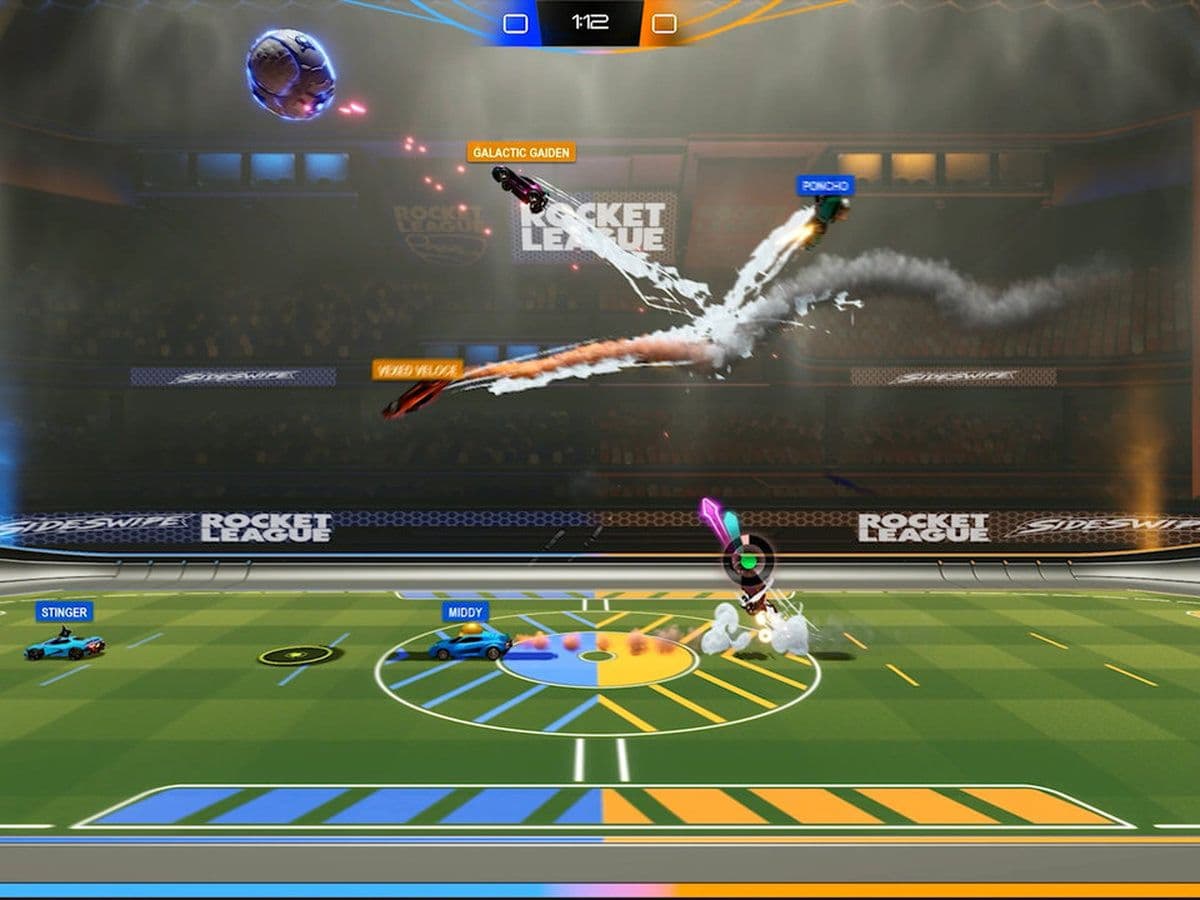
Want to play Rocket League on mobile? The good news is that you can, but not the original console version. Instead, Psyonix offers Rocket League Sideswipe, a free-to-play mobile adaptation built specifically for iOS and Android.
While it keeps the series' signature car football gameplay, Sideswipe features 2D matches, simplified controls, and shorter games designed for mobile devices.
Here's everything you need to know about getting Rocket League on mobile.
Can you play the original Rocket League on mobile?
No.
The full version of Rocket League is currently only available on:
- PC
- PlayStation
- Xbox
- Nintendo Switch
There is no official mobile port of the original 3D Rocket League. If you see websites claiming you can download the console version on Android or iPhone, they're not legitimate.
What is Rocket League Sideswipe?
Rocket League Sideswipe is the official mobile version of Rocket League developed by Psyonix.
Instead of full 3D arenas, Sideswipe features:
- 1v1 and 2v2 online matches
- Fast two-minute games
- Touch controls
- Controller support
- Ranked seasons
- Rocket Pass rewards
- Rotating modes like Hoops and Volleyball
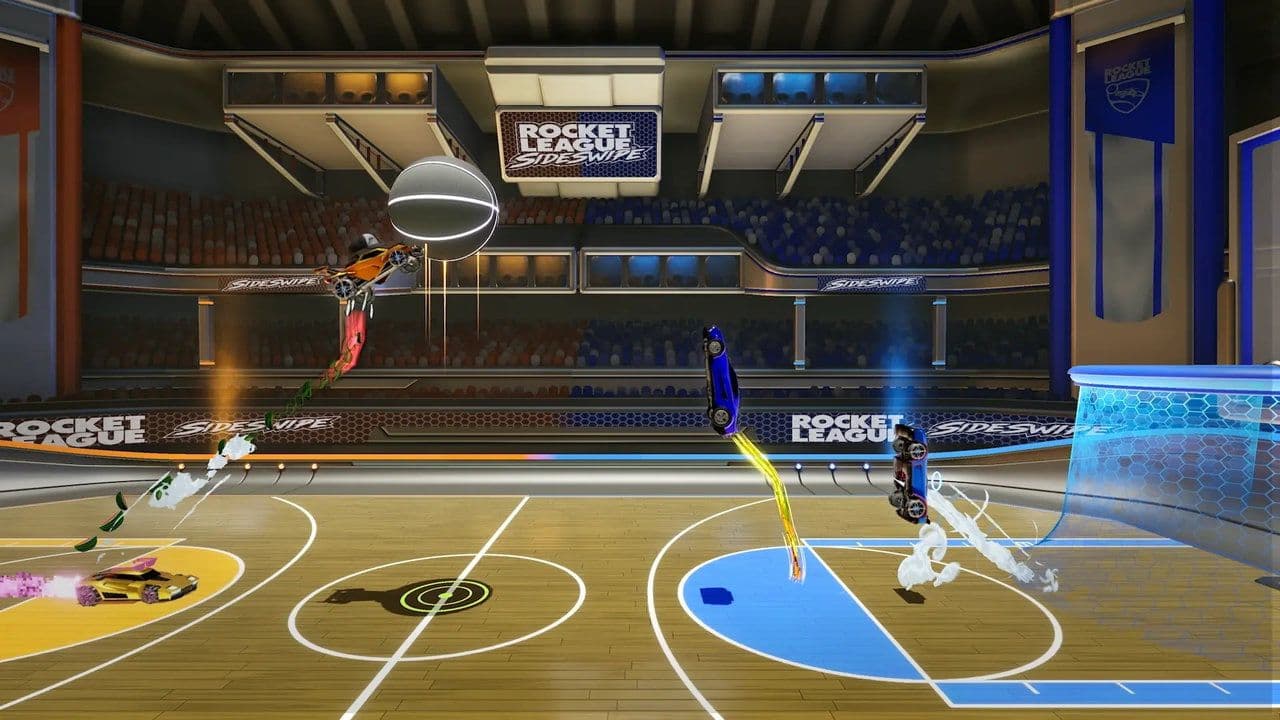
Although the gameplay takes place on a 2D plane, it retains the same fast-paced, physics-based action that made Rocket League popular.
How to download Rocket League on Android
As of Season 17, Android players download Rocket League Sideswipe through the Epic Games Store instead of Google Play.
- Download the Epic Games Store for Android.
- Install the Epic Games Store.
- Search for Rocket League Sideswipe.
- Tap Install.
- Sign in with your Epic Games account and start playing.
How to download Rocket League on iPhone
The process depends on where you live.
- European Union: New players download Rocket League Sideswipe through the Epic Games Store for iOS (or another supported marketplace such as AltStore PAL).
- Outside the EU: If you already have Sideswipe installed, you can continue playing and updating it normally. Availability for new downloads depends on Epic's current distribution options in your region.
If you are eligible, download it from the App Store.
Can you play with your Rocket League account?
Yes.
Simply sign in using the same Epic Games account you use for Rocket League on PC or console.
Linking your account lets you:
- Sync your Epic account
- Earn bonus XP between Rocket League and Sideswipe
- Unlock certain crossover rewards during eligible events
- Keep your progress tied to one account
Does Rocket League Sideswipe support controllers?
Yes.
Besides touchscreen controls, Rocket League Sideswipe also supports compatible Bluetooth controllers, making it feel much closer to the console experience.
Is Rocket League Sideswipe free?
Yes.
Rocket League Sideswipe is completely free-to-play on both Android and iOS. You don't need to purchase Rocket League on PC or console to enjoy the mobile version.
Is Rocket League Sideswipe worth playing?
If you're expecting the full 3D Rocket League experience, Sideswipe is different—but in a good way. Matches are shorter, controls are easier to learn, and the 2D gameplay works surprisingly well on mobile.
With ranked play, seasonal rewards, controller support, and cross-game Epic account integration, it's the closest official way to enjoy Rocket League on your phone. Whether you're killing time between classes or grinding ranked matches on the go, Rocket League Sideswipe is well worth downloading for any Rocket League fan.
Find more Rocket League guides below:
Guide Categories
All Related Guides
 How to change MPH to KPH in Rocket LeagueLearn how to change MPH to KPH in Rocket League through the Metric setting, switch back to MPH, and learn what...
 How to rank up in Rocket League and what is a good rank?Trying to climb in Rocket League? Learn how ranking works, which skills matter most, and how to make steady pr...
 How to get the JUNKO title in Rocket LeagueTrying to get the Junko title in Rocket League? Here is how the title works, who can earn it, and where BALRIG...
 Did Rocket League get stuck on “Press any button to start”? Here is how to fix it on PCRocket League stuck on press any button to start? Try these PC fixes for cache, files, login issues, controlle...
 Rocket League codes (July 2026): All active redeem codes & free rewardsLooking for Rocket League codes? Redeem all active Rocket League redeem codes to unlock free Player Titles, th...
 How to get Jynxzi Rocket League skin & moreLearn how to get the Jynxzi Rocket League decal, title, and exclusive rewards through the Season 23 community ...
 How to fix latency variation in Rocket LeagueLearn how to fix Rocket League latency variation with Ethernet, CSTS input buffer, correct server region, and ...
 Rocket League TikTok Drops guide: How to get free rewardsRocket League TikTok Drops guide: earn free cosmetics, reward codes, RLCS drops, and learn how to redeem TikTo...
- 1
- 2
- 3
- 4
- 5
- 6
- 7
- 8
- 9