
Rocket League codes (July 2026): All active redeem codes & free rewards
Unlock free Rocket League cosmetics today (codes are not the only way)
Reviewed by: Naim Rosinski
Looking for the latest Rocket League codes? While Psyonix doesn't release redeem codes very often, there are still a handful of active codes that unlock free cosmetics, including exclusive Player Titles and a Rocket Boost. Since these rewards can disappear without warning, it's worth claiming them as soon as possible.
Below, you'll find every active Rocket League code, redemption instructions, and everything you need to know about free rewards in 2026.
All working Rocket League codes for July 2026
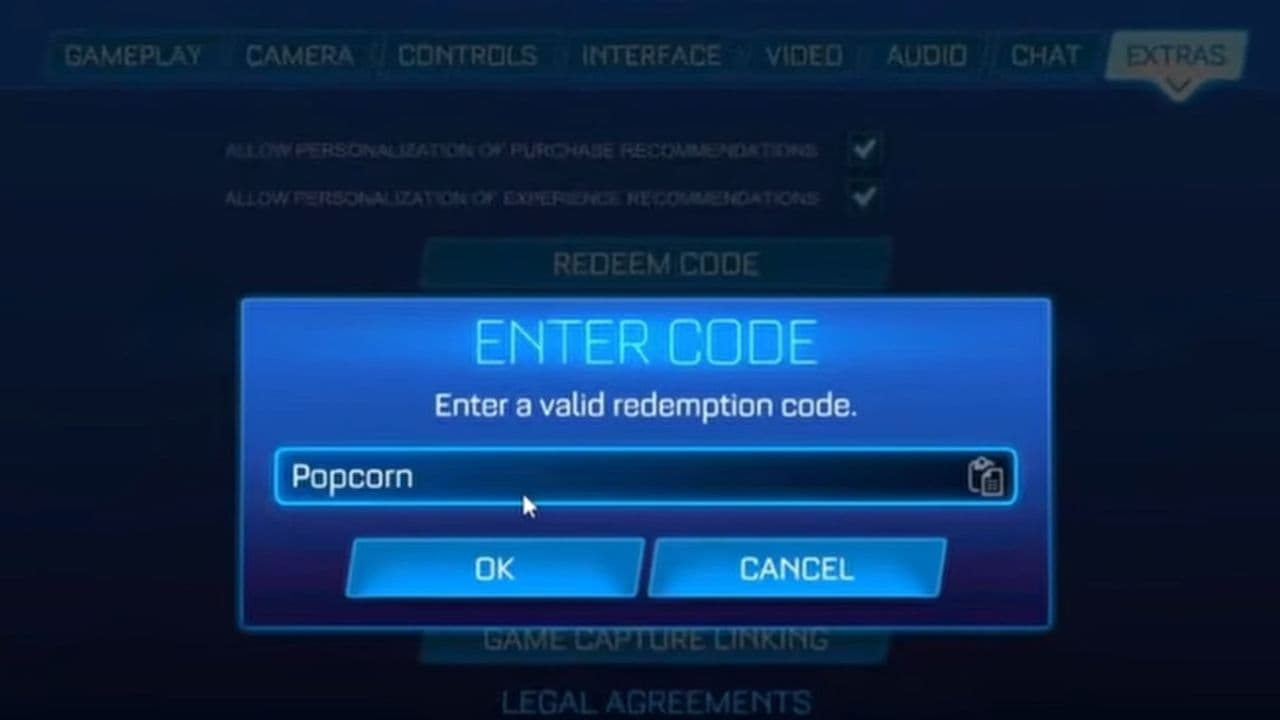
At the time of writing, these are the only publicly available Rocket League redeem codes. They can be redeemed once per account and unlock cosmetic items only.
Rocket League codes only unlock cosmetic items. These include:
- Rocket Boosts
- Player Titles
- Toppers
- Decals
- Wheels
- Player Banners
- Antennas
Codes do not unlock Credits, Blueprints, or paid DLC.
Expired Rocket League codes
The following codes are no longer active:
Expired codes can no longer be redeemed.
How to use Rocket League codes
Redeeming codes only takes a minute:
- Launch Rocket League.
- Open Settings from the main menu.
- Go to the Extras tab.
- Select Redeem Code.
- Enter a working code exactly as shown.
- Press OK.
- Your reward will automatically be added to your inventory.
Can you get free Credits from Rocket League codes?
No.
Psyonix has never released a redeem code that grants free Credits. Any website, video, or generator claiming to offer free Credits is not legitimate.
Official Rocket League codes only reward cosmetic items.
Why isn't my Rocket League code working?
If a code fails, one of these reasons is usually responsible.
The code has expired
Most Rocket League promo codes are available for a limited time before being removed.
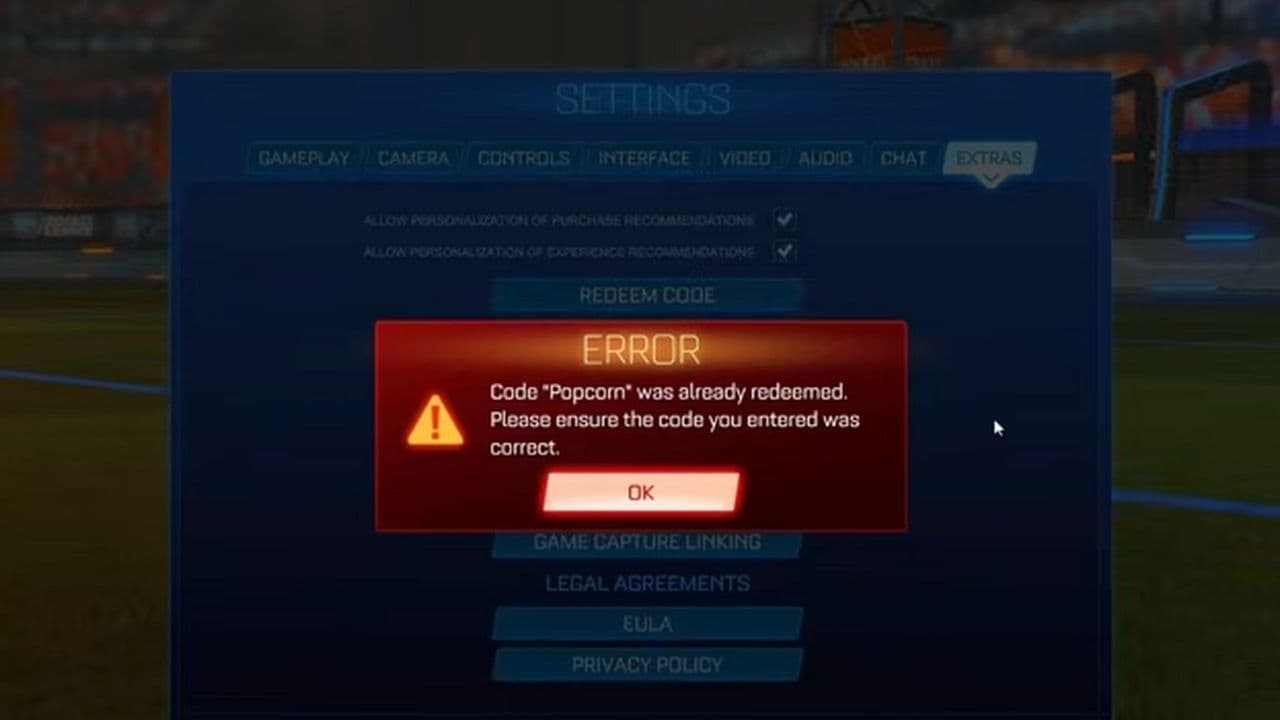
You already redeemed it
Each public code can only be claimed once per Epic Games account.
Typing mistake
Codes are case-sensitive. Double-check spelling, hyphens, and numbers before submitting.
Inventory delay
Sometimes your reward won't appear immediately. Restarting Rocket League usually refreshes your inventory.
How to get more Rocket League codes
New redeem codes don't follow a regular release schedule. They're usually distributed during:
- Major game updates
- RLCS tournaments
- Seasonal events
- Promotional partnerships
- Official Rocket League livestreams
- Hidden developer promotions
The best places to watch for new codes are:
- Official Rocket League X account
- Rocket League website
- RLCS broadcasts
- Rocket League Discord server
You can also bookmark this page (CTRL+D) and check back regularly, as we'll keep it updated with the latest Rocket League codes as soon as they become available.
Codes are not the only way; try Drops too
You can also earn free items through Twitch Drops and occasional TikTok promotions. By linking your Epic Games account to Twitch and watching eligible Rocket League streams, you can unlock exclusive rewards during events like RLCS broadcasts.
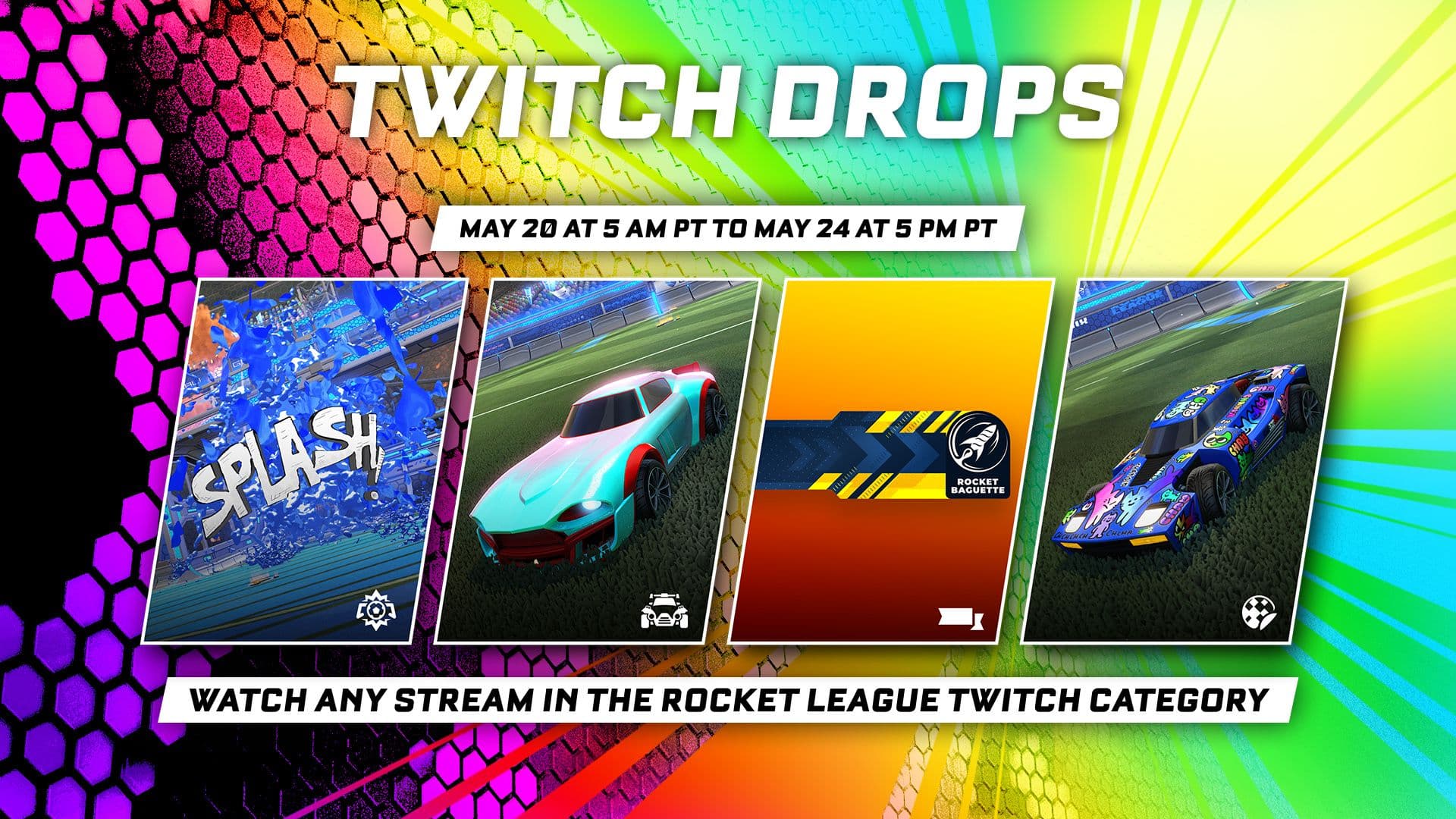
TikTok campaigns sometimes offer limited-time cosmetic items as well, making both platforms another way to get free Rocket League rewards without using redeem codes.
Creator Codes vs. redeem codes
Many players confuse Creator Codes with redeem codes.
Redeem Codes give you free cosmetic items.
Creator Codes don't unlock rewards. Instead, they let you support your favorite Rocket League creator whenever you make a purchase in the Item Shop.
- Open Rocket League and go to the main menu
- Navigate to the Item Shop
- Select the Support A Creator option
- Enter the Creator Code of the person you want to support
- To switch creators, choose Change Support
- Enter a new Creator Code
Keep in mind that the Creator Code linked to your account resets every 14 days, so you’ll need to re-enter it regularly to continue supporting your chosen creator.
Rocket League redeem codes are rare, but they're still one of the easiest ways to unlock free cosmetics. As of June 2026, the active codes 9914, AFA7-7522, and popcorn reward two exclusive Player Titles and the Popcorn Rocket Boost. Since Psyonix can disable codes at any time, it's a good idea to redeem them while they're still available and keep an eye on official announcements for future giveaways.
That’s all for today! Looking for more Rocket League guides? Check out these:
Meet Eray, a tech enthusiast passionate about AI, crypto, gaming, and more. Eray is always looking into new developments, exploring unique topics, and keeping up with the latest trends in the tech industry, and gaming is the sweetest spot.
Eray has been rocking it as a news manager and content creator at spots like, TechBriefly, Gamelevate, Softonic, and various tech realms. Crafting over 2k tech articles, Eray captivated millions of readers for over three years.
Now, over at THESPIKE, Eray is a content writer, blending the love for spinning stories and helpful guides for all-things gaming.
- 1
- 2
- 3
- 4
- 5
- 6
- 7
- 8
- 9