How to start a custom game in Fortnite: Private 1v1, errors and fixes
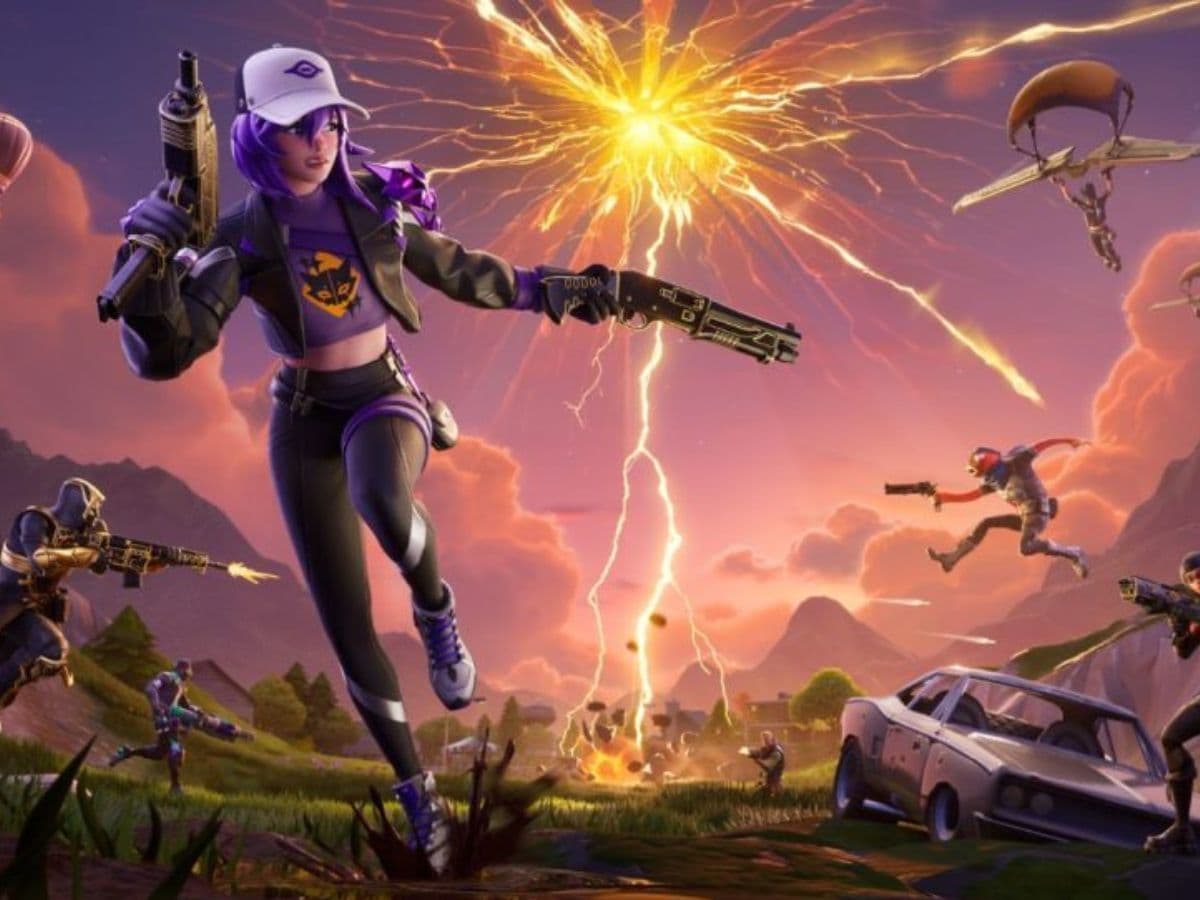
Fortnite custom matches give players a clean way to run private Battle Royale games for scrims, community events, and practice. They also help creators control who enters a lobby, which makes matches feel more organized and fair. Many players search for “how to make a custom match in Fortnite” because they want a private game without random teammates or unwanted opponents.
Still, custom matchmaking does not work like a normal public queue. Fortnite locks hosting behind specific account access, and the game also requires the right mode and settings. Once you know the rules, setup takes less than a minute
What is a custom match in Fortnite?
A custom match is a private Battle Royale lobby that uses a Custom Matchmaking Key. Players enter the same key to queue into the same match. The host starts the match manually to play Fortnite.
Custom matches work best for:
- Scrims and practice games
- Tournament-style community events
- Streamer games with invited viewers
- Private testing with a controlled group
How to make a custom match in Fortnite
Use these steps to host a custom match:
- Open Fortnite and stay in the Lobby.
- Select Battle Royale as your game mode.
- Set the same server region as your participants.
- Open the mode screen and find Custom Key in the bottom-right area.
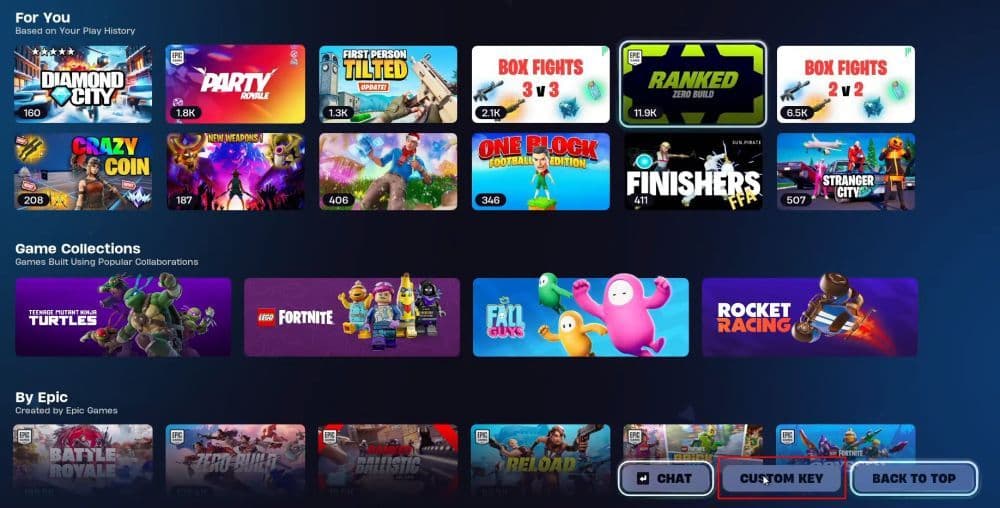
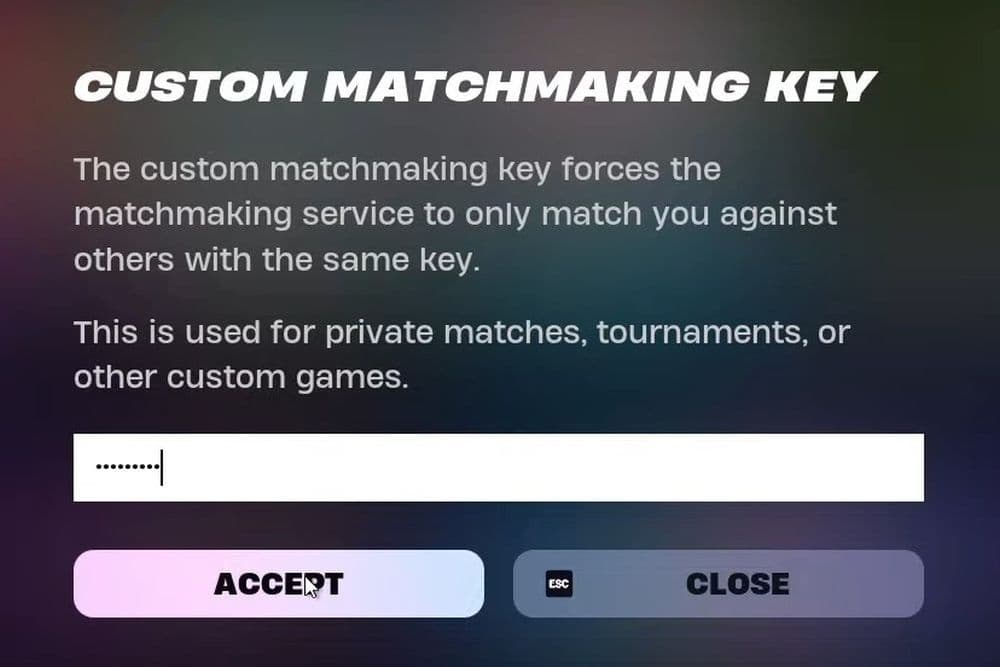
- Enter a Custom Matchmaking Key:
- Use 4–16 characters
- Use letters and numbers only
- Avoid special characters
- Click Accept, then click Play.
- Share the key with your group and tell everyone to queue right away.
- Click Start Match when you are ready.
Quick hosting tips:
- Hide the key on stream to reduce unwanted joins.
- Use a unique key that people cannot guess.
- Ask everyone to ready up before you start.
How to do private 1v1 in Fortnite
Most players run private 1v1s through Creative or UEFN islands, since custom matchmaking hosting needs special access. You can check out our Fortnite maps guide to find the best 1v1 map.
A simple private 1v1 flow:
- Invite your friend to your party.
- Set party privacy to Private or Friends Only.
- Load a 1v1 island from Discovery or an island code.
- Start the game and reset rounds as needed.
This setup still counts as a custom-style game for practice, even if it does not use a Battle Royale custom key.
Why can’t I make a custom match in Fortnite?
Custom matches fail for a few common reasons. Fixes usually take minutes once you isolate the cause.
Your account lacks custom matchmaking access
Some accounts cannot host custom matches, even if they can join them.
Fix
- Check if your account has the required creator or developer access.
- Complete any setup steps tied to that access.
- Restart Fortnite and look for the Custom Key option again.
You use the wrong mode or server region
Fortnite only allows custom keys in Battle Royale, and regions must match.
Fix
- Switch to Battle Royale in the lobby.
- Open Settings and set the same Matchmaking Region for everyone.
- Re-enter the key and queue again.
Your matchmaking key fails validation
Keys follow strict rules, and players must enter them exactly.
Fix
- Create a new key with 4–16 characters.
- Use only letters and numbers.
- Share the key in a copyable format and remind players about exact case.
- Ask players to queue before you start the match, since late joins often fail
Check out more of our Fortnite guides to get better at the game:
- “When did Fortnite come out?” A question with 2 answers
- How much does Fortnite make in a day?
- How to redeem Fortnite codes
- What happened to Fortnite Battle Stars & how to level up in 2025
- Fortnite Superman update: Everything you need to know
Featured Image Credit: Fortnite
All Related Guides
 Fortnitemares 2026: Release date, collabs, skins, map changes & moreDiscover Fortnitemares 2026, including its release date, FNAF crossover, Halloween skins, rumored collabs, Hor...
 Fortnite x FNAF: Release date, skins & everything we knowFortnite x FNAF arrives October 1 for Fortnitemares 2026 with Freddy, Bonnie, Chica, Foxy, Fazbear's Pizzeria,...
 Fortnitemares 2026: Release date, collabs, skins, map changes and moreFortnitemares 2026 starts October 1 with FNAF, major collabs, new skins and more. Here's what's confirmed, lea...
 How to get better at building in Fortnite fastLearn how to get better at building in Fortnite with practical drills for edits, 90s, boxing, tunneling, piece...
 4 ways to update Fortnite on mobileLearn 4 ways to update Fortnite on Android, iPhone and iPad through Epic Games Store, Google Play and the App ...
 Fortnite Loot Hacker Sprites: All variants, locations, and how to get themFind all Fortnite Loot Hacker Sprites, Cheat Code locations, Chest chances, Sprite Dust costs, and how to unlo...
 All Garden vs. Brainrot codes in Fortnite: Updated listLooking for Fortnite Garden vs Brainrot codes? Get every working code, learn how to redeem them, and boost you...
 Latest Fortnite Steal the Brainrot codes (September 2026)Find all active Fortnite Steal the Brainrot codes to summon Brainrot Gods and boost rewards fast....
- 1
- 2
- 3
- 4
- 5
- 6
- 7
- 8
- 9
- 10
- 11
- 12
- 13
- 14
- 15
- 16
- 17
- 18
- 19
- 20
- 21
- 22
- 23
- 24
- 25
- 26