How to disable simple edit in Fortnite (PC, PlayStation, Xbox, Nintendo Switch, and mobile)
Unlock advanced edit techniques
While Fortnite Simple Edit is designed to make editing faster and easier, many players prefer manual editing for better precision, especially in competitive matches.
This Fortnite guide explains exactly how to disable Simple Edit in Fortnite, what the setting does, where to find it, and what changes once you turn it off. The instructions apply to all platforms, including PC, PlayStation, Xbox, Nintendo Switch, and mobile.
What is Simple Edit in Fortnite?
Simple Edit is a gameplay setting in Fortnite, developed by Epic Games. It simplifies the editing process for structures such as walls, floors, ramps, and cones.
When Fortnite Simple Edit is turned on:
- The game automatically selects edit tiles based on where your crosshair is pointing.
- You do not need to manually drag or select individual squares.
- Edits can be completed faster with fewer button inputs.

This Simple Edit feature is helpful for beginners or players who struggle with traditional editing mechanics. However, it reduces flexibility and limits advanced editing options. That is why many experienced players search for how to disable simple edit in Fortnite.
How to disable Simple Edit in Fortnite in 5 easy steps
Follow these exact steps to disable Simple Edit in Fortnite:
- Open Fortnite and wait until you reach the main lobby screen.
- Click the Settings (gear icon) .
- At the top of the Settings menu, you will see several tabs. Select the Game tab. This tab contains general gameplay settings, including building options.
- Scroll down until you see the Building section. This section controls editing and building behavior.
- Look carefully for:
- Simple Edit
- Tap to Simple Edit (if available)
- To complete the process of how to disable simple edit in Fortnite:
- Set Simple Edit to Off
- If you see Tap to Simple Edit, turn that off as well
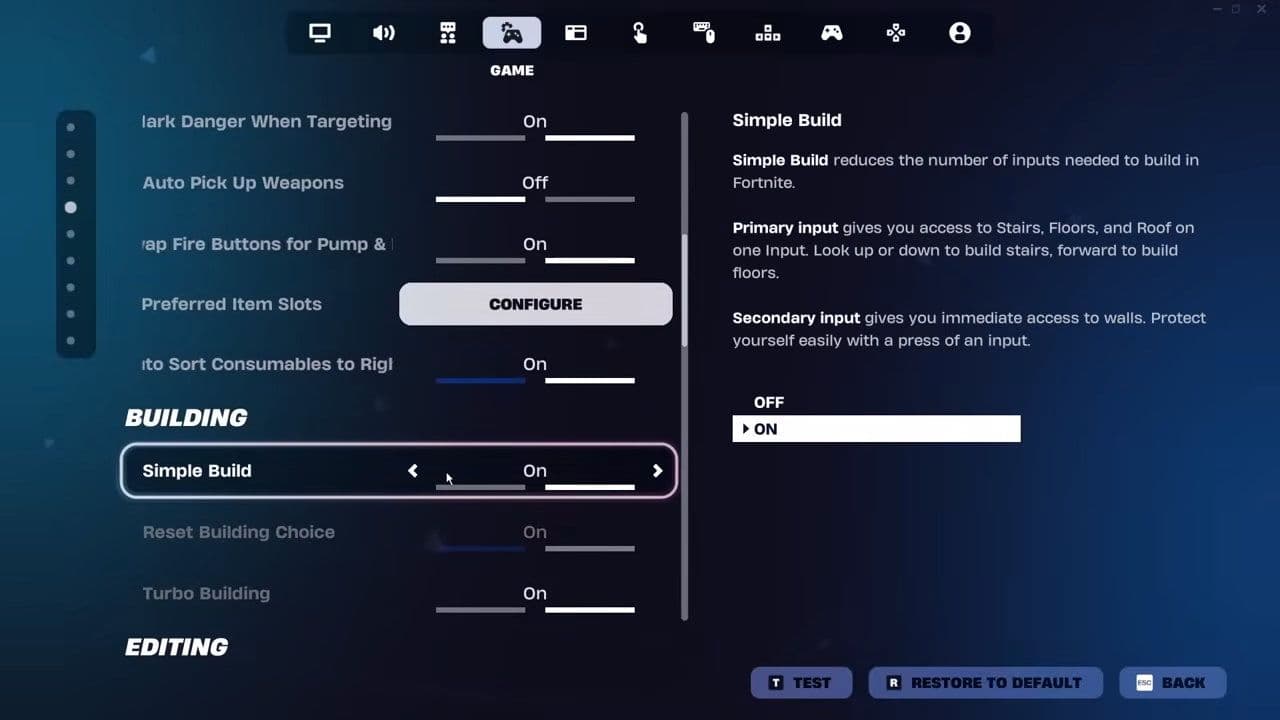
Make sure both options are disabled if they appear.
Your settings save automatically in Fortnite. Simply exit the menu, and the changes will apply immediately—even if you are in a live match.
Troubleshooting: Can’t find Simple Edit?
If you cannot locate the Simple Edit setting in Fortnite:
- Make sure your game is fully updated.
- Check that you are in the correct Game tab.
- Scroll carefully under the Building section.
- Some competitive modes may temporarily lock certain settings.
Restarting Fortnite can also refresh the settings menu if something is not displaying correctly.
What happens after you disable Simple Edit?
Once Simple Edit is turned off in Fortnite:
- You must manually select edit tiles.
- You confirm edits using your assigned edit key or button.
- You regain full control over structure modifications.
This allows you to perform advanced techniques such as:
- Right-hand peek edits
- Window edits with specific tile selection
- Fast edit resets
- Custom corner edits
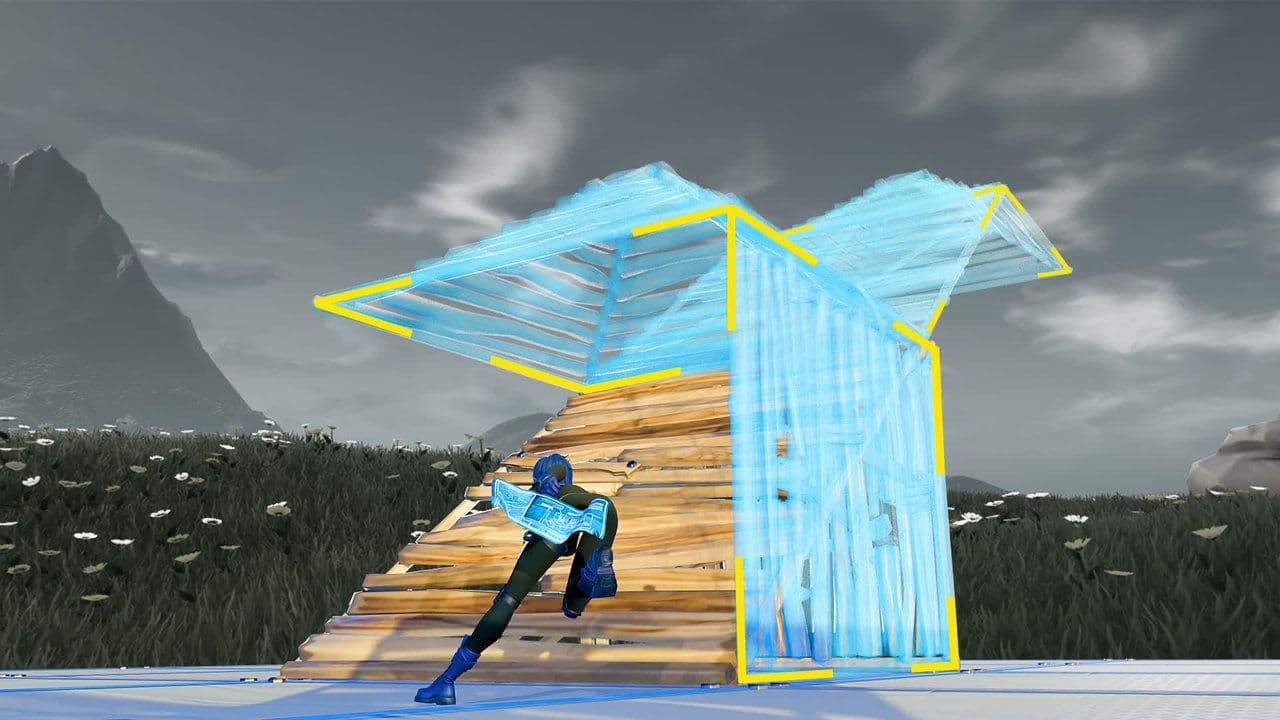
Fortnite manual editing requires practice, but it offers more flexibility and competitive advantage.
Simple Edit vs Manual Edit
Here is a quick comparison between Simple Edit and Manual Edit:
Choose Simple Edit if:
- You are new to Fortnite or struggle with editing.
- You play casually and want a more forgiving build experience.
- You want faster basic edits without learning complex controls.
Choose Manual Edit if:
- You aim to improve and compete at higher levels.
- You want full control over every edit.
- You enjoy mastering advanced building techniques.

While Simple Edit helps new players learn faster, manual editing offers greater flexibility, precision, and competitive strength.
If you want to improve your building skills, practice in Creative mode after turning Simple Edit off. Over time, manual editing becomes faster and more natural.
By following the steps above, you can disable Simple Edit in Fortnite in less than a minute and take full control of your builds.
That’s all for today! Looking for more Fortnite guides? Check out these:
All Related Guides
 Fortnite Loot Hacker Sprites: All variants, locations, and how to get themFind all Fortnite Loot Hacker Sprites, Cheat Code locations, Chest chances, Sprite Dust costs, and how to unlo...
 All Garden vs. Brainrot codes in Fortnite: Updated listLooking for Fortnite Garden vs Brainrot codes? Get every working code, learn how to redeem them, and boost you...
 Latest Fortnite Steal the Brainrot codes (September 2026)Find all active Fortnite Steal the Brainrot codes to summon Brainrot Gods and boost rewards fast....
 Island cheats: How to find & use Fortnite Cheat codesLearn how Fortnite Cheat Codes work, where to find them, what each panel color means, and how to unlock and ex...
 Sprite Rate Up meaning in FortniteLearn what Sprite Rate Up means in Fortnite, how these events work, which Sprites get boosted, and why they're...
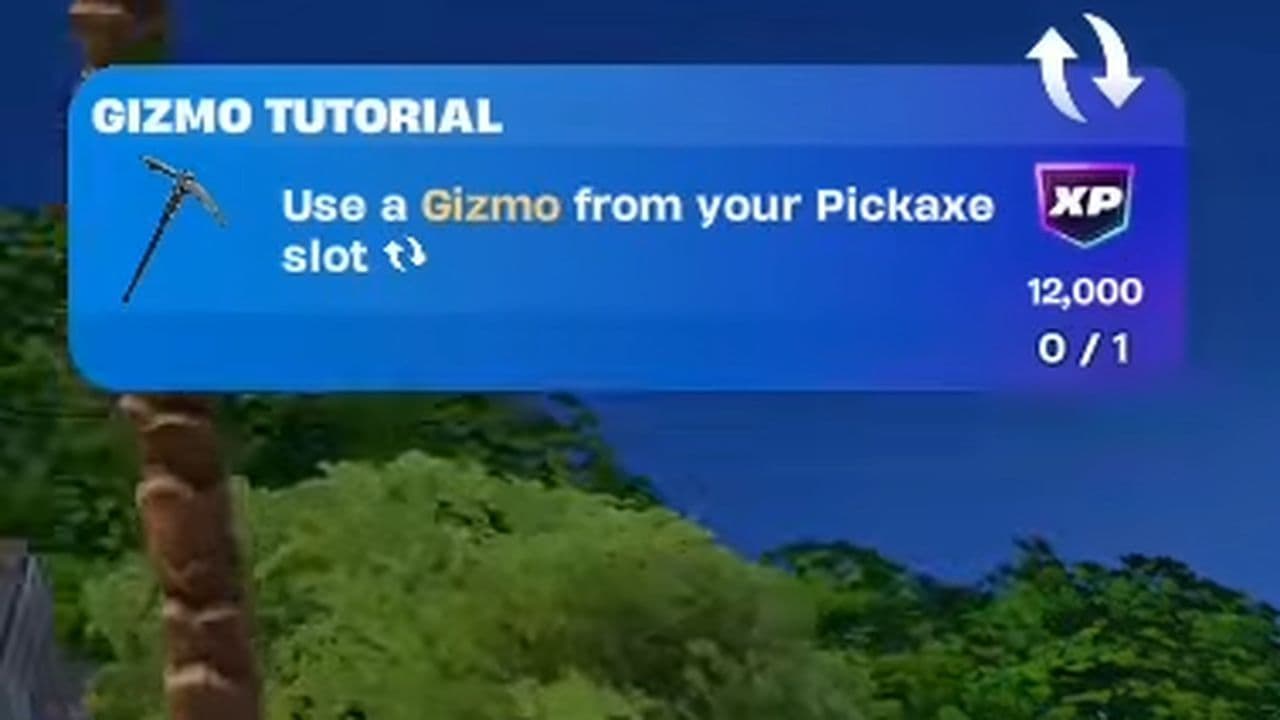 How to use a Gizmo in Fortnite (Sprite extraction tools)Learn how to use a Gizmo in Fortnite, activate the Gizmo Wheel, unlock Sprite tools, and complete the "Use a G...
 How to resummon Fortnite SpritesLearn how to resummon Fortnite Sprites in Chapter 7 Season 4, including Sprite Dust costs, levels, collection ...
 Fortnite Mastery Monday guide: Schedule, bonuses & moreLearn how Fortnite Mastery Monday works, including its weekly schedule, 2x Sprite leveling, double Sprite Dust...
- 1
- 2
- 3
- 4
- 5
- 6
- 7
- 8
- 9
- 10
- 11
- 12
- 13
- 14
- 15
- 16
- 17
- 18
- 19
- 20
- 21
- 22
- 23
- 24
- 25