Hytale portal guide: Learn how to craft Hytale teleporters & fast travel
Craft portals. Travel instantly. Explore smarter.ON THIS PAGE:
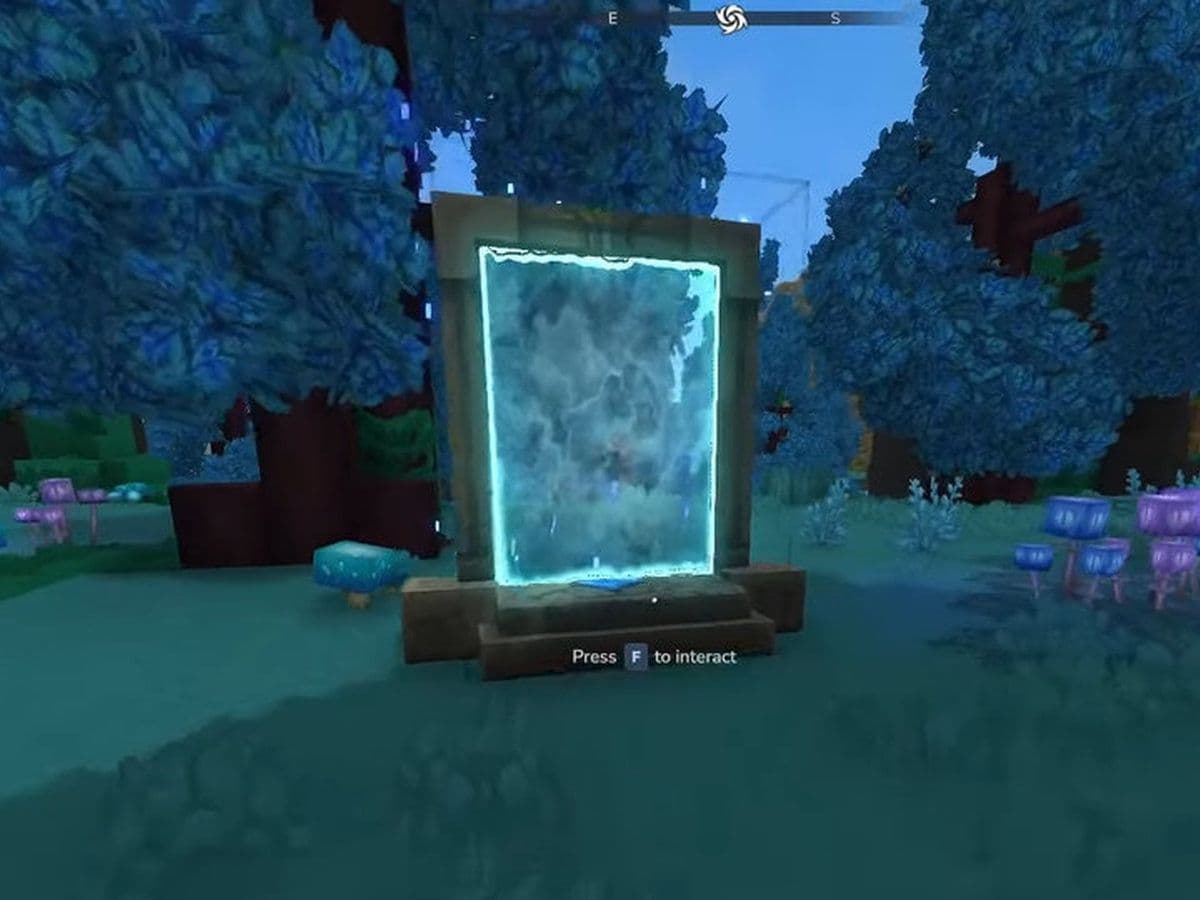
Fast travel is essential in a large sandbox world, and Hytale portals are designed to solve exactly that problem. Hytale teleporters allow players to move instantly between distant locations, making exploration, base management, and multiplayer gameplay far more efficient. This guide explains everything currently known about Hytale teleport mechanics.
What is a Hytale portal? Hytale teleporters explained
A Hytale portal is a teleportation structure that allows instant travel from one location to another. Instead of walking, riding mounts, or sailing across long distances, players can step into a portal and appear at a linked destination.
Hytale portals/teleporters serve three main purposes:
- Fast travel across the world
- Base connection, linking homes, mines, and outposts
- Multiplayer coordination, allowing groups to regroup instantly
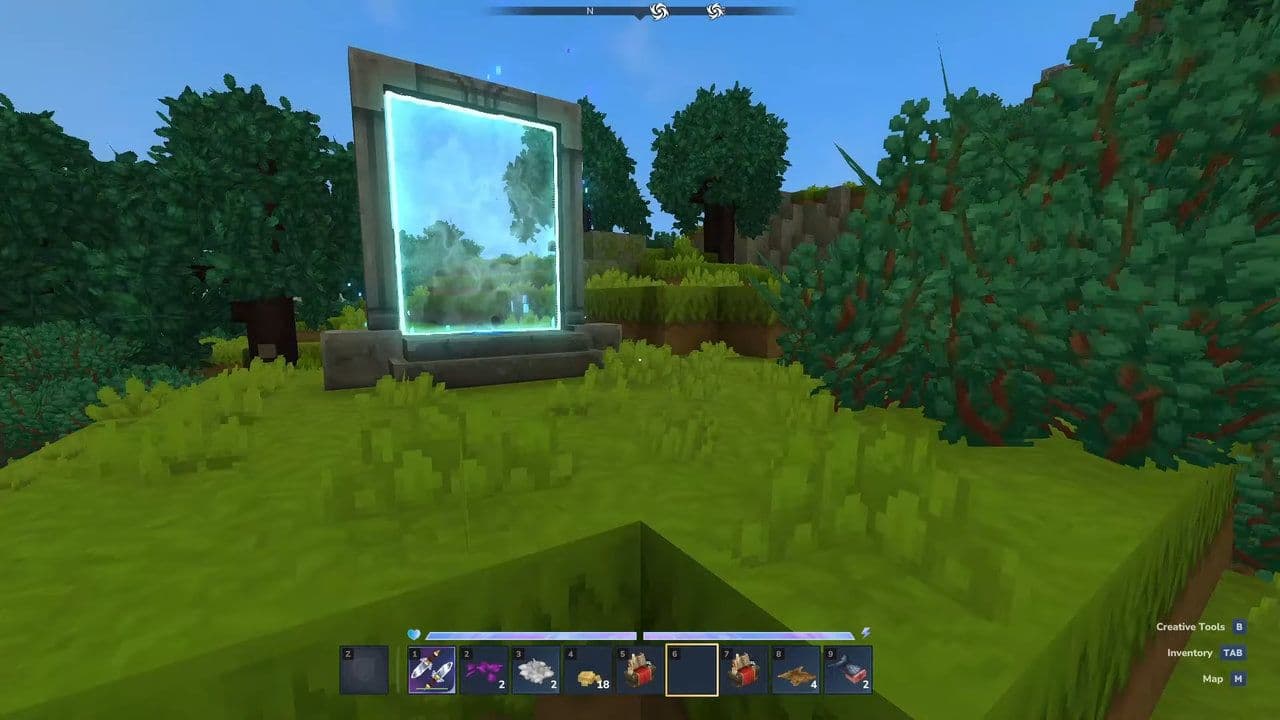
The core idea behind Hytale teleport systems is efficiency. As the world of Orbis is large and procedurally generated, portals reduce downtime and let players focus on gameplay instead of travel.
Hytale teleport types
Natural waygates provide powerful, world-scale Hytale teleport between important regions, while player-built portals offer flexibility and precision. Using both together creates an efficient and scalable teleport network in Hytale.
How to craft a teleporter in Hytale
You can craft a Hytale teleporter in 3 easy steps:
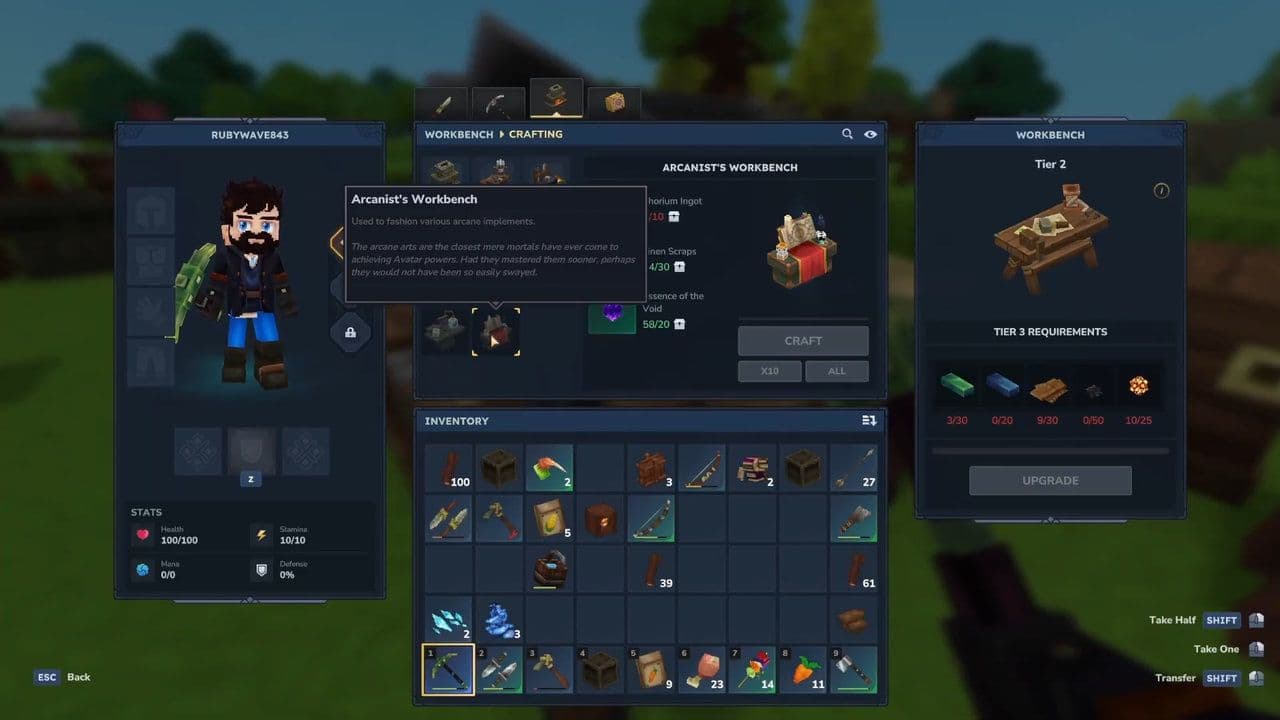
1. Unlock the Arcanist’s Workbench
Teleporters can only be crafted at the Arcanist’s Workbench.
- Upgrade a normal Workbench to Tier 2
- Use it to craft the Arcanist’s Workbench
2. Teleporter recipe
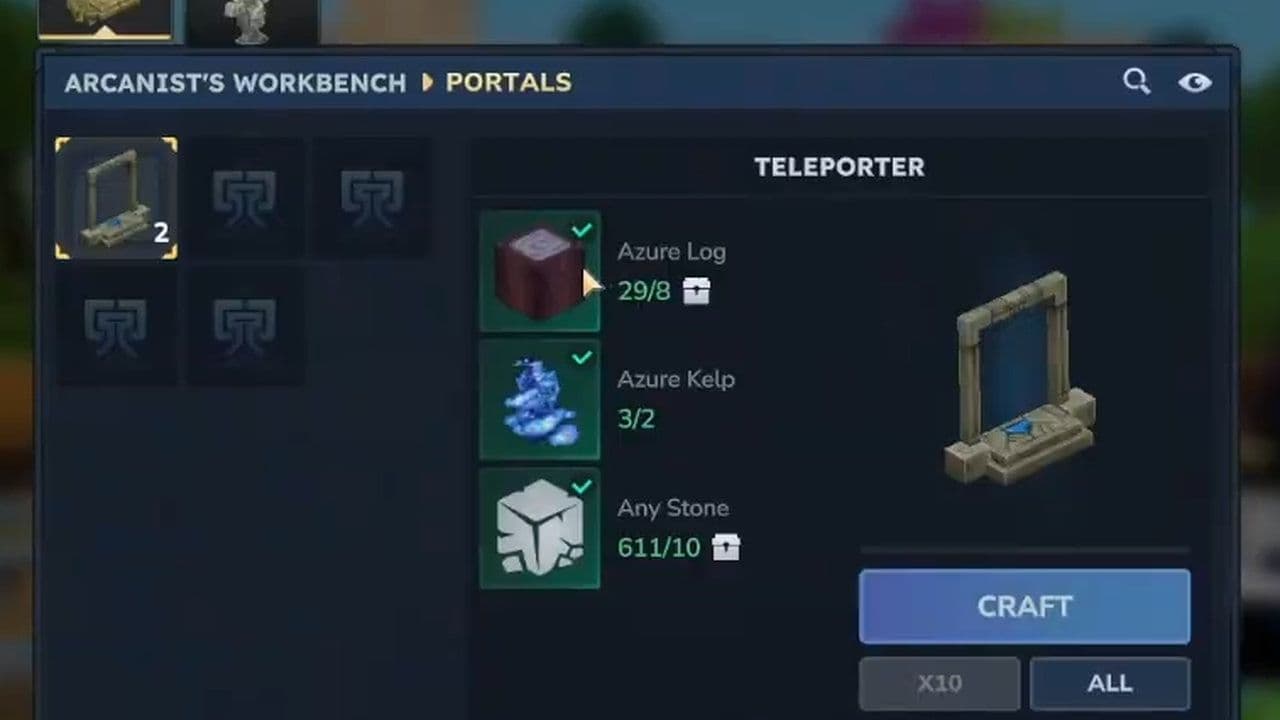
To craft one teleporter, you need:
- 2 × Azure Kelp
- 8 × Azure Logs
- 10 × Stone (any type)
3. Craft the Teleporter
- Open the Arcanist’s Workbench
- Select the Teleporter recipe
- Insert the materials
- Craft the teleporter item
4. Place and link
- Place two teleporters in different locations
- Interact with them to name and link them
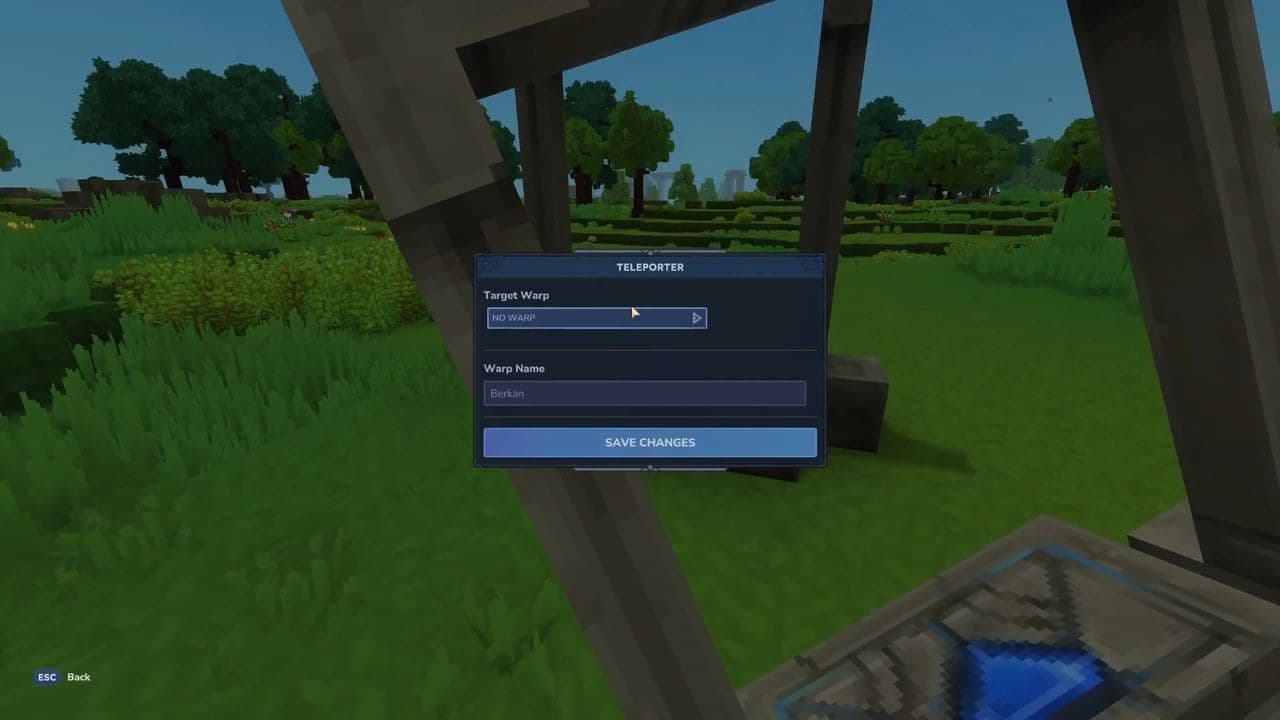
- Step into one to teleport to the other
How to teleport in Hytale
There are two main ways to teleport in Hytale:
1. Using Hytale portals (Normal Gameplay)
- Craft or activate a Hytale portal/teleporter
- Place two portals in different locations
- Link them through the portal menu
- Step into one portal to instantly teleport to the other
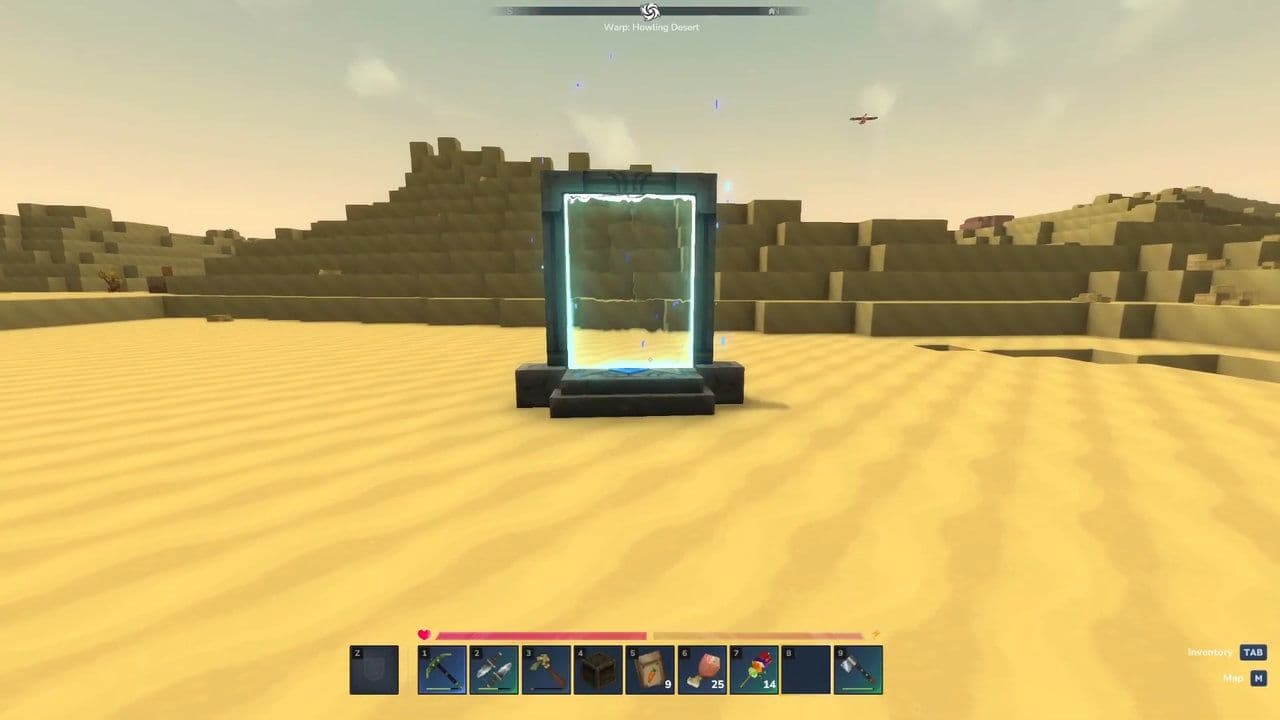
This is the standard Hytale teleport method used in survival and multiplayer worlds.
2. Using teleport commands (Creative / Admin)
If commands are enabled:
- /tp <player> – teleport to another player
- /tp <player1> <player2> – teleport one player to another
- /spawn – return to world spawn
- /warp – teleport to a saved location
How to link Hytale teleports
A Hytale portal does not function alone. Hytale teleportation requires at least two linked portals. Here is how:
- Place or activate a portal
- Assign or select a destination
- Link the portals together
- Confirm the connection
- Use the portal to teleport instantly
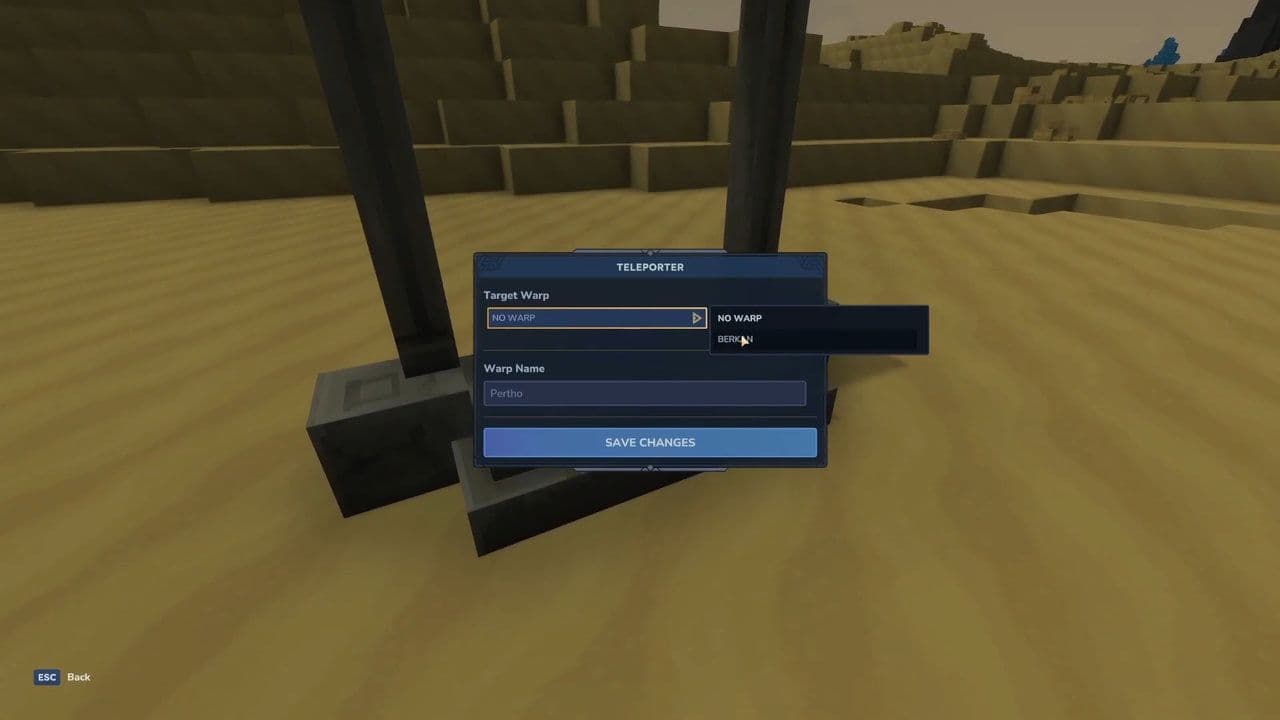
Once linked, stepping into the portal triggers the Hytale teleport effect and moves the player to the chosen location.
Portals can usually be relinked later, allowing players to reorganize their teleport network as their world expands.
Every Hytale portal should have a clear name
Naming portals is a small feature with a big impact. Clear names make teleport networks easy to manage, especially in large worlds. Here is how to name your portals:
- Interact with the portal after placing it to open its menu.
- Enter a name in the portal’s name field before linking it.
- Use clear, descriptive names based on the destination, such as Home Base, Main Mine, or Desert Outpost.
- Save the name and link the portal so it appears correctly in the destination list.
- Rename portals when needed to keep your Hytale teleport network organized.
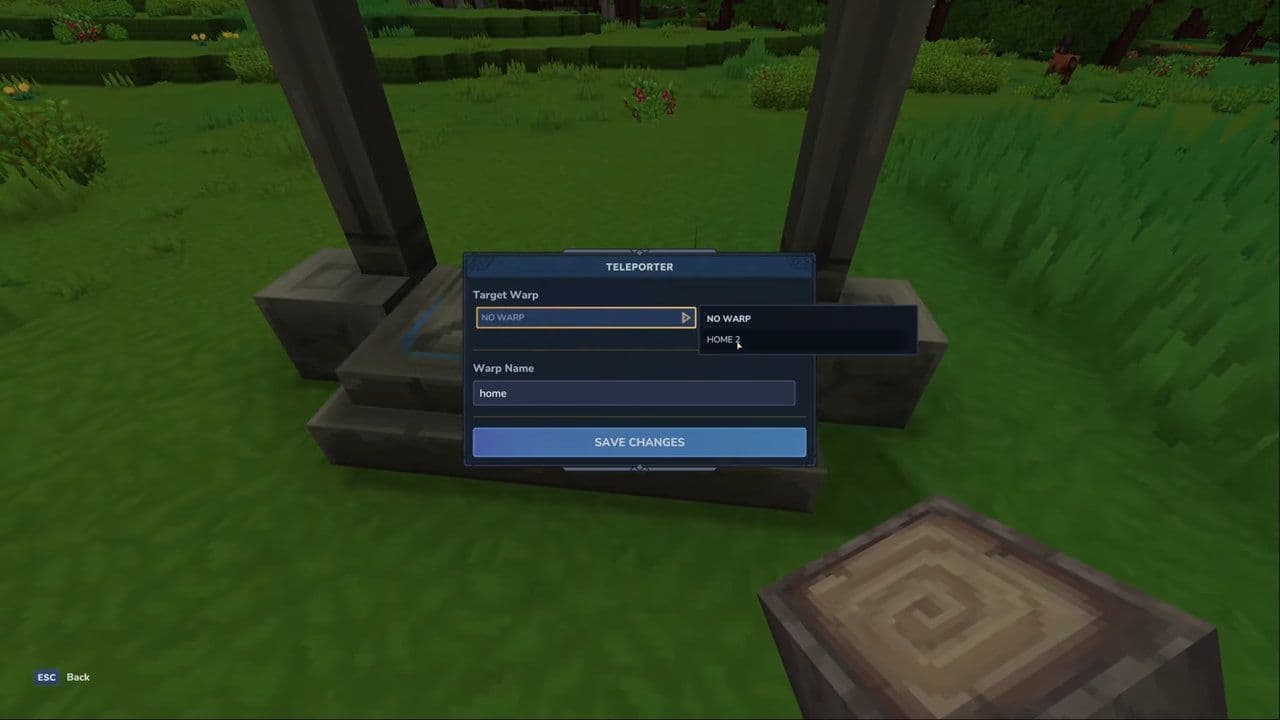
Good naming prevents mistakes and saves time, particularly in multiplayer servers where many portals may exist.
Building an efficient Hytale teleport network
A single Hytale teleport is useful, but the real power comes from a portal network.
- Central hub: Place one main portal at your primary base. This acts as the center of your network.
- Resource locations: Add portals near mines, forests, farms, and rare biomes.
- Exploration points: Place portals near dungeons, ruins, or difficult-to-reach areas.
- Multiplayer bases: Link team bases to improve cooperation and fast response.
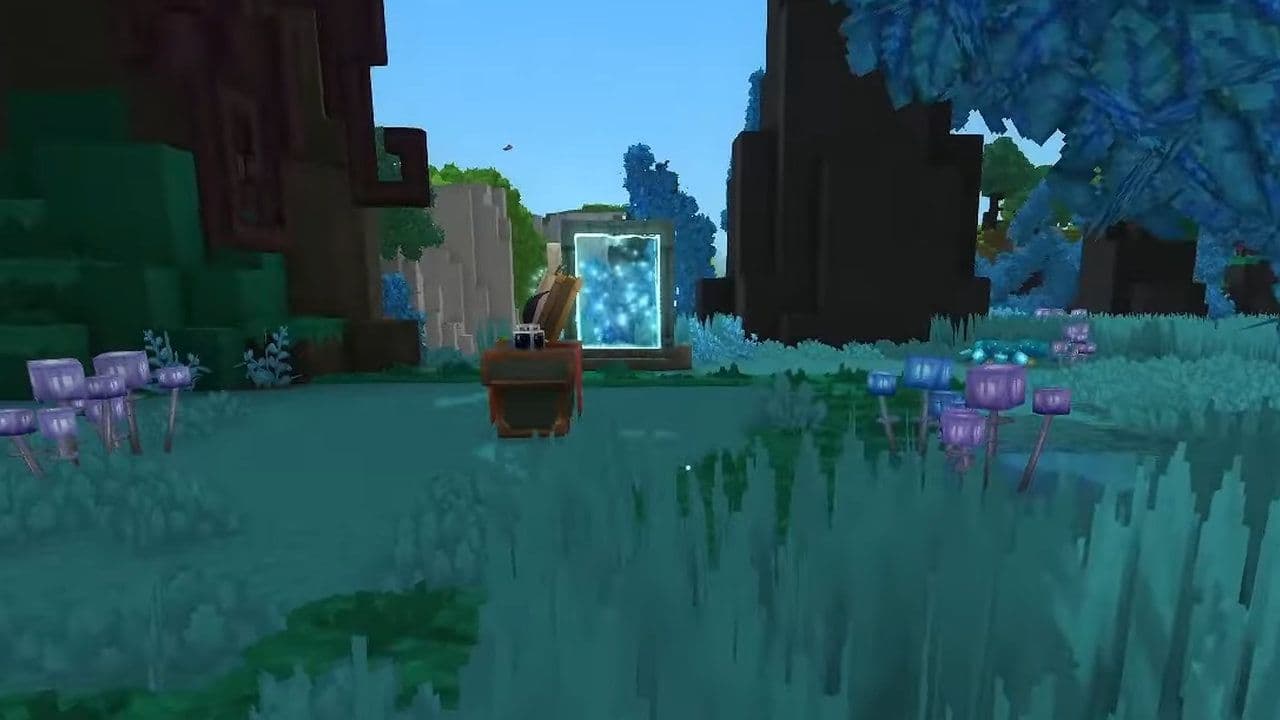
This setup turns Hytale teleport into a strategic tool rather than a simple convenience.
Multiplayer and portal security
In multiplayer worlds, portals require planning. Important considerations:
- Place portals inside protected or claimed areas
- Limit access if server rules allow
- Avoid public portals leading directly into private bases
Without security, Hytale portals can be abused for griefing or unwanted access. Proper placement protects both players and builds.
When to use Hytale teleport vs normal travel
Teleporting is powerful, but not always necessary. Use Hytale portals when:
- Traveling long distances
- Moving between bases
- Coordinating with other players
- Returning from dangerous areas
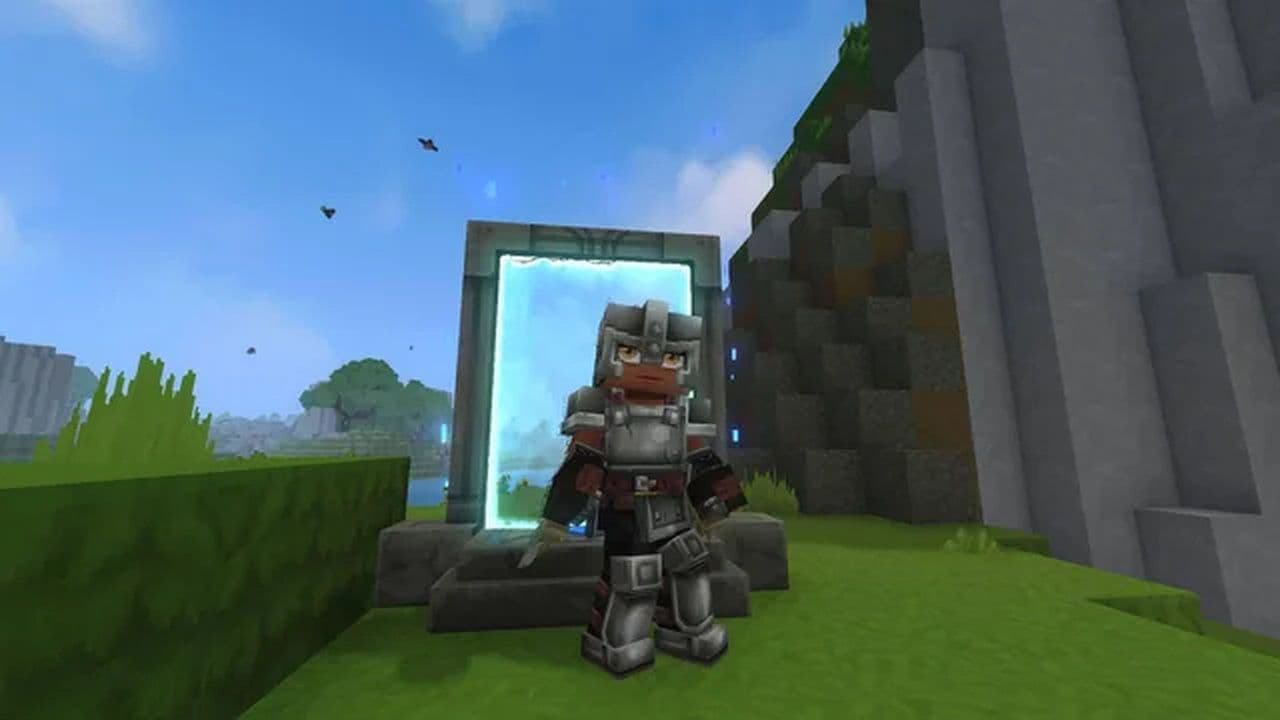
Normal travel is still useful for exploration, discovery, and immersion. Portals are best used as infrastructure, not a replacement for adventure.
Travel smarter, build bigger
The Hytale portal system is a core quality-of-life feature that transforms how players move through the world. Whether using ancient waygates or player-built teleporters, mastering Hytale teleport mechanics saves time, improves organization, and supports large-scale builds and multiplayer gameplay.
Understanding Hytale teleporters early allows players to plan smarter bases, explore further, and fully enjoy the scale of Hytale’s world, without wasting hours on travel.
That’s all for today! Looking for more? Check out these:
All Related Guides
 Best Hytale plugins and how to create yoursExplore the best Hytale plugins for servers, from permissions and shops to NPCs, kits, performance tools, and ...
 Meet the Hytale Pokemon mod Pokefind: Release date, gameplay and moreGet the latest details on the Hytale Pokemon mod Pokefind, including gameplay plans, server support, release s...
 Can you create an infinite water source in Hytale?Learn if a Hytale infinite water source is possible, why the 2x2 trick fails, and which mods can help you get ...
 Who is The Hedera in Hytale Endgame & QoL mod and how to defeat itFind out how to reach and defeat The Hedera in Hytale Endgame & QoL mod, including boss phases, best prep, and...
 How to heal in Hytale (Food, potions, totem & more)How to heal in Hytale: food, potions, totem, regen buffs, best methods, and full survival guide explained....
 Hytale Update 4 (Part 5): What’s new?Hytale Update 4 Part 5 adds 500+ new blocks, system upgrades, bug fixes, and major improvements before full re...
 All Hytale signs & how to craft themDiscover all 29 Hytale signs, their crafting recipes, and how to use them. Learn sign mechanics, placement tip...
 When will Hytale fully release? (2026 update)When will Hytale fully release? Learn the expected 2026–2027 timeline, Early Access plans, and what must happe...
- 1
- 2
- 3
- 4
- 5
- 6
- 7
- 8