Best Hytale prefabs: What they are and how to use them

Hytale building feels fast when you know the tools, but it still eats time when you rebuild the same structures again and again. That is where Hytale prefabs earn their place. They let you drop finished builds into a world in minutes, so you can spend more time on gameplay, storytelling, or bigger map goals. Here are some of the best prefabs you can find online for your Hytale world!
What are prefabs in Hytale?
A prefab is a saved structure you can reuse in Hytale. So, they are not like mods. You build something once, then you save it as an asset and place it again later. Prefabs work like portable build files. You can share them with other players, or you can keep them as your personal building library.
Hytale supports prefab workflows inside Creative tools. You can edit, save, and place structures through in-game tools and commands. In practice, prefabs help with three main goals:
- Speed: You place full buildings without rebuilding every wall.
- Consistency: You keep a strong style across a town or map.
- Iteration: You test a build, adjust it, then place the improved version.
Most popular Hytale prefabs
There are many different Hytale prefabs you can find online. We compiled a list of the five most downloaded prefabs on CurseForge. All of the prefabs you see below have over two thousand downloads:
HyTiny’s Cozy Prefabs (14 builds)
This pack comes with small, cozy builds that fit into almost any world. It includes fully furnished interiors and a wide range of starter-friendly structures like a potion shop, barn, tavern, and cottages. The pack also uses entity décor in some builds, so it can look rich, but it can also add weight to performance in busy areas. HyTinyBuild’s prefab is the most downloaded one as of this writing.
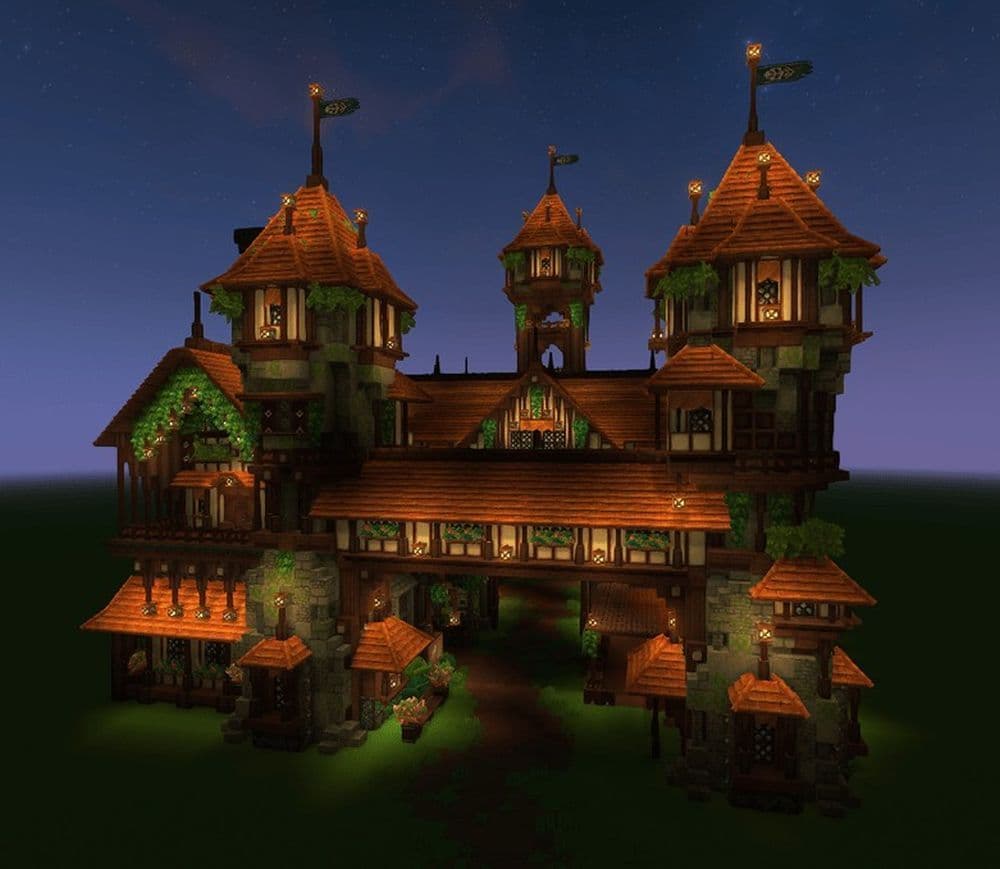
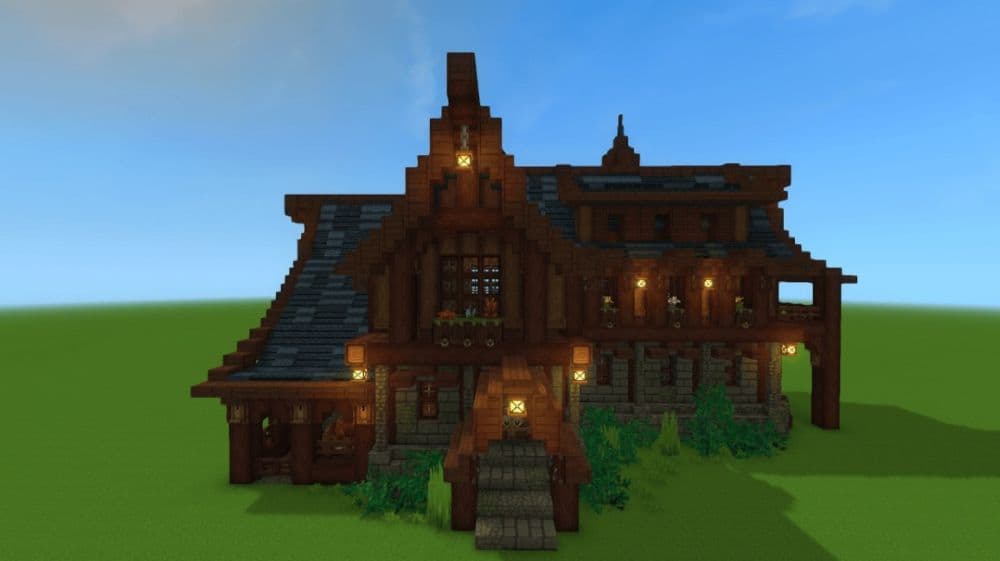
Fully custom medieval tavern house (20×25×19)
Safen’s prefab delivers a classic medieval tavern with a compact footprint and a clear purpose. It works well as a town center, an inn for roleplay, or a quest hub on an adventure map. The oak-heavy style also fits most fantasy villages without major edits.
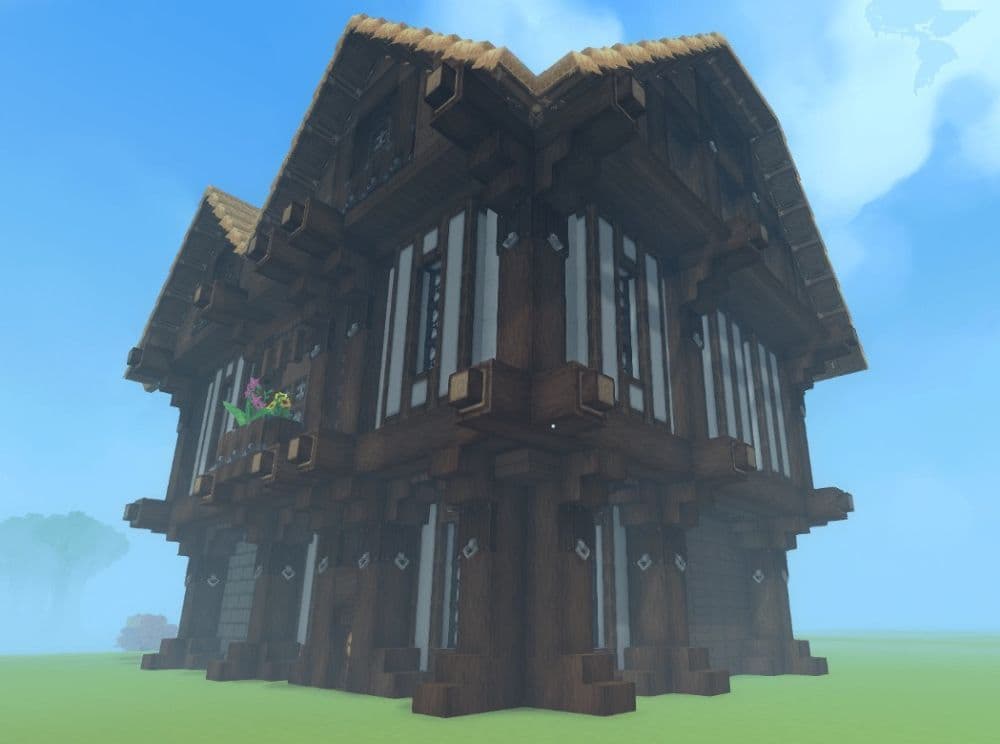
Hobbit Hole (Proto’s HyFantasy Series)
Protogenesys’sbuild targets early progression and comfort. It includes a cozy interior vibe, a small farm, and practical starter work areas. It suits players who want a beginner base that feels complete, not empty, and it also fits naturally into hillsides and forest edges.
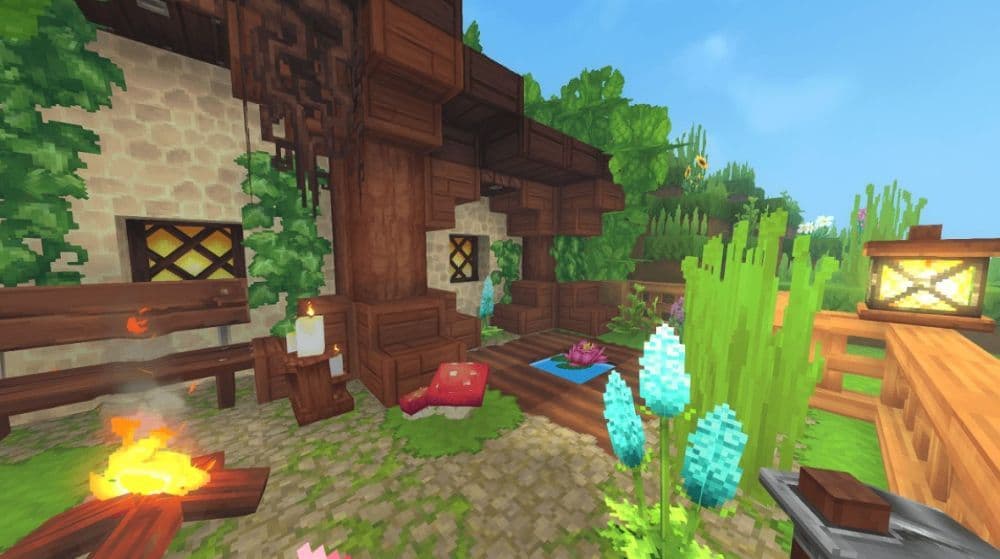
Gothic cathedral monument (147×47×105)
This prefab aims for landmark-scale worldbuilding. ItsLisa’s prefab includes rich exterior detail and a furnished interior with set pieces like an organ and walkable attic areas. It also includes empty blocks, so you should expect cleanup and terrain work after placement, especially around the structure’s edges.
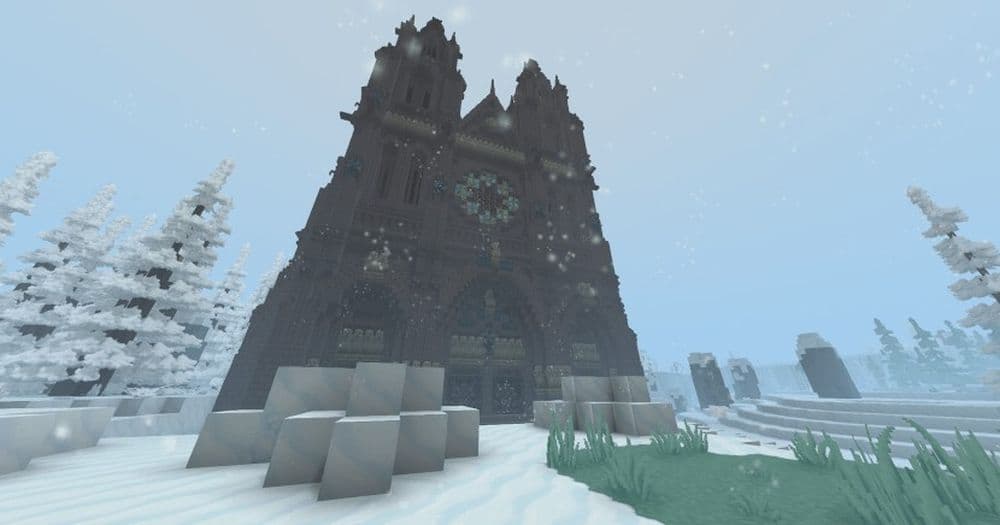
Medium 2 Story House (39×30 floor area)
McBX’s prefab offers a flexible, general-purpose home with a large open plan and a small horse stable. It fits towns, farms, or a player base that needs space without going full castle scale. It also uses a simple folder-based install workflow that many prefab creators follow.
How to add and place prefabs in Hytale worlds
Most prefab creators ship their builds as a prefab file inside a zip. Your goal stays simple: put the prefab file in the right world folder, then place it through Creative Tools.
1) Install the prefab file
- Download the prefab from its page and unzip it if needed.
- Open your world save folder on Windows: C:\Users\[YOURNAME]\AppData\Roaming\Hytale\UserData\Saves\[WORLDNAME]\
- Create a folder named prefabs if it does not exist. Use all lowercase.
- Drop the prefab file into the prefabs folder.
2) Place the prefab in-game
- Launch Hytale and load the world.
- Switch to Creative Mode, then press B to open Creative Tools.
- Go to World, then open Prefab List.
- If needed, switch the asset source to Server so the game reads world folder prefabs.
- Select the prefab and place it where you want.
If you prefer commands, you can also use prefab-related commands to list and manage available prefabs.
Check more guides:
- List of all Hytale mobs, what they drop & how to find them
- How does the Hytale class system actually work? Guide to builds
- Where to play Hytale and how to install the game
- Hytale Early Access Roadmap: What to expect in future updates
- Hytale Update 4: New features, changes, and patch notes
Featured Image Credit: Hytale
All Related Guides
 Best Hytale plugins and how to create yoursExplore the best Hytale plugins for servers, from permissions and shops to NPCs, kits, performance tools, and ...
 Meet the Hytale Pokemon mod Pokefind: Release date, gameplay and moreGet the latest details on the Hytale Pokemon mod Pokefind, including gameplay plans, server support, release s...
 Can you create an infinite water source in Hytale?Learn if a Hytale infinite water source is possible, why the 2x2 trick fails, and which mods can help you get ...
 Who is The Hedera in Hytale Endgame & QoL mod and how to defeat itFind out how to reach and defeat The Hedera in Hytale Endgame & QoL mod, including boss phases, best prep, and...
 How to heal in Hytale (Food, potions, totem & more)How to heal in Hytale: food, potions, totem, regen buffs, best methods, and full survival guide explained....
 Hytale Update 4 (Part 5): What’s new?Hytale Update 4 Part 5 adds 500+ new blocks, system upgrades, bug fixes, and major improvements before full re...
 All Hytale signs & how to craft themDiscover all 29 Hytale signs, their crafting recipes, and how to use them. Learn sign mechanics, placement tip...
 When will Hytale fully release? (2026 update)When will Hytale fully release? Learn the expected 2026–2027 timeline, Early Access plans, and what must happe...
- 1
- 2
- 3
- 4
- 5
- 6
- 7
- 8