Hytale Update 4 (Part 3): What’s new?
Voice chat and major gameplay changesON THIS PAGE:
- How to get Hytale Update 4 (Part 3)
- Hytale Update 4 (Part 3): Changes & features
- Proximity Voice Chat
- Avatar & cosmetics changes
- Potion overhaul
- New tools and resources
- Farming and crop progression changes
- World & biome updates
- Entities & combat systems
- Audio improvements
- UI & Quality of Life updates
- Modding & creative tool upgrades
- Bug fixes
- Should you install Hytale Update 4 (Part 3)?
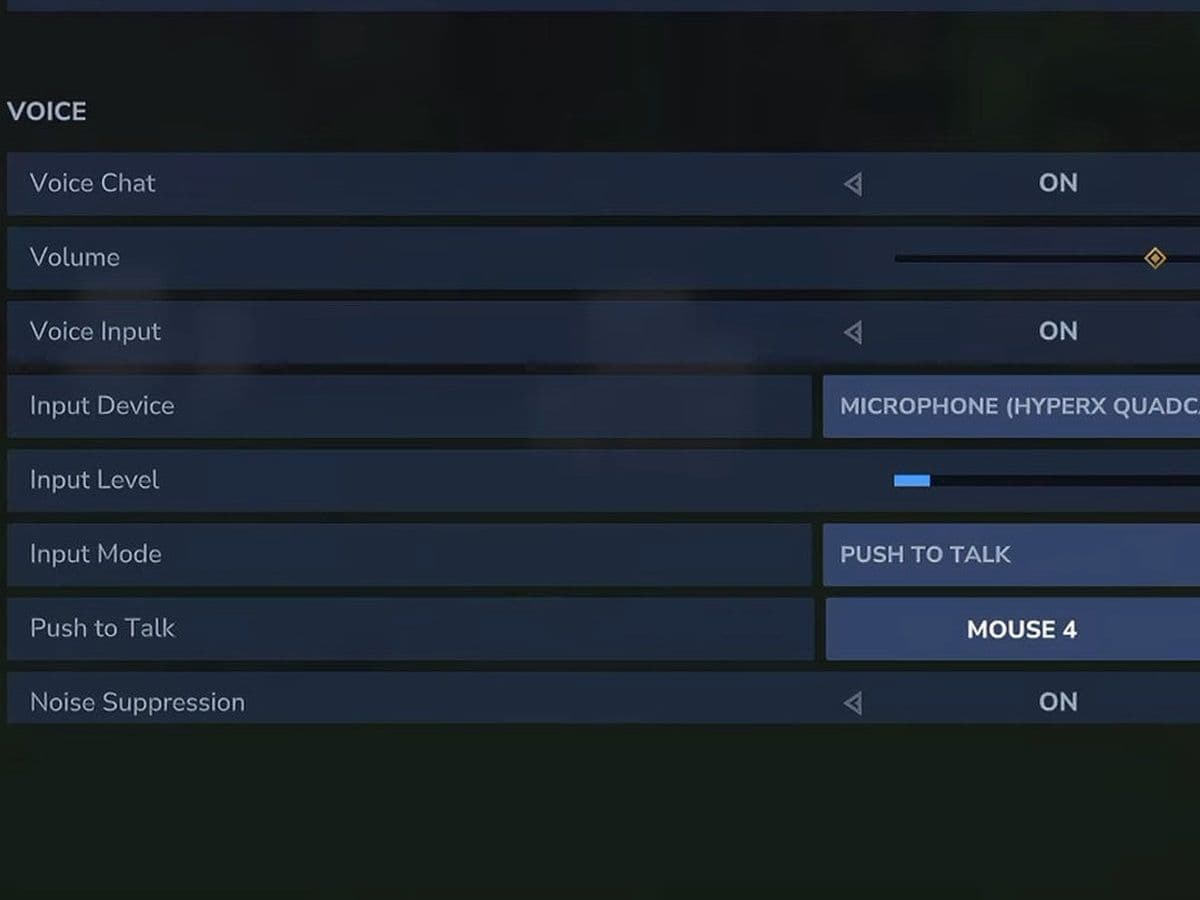
Hytale Update 4 (Part 3) was released on March 5, 2026, on the Pre-Release branch. This update focuses on social features, potion balancing, farming progression, world generation improvements, audio upgrades, and modding tools.
The biggest addition in Hytale Update 4 (Part 3) is Proximity Voice Chat, but the patch also includes major changes to potions, crops, NPC systems, and Creative Tools.
This guide explains every major feature in Hytale Update 4 (Part 3) you should know.
How to get Hytale Update 4 (Part 3)
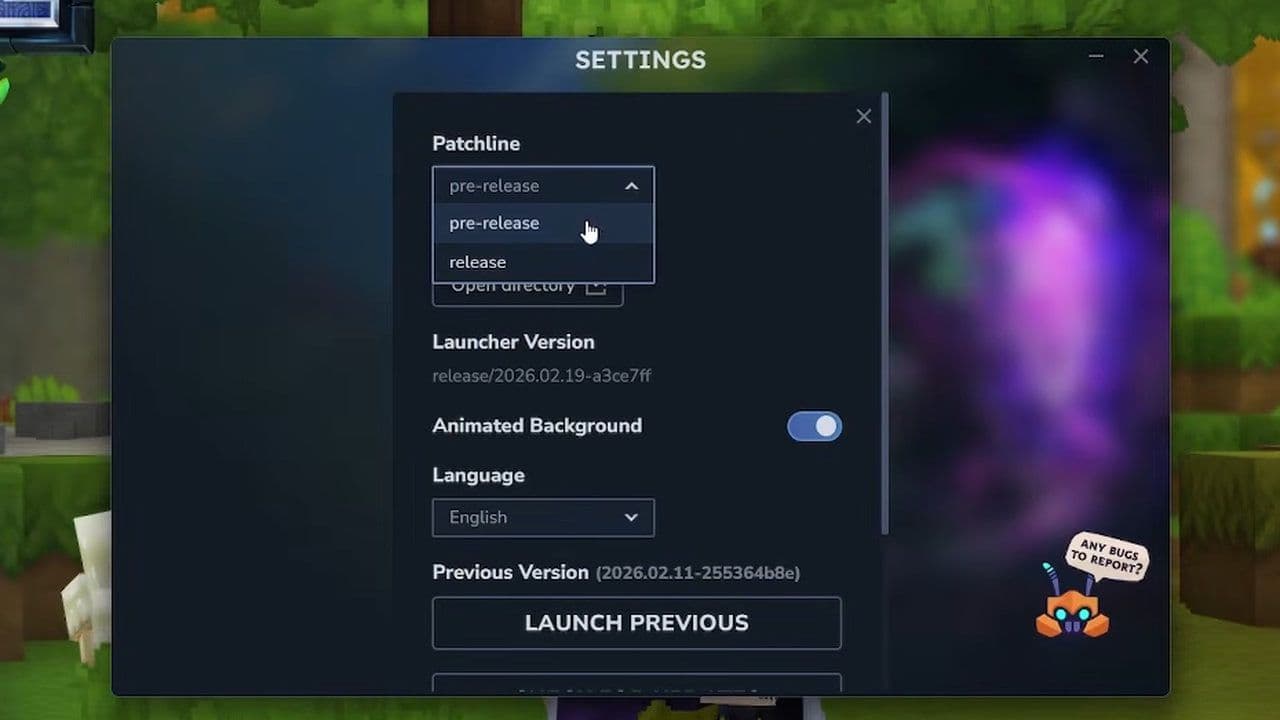
To enable Hytale Update 4 (Part 3):
- Open the Hytale Launcher
- Go to Settings
- Enable Pre-Release
- This will install the latest pre-release patch.
Hytale Update 4 (Part 3): Changes & features
Here is a quick summary of the most important features in Hytale Update 4 (Part 3):
- Proximity Voice Chat added with spatial audio
- 7 new hairstyles and 3 hairstyle updates
- Full potion template overhaul with new balancing
- Copper and Iron Sickles added
- Crystal Shard resource type introduced
- Blood, Storm, and Azure crops reworked
- Temple Golems now drop specific gems
- World generation Prop system overhauled
- New ambient and conditional audio systems
- Map radius controls added
- Major Creative Tool and modding upgrades
- Large number of bug fixes
Below is a detailed breakdown of all systems.
Proximity Voice Chat
The main feature in Hytale Update 4 (Part 3) is Proximity Voice Chat, a built-in spatial voice system that allows players to talk to each other based on in-game distance.

The Proximity Voice Chat feature lets players talk to others nearby in real time, making multiplayer communication more immersive. To learn how it works and how to enable it, check out our full Hytale Proximity Voice Chat guide.
However, Hytale Voice Chat is disabled by default.
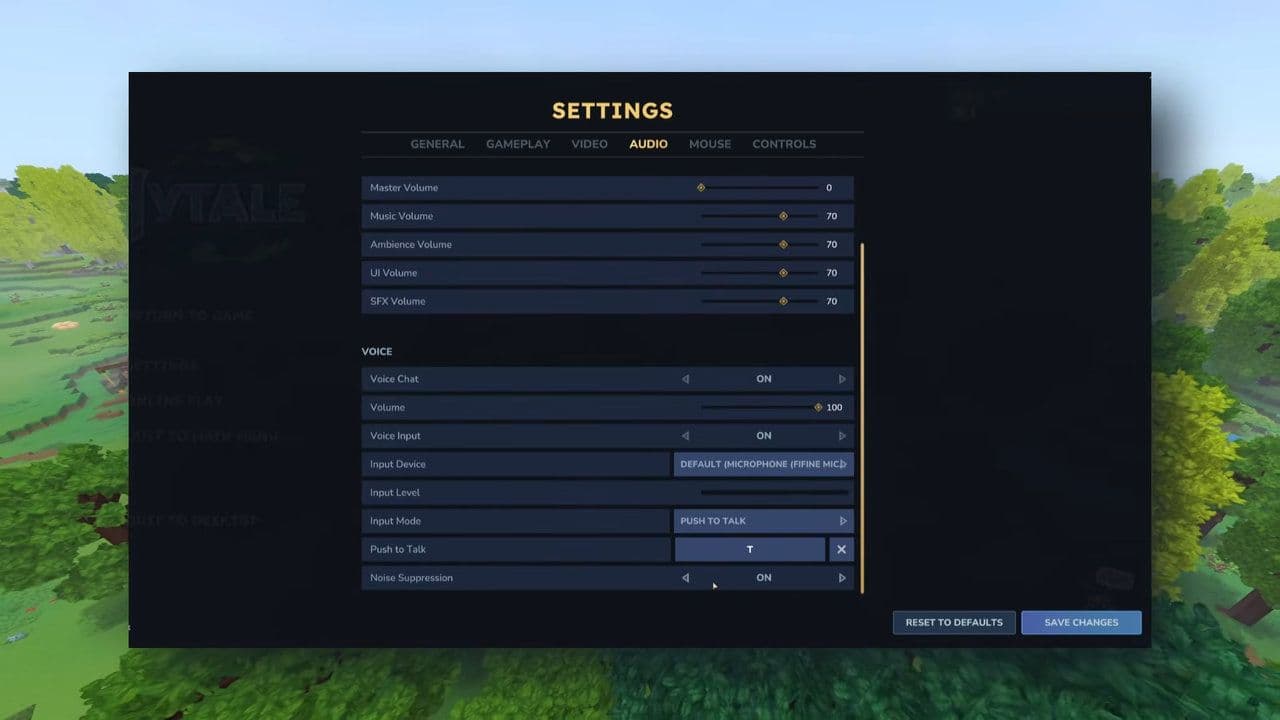
How to enable Hytale Proximity Voice Chat
To turn it on:
- Open Audio Settings
- Enable Voice Chat
You can customize:
- Input device
- Input level
- Noise suppression
- Input mode
- Push-to-Talk (with custom hotkey)
Commands
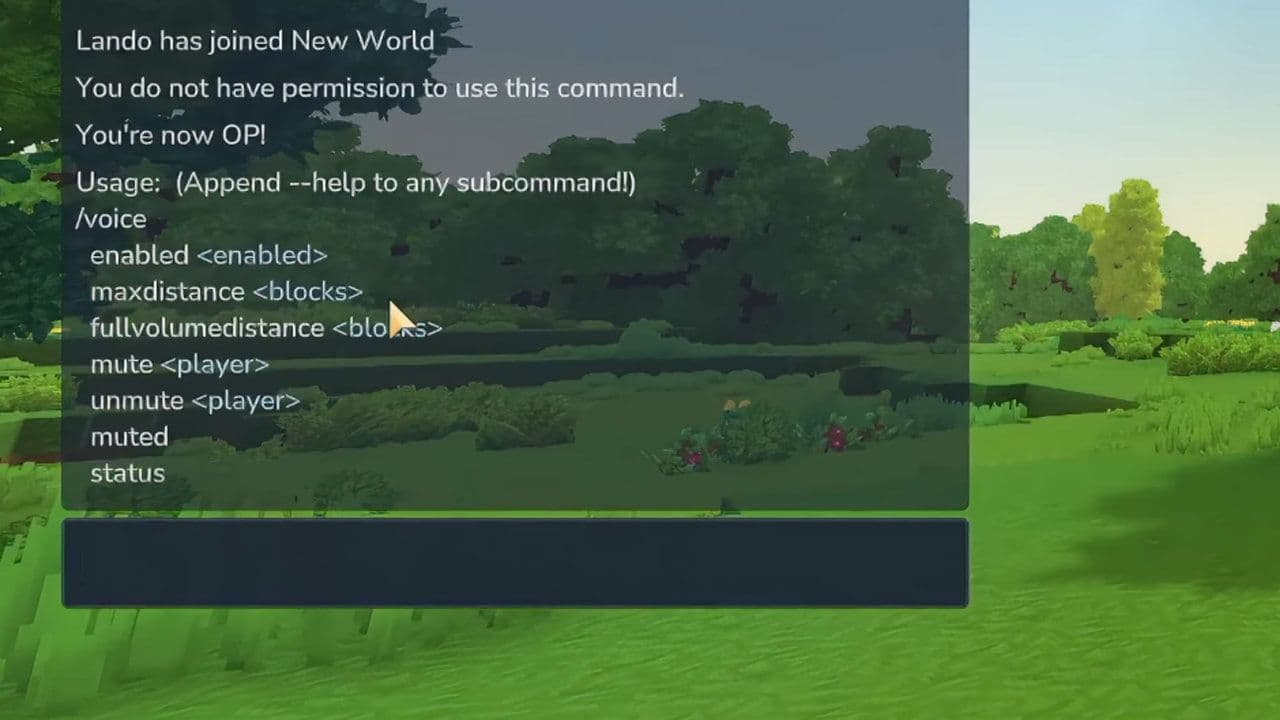
These Hytale commands allow voice configuration and management.
- /voice enabled <enabled>
- /voice maxdistance <blocks>
- /voice fullvolumedistance <blocks>
- /voice mute <player>
- /voice unmute <player>
- /voice muted
- /voice status
Avatar & cosmetics changes
Hytale Update 4 (Part 3) adds 7 new hairstyles:
- Afro
- Big Afro
- Frizzy Buns
- Long Dreadlocks
- Puffy Twin Dreads
- Dreads Fade
- Star Puffs
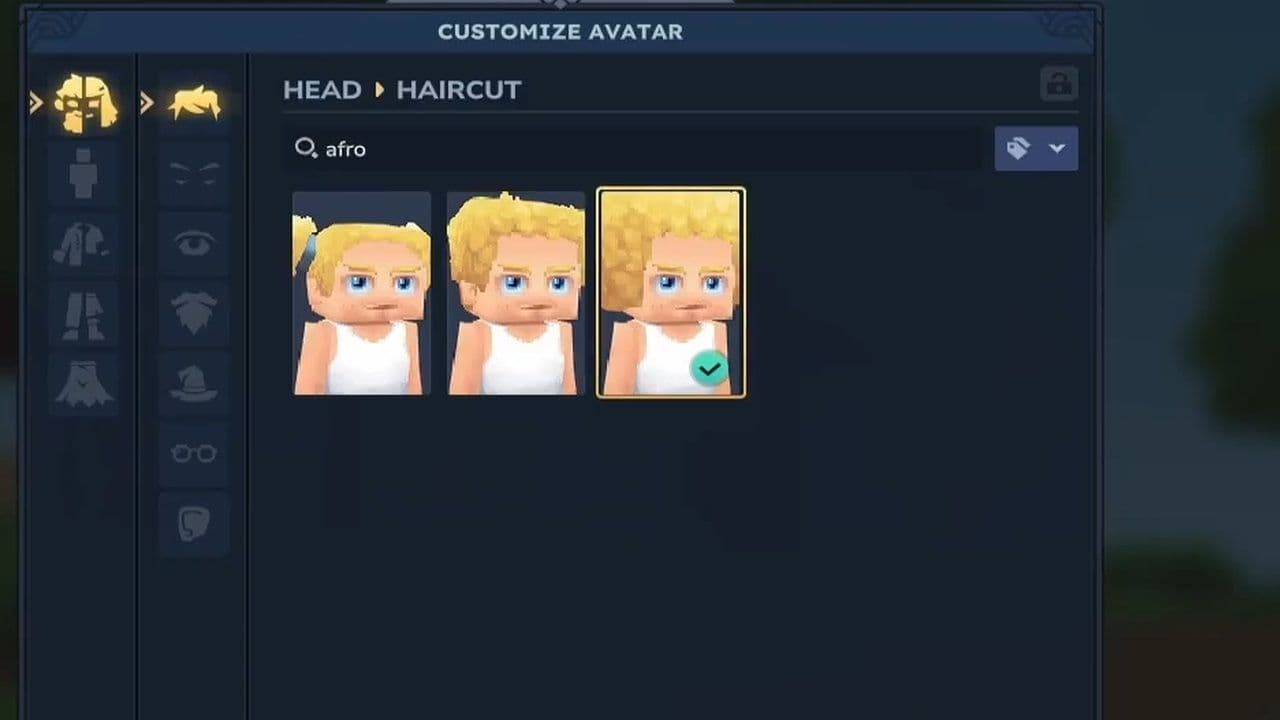
Updated hairstyles:
- Puffy Bubble Braids
- Afro Puffs
- Puffy Bun
These updates expand customization and improve representation.
Potion overhaul
Hytale potions received one of the biggest balance updates so far.
- New Decorative_Potion_Template added
- Blue, Green, Iridescent, Pink, Purple, and Orange Potions are now decorative
- All consumable potions now use Potion_Template
- Consumable potions now have Quality levels
- Normal and Large potion models updated
- Iridescent potion textures updated
- Crafting requirements reworked
Hytale potion changes
Here is the current status:

New tools and resources
- Copper Sickles and Iron Sickles added (Farming Workbench)
- Sickles can be swung repeatedly by holding input
- Pink Crystal Shards added (drop from Pink Crystals)
- Crystal Shard resource type introduced
- All shard colors parented to Ingredient_Crystal_White
- Gold Ingots can convert to Gold Bricks (Builder’s Workbench)
- Empty Small and Large Potion Bottles craftable at Alchemy Bench
Farming and crop progression changes
- Removed Tiers 9 and 10 from Farming Bench
- Added Tiers 3, 4, and 5 to Alchemy Bench
- Blood, Storm, and Azure crop seeds now crafted at Alchemy Bench
- Added Crystal Fertilizer requirement
- Blood Leaf, Storm Sapling, and Azure Kelp now have unique growth requirements. These plants no longer drop seed recipes. They can now be salvaged at Salvager’s Workbench for petals
This restructures farming progression in Hytale Update 4 (Part 3).
World & biome updates
- Zone1 Plains weather updated
- Fireflies appear more regularly
- River & Tile worldmap density updated to allow multiple biomes
- Redwood biomes can now spawn in taiga portal worlds
Also, the world generation Prop system was overhauled too:
- Modular features added
- Monolithic props deprecated
Entities & combat systems
- Defeated NPCs now trigger death particles
- Items drop when NPC bodies disappear
Temple Golems now drop specific gems:
- Earth Crystal Golem → Emerald
- Flame Crystal Golem → Ruby
- Frost Crystal Golem → Sapphire
- Sand Crystal Golem → Zephyr
- Thunder Crystal Golem → Topaz
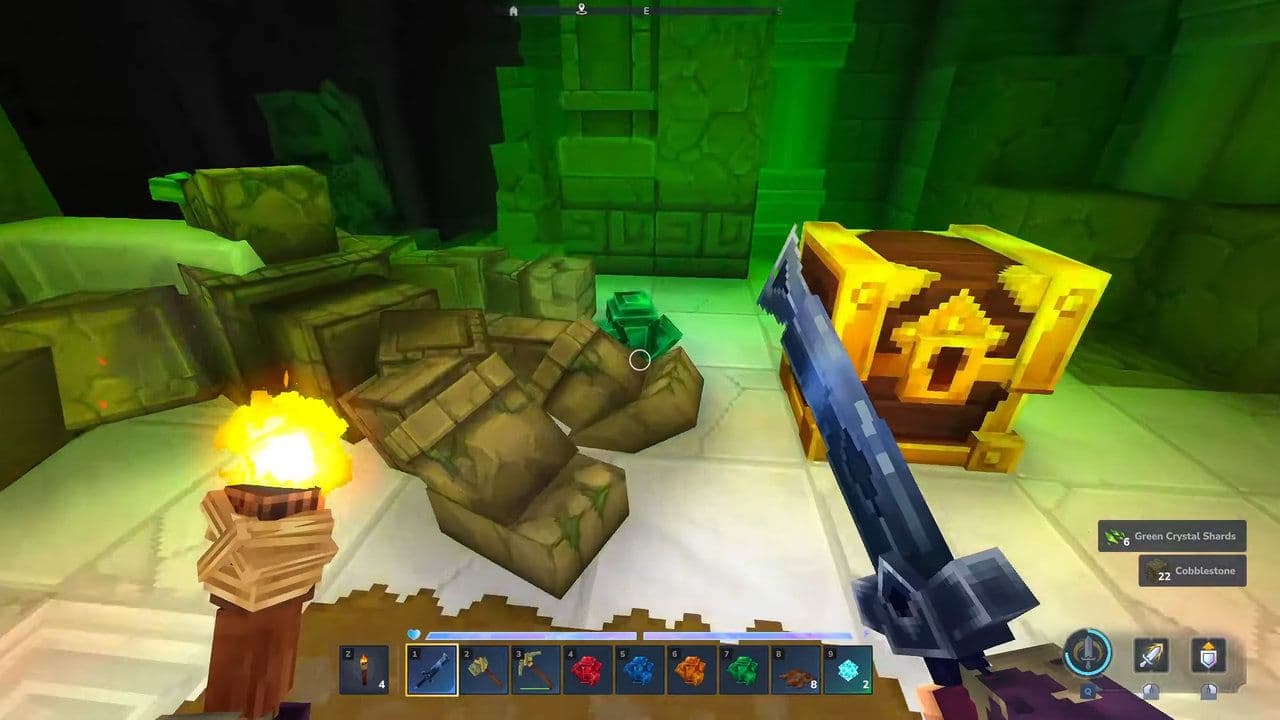
Also, new systems implemented:
- Conditional entity effect systems
- Non-scaled switch response curve for Combat Action Evaluator
Audio improvements
These improve environmental immersion:
- Block sound clustering added (e.g., rain on water)
- Conditional ambient sounds added (e.g., rain on windows)
UI & Quality of Life updates
- Configurable world map radius limits
- Per-world minimap override
- Server-wide minimap clamp
- “Pick” interaction hint for gatherables
- “Open” interaction hint for doors, fences, trapdoors
- Mouse wheel navigation for emote pages
- Creative Tool items can be marked “Technical”
- “Tools” category added for bug reports
- Localization cleanup and disconnect improvements
Modding & creative tool upgrades
- Asset Pack Save Browser added
- Anchor Tool merged into Prefab Selector Tool (SHIFT+R)
- ALT+T hotkey switches between Prefab Editor World and last world
- Improved Paste Tool preview performance
- Tint blending and opacity support added
- Tint history saving added
- NodeEditor updated to Noesis 3.2.1
- Added /npc descriptors command
- NPC templates now include:
- DeathParticles
- DropDeathItemsInstantly
- DeathAnimationTime
- Enabled flag for Action elements
- Beacon action Range computed from template variables
Bug fixes in Hytale Update 4 (Part 3)
Should you install Hytale Update 4 (Part 3)?
Yes, Hytale Update 4 (Part 3) is worth installing, especially because voice chat has arrived!
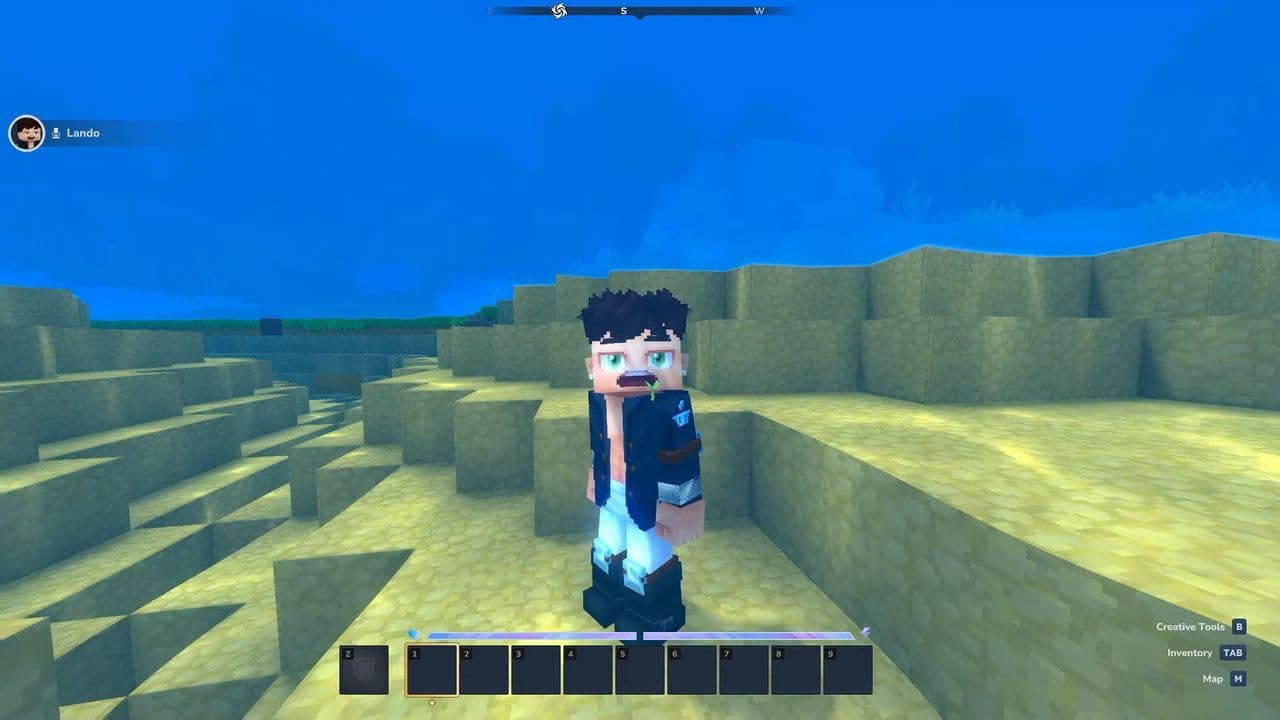
If you play multiplayer, enjoy social interaction with friends, or run servers, Proximity Voice Chat alone makes this update a game-changer. The addition of spatial voice communication brings Hytale closer to a fully immersive multiplayer experience — something players have been asking for since Early Access began.
That’s all for today! Looking for more? Check out these:
All Related Guides
 Best Hytale plugins and how to create yoursExplore the best Hytale plugins for servers, from permissions and shops to NPCs, kits, performance tools, and ...
 Meet the Hytale Pokemon mod Pokefind: Release date, gameplay and moreGet the latest details on the Hytale Pokemon mod Pokefind, including gameplay plans, server support, release s...
 Can you create an infinite water source in Hytale?Learn if a Hytale infinite water source is possible, why the 2x2 trick fails, and which mods can help you get ...
 Who is The Hedera in Hytale Endgame & QoL mod and how to defeat itFind out how to reach and defeat The Hedera in Hytale Endgame & QoL mod, including boss phases, best prep, and...
 How to heal in Hytale (Food, potions, totem & more)How to heal in Hytale: food, potions, totem, regen buffs, best methods, and full survival guide explained....
 Hytale Update 4 (Part 5): What’s new?Hytale Update 4 Part 5 adds 500+ new blocks, system upgrades, bug fixes, and major improvements before full re...
 All Hytale signs & how to craft themDiscover all 29 Hytale signs, their crafting recipes, and how to use them. Learn sign mechanics, placement tip...
 When will Hytale fully release? (2026 update)When will Hytale fully release? Learn the expected 2026–2027 timeline, Early Access plans, and what must happe...
- 1
- 2
- 3
- 4
- 5
- 6
- 7
- 8