How to change the install path in League of Legends

You can change the League of Legends install path during the first installation or reinstall. This lets you move League from a crowded C drive to another internal drive, such as an SSD with more free space. The Riot Client does not include a simple button that moves an installed copy after setup. Many people miss the button that they should use during the installation. Here is how to change the install path in League of Legends!
How to change the install path
The installer layout can change between Riot Client updates. Look for Advanced Options, a folder icon, or an install location field before you press Install.
Change the path during a fresh installation
Use this method when your computer does not have League installed:
- Download League of Legends from the official game page.
- Open the installer and approve the Windows prompt.
- Find Advanced Options or the install location field.

- Select the drive and folder you want to use.
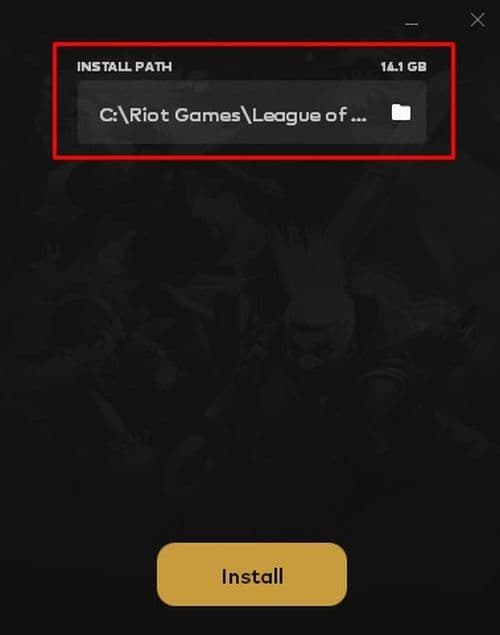
- Confirm the path and start the installation.
- Open the Riot Client after the download finishes.
Use a clear folder name, such as D:\Riot Games\League of Legends. Avoid temporary or cloud-sync folders because syncing tools and access permissions can interfere with updates.
Check the available storage before you begin. League needs temporary space while the client replaces files during patches. You can improve the League of Legends download speed by pausing other downloads and using a wired connection.
Move an existing League installation
A clean reinstall gives you the most dependable way to move League of Legends to another drive:
- Close League of Legends.
- Exit the Riot Client from the Windows system tray.
- Open Start > Settings > Apps > Installed apps.
- Find League of Legends and select Uninstall.
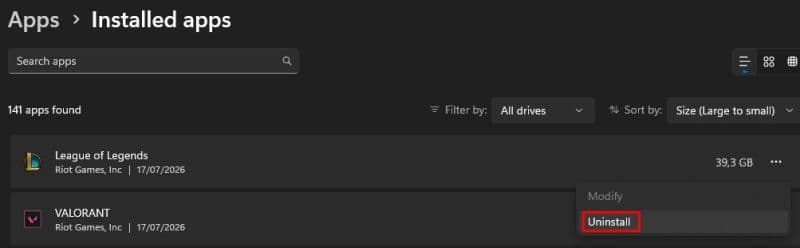
- Restart your computer.
- Run the official installer again.
- Choose the new drive through the path option.
- Finish the download and launch the game.
You normally do not need to remove the Riot Client, Riot Vanguard, or another Riot game. Remove only League unless Riot Support asks you to delete the remaining files.
Where is the League of Legends install location?
League usually uses this default Windows folder:
- C:\Riot Games\League of Legends
The Riot Client often sits in a separate folder:
- C:\Riot Games\Riot Client
On macOS, players usually find the League application inside the Applications folder. A custom installation may appear elsewhere, so check the active location before deleting anything.
On Windows, search for LeagueClient.exe in File Explorer. You can also open Task Manager, right-click the running League process, and select Open file location.
Can you move League of Legends without reinstalling?
You can copy the League folder to another drive, but Riot does not provide a direct move tool for an installed copy. The Riot Client may continue to check the old path, while an existing shortcut may still open files from the original folder.
Players who want to avoid a full download sometimes use this method:
- Close every Riot process through Task Manager.
- Copy the League of Legends folder to the new drive.
- Start a new installation and select the copied location.
- Let the Riot Client scan or replace the existing files.
- Test the game before deleting the old folder.
Does changing the path affect Riot Vanguard?
League of Legends requires Riot Vanguard on Windows. Moving or reinstalling League does not always move Vanguard because it uses its own Windows installation.
Leave Vanguard installed unless the Riot Client reports an error or Riot Support recommends a reinstall. If you remove Vanguard, restart the PC. The Riot Client will install it again when required, and Windows may ask for another restart.
Should you install League on an SSD or external drive?
An internal SSD is a better destination when it has enough storage. It can cut file loading times and process large updates faster than an older hard drive. It will not improve ping because network delay depends on your connection and distance from the server.
League may run from an external drive, but a changed drive letter or disconnected device can stop the Riot Client from finding it. Use an internal drive when possible. For external storage, keep the same drive letter and connect it before opening Riot Client.
Find more League of Legends pieces below:
- How to change server in League of Legends
- How to check how much have I spent on League of Legends
- How to change your League of Legends language
- League of Legends player lookup: How to check an account
- What is low priority queue in League of Legends and how to fix it
Featured Image Credit: Riot Games
All Related Guides
 How to remove tokens in League of LegendsLearn how to remove tokens in League of Legends, clear Challenge Tokens from your profile, and fix them if the...
 2026 Riot Games parental controls update (LoL, VALORANT & TFT)Learn how Riot Games parental controls (2026) work for League of Legends, VALORANT, and TFT, including setup, ...
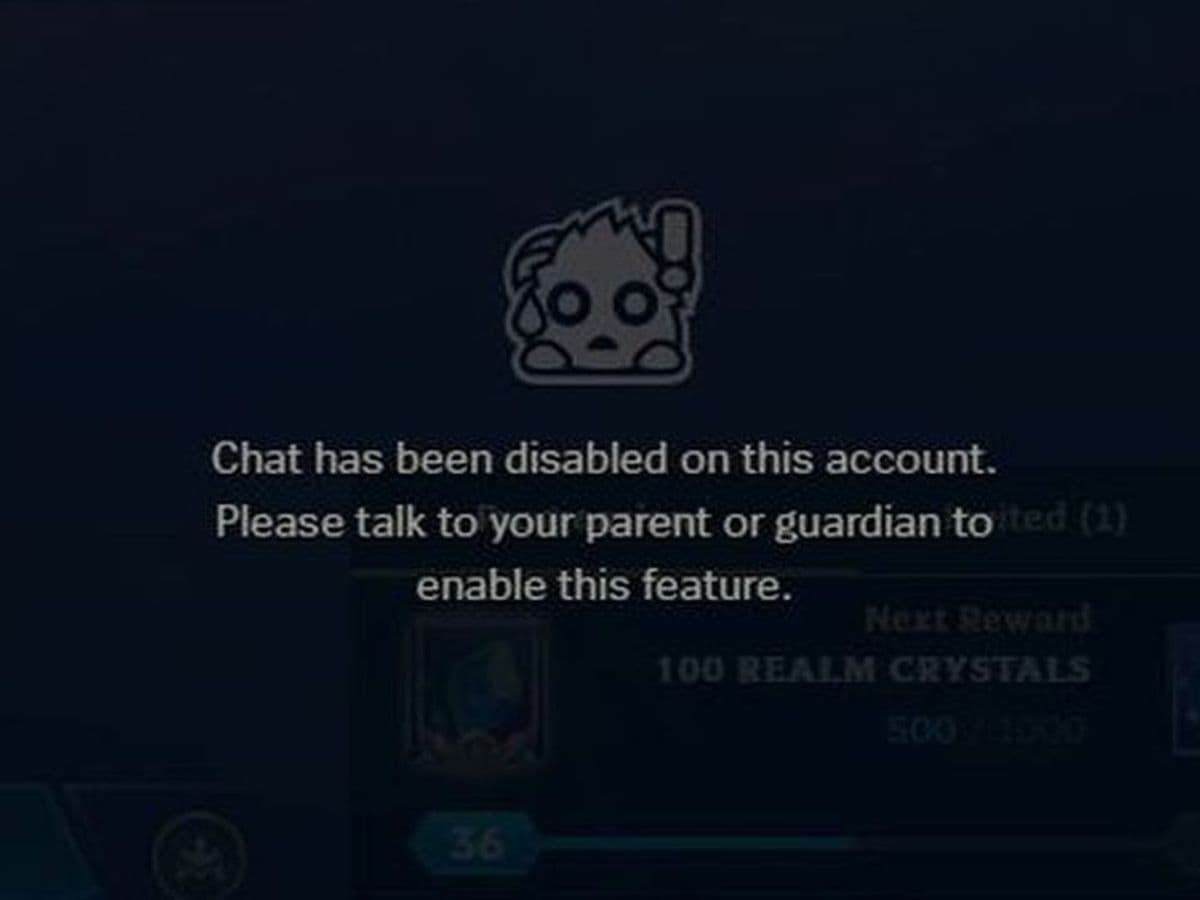 How to disable Parental Controls in League of Legends (2026 update)Learn how to disable Riot's League of Legends parental controls, who can remove Parent Permissions, and what t...
 League of Legends player lookup: How to check an accountCheck a LoL account with a League of Legends player lookup tool and learn what Riot ID, match history, rank, a...
 How to link your Twitch account to League of LegendsWant League of Legends Twitch drops? Learn how to connect your Riot Account, watch eligible streams, and claim...
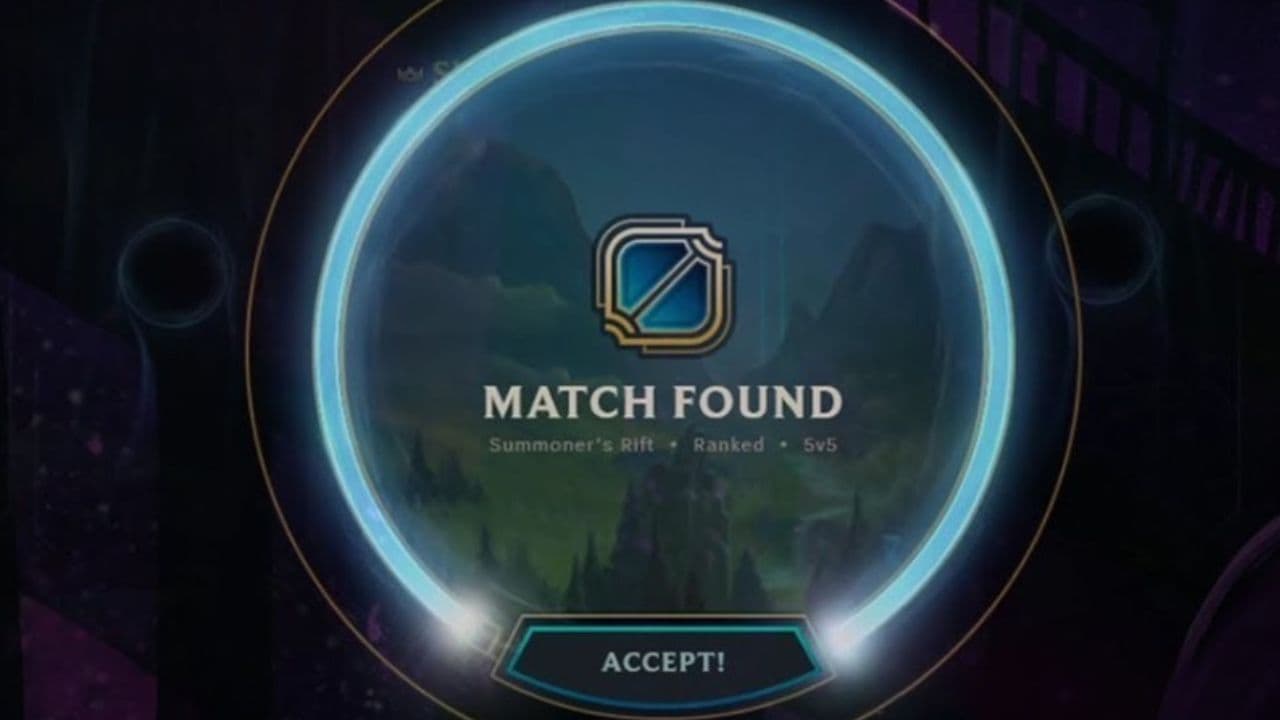 What is low priority queue in League of Legends and how to fix itGot a 10-minute low priority queue in League of Legends? Learn how many games it lasts and what resets the pen...
 Guide to League of Legends Partner ProgramLeague of Legends Partner Program guide: benefits, requirements, application dates, Creator Hub access, and ho...
 Client Server version mismatch League of Legends error fix guideHow to fix Client Server version mismatch League of Legends error: causes, quick LoL fixes, repair tool, reins...
- 1
- 2
- 3
- 4
- 5
- 6