2026 Riot Games parental controls update (LoL, VALORANT & TFT)
Set up Parent PortalON THIS PAGE:
- Riot’s new parental controls
- 2026 update explained
- Restricted Social Features" in League of Legends
- VALORANT parental controls
- What can parents control?
- How to set up Riot Parental Controls
- Which games support Riot Parental Controls?
- What parents can see
- Can children disable Riot Games parental controls?
- How to turn off parental controls in League of Legends
- How to turn off parental controls in VALORANT
- Are you an adult?
- Will more parental controls features be added?

Riot Games recently introduced optional parental controls that give parents more oversight of their child's Riot account. Available initially for League of Legends, VALORANT, and Teamfight Tactics (PC) in the United States, these controls are managed through a new Parent Portal and allow parents to manage communication, friendships, and game access without monitoring every gaming session.
This guide explains what's new, how to set up Riot's parental controls, and what parents can (and can't) manage.
Riot’s new parental controls allow verified parents to…
- Turn text and voice chat off.
- Restrict chat to friends only.
- Prevent sending or accepting friend requests.
- View their child's friends list.
- Restrict access to specific Riot games.
- Disable access to the Riot account entirely.
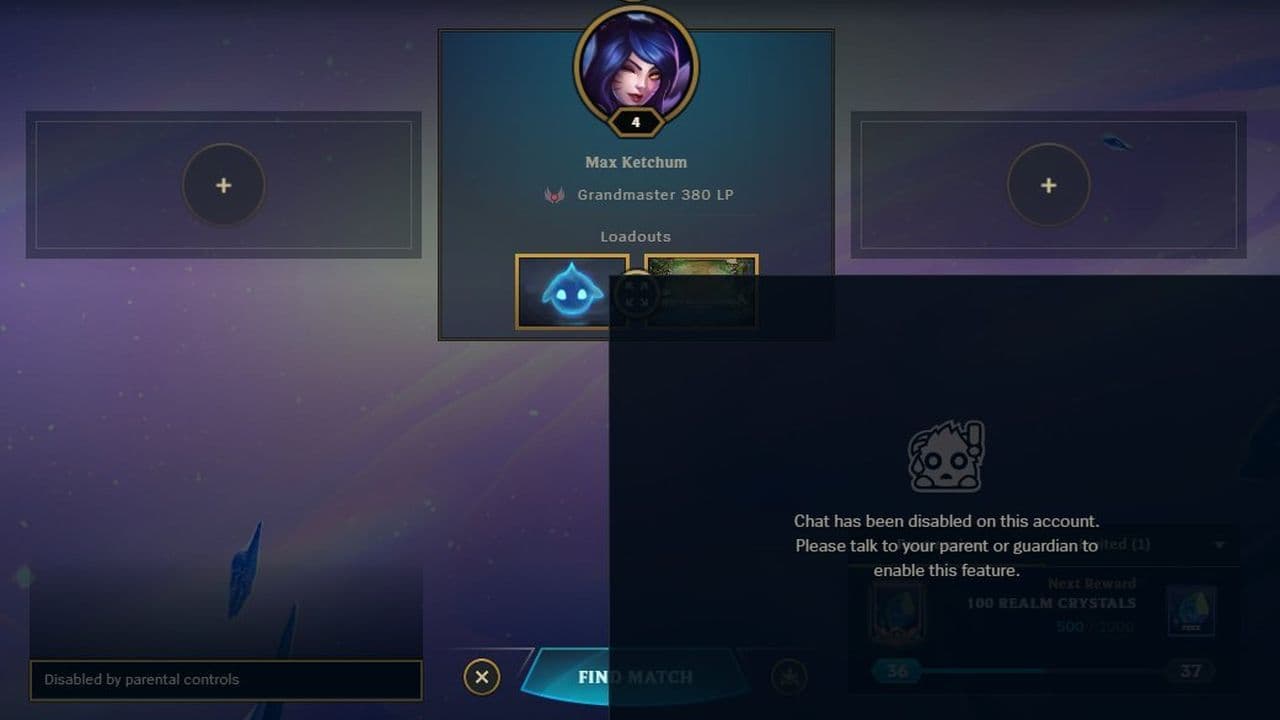
All settings are managed through Riot's new Parent Portal after linking a parent's email to the child's Riot account.
2026 Riot Games parental controls update explained
The July 2026 update introduces Riot's first dedicated parental management system.
Rather than relying solely on platform-level controls, parents can now directly manage how underage players interact with Riot's games through an account-based Parent Portal. Riot says these features are designed to give parents "more visibility and control" while remaining optional.
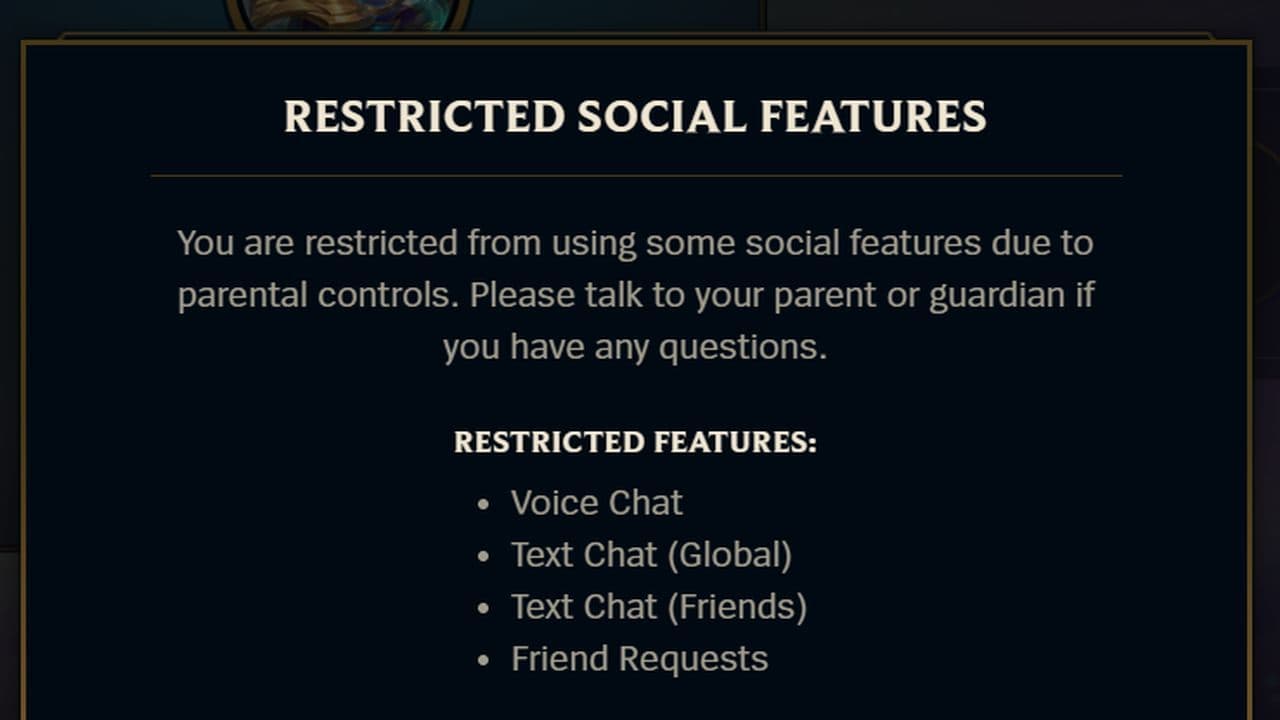
Depending on the parent's chosen settings, these restrictions can include:
- Disabling text chat.
- Disabling voice chat.
- Limiting chat to friends only.
- Blocking friend requests.
- Restricting access to the social panel or certain Riot games.
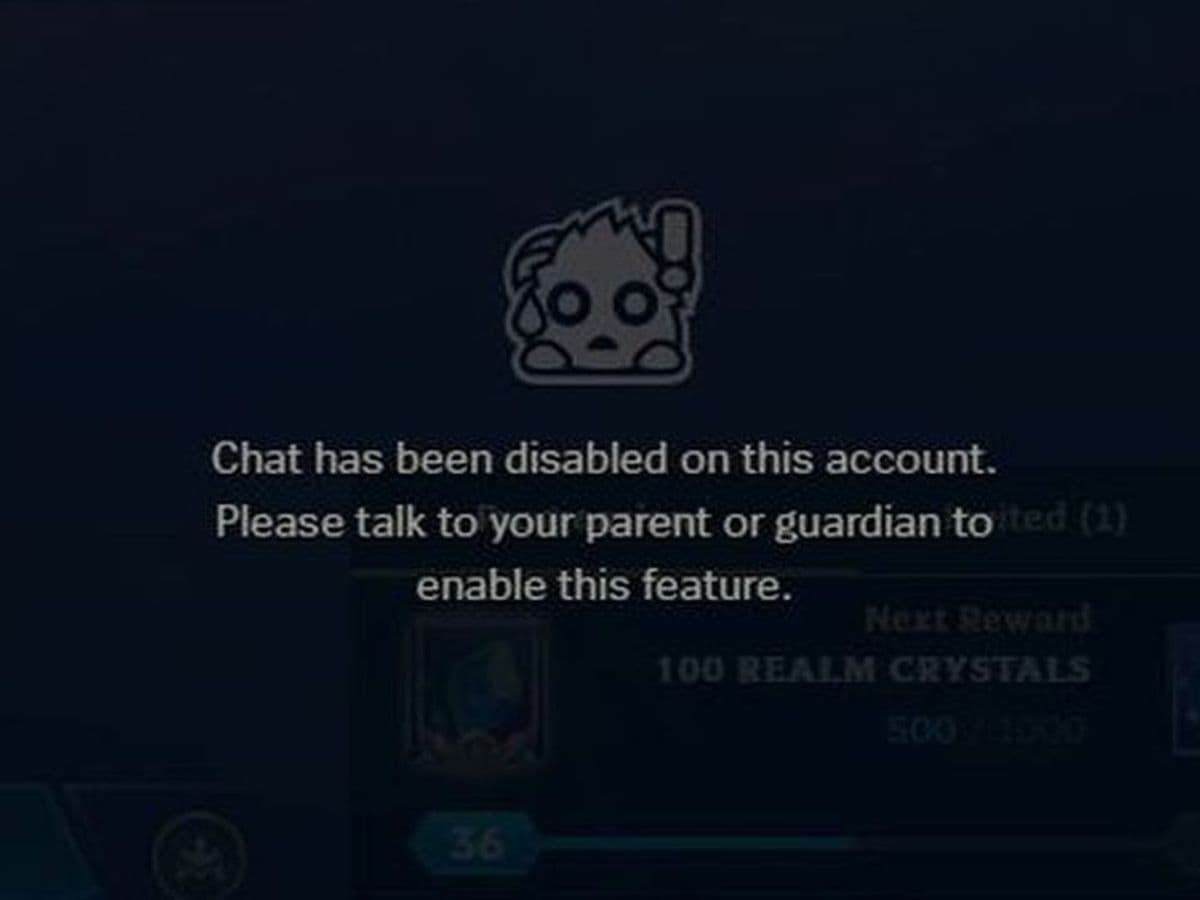
For most underage accounts, these restrictions are expected behavior once parental controls are enabled. However, Riot also confirmed that some adult players briefly saw this message due to a rollout bug in July 2026, which was later reversed.
VALORANT parental controls
VALORANT now supports Riot Games' optional Parent Permissions, giving parents more control over how underage players communicate and interact online.
The feature is currently available for VALORANT (PC) as part of Riot's initial rollout in the United States, with additional parental features and regional expansion planned for the future.
What can parents control?

Parental controls are optional, not enabled automatically.
How to set up Riot Parental Controls
Setting up parental controls only takes a few minutes.
Step 1: Sign in to the Child's Riot Account
Visit the Riot Account Management page and log in using your child's Riot account.
Step 2: Add a Parent Email
If the account belongs to someone under 18, you'll see a prompt asking you to enter a parent's email address.
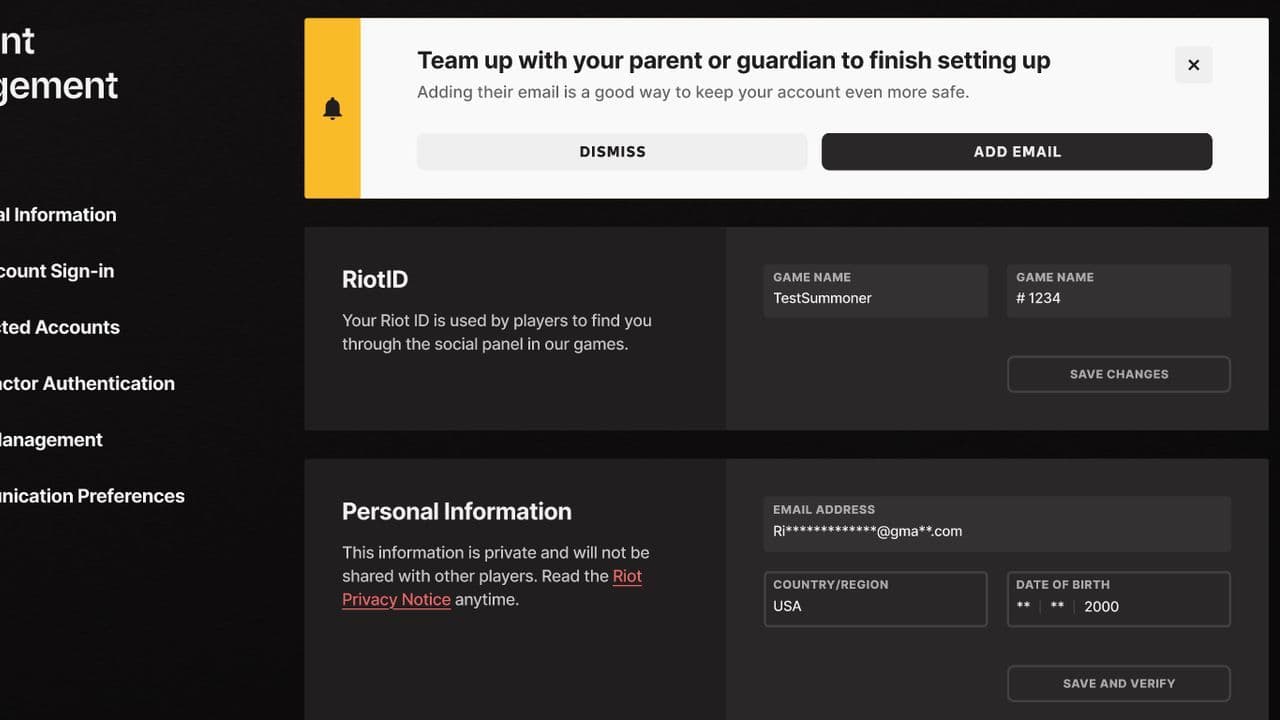
Submit the email and verify ownership when prompted.
Step 3: Verify Your Email
Riot will send an email with instructions for creating and accessing the Parent Portal.
Complete the verification process to activate parental permissions.
Step 4: Open the Parent Portal
Once verified, you can:
- Adjust chat settings.
- Review your child's friends.
- Block specific Riot games.
- Disable account access if needed.
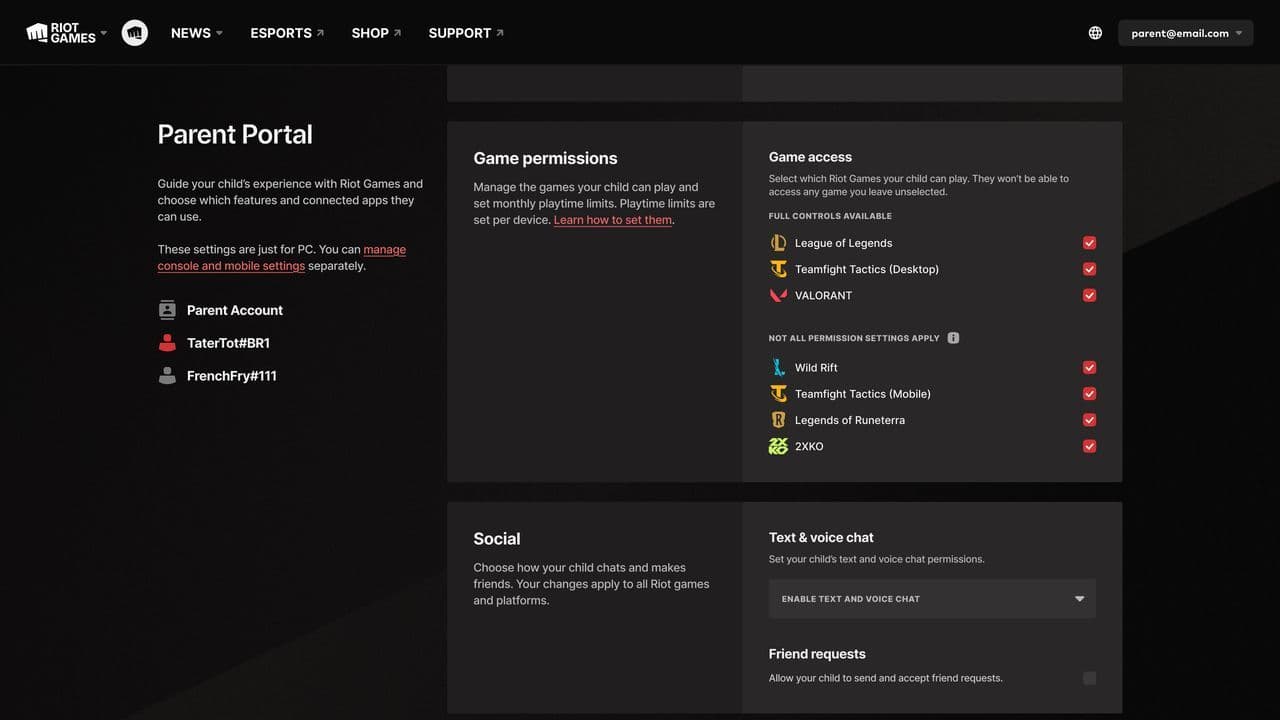
Changes take effect on the child's account after they're saved.
Which games support Riot Parental Controls?
At launch, parental controls are available for:
- VALORANT (PC)
- League of Legends
- Teamfight Tactics (PC)
Riot says it plans to expand these features to additional games over time, with TFT Mobile currently targeted for future support.
What parents can see
Parents can view:
- The child's friends list.
- Who is connected to the account.
- Current parental settings.
However, Riot does not allow parents to directly read chat history or monitor live gameplay through the Parent Portal. Riot notes that chat records can be requested separately through Player Support if necessary.
Can children disable Riot Games parental controls?
No.
How to turn off parental controls in League of Legends
If parental controls were intentionally enabled on a child account, only the verified parent can change or remove the restrictions through Riot's Parent Portal. Children cannot disable or bypass Parent Permissions, and the restrictions remain in place until the parent updates the settings or the account holder turns 18, at which point the parental controls are automatically removed.
How to turn off parental controls in VALORANT
The process is the same as League of Legends because parental controls are tied to your Riot account, not an individual game. A verified parent can sign into the Parent Portal and adjust or remove chat restrictions, friend request limits, and game access.

Are you an adult?
If you're an adult player who suddenly received a parental control notification after the July 2026 update, Riot acknowledged that some users were mistakenly affected during the rollout. In many cases, logging out of both the Riot Client and League of Legends, then signing back in, resolved the issue while Riot rolled out a fix.
Will more parental control features be added?
Yes.
Riot has confirmed that additional parental control features are already in development and that the Parent Portal will continue to expand over time.
By introducing a dedicated Parent Portal, Riot gives parents greater control over chat, friendships, and game access while keeping the system optional and easy to configure. With additional features and game support already planned, this marks the beginning of a broader parental safety initiative across Riot's ecosystem.
If you want to learn more about Riot Games, check out the pieces below:
All Related Guides
 How to remove tokens in League of LegendsLearn how to remove tokens in League of Legends, clear Challenge Tokens from your profile, and fix them if the...
 How to disable Parental Controls in League of Legends (2026 update)Learn how to disable Riot's League of Legends parental controls, who can remove Parent Permissions, and what t...
 How to change the install path in League of LegendsFind the League of Legends install location and move the game safely to a new drive with this clear step-by-st...
 League of Legends player lookup: How to check an accountCheck a LoL account with a League of Legends player lookup tool and learn what Riot ID, match history, rank, a...
 How to link your Twitch account to League of LegendsWant League of Legends Twitch drops? Learn how to connect your Riot Account, watch eligible streams, and claim...
 What is low priority queue in League of Legends and how to fix itGot a 10-minute low priority queue in League of Legends? Learn how many games it lasts and what resets the pen...
 Guide to League of Legends Partner ProgramLeague of Legends Partner Program guide: benefits, requirements, application dates, Creator Hub access, and ho...
 Client Server version mismatch League of Legends error fix guideHow to fix Client Server version mismatch League of Legends error: causes, quick LoL fixes, repair tool, reins...
- 1
- 2
- 3
- 4
- 5
- 6