Hytale Update 4 (Part 2) changes: Features, tools & more
Hytale adds emotes and toolsON THIS PAGE:
- How to access Hytale Update 4 (Part 2)
- Hytale Update 4 (Part 2): What’s new?
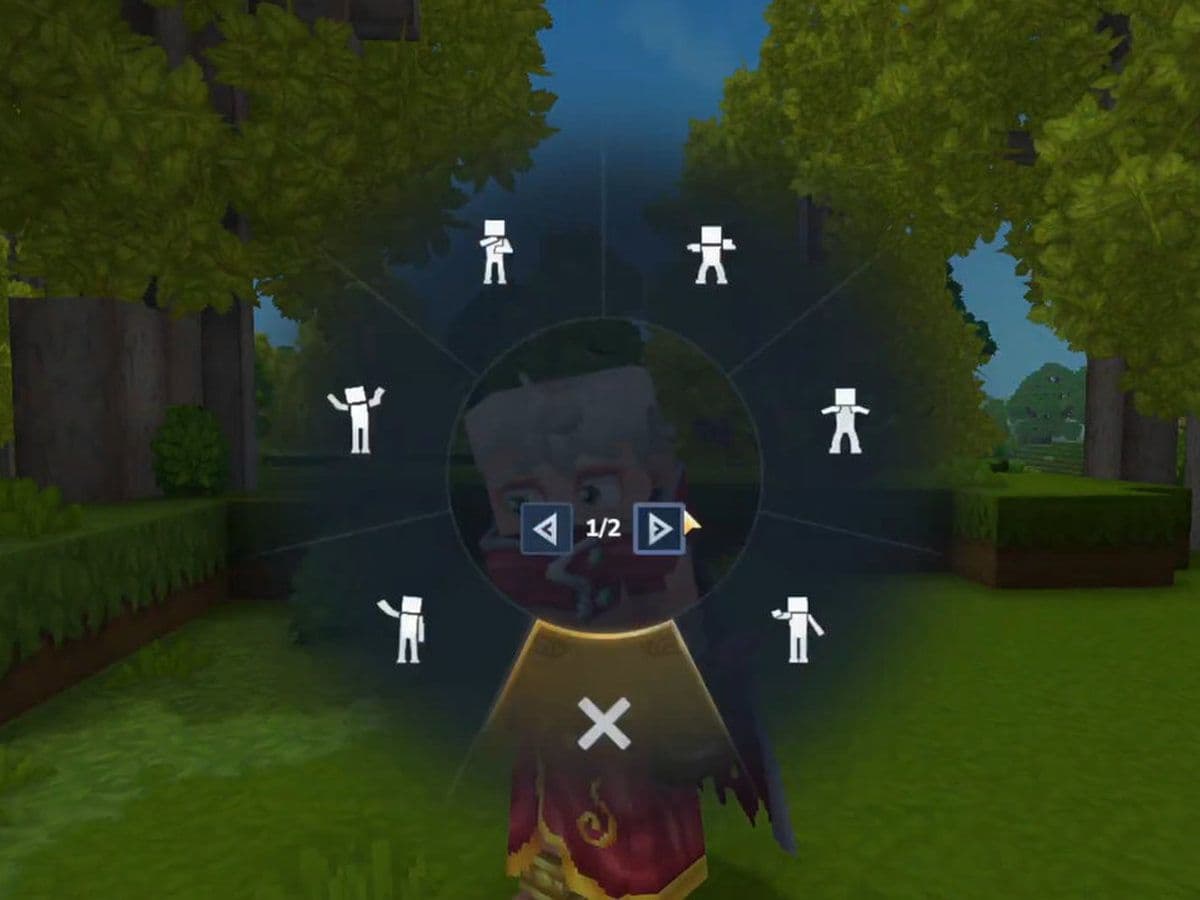
- Emote wheel
- Revolve Tool
- /replace command
- Wolf pack AI improvements
- Audio improvements
- Watering Can changes
- Instant crafting changes
- World and performance improvements
- NPC and creature updates
- UI and quality of life Improvements
- Creative mode and modding improvements
- Accessibility improvement
- Bug fixes
- Should you update Hytale?
Hytale Update 4 (Part 2) was released on February 26, 2026, on the Pre-Release branch. This update focuses on creative tools, AI improvements, performance upgrades, and quality-of-life features. While it does not add new zones, it introduces important systems that improve gameplay, building, modding, and overall stability.
This guide explains every major feature in Hytale Update 4 (Part 2) you should know.
How to access Hytale Update 4 (Part 2)
To enable Hytale Update 4 (Part 2):
- Open the Hytale Launcher
- Go to Settings
- Enable Pre-Release
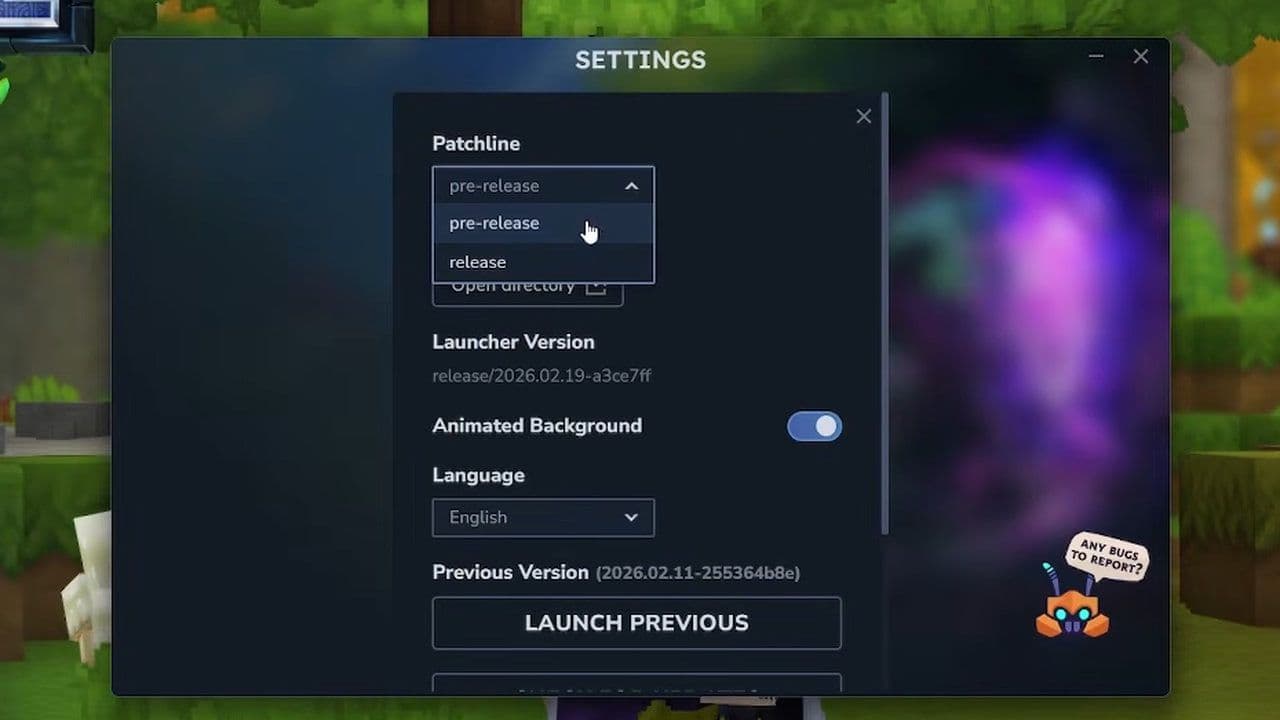
This will install the latest pre-release patch.
Hytale Update 4 (Part 2): What’s new?
Here is a quick summary of the most important features in Hytale Update 4 (Part 2):
- Emote Wheel added, allowing players to use and loop emotes
- Revolve Tool added, making it easy to create circular and symmetrical builds
- /replace command overhauled with better control and block mask support
- Wolf pack AI improved with coordinated attacks and retreat behavior
- Watering Cans upgraded with 3×3 watering and increased capacity
- Basic items like the Workbench, Campfire, Bedroll, Chest, and Torch now craft instantly
- Workbenches continue crafting when chunks unload, improving automation
- Item containers reworked to reduce lag and improve world performance
- Major improvements to Creative Tools, Selection Tool, and modding support
- Stereo audio improved for better positional sound and immersion
Here is a detailed look at the new Hytale features.
Emote wheel: New player expression system
The biggest social feature in Hytale Update 4 (Part 2) is the Emote Wheel.
You can access it by:
- Holding the X key
- This key can be changed in Settings
New emotes include:
- Chicken
- Kill
- Laugh
- Punch
- Tongue
Some emotes can now loop continuously.
The player avatar also now:
- Faces the camera in free camera mode
- Faces the camera in third-person mode
- Has improved falling animations
These changes make characters feel more alive and responsive.
Revolve Tool: Major Creative Mode Upgrade
The new Revolve Tool is one of the most important additions in Hytale Update 4 (Part 2). This tool allows you to:
- Rotate your current selection
- Paste multiple rotated copies
- Create full circular builds automatically
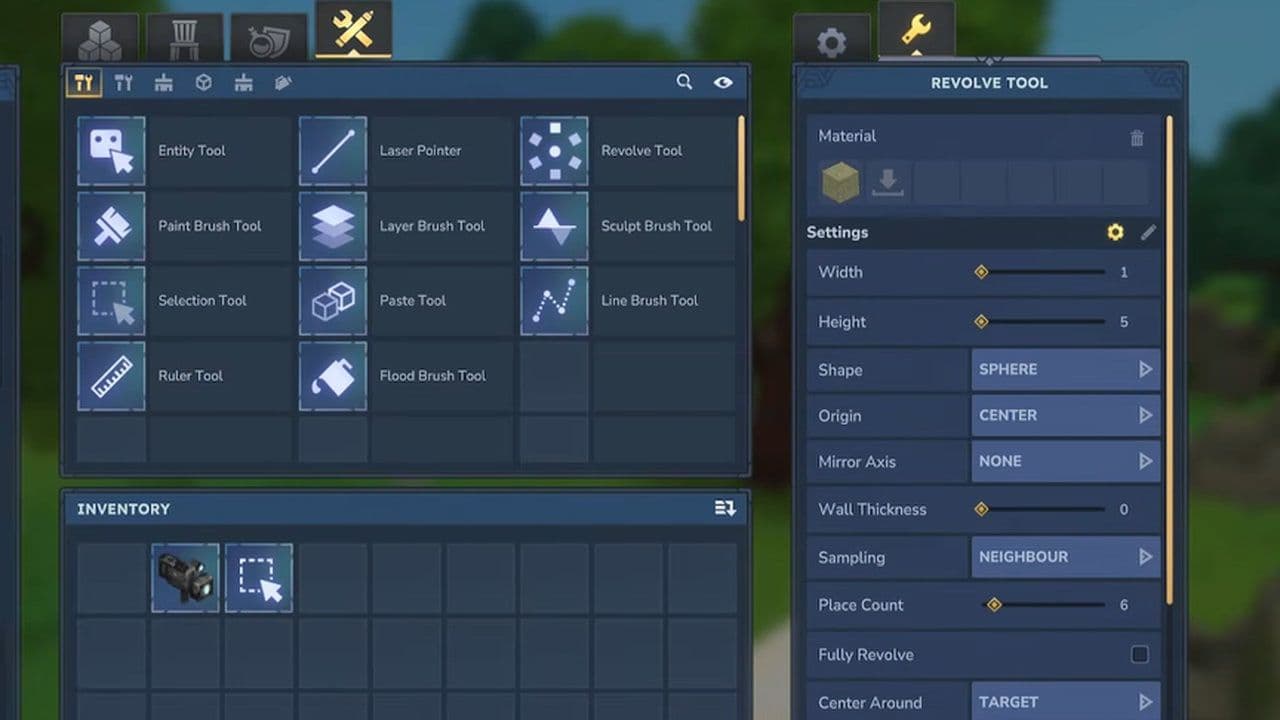
This makes it much easier to build:
- Towers
- Domes
- Circular rooms
- Arenas
- Decorative structures
Previously, these builds required manual rotation. Now, they can be created much faster.
/replace command overhaul
The /replace Hytale command has been completely redesigned. Changes include:
- Subcommands added: Swap and regex are now subcommands instead of flags. This makes commands easier to use.
- Block mask support
- You can now use spatial filters like:
- >Block
- !Block
This allows precise control over which blocks are replaced.
This is a major improvement for builders and server admins.
Wolf pack AI improvements
In Hytale Update 4 (Part 2), black and white wolves now use advanced pack behavior. They will:
- Fight together
- Flank their target
- Retreat when injured
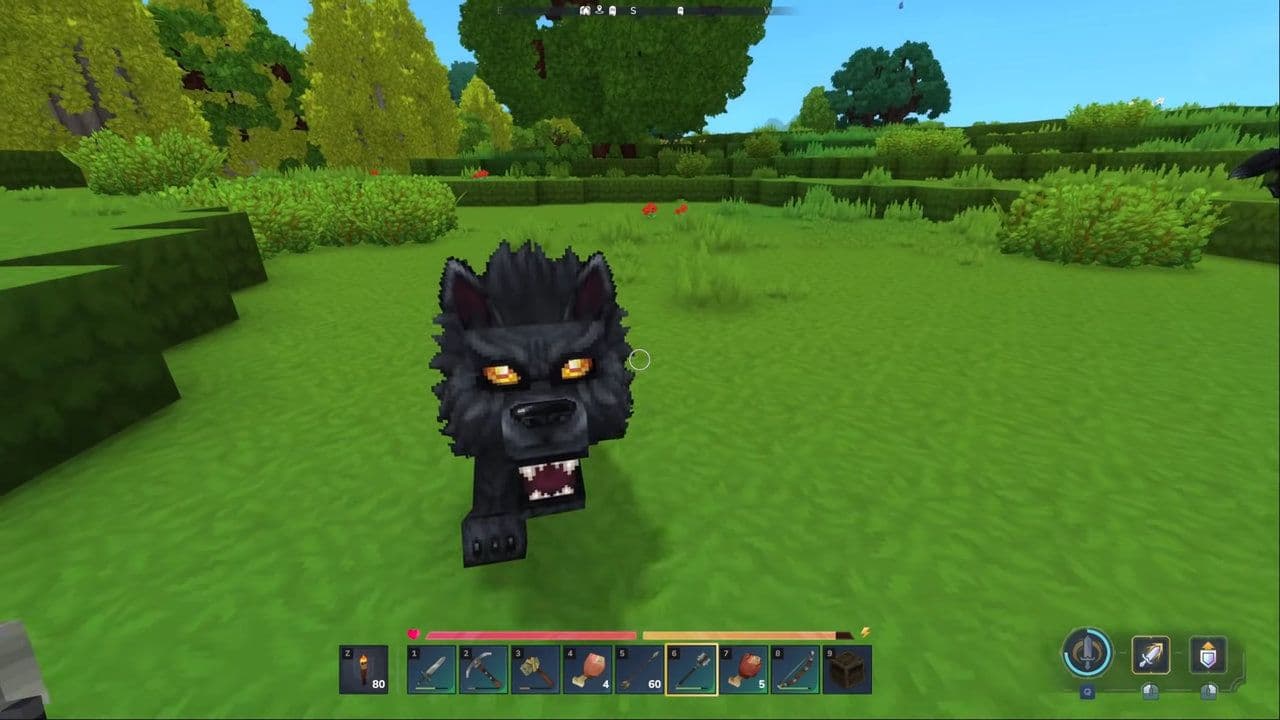
Wildlife now feels smarter and more natural.
Audio improvements
The audio system has been upgraded & dual source blending added. This improves positional sound when using headphones.
Audio now feels:
- More balanced
- Less focused in one ear
Additional audio changes:
- Memory recording and restoring now has sound effects
- Zone 1 mountain ambience changes with altitude
- Zone 4 caves and sewers have new placeholder music and ambience
These changes improve immersion.
Watering Can changes
The watering can has been heavily improved in Hytale Update 4 (Part 2). New features include:
- Capacity increased from 20 to 50
- Can water a 3×3 area when charged
- Configurable watering width and depth
- Can be placed on the ground
- Uses secondary interaction key to water
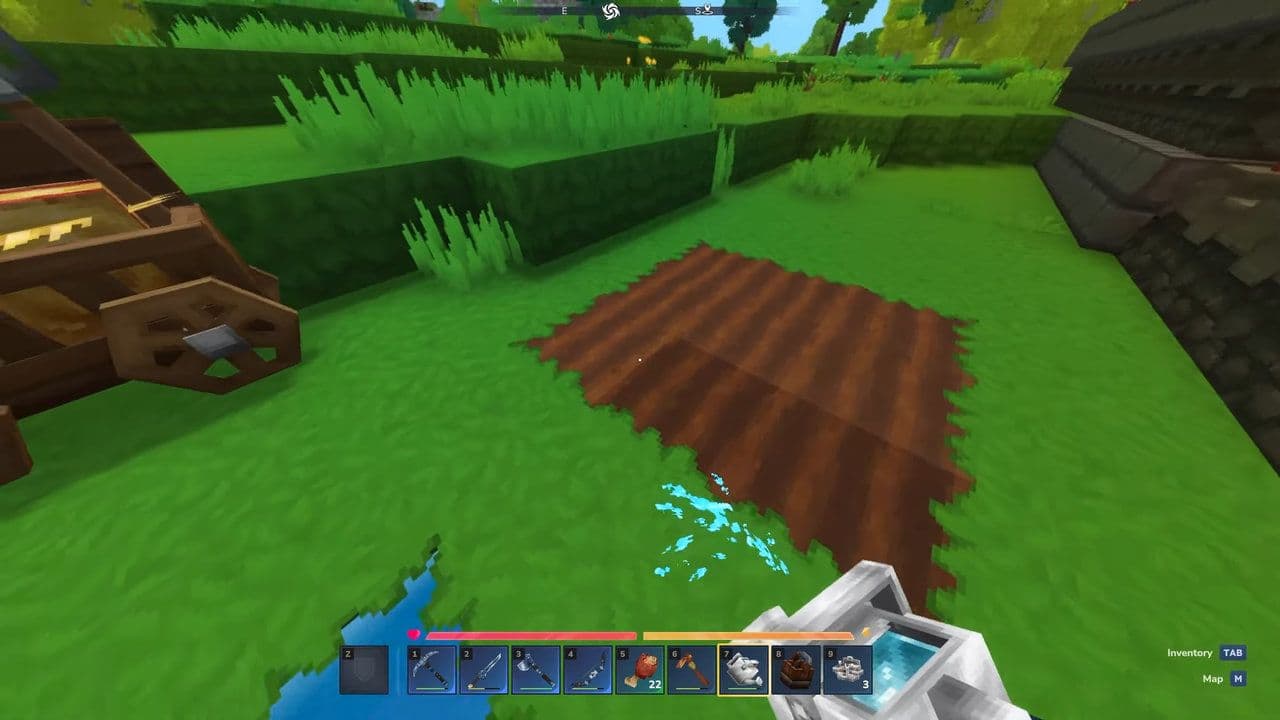
This makes Hytale farming easier and faster.
Instant crafting changes
Several Hytaqle items now craft instantly:
- Builder’s Workbench
- Campfire
- Crude Bedroll
- Wooden Chest
- Crude Torch
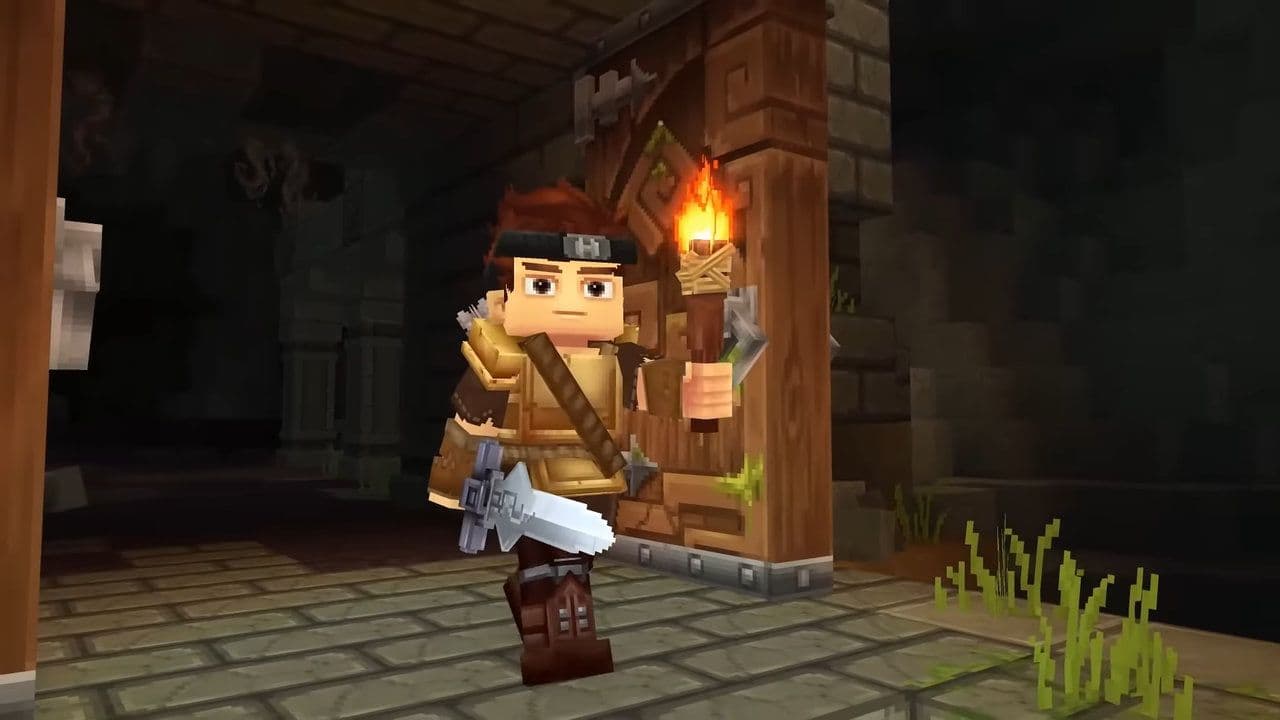
This removes unnecessary waiting time.
World and performance improvements
Many backend improvements were added in Hytale Update 4 (Part 2).
- Extreme coordinate handling improved: This improves stability in large worlds.
- Item containers reworked: Containers are now block components. This reduces:
- Lag
- Chest bugs
- Workbench improvements: Workbenches now:
- Continue crafting when chunks unload
- Resume when output space is available
- Use world game time instead of real time
This improves automation reliability.
NPC and creature updates
Performance improvements were made to NPC systems.
Changes include:
- Reduced breathing checks for NPCs
- Improved performance
New creature feature:
- Skrill can now lay eggs
This expands creature mechanics.
UI and quality of life Improvements
Several important UI upgrades were added.
- Inventory improvements: The backpack now shows:
- Number of used slots
- Map improvements: Markers are now always visible:
- Personal markers
- Shared markers
- Player markers
- Localization improvements: Added support for:
- CJK fonts
- Machinima tool localization
This improves global accessibility.
Creative mode and modding improvements
Hytale Update 4 (Part 2) includes major modding upgrades. New features:
- /pedit back command
- Improved selection tool rotation
- Selection without holding mouse button
- Faster creative tool previews
- Custom item HUD UI support
- Mod folder selection option
- PlayerRemovedFromWorldEvent added
- Time of Day and Weather client-side controls
- Reset Environment button
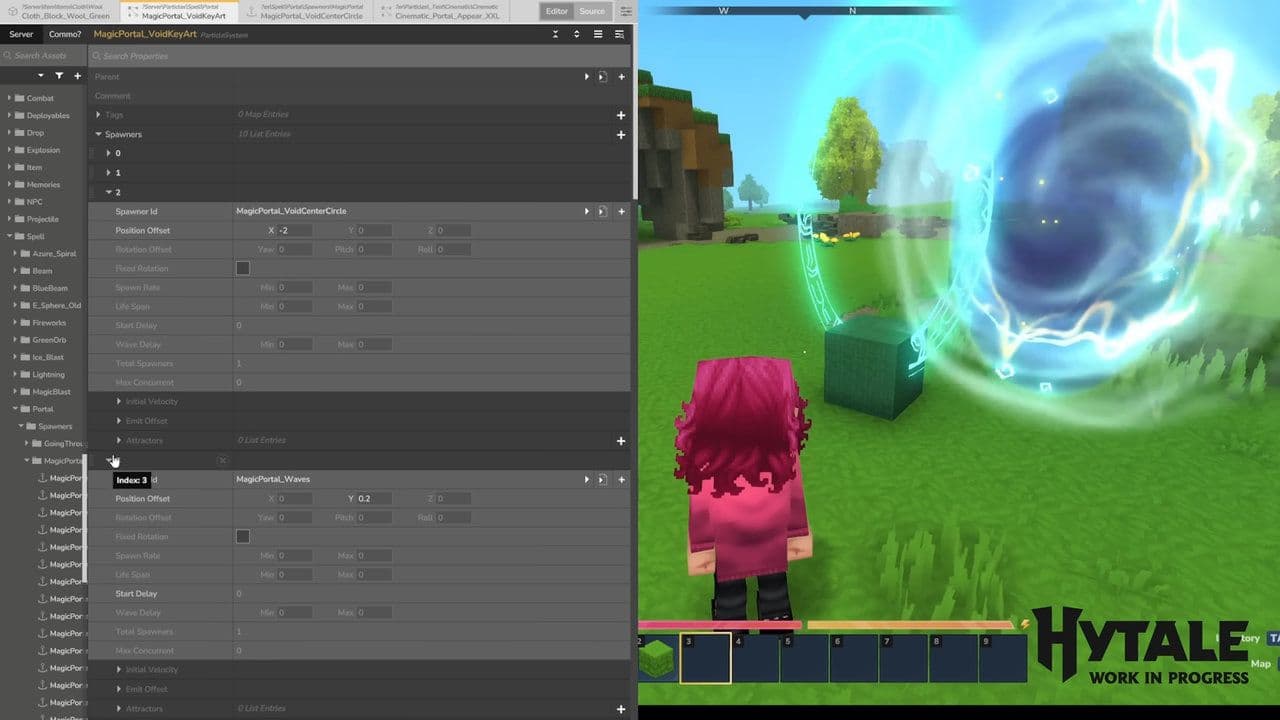
These changes improve creator workflows.
Accessibility improvement
New accessibility feature added:
- Windows ClickLock support
This helps players with limited mouse control.
Bug fixes in Hytale Update 4 (Part 2)
Many important bugs were fixed.
Combat fixes:
- Wheat is no longer edible
- Ammo no longer consumed in Creative Mode
World fixes:
- Cave generation fixed
- Lava burn effects fixed
- Portal fragment refunds fixed
- NPC follow distance fixed
Creative fixes:
- Selection tool bugs fixed
- Prefab editor bugs fixed
- Tool rotation bugs fixed
UI fixes:
- Crash fixes
- Inventory fixes
- Map marker fixes
These fixes improve stability.
Should you update Hytale?
Hytale Update 4 (Part 2) is a major technical and creative update.
It improves:
- Creative tools with the Revolve Tool
- Gameplay with better AI
- Farming with watering can upgrades
- Modding with new tools and commands
- Performance and stability
This update prepares Hytale for future major content updates while improving the current experience for all players.
If you use Creative Mode, mods, or multiplayer servers, Hytale Update 4 (Part 2) is one of the most important updates so far.
That’s all for today! Looking for more? Check out these:
All Related Guides
 Best Hytale plugins and how to create yoursExplore the best Hytale plugins for servers, from permissions and shops to NPCs, kits, performance tools, and ...
 Meet the Hytale Pokemon mod Pokefind: Release date, gameplay and moreGet the latest details on the Hytale Pokemon mod Pokefind, including gameplay plans, server support, release s...
 Can you create an infinite water source in Hytale?Learn if a Hytale infinite water source is possible, why the 2x2 trick fails, and which mods can help you get ...
 Who is The Hedera in Hytale Endgame & QoL mod and how to defeat itFind out how to reach and defeat The Hedera in Hytale Endgame & QoL mod, including boss phases, best prep, and...
 How to heal in Hytale (Food, potions, totem & more)How to heal in Hytale: food, potions, totem, regen buffs, best methods, and full survival guide explained....
 Hytale Update 4 (Part 5): What’s new?Hytale Update 4 Part 5 adds 500+ new blocks, system upgrades, bug fixes, and major improvements before full re...
 All Hytale signs & how to craft themDiscover all 29 Hytale signs, their crafting recipes, and how to use them. Learn sign mechanics, placement tip...
 When will Hytale fully release? (2026 update)When will Hytale fully release? Learn the expected 2026–2027 timeline, Early Access plans, and what must happe...
- 1
- 2
- 3
- 4
- 5
- 6
- 7
- 8