Client Server version mismatch League of Legends error fix guide
Fix your client in minutes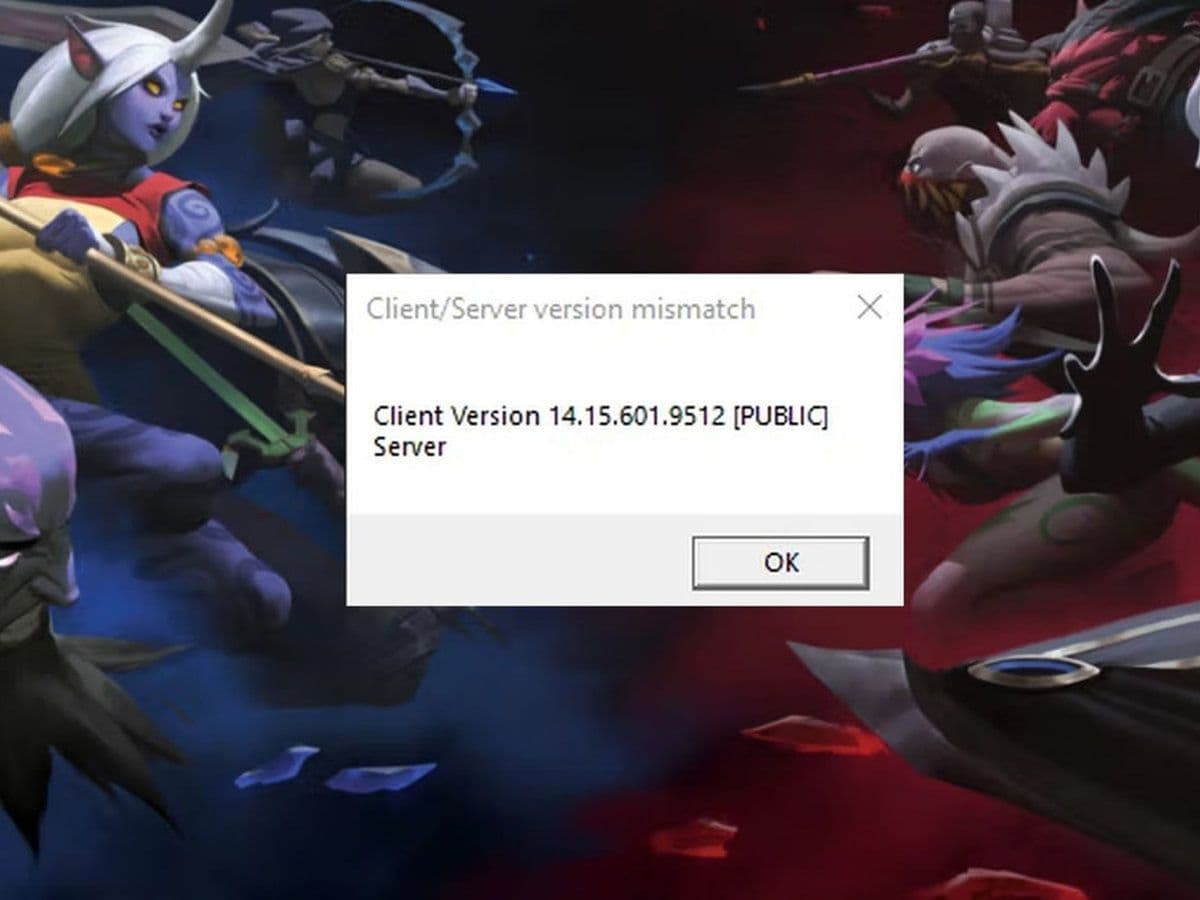
The Client Server version mismatch League of Legends error is one of the most common issues players face after updates. It usually appears when you try to queue or log in, and it prevents you from playing entirely.
The good news? This error is almost always fixable.
In this guide, you’ll learn what causes the Client Server version mismatch League of Legends error, how to fix it step by step, and how to prevent it from happening again.
What is the Client Server version mismatch League of Legends error?
The Client Server version mismatch League of Legends error happens when your game client version does not match the version running on Riot’s servers.
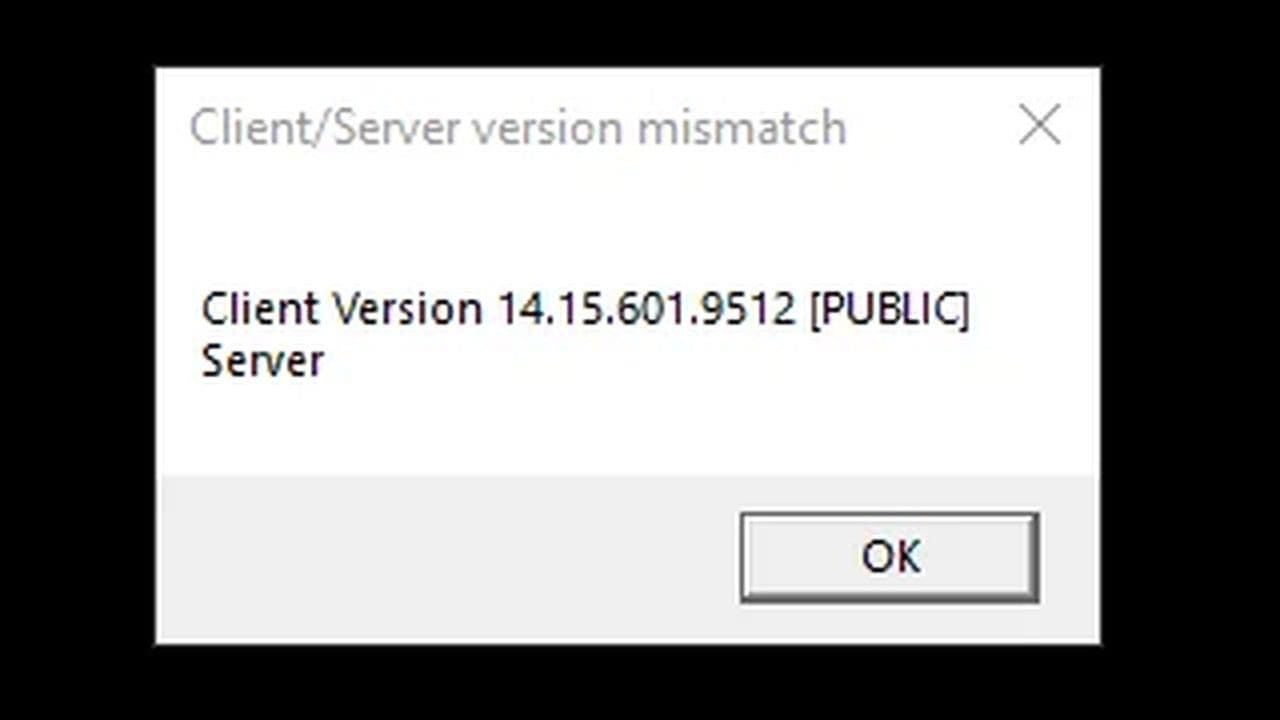
This means:
- Your game is outdated, or
- The update didn’t install correctly, or
- Riot servers are on a different patch version
Because League of Legends is an online game, both client and server must match exactly. If they don’t, access is blocked.
Try these quick Client Server version mismatch League of Legends error fixes first
Before going into advanced solutions, try these simple steps:
- Restart the Riot Client
- Restart your PC
- Log out and log back in
- Check if the client updates automatically
- Close all Riot processes in Task Manager
In many cases, these steps alone fix the Client Server version mismatch League of Legends error.
How to fix the Client Server version mismatch League of Legends error (Advanced)
If the error continues, follow these solutions in order.
1. Force the client to update
Sometimes the client does not check for updates correctly.
- Open Riot Client
- Log out of your account
- Close the client completely
- Reopen and log back in
This forces a version check and update.
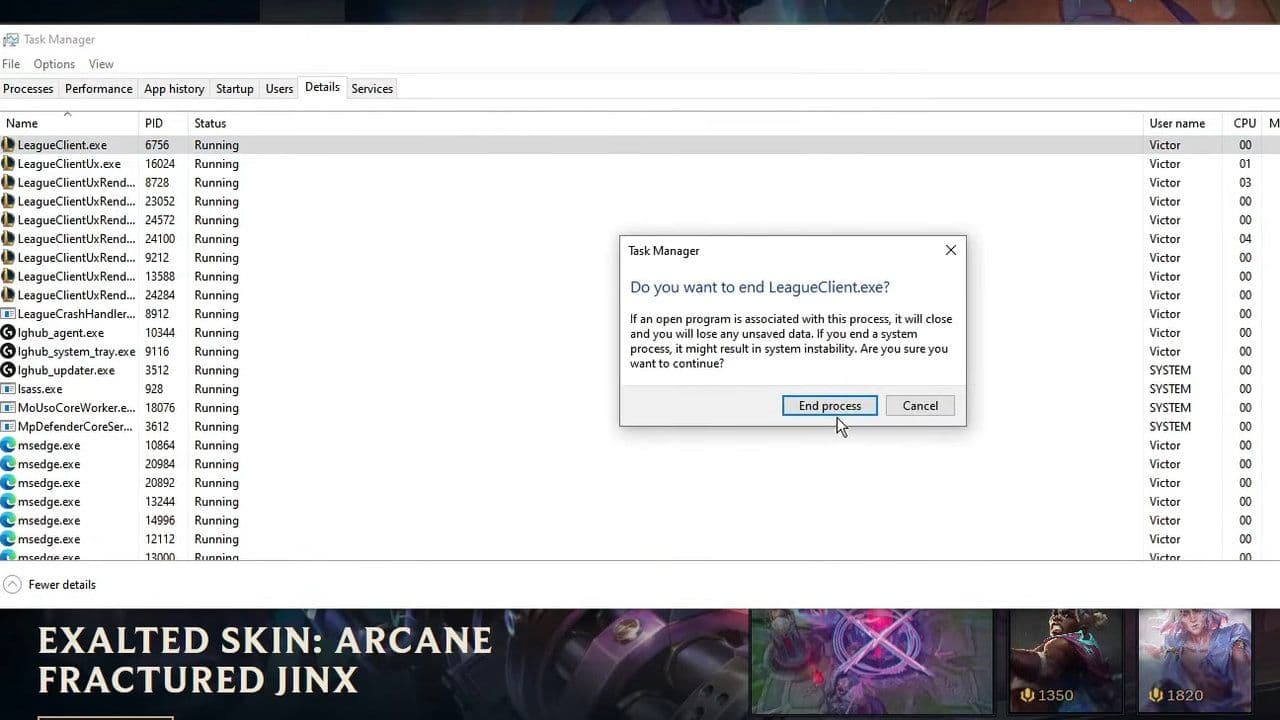
2. End all Riot processes
Background processes can block updates.
- Press Ctrl + Shift + Esc
- Find:
- Riot Client
- LeagueClient.exe
- End all related tasks
- Restart the client
3. Use Riot Repair Tool (formerly Hextech Repair Tool)
The Riot Repair Tool (RRT) is Riot’s official fix tool.
What it does:
- Repairs corrupted files
- Forces updates
- Fixes patch issues
How to use:
- Download the tool
- Select Force Repatch
- Run the repair
4. Run full repair from client
You can repair the game directly.
- Open League Client
- Click the Settings (gear icon)
- Select Full Repair
- Wait until it finishes
This ensures your files match the current server version.
5. Allow League of Legends Through Windows Defender Firewall
Sometimes the Client Server version mismatch League of Legends error happens because your firewall blocks the client from connecting properly.
- Open Windows Security
- Go to Firewall & network protection
- Click Allow an app through firewall
- Click Change settings
- Find and allow:
- Riot Client
- League of Legends
- Make sure both Private and Public boxes are checked
- Click OK and restart your PC
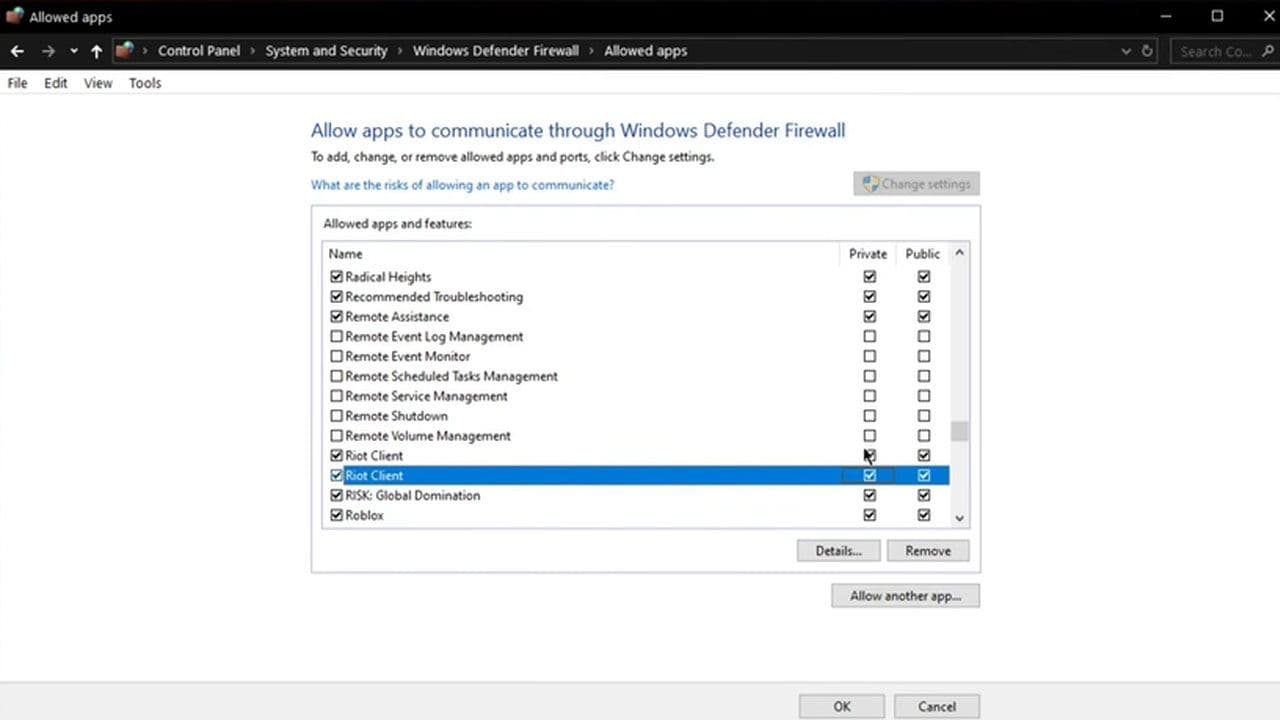
This ensures your client can communicate with Riot servers without restrictions.
6. Reinstall League of Legends (Clean install)
If nothing works, do a clean reinstall.
- Uninstall the game
- Delete remaining Riot Games folders manually
- Restart your PC
- Install the game again
This removes any corrupted or outdated files causing the Client Server version mismatch League of Legends error.
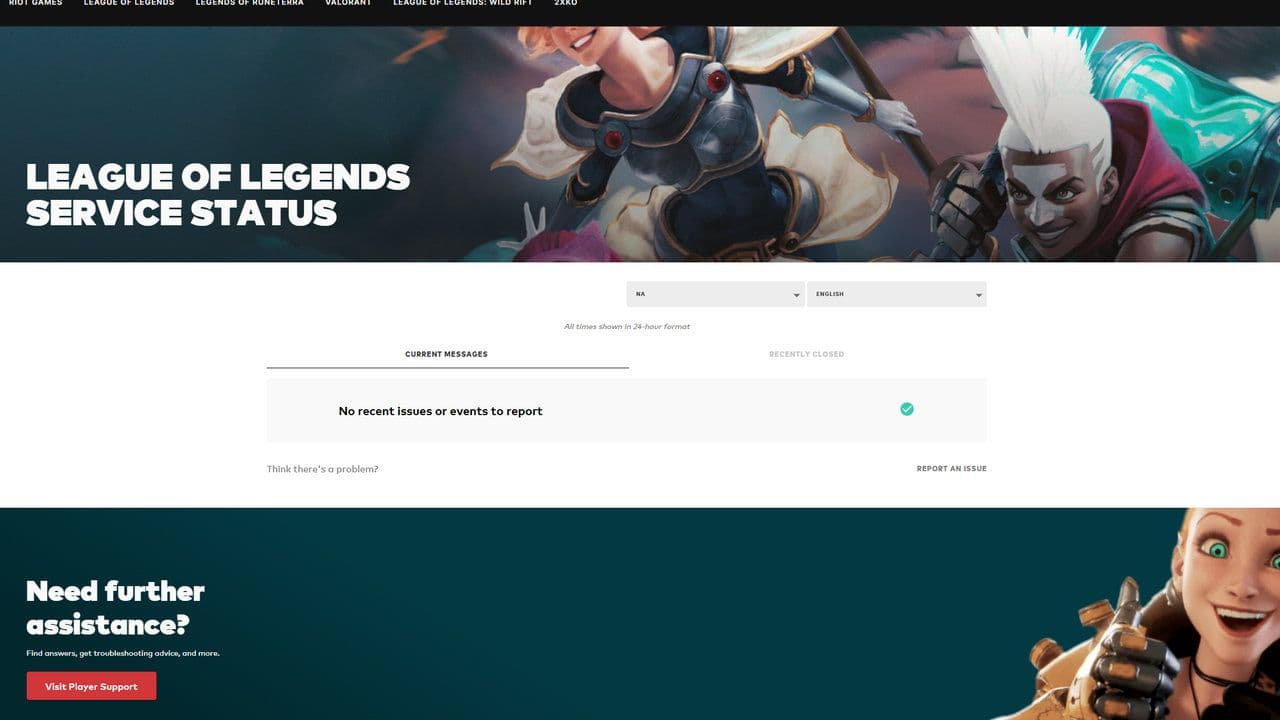
7. Check Server Status
Sometimes the problem is not on your side. Check if Riot servers are:
- Updating
- Down
- Experiencing issues
If servers are mid-patch, you may need to wait. If everything is right, you will see a screen like that:
8. Fix system time
Incorrect system time can break server communication.
- Enable automatic time sync
- Restart your computer
9. Disable VPN or Proxy
VPNs can cause region mismatch problems.
Turn off any VPN or proxy and try again.
10. Flush DNS Cache
Network issues can also cause mismatches.
- Open Command Prompt
- Run:
- ipconfig /flushdns
How to prevent the Client Server version mismatch LoL error
To avoid the Client Server version mismatch League of Legends error in the future:
- Always let updates finish completely
- Avoid closing the client during patching
- Restart your client after updates
- Use repair tools occasionally
- Keep your system time correct
The Client Server version mismatch League of Legends error can stop you from playing, but it is usually easy to fix.
Start with simple steps like restarting the client or forcing an update. If that doesn’t work, use tools like the Hextech Repair Tool or perform a full reinstall.
In most cases, the issue comes down to outdated files or failed updates, and once those are fixed, you’ll be back in the game quickly.
If the problem still continues after trying all the steps above, it may be a server-side issue or a deeper account/client problem. In that case, you should contact Riot Games support and submit a ticket for further help.
That’s all for today! If you’re hungry for more LoL news, leaks, and guides, check out these must-reads next:
All Related Guides
 How to remove tokens in League of LegendsLearn how to remove tokens in League of Legends, clear Challenge Tokens from your profile, and fix them if the...
 2026 Riot Games parental controls update (LoL, VALORANT & TFT)Learn how Riot Games parental controls (2026) work for League of Legends, VALORANT, and TFT, including setup, ...
 How to disable Parental Controls in League of Legends (2026 update)Learn how to disable Riot's League of Legends parental controls, who can remove Parent Permissions, and what t...
 How to change the install path in League of LegendsFind the League of Legends install location and move the game safely to a new drive with this clear step-by-st...
 League of Legends player lookup: How to check an accountCheck a LoL account with a League of Legends player lookup tool and learn what Riot ID, match history, rank, a...
 How to link your Twitch account to League of LegendsWant League of Legends Twitch drops? Learn how to connect your Riot Account, watch eligible streams, and claim...
 What is low priority queue in League of Legends and how to fix itGot a 10-minute low priority queue in League of Legends? Learn how many games it lasts and what resets the pen...
 Guide to League of Legends Partner ProgramLeague of Legends Partner Program guide: benefits, requirements, application dates, Creator Hub access, and ho...
- 1
- 2
- 3
- 4
- 5
- 6