Rocket League Aero Splash Pack quest explained
Unlock Rocket League Aero Splash Pack rewards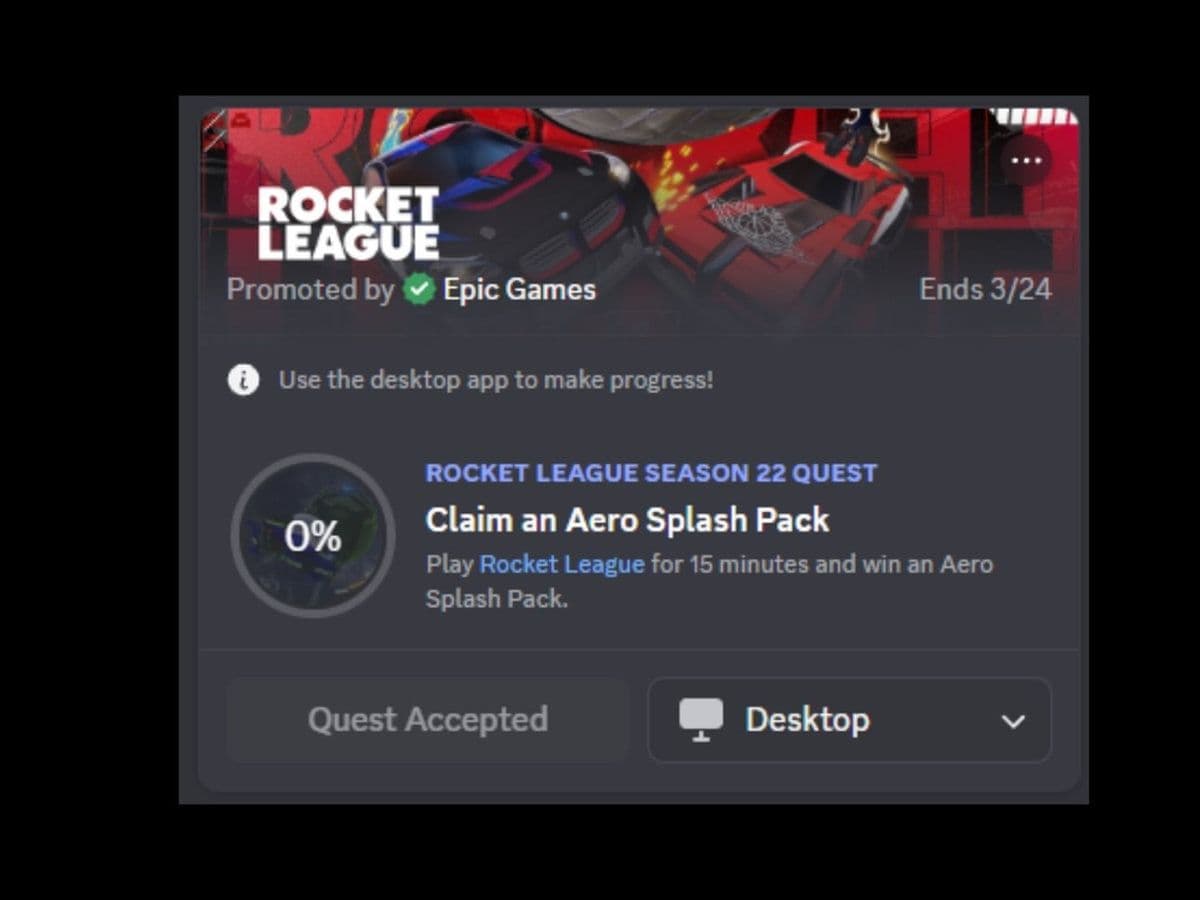
The Rocket League Aero Splash Pack quest is a limited-time promotion introduced during Rocket League Season 22. This quest allows players to unlock a free cosmetic bundle by completing a simple objective. Unlike normal in-game challenges, this quest is activated through Discord Quests, which means players must accept the quest on Discord before starting the task.
In this guide, you will learn how the Rocket League Aero Splash Pack quest works, how to complete it step-by-step, and what rewards you receive.
What is the Rocket League Aero Splash Pack quest?
The Rocket League Aero Splash Pack quest is a promotional challenge tied to Rocket League Season 22. The quest is part of Discord’s quest system and rewards players for playing Rocket League for a short period of time.
The objective is simple: Play Rocket League for around 15 minutes after accepting the Discord quest.
Rocket League Aero Splash Pack quest rewards
Completing the Rocket League Aero Splash Pack quest rewards players with a bundle of cosmetic items.
Since the event is a limited-time (until 24.3), players should complete the quest as soon as possible to ensure they receive the rewards.
How to complete the Rocket League Aero Splash Pack quest
Completing the Rocket League Aero Splash Pack quest only takes a few steps. However, it is important to activate the quest correctly so your progress is tracked. You need to:
- Open Discord
- Join the Rocket League Discord server
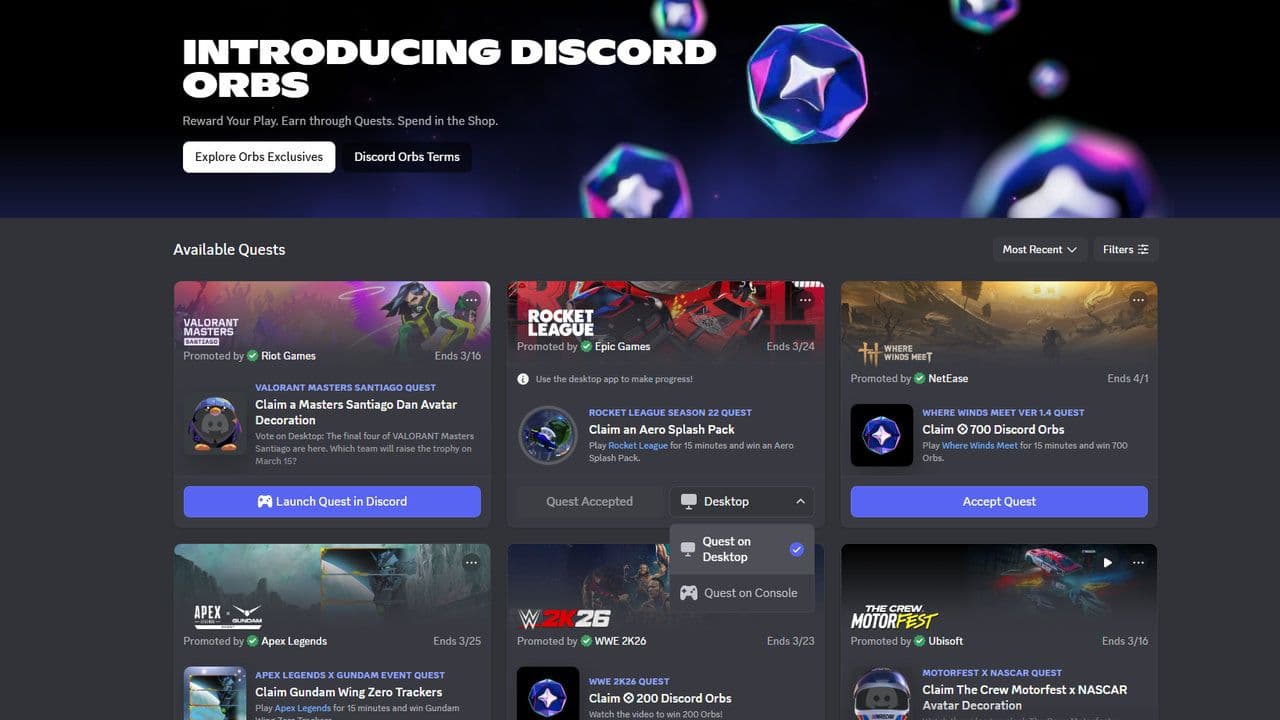
- Navigate to the Quests section
- Click Discover (compass icon) from the left bar
- Hit see all Quests
- Accept the Rocket League Aero Splash Pack quest and choose your platform
- Launch Rocket League
- Make sure your Epic Games account is connected
- Keep Discord running in the background. You should use the desktop app.
- Play Rocket League for approximately 15 minutes.
You do not need to win matches. The quest only tracks playtime.
To avoid issues, it is best to play normal matchmaking modes rather than private matches.
Once the playtime requirement is completed:
- Return to the Discord Quests page
- Confirm the quest completion
- Click Claim Reward
The Aero Splash Pack will then be delivered to your Rocket League account.
You can find the items inside your Garage inventory.
Are your rewards not showing in inventory?
Sometimes rewards take a few minutes to appear.
Try the following:
- Restart Rocket League
- Restart the Epic Games launcher
- Wait for server synchronization
The Rocket League Aero Splash Pack quest is a short and rewarding event tied to Rocket League Season 22. By accepting the quest on Discord and playing Rocket League for around 15 minutes, players can unlock a free cosmetic bundle.
That’s all for today! Looking for more Rocket League guides? Check out these:
Guide Categories
All Related Guides
 Did Rocket League get stuck on “Press any button to start”? Here is how to fix it on PCRocket League stuck on press any button to start? Try these PC fixes for cache, files, login issues, controlle...
 Rocket League codes (July 2026): All active redeem codes & free rewardsLooking for Rocket League codes? Redeem all active Rocket League redeem codes to unlock free Player Titles, th...
 How to get Jynxzi Rocket League skin & moreLearn how to get the Jynxzi Rocket League decal, title, and exclusive rewards through the Season 23 community ...
 How to fix latency variation in Rocket LeagueLearn how to fix Rocket League latency variation with Ethernet, CSTS input buffer, correct server region, and ...
 Rocket League TikTok Drops guide: How to get free rewardsRocket League TikTok Drops guide: earn free cosmetics, reward codes, RLCS drops, and learn how to redeem TikTo...
 Guide to the Ratatouille Rocket League EventRatatouille Rocket League event guide: all rewards, challenges, cosmetics, Goal Explosion, and Fortnite integr...
 Rocket League Easy Anti-Cheat (EAC) explainedRocket League Easy Anti-Cheat explained: how EAC works, online requirements, mod support, Linux compatibility,...
 How to play custom maps in Rocket LeagueDiscover how to play custom maps in Rocket League with a quick guide to setup, loaders, and the best maps for ...
- 1
- 2
- 3
- 4
- 5
- 6
- 7
- 8