How to trade in Rocket League on PS4, PS5, PC, and Xbox
Trading in Rocket League got a bit more complex but is still possible. We explain how.
If you’ve been playing Rocket League for a long time and noticed that trading seems different lately, you’re not imagining it. Learning how to trade in Rocket League on PS4, PS5, PC and Xbox is more tricky now.
Don’t worry, though—trading isn’t gone entirely. You can still trade items with friends, just in a slightly different way. This guide will walk you through the new trading rules, including how to set up your account, meet the necessary XP levels, and make trades with your friends. By following these steps, you can keep enjoying trades in Rocket League while adapting to the new system.
Can you still trade in Rocket League in 2025?
No, as of December 5, 2023, player-to-player trading has been permanently removed from Rocket League. This decision was made by Psyonix to align with Epic Games' policies on in-game cosmetics, which prohibit items from being tradable, transferable, or sellable between players.
While direct trading is no longer available, players can still utilize the in-game Trade-In system. This feature allows you to exchange five eligible items of the same rarity—such as Core Items, Tournament Items, and Blueprints—for a random new item of higher rarity.
It's important to note that third-party trading websites or servers are now considered fraudulent and have no connection to Psyonix or Epic Games.
Why can't I trade in Rocket League?
As of December 5, 2023, the broader trading feature has been removed from Rocket League. This means that players can no longer engage in trades with anyone outside their friends list.
While this change might be disappointing for some, it’s designed to streamline the trading experience and ensure that trades occur between verified, trustworthy players.
How to trade in Rocket League
Though the ability to trade with everyone has been restricted, you can still engage in player-to-player trading with your friends. Here’s a step-by-step guide to navigating the new trading rules:
Verify your Epic Games account
To start trading, you must have a verified Epic Games account with two-factor authentication (2FA) enabled. Here’s how to set it up:
- Visit Epic Games Account Settings and log in.
- Click on "Password & Security."
- Select "Set up" next to your preferred 2FA method and follow the instructions.
Meet XP level restrictions
Rocket League enforces trade restrictions based on your XP level. To trade, you need to meet the following criteria:
- Levels 1 - 30: Trading is not allowed.
- Levels 30 - 99: You can trade up to 3 times per day with a limit of 2000 Credits per trade.
- Levels 100 - 249: You can trade up to 10 times per day with a limit of 10,000 Credits per trade.
- Level 250 and above: Unlimited trades per day with a 100,000 Credit limit.
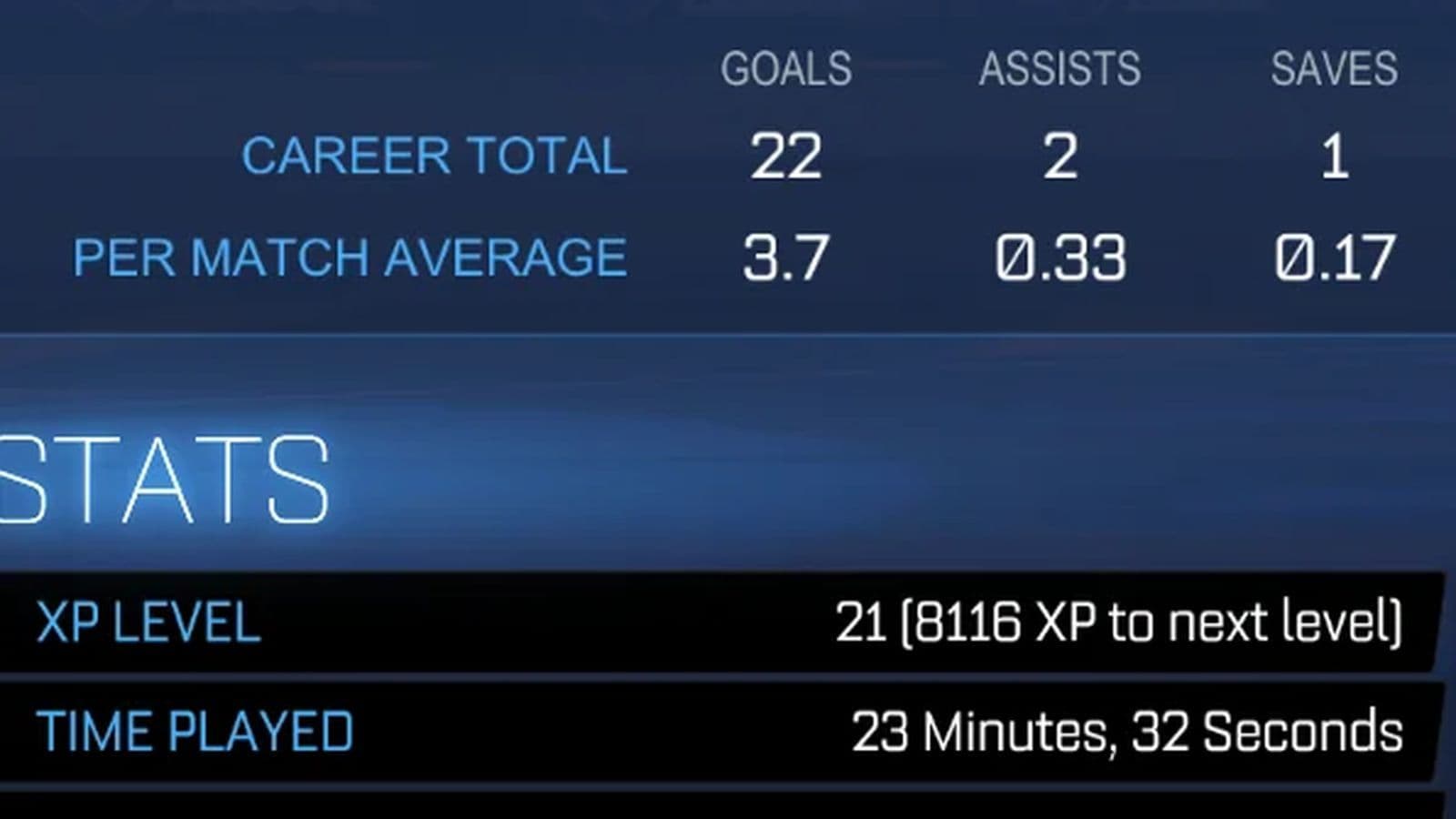
Check your XP level by navigating to "Profile" in the title menu, then "Career," and "Stats."
Purchase required credits
To trade, you must have purchased at least 500 Credits or their equivalent. You can acquire Credits in the Item Shop, with 500 Credits costing approximately $5.00. Note that purchases made with real-world money for cosmetic bundles do not count toward this requirement.
Add and invite friends
To trade, add the player you want to trade with to your friends list. Follow these steps:
- Open the Social menu from the title screen.
- Select "Add Epic Friend" and enter your friend's username.
- Wait for them to accept your friend request.
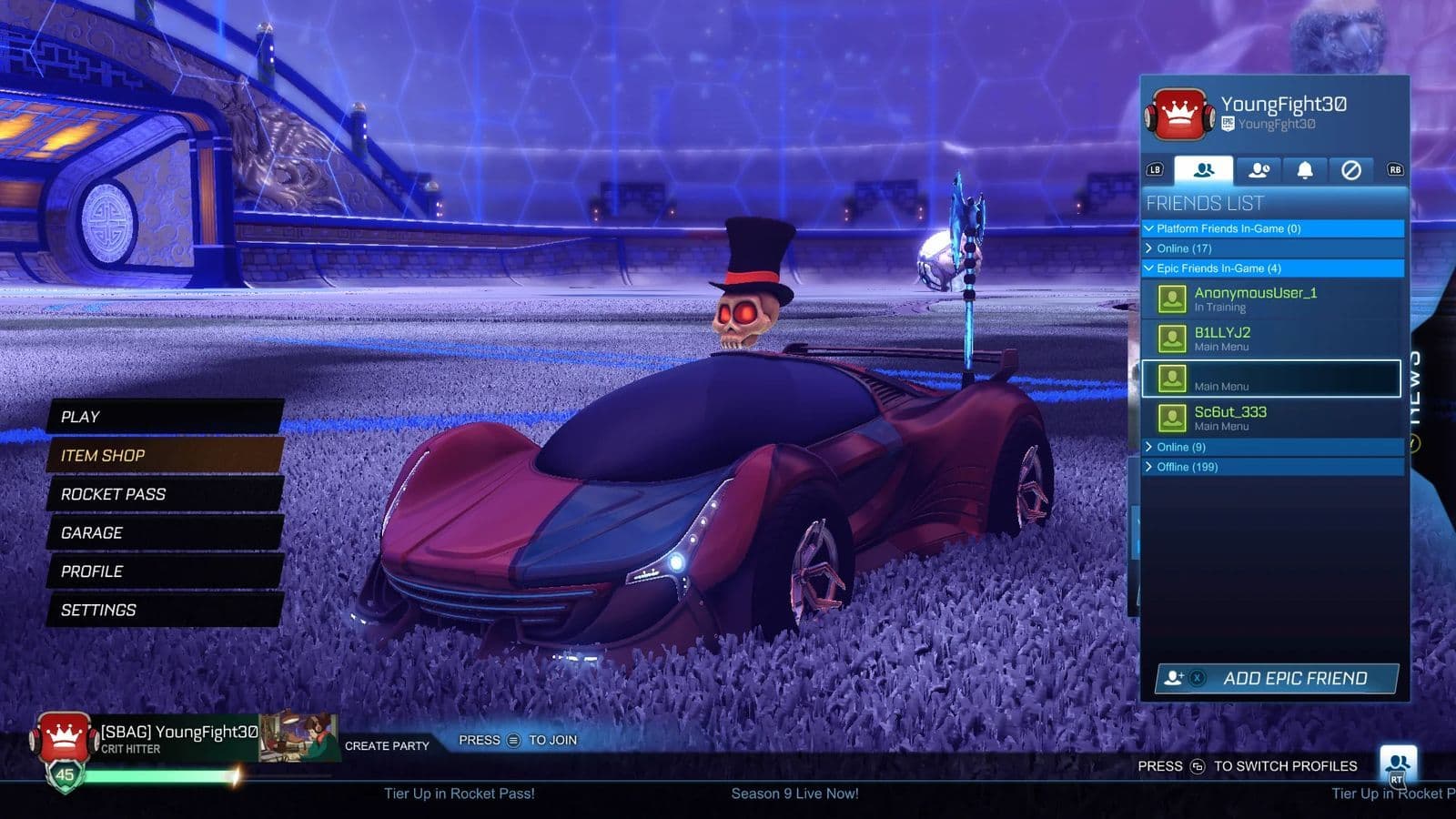
Once they’re added, create a party:
- Make sure your friend is online.
- Select "Create Party" from the title menu.
- Invite your friend to the party.
Initiate and complete trades
With your friend in the party, follow these steps to trade:
- Invite to Trade: Select the player's profile icon in the party screen and choose "Invite to Trade."
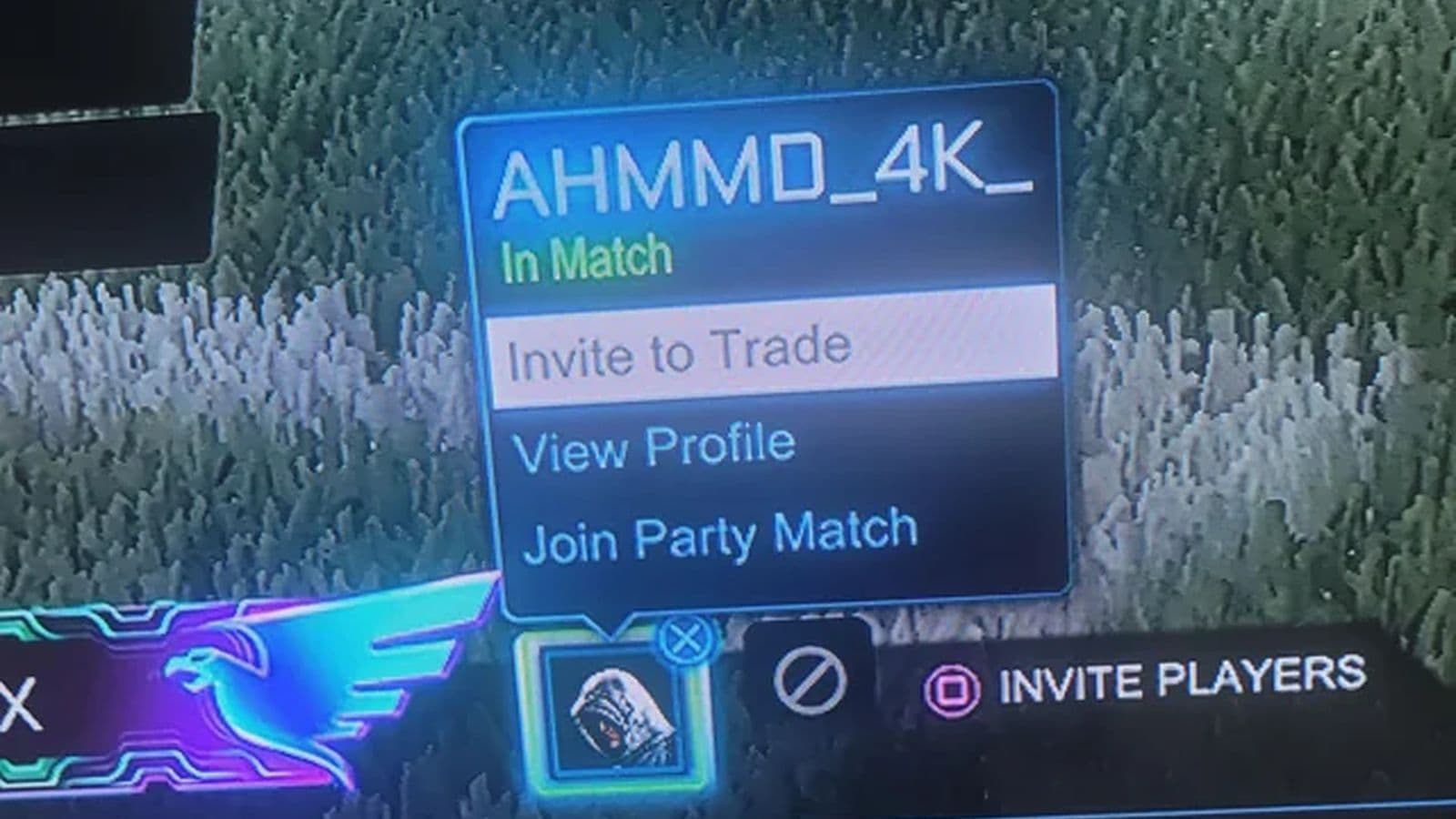
- Offer Items: You can select up to 12 items from your inventory to offer. Organize your items by category using the tabs in the trade menu.
- Review Offers: Check the items the other player is offering, ensuring both sides are satisfied.
- Accept Trade: Click "Accept" to finalize the trade. It will remain pending until the other player also accepts.
A five-second countdown will follow acceptance, allowing you to cancel if needed. After the countdown, the trade is complete, and both players will be notified of the items they’ve receiv
Does Rocket League allow cross-platform trading?
Rocket League does allow cross-platform trading. You can share your inventory across different platforms by linking your accounts. This lets you use items from any linked account, but they remain in their original account and cannot be transferred between platforms. Note that account information cannot be merged from one platform to another, and items cannot be transferred within the same platform.
Shared across platforms:
- Earned free drops (Common Items, Event Items)
- Season Rewards & Titles
- Rocket Pass Items
- Item Shop Purchases (except Credits, which stay on the purchase platform)
- Blueprints and items built from Blueprints
- All Rocket League-branded DLC included in the Legacy Pack
- Esports Shop Purchases
- Fan Rewards
- RLCS Attendee items
- Premium DLC (Back to the Future, Jurassic World, DC Superheroes, Fast and the Furious, Ghostbusters, Knight Rider, etc.)
Not shared:
- Platform-Exclusive Items (e.g., Sweet Tooth, Hogsticker, Armadillo, Mario and Luigi NSR, Samus' Gunship)
- Ultimate Edition On-Disc DLC: Batman/DC Superheroes Pack
- Purchased Credits and Esports tokens balances
To make use of these shared items, ensure your accounts are properly linked.
Now that you know everything about how to trade in Rocket League on PS4, PS5, PC and Xbox, there’s still much more to learn, including:
Guide Categories
All Related Guides
 How to change MPH to KPH in Rocket LeagueLearn how to change MPH to KPH in Rocket League through the Metric setting, switch back to MPH, and learn what...
 How to rank up in Rocket League and what is a good rank?Trying to climb in Rocket League? Learn how ranking works, which skills matter most, and how to make steady pr...
 How to get the JUNKO title in Rocket LeagueTrying to get the Junko title in Rocket League? Here is how the title works, who can earn it, and where BALRIG...
 How to get Rocket League on mobileFind out how to play Rocket League on mobile, where to download Rocket League Sideswipe, and whether it suppor...
 Did Rocket League get stuck on “Press any button to start”? Here is how to fix it on PCRocket League stuck on press any button to start? Try these PC fixes for cache, files, login issues, controlle...
 Rocket League codes (July 2026): All active redeem codes & free rewardsLooking for Rocket League codes? Redeem all active Rocket League redeem codes to unlock free Player Titles, th...
 How to get Jynxzi Rocket League skin & moreLearn how to get the Jynxzi Rocket League decal, title, and exclusive rewards through the Season 23 community ...
 How to fix latency variation in Rocket LeagueLearn how to fix Rocket League latency variation with Ethernet, CSTS input buffer, correct server region, and ...
- 1
- 2
- 3
- 4
- 5
- 6
- 7
- 8
- 9